

Free MDT Manuals – Read, Download & Print
57 Manuals
Manuals

62 Pages

2 Pages
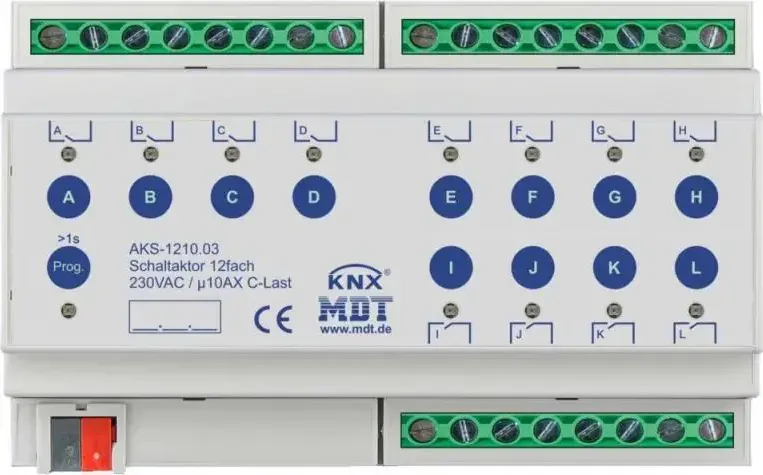
2 Pages
2 Pages
2 Pages
2 Pages
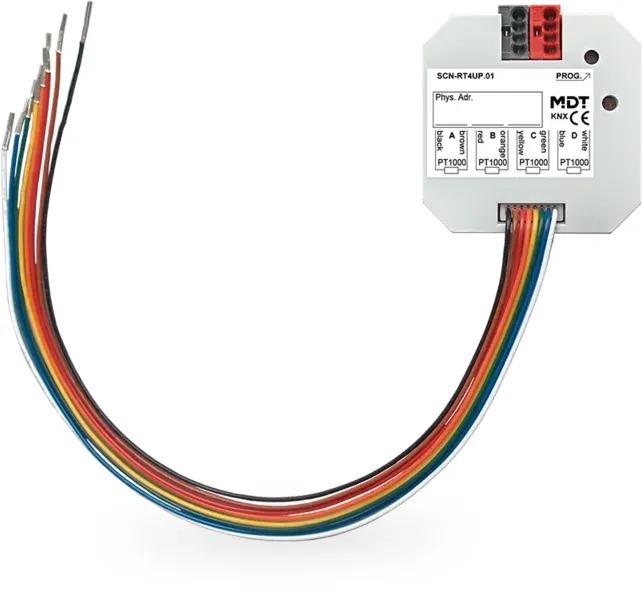
2 Pages
3 Pages
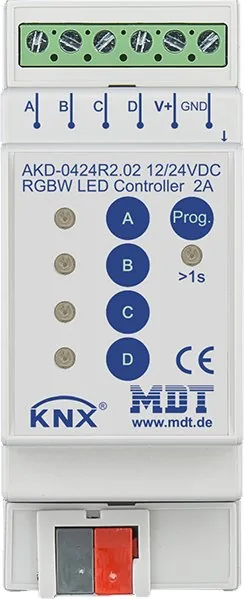
134 Pages

2 Pages
2 Pages
2 Pages

2 Pages
2 Pages

65 Pages
2 Pages
2 Pages

2 Pages
2 Pages

2 Pages

2 Pages
2 Pages
2 Pages

2 Pages
2 Pages
2 Pages
2 Pages
2 Pages
2 Pages
2 Pages
2 Pages
60 Pages

77 Pages

110 Pages
2 Pages
2 Pages
2 Pages
2 Pages
2 Pages
2 Pages
2 Pages

2 Pages

2 Pages
2 Pages
2 Pages

2 Pages
2 Pages
2 Pages

2 Pages
2 Pages
Categories

Free MDT Manuals - Read, Download & Print
Find MDT Manuals in One Convenient Place
Free MDT Manuals - Read, Download & Print is a helpful resource for people looking for clear documentation, operating instructions, installation information, technical references, and maintenance guidance for MDT products and equipment. Whether you are a homeowner, installer, technician, facility manager, student, or DIY user, manuals can provide the details needed to understand product features and use equipment correctly.
An MDT manual can be useful before installation, during setup, when troubleshooting an issue, or when checking specifications for replacement parts and compatible accessories. Instead of relying on guesswork, users can review structured information directly from the documentation. This makes it easier to identify controls, understand safety notices, confirm wiring or connection requirements, and follow recommended operating procedures.
Read MDT Manuals Online
Reading MDT manuals online provides quick access to important product information without requiring a printed copy. Digital manuals are especially useful when the original paperwork is missing, damaged, or no longer available. They can often be viewed from a computer, tablet, or mobile device, making it simple to consult instructions while working near the equipment.
Online manuals commonly include information such as:
- Product identification and model details
- Safety warnings and handling instructions
- Installation and mounting guidance
- Connection, wiring, or configuration information
- Control descriptions and operating procedures
- Technical specifications and performance data
- Maintenance schedules and cleaning recommendations
- Troubleshooting steps and error information
- Warranty, service, and support details
Before following any instruction, confirm that the manual matches the exact MDT model and version in use. Small differences between model numbers, generations, firmware versions, or regional product variants can affect settings, installation requirements, and compatibility.
Download MDT Manuals for Offline Access
Downloading an MDT manual can be practical for users who need documentation available without an internet connection. A saved PDF or document file can be stored on a computer, phone, tablet, shared service folder, or project archive. This is useful for technicians working on site, installers preparing for a job, and owners who want to keep product records organized.
Offline copies also make it easier to search for keywords, save notes, compare specifications, and share documentation with authorized team members. For example, an installer may need to verify terminal assignments, configuration steps, dimensions, or recommended operating limits before beginning work. Having the manual downloaded in advance can reduce delays and help support a more organized workflow.
When downloading manuals, use reliable sources and keep the original file name whenever possible. Include the model number, revision date, and document version in your records. This helps prevent confusion if a newer manual is released later.
Print Important MDT Instructions
Printing an MDT manual or selected pages can be helpful when working in locations where screens are inconvenient or unsuitable. Printed copies are useful in workshops, equipment rooms, construction sites, service vehicles, offices, and maintenance binders. A paper copy can also be marked with job notes, inspection dates, configuration details, or replacement part information.
Rather than printing an entire long document, consider printing only the sections needed for the task. Common pages to print include installation diagrams, safety warnings, wiring tables, setup procedures, quick-start instructions, maintenance checklists, and troubleshooting charts. This approach saves paper while keeping essential information close at hand.
If a manual contains color-coded diagrams or small technical labels, use print settings that preserve readability. Check page orientation, scaling, and image quality before printing. For critical work, compare the printed diagram with the digital original to make sure no text or labels were reduced too much.
Use the Correct MDT Manual for Your Model
Check the Product Label
The most important step when searching for an MDT manual is identifying the exact product model. Look for a label, rating plate, barcode, serial number, or model code on the device, packaging, or previous service records. The product name alone may not be enough, because different versions can have similar names but different specifications.
Write down all relevant details before searching. Helpful information may include the complete model number, hardware revision, manufacturing date, software or firmware version, voltage rating, and region of use. These details can help narrow the results and ensure that the selected manual applies to the equipment you own.
Compare Document Revisions
Technical documents may be updated as products change. A newer manual can include revised safety guidance, updated connection diagrams, added features, or corrected specifications. If more than one document is available, compare the revision number and publication date. The most current official manual is often the best starting point, but older equipment may require an earlier version.
Review Language and Regional Requirements
Some MDT manuals are published in multiple languages or for specific countries. Regional versions may include different electrical requirements, regulations, approved accessories, or installation procedures. Select a manual written for your language and intended market whenever possible.
Safety and Installation Guidance
Manuals are not only reference documents. They often contain essential safety information that should be reviewed before installation, operation, maintenance, or repair. Pay close attention to warnings about electrical power, moving parts, heat, moisture, pressure, chemicals, mounting surfaces, ventilation, and service access.
Only qualified personnel should carry out tasks that require technical training, licensed electrical work, specialized tools, or access to internal components. Disconnect power or follow the specified shutdown procedure before servicing equipment when required. Never bypass protective devices, ignore warning labels, or substitute components unless the documentation specifically approves them.
For installations involving building systems, control networks, electrical connections, or regulated equipment, verify compliance with local codes and applicable standards. The manual should be used alongside professional judgment, site requirements, and manufacturer support where necessary.
Troubleshoot with MDT Documentation
A manual can be a valuable first step when equipment does not behave as expected. Troubleshooting sections often list common symptoms, possible causes, status indicators, error messages, and recommended corrective actions. Start with basic checks, such as confirming power, connections, settings, environmental conditions, and compatible components.
Use troubleshooting instructions carefully and in the order provided. If the manual recommends contacting service personnel, stop there rather than attempting a repair beyond your skill level. Repeated resets, incorrect wiring changes, or unauthorized adjustments can cause damage, data loss, safety risks, or warranty issues.
Keeping a record of error codes, indicator patterns, operating conditions, and recent changes can make troubleshooting more efficient. This information is also useful if you need assistance from an installer, distributor, or manufacturer support team.
Organize Your MDT Manual Collection
A well-organized manual collection can save time during future maintenance and upgrades. Create a folder for each MDT product or project and store the manual together with invoices, configuration files, photos, wiring diagrams, service notes, and warranty information. Use clear file names, such as the model number followed by the manual revision date.
For businesses and maintenance teams, a shared documentation library can help ensure that everyone uses the same approved reference materials. Review stored documents periodically and replace outdated copies when new official revisions become available.
Get More Value from Every Manual
Free MDT manuals make it easier to read, download, and print the information needed to operate and maintain equipment with confidence. From first-time setup to routine servicing, the right documentation helps users work more accurately, safely, and efficiently.
Always verify the model, use the latest appropriate document, follow all safety instructions, and rely on authorized technical support for complex or high-risk work. With the correct MDT manual available when you need it, product information is easier to access, understand, and apply.
Search for 67,732 Manuals online


Type-in Brand or Model