
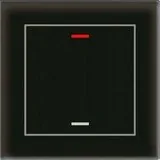
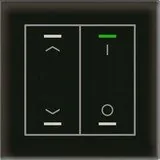
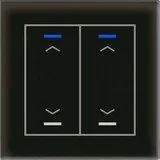
MDT Glass Push Button II Light Manual
PDF manual · 62 Pages
English



Quick check
Incorrect answer, please try again.
Chat with your MDT Glass Push Button II Light manual using AI
Get instant AI answers from your MDT Glass Push Button II Light manual
Ask anything about the MDT Glass Push Button II Light. Answers come from this manual, with the pages they are based on.
Ask a Question
Do you recommend Glass Push Button II Light?
Yes NoFrequently Asked Questions
Models with the suffix containing 'T' (e.g., BE-GTL1TW.01, BE-TAL55T1.01) include an integrated temperature sensor. These can transmit room temperature and threshold messages to KNX devices for HVAC control.
Is this answer helpful?
Connect a KNX interface (e.g., MDT SCN-USBR.02 or compatible IP interface), apply bus voltage, press the device programming button, then load the physical address and parameters from ETS. Long-frame capable MDT interfaces speed up programming.
Is this answer helpful?
The slap function triggers a preconfigured command when touching across the entire glass surface (three or more sensors). It’s available on Glass Push Button II Lite models and can be customized for short or long activation; cleaning mode prevents accidental triggers while wiping.
Is this answer helpful?
Yes. Each LED can react to internal or external objects with selectable DPTs, day/night colors and dynamic brightness. You can also set LED priority and synchronization across devices.
Is this answer helpful?
Long and extra-long presses send sequential group telegrams (e.g., room, floor, building). Configure separate times for long/extra-long presses; when held, the device sends the first immediate value, then group long at its threshold, then group extra-long at its threshold.
Is this answer helpful?
Yes, supported devices (from certain revisions) can be updated via MDT’s update tools (DCA). Use an MDT interface and the MDT Update Tool; bootloader LED behavior differs from normal mode—follow MDT instructions.
Is this answer helpful?
Scenes use 1‑byte scene objects with specific hex codes for call/save. Multi-tip can send different DPTs per tap count or a common object; communication objects are exposed per function and depend on the chosen datapoint types.
Is this answer helpful?
Advantages and Disadvantages
Advantages

- Extensive function set: switching, dimming, scenes, RGB/RGBW, color temperature and value sending for broad KNX integration.
- Per-key RGBW LEDs provide clear, customizable visual feedback and dynamic brightness control.
- Advanced press handling: short, long, extra-long, multi-tip and slap/cleaning modes for intuitive operation.
- Integrated temperature sensor on select models eliminates need for separate room sensors and supports HVAC logic.
- Supports long-frame programming and firmware updates via MDT tools to speed ETS workflows.
Disadvantages

- Push Button Lite 55 Basic lacks status LEDs, reducing visual feedback options.
- Complex parameter set can be overwhelming; careful ETS configuration and mapping required.
- Some advanced features require compatible MDT programming interfaces (long frame, updates).
- Multi-function timings (long/extra-long/group) need precise tuning to avoid accidental group triggers.
- Full feature use depends on correct DPT selection and linking of many communication objects.
Product Specification
Type
Sensor
Standard
KNX
Topology
Bus
Dimensions
3.62x3.62x1.16in
Features
IP20
Product Description
MDT Glastaster II Light Manual: Product Overview
The MDT Glastaster II Light is a compact, feature-rich KNX push-button family designed for flexible control of lighting, blinds, scenes and value-based functions in modern smart buildings. Available in single-, two- and four-gang versions and multiple finishes (white/glossy, studio white, black), some variants include an integrated temperature sensor for room climate monitoring. The design pairs capacitive glass sensor surfaces (or rocker buttons for Lite 55/63/Basic) with per-key RGBW status LEDs (except the 55 Basic), offering clear visual feedback and customizable color states.
What makes it powerful
Beyond standard on/off switching and dimming, the Glastaster II Light supports advanced KNX datapoint types and flexible behaviors: multi-tip (single/multi-press) functions, toggle and send-state behaviors, send-values for percent/decimal/RGB/color-temperature/scene, shift-value (step up/down), short/long/extra-long press groups for hierarchical control (room/floor/building), and MDT Single Object Control for shutter operation. The device supports logic functions (4 logic blocks) to chain or condition actions, allowing nested scenes, day/night gating and contextual automation.
RGBW status LEDs per key let you map internal or external objects to colored indicators, adjust brightness (fixed or dynamic via Lux/percent input), and prioritize LED states. The Glass Push Button Lite uniquely offers a “slap” function—touching across the full surface triggers a dedicated action—and a cleaning mode to avoid accidental operations while wiping the glass.
Variants with built-in temperature sensors can transmit room temperature values and thresholds directly on KNX, removing the need for separate sensors. The device supports long frame transfer to shorten ETS programming time and firmware updates via MDT DCA/Update Tool when supported.
Installation & commissioning
Wiring and commissioning follow standard KNX device procedures: connect to bus, apply bus voltage, press the programming button to assign a physical address via ETS (MDT USB/IP interfaces recommended), and load the application and parameters. Programming LED behavior differs in bootloader vs. normal mode; long-frame capable MDT interfaces accelerate programming.
Usage scenarios
- Residential lighting with multi-scene recall, color/temperature control and per-key RGB feedback
- Office zones where long/extra-long press group control toggles room, floor and building scenes
- Shutter control with MDT Single Object Control for short/long stop/central commands
- Hotel or public spaces leveraging slap entry/exit switching and cleaning lock
- Integrated room temperature sensing and control for HVAC or climate logic
Notes
- Push Button Lite 55 Basic lacks RGBW status LEDs.
- Button orientation (horizontal/vertical) affects mapping on 4‑gang models and LED assignments.
- LED brightness can be static or dynamic (requires brightness input object).
- Long/extra-long/group functions send sequential group telegrams; configure times carefully to avoid conflicts.
Search for 67,732 Manuals online


Type-in Brand or Model