Manual.ly Logo

MDT Glass Push Button II Smart Gen2 Manual

0.0 · 0 Ratings

PDF manual · 2 Pages

English

M: QW-35-FL
page

/ 2

Loading...
d9caf749dbe11b9a16ad8f0eadc75225d6fa page 1
MDT technologies GmbH
•
51766 Engelskirchen
•
Papiermühle 1
Tel.: + 49 - 2263 - 880
•
Fax: + 49 - 2263 - 4588
•
•
www.mdt.de
Stand: 1022
Technische Änderungen und Irrtümer vorbehalten,
Abbildungen können abweichen.
Technische Daten
Technical Data
BE- GT20W.02 BE-GT20S.02 BE-GT2TW.02 BE-GT2TS.02
Anzahl Sensorächen
Number of sensor areas
6 6 6 6
Temperaturmessbereich
Measurement range temperature
-- -- 0 to + 40 °C 0 to + 40 °C
Typische Genauigkeit
Typical accuracy
± 0,5 °C ± 0,5 °C
Empfohlene Montagehöhe
Recommended installation height
1,10 - 1,25 m (as Push Button)
1,50 - 1,60 m* (as operating device)
1,10 - 1,25 m (as Push Button)
1,50 - 1,60 m* (as operating device)
Spezikation KNX Schnittstelle
Specication KNX interface
TP-256 TP-256 TP-256 TP-256
Verfügbare KNX Datenbanken
Available application software
ETS 5/6 ETS 5/6 ETS 5/6 ETS 5/6
Max. Kabelquerschnitt
Permitted wire gauge
KNX Busklemme
KNX busconnection terminal
0,8 mm Ø, solid core 0,8 mm Ø, solid core 0,8 mm Ø, solid core 0,8 mm Ø, solid core
Versorgungsspannung
Power Supply
KNX Bus KNX Bus KNX Bus KNX Bus
Leistungsaufnahme KNX Bus typ.**
Power Consumption KNX bus typ.**
< 0,6 W < 0,6 W < 0,6 W < 0,6 W
Umgebungstemperatur
Operation temperature range
0 bis + 45 °C 0 bis + 45 °C 0 bis + 45 °C 0 bis + 45 °C
Schutzart
Enclosure
IP 20 IP 20 IP 20 IP 20
Abmessungen (B x H x T)
Dimensions ( W x H x D)
92 mm x 92 mm x
28 mm
92 mm x 92 mm x
28 mm
92 mm x 92 mm x
28 mm
92 mm x 92 mm x
28 mm
Zur Montage benötigte Schalterdosen
Required installation boxes
1 1 1 1
Technische Daten KNX Glastaster II Smart - Technical Data KNX Glass Push Button II Smart
Allgemeine Sicherheitshinweise - Important safety notes
Lebensgefahr durch elektrischen Strom - Danger High Voltage
• Das Gerät darf nur von Elektrofachkräften montiert und angeschlossen werden. Beachten sie die länderspezischen
Vorschriften sowie die gültigen KNX-Richtlinien. Die Geräte sind für den Betrieb in der EU zugelassen und tragen das CE
Zeichen. Die Verwendung in den USA und Kanada ist nicht gestattet. Installation and commissioning of the device
only be carried out by authorised electricans. The relevant standards, directives, regulations and instructions must be
observed. The devices are approved for use in the EU and have the CE mark. Use in USA and Canada is prohibited.
Betriebsanleitung KNX Glastaster II Smart
nur für autorisiertes Elektrofachpersonal
Operating Instructions KNX Glass Push Button II Smart
for authorised electricans
Anschlussklemmen, Bedien- und Anzeigeelemente KNX Glastaster II Smart
Terminals, Operating and Display KNX Glass Push Button II Smart
1,2,3,4,5,6 - Sensorächen zur Bedienung eingestellten Funktionen
- Sensor areas to operate the adjusted functions
7,8 - Sensorächen für Programmiermodus (Beide Sensorächen gleichzeitig etwa 2s gedrückt halten)
- Sensor areas to enter programming mode (Press and hold both sensor areas simultaniously for 2s)
BE-GT2xW.02 Front
BE-GT2xx.02 Back
10
4
Wichtige Hinweise zum Programmiermodus / Helligkeitseinstellung
Important notes for programming mode / brightness adjustment
7
3
1 2
5 6
9 - RGB Statusanzeigen (6x)
- RGB status indicator (6x)
10 - Busanschlussklemme
- KNX busconnection terminal
9
1,2,3,4,5,6 - Sensorächen zur Bedienung der eingestellten Funktionen
- Sensor areas to operate the adjusted functions
7,8 - Sensorächen um in den Programmiermodus zu gelangen (Beide Sensorächen
gleichzeitig etwa 2s gedrückt halten). Im entladenen Zustand des Tasters gelangt man
direkt in den Programmiermodus, ansonsten wird nebenstehendes Menü angezeigt.
- Sensor areas to enter programming mode (Press and hold both sensor areas
simultaniously for 2s). In unloaded state of the push button programming mode is entered
directly. Otherwise following menu is displayed.
Helligkeit: Grundhelligkeit des Displays (1-10), empfohlene Einstellung 7-8
Brightness: Background brightness of the display (1-10), recommended setting 7-8
min. Helligkeit: Minimale Helligkeit bei Dunkelheit (0-100%), empfohlene Einstellung 1-3
min. Brightness: Minumum brightness at darkness (0-100%), recommended setting 1-3
Prog. Mode Programmiermodus
Prog. Mode Programming mode
Zurück: Rückkehr in den normalen Betrieb
Back: Return to normal operation
8
* Bei Verwendung des Tasters mit Sollwerteinstellung wird zur besseren Ablesbarkeit des Displays eine Montagehöhe von 1,60 empfohlen
Bei der Montage sind die Montagehöhen nach geltenden Vorschriften einzuhalten.
* If the push button is used with adjustment for given value the recommended mounting height is 1,60 m for better clearness of the display.
During assembly, the assembly heights in accordance with the applicable regulations must be observed.
** Gerät muss mit zwei Buslasten eingerechnet werden. Keine zusätzliche Spannungsversorgung erforderlich.
** Device has to be calculated with two bus loads. No additional power supply required.
4
7
3
1 2
5 6
9
8
®

Chat with your MDT Glass Push Button II Smart Gen2 manual using AI

Get instant AI answers from your MDT Glass Push Button II Smart Gen2 manual

Ask anything about the MDT Glass Push Button II Smart Gen2. Answers come from this manual, with the pages they are based on.

Ask a Question

0/1000

Do you recommend Glass Push Button II Smart Gen2?

Yes No

Frequently Asked Questions

A

Press both bottom sensor areas simultaneously for about two seconds. If the device is unloaded, it enters directly; otherwise, a menu appears.

Is this answer helpful?

A

Yes, you can adjust the background brightness from 1 to 10 and set a minimum brightness level between 0 and 100 percent for dark rooms.

Is this answer helpful?

A

The slap function triggers a switching channel when three or more sensor areas are touched at the same time, offering quick access to common tasks.

Is this answer helpful?

A

Yes, the MDT Glastaster II Smart Gen2 is fully compatible with ETS versions 5 and 6 for parameterization and address assignment.

Is this answer helpful?

A

No, the device is powered entirely by the KNX bus and does not require an additional external power source for operation.

Is this answer helpful?

A

It is designed for flush mounting in standard switch boxes within dry indoor rooms, with recommended heights between 1.10 and 1.60 meters.

Is this answer helpful?

M: QW-35-FL

Advantages and Disadvantages

Advantages

  • Large active color display with customizable text and symbols
  • Six configurable sensor areas supporting multi-level functions
  • Integrated RGB status indicators for real-time feedback
  • Advanced logic modules allow sending multiple objects
  • Optional temperature sensor for efficient heating control
VS

Disadvantages

  • Requires authorized electrician for installation and wiring
  • Not approved for use in USA and Canada regions
  • Limited to dry indoor environments only
  • Consumes two bus loads during operation
  • Complex programming may require ETS software knowledge
M: QW-35-FL

Product Specification

Type

Sensor

Standard

KNX

Topology

Bus

Dimensions

3.62x3.62x1.15in

Features

Display (color, touchscreen, 6 sensor areas)

M: QW-35-FL

Product Description

Discover the MDT Glastaster II Smart Gen2

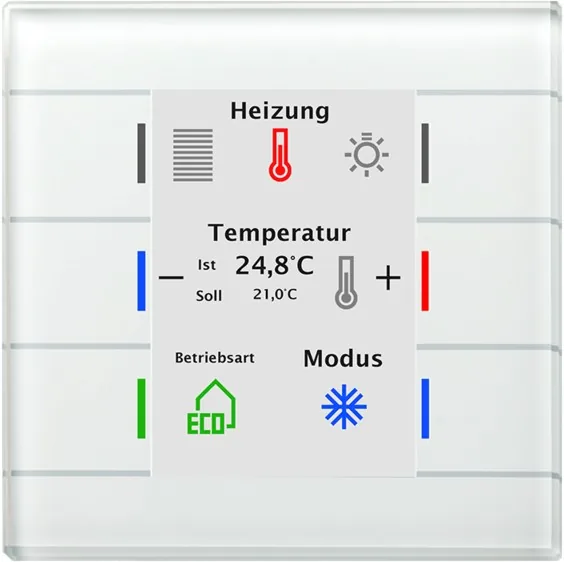
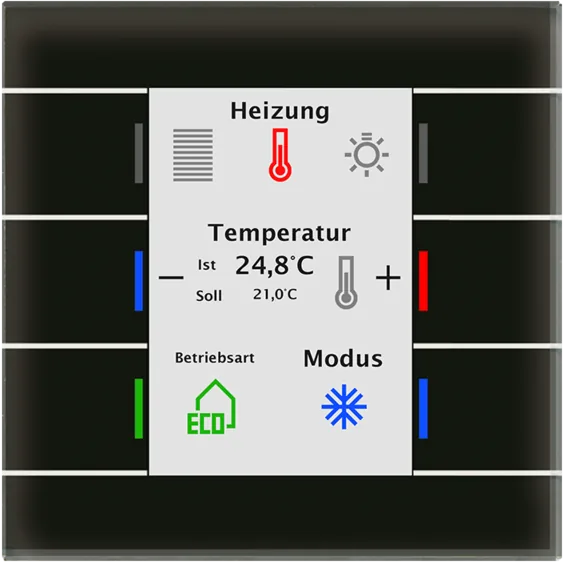
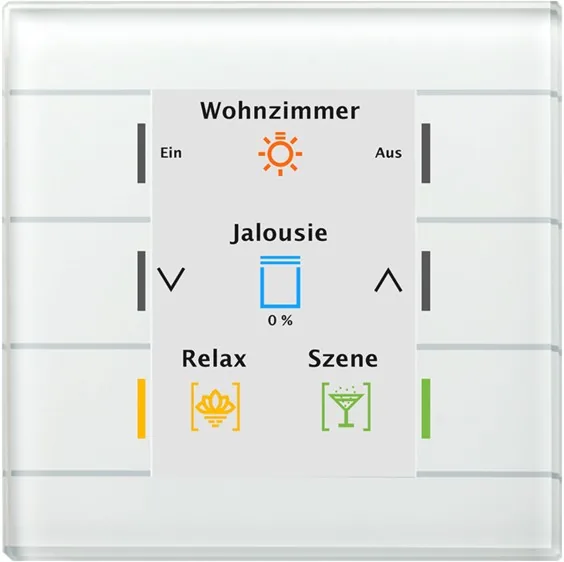
The MDT Glastaster II Smart Gen2 represents a pinnacle in modern home automation interfaces. This sleek KNX glass push button transforms how users interact with their smart environments. With its large active color display, it offers more than just simple switching capabilities. The device features six sensor areas that can be configured as individual keys or paired buttons. This flexibility allows for complex control schemes including dimming lights, adjusting blinds, and managing heating systems with ease.

One of the standout features is the integrated RGB status indicator for each sensor area. Users receive immediate visual feedback on system states through these lights. The display itself supports customizable symbols and free text, ensuring that every function is clearly labeled for all household members. The unit also includes four internal logic modules, enabling advanced operations like sending multiple objects simultaneously. A unique slap function activates when three or more areas are touched at once, adding an intuitive layer to daily interactions.

For those interested in climate control, the version with a temperature sensor provides precise room management. It works seamlessly with MDT heating actuators to create efficient thermal regulation systems. The installation process is straightforward for authorized electricians, requiring standard switch boxes and connection to the KNX bus. Once installed, the device requires no separate power supply, drawing energy directly from the bus while maintaining low consumption under 0.6 watts.

Programming is handled via the ETS software, allowing for deep customization of parameters. The device enters programming mode by holding two specific sensor areas for two seconds. This feature ensures that settings can be adjusted without removing the unit from the wall. Whether used as a six-fold button or a multi-level interface, the MDT Glastaster II Smart Gen2 delivers reliability and style for any KNX installation project.

Important Notes

  • Installation must be performed by qualified electrical personnel only.
  • The device is approved for EU use but not for USA or Canada markets.
  • Recommended mounting height varies based on whether the unit is used as a push button or operating device.
M: QW-35-FL

© Copyright 2026 Manual.ly