
MDT AKU-02UP.03 Manual
PDF manual · 2 Pages
English



Quick check
Incorrect answer, please try again.
Chat with your MDT AKU-02UP.03 manual using AI
Get instant AI answers from your MDT AKU-02UP.03 manual
Ask anything about the MDT AKU-02UP.03. Answers come from this manual, with the pages they are based on.
Ask a Question
Do you recommend AKU-02UP.03?
Yes NoFrequently Asked Questions
The AKU UP offers switching and shutter actuation, calibration and positioning, tip-mode positioning, ventilation, automatic sun-tracking for slats, scene and automation functions, and PWM heating control from 0–100%.
Is this answer helpful?
Install the actuator in a flush box, wire per the circuit diagram, connect to the KNX bus, apply bus power, assign a physical address in ETS, upload the application and press the programming button when requested; the red LED turns off after successful programming.
Is this answer helpful?
Each output supports up to 10 A ohmic load and 14 µF capacitive at 10 A. Specific lamp loads include up to 1500 W incandescent, 1200 W halogen (230 V), 500 W halogen with electronic transformer, and defined limits for fluorescent and electronic transformers; inrush currents vary by model.
Is this answer helpful?
Yes. Maintain at least 4 mm clearance between KNX bus cables and 230 V wiring, cover live terminals with a tool-secured panel, disconnect mains before working, and ensure installation by a qualified electrician following local regulations.
Is this answer helpful?
On mains failure all outputs are switched off. For bus power failure or recovery, relay states can be individually programmed per channel to define desired behavior after bus events.
Is this answer helpful?
Yes. The unit provides potential-free binary inputs that accept pushbuttons, switches and window/door contacts; each input can be parameterized in ETS for custom behavior.
Is this answer helpful?
No. The device is for dry indoor, flush-mounted installations and does not support three-phase asynchronous motors; maintain usage within specified environmental and load limits.
Is this answer helpful?
Advantages and Disadvantages
Advantages

- Compact flush-mounted design fits behind switches and in installation boxes.
- ETS5-compatible with long-frame KNX support for flexible programming.
- Supports diverse load types including incandescent, halogen and fluorescent lamps.
- Integrated functions: shutter positioning, ventilation, sun-tracking and PWM heating control.
- Four potential-free binary inputs allow direct connection of buttons and contacts.
Disadvantages

- No galvanic isolation between contact voltage and KNX bus voltage.
- Intended for dry indoor use only; not suitable for damp or outdoor locations.
- Not approved for use in USA and Canada—EU only (CE marked).
- Limited to single-phase loads; no support for three-phase asynchronous motors.
- Requires an authorized electrician for installation and adherence to wiring clearances.
Product Specification
Type
Actuator
Standard
KNX
Function
Switching actuator (on/off), On/Off delay, Blind control
Topology
Bus
Dimensions
1.61x1.61x0.87 in
Special features
IP20
Product Description
MDT Universal Actor AKU UP — Powerful, Flexible KNX Actuation
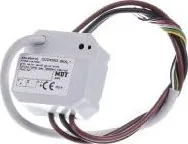
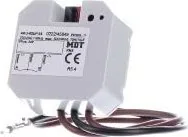
The MDT Universal Actor AKU UP is a compact, flush-mounted KNX actuator designed to deliver versatile switching and shutter control in modern smart building installations. Available in 2-output switch or 1-channel shutter configurations, it supports monostable relays, PWM heating control, and advanced blind functions—making it suitable for lighting, shading, ventilation and simple heating tasks. Its small form factor fits behind switches or in installation boxes and is optimized for dry indoor environments.
Programmable via ETS5 with long-frame KNX support, the AKU UP offers rich functionality: switching, alarm, central and lock functions, calibration and precise positioning for roller shutters and blinds, plus separate up/down travel times. A tip (momentary) mode enables exact positioning; an integrated ventilation feature and sun-tracking slat follow-up provide intelligent shading behavior. Scenes and automation logic can be created in ETS for integrated building scenarios.
Safety and reliability are core to the design. Outputs default to OFF on mains failure; relay behavior after bus interruption or recovery is individually configurable per channel. The device supports a variety of load types—incandescent, halogen (mains and electronic transformer), fluorescent (compensated and uncompensated)—and includes inrush current protection specs to handle lamp loads. It also includes four potential-free binary inputs (on AKU-B2UP variant) to interface with pushbuttons, switches and window/door contacts; each input is parameterizable in ETS.
Installation is straightforward: connect to the KNX bus, wire outputs per the circuit diagram, insert into a flush box and apply bus power. A programming button and red LED provide simple commissioning feedback; the LED turns off after successful programming. Maintain a minimum 4 mm clearance between KNX bus cables and 230 V lines and follow local wiring standards. Note that there is no galvanic isolation between contact voltage and KNX bus voltage and that these devices are CE-approved for EU use only.
Practical in small installations and retrofit scenarios, the MDT AKU UP combines multi-functionality, ETS programmability and compact installation to bring reliable actuation to KNX projects.
Notes
- Designed for dry indoor use and flush mounting behind switches or in installation boxes.
- Maintain required clearances to 230 V cables and observe local electrical regulations.
- Outputs are switched off on mains failure; bus-failure behavior is configurable per channel.
- Not for use in USA/Canada; CE-marked for EU installations.
Search for 67,732 Manuals online


Type-in Brand or Model