
MDT RF+ Push Button Plus Manual
PDF manual · 2 Pages
English



Quick check
Incorrect answer, please try again.
Chat with your MDT RF+ Push Button Plus manual using AI
Get instant AI answers from your MDT RF+ Push Button Plus manual
Ask anything about the MDT RF+ Push Button Plus. Answers come from this manual, with the pages they are based on.
Ask a Question
Do you recommend RF+ Push Button Plus?
Yes NoFrequently Asked Questions
No, the MDT KNX RF+ Funk Taster Plus must only be installed and connected by authorized electricians. High voltage safety regulations require professional handling to ensure compliance with local laws and KNX standards.
Is this answer helpful?
Yes, it is designed to replace conventional push buttons in existing installations. It connects via a line coupler and eliminates the need for new KNX bus cables, making it perfect for retrofits.
Is this answer helpful?
The device operates at 868.3 MHz, which is suitable for operation inside the European Union. It uses bidirectional KNX RF system mode for reliable data transmission.
Is this answer helpful?
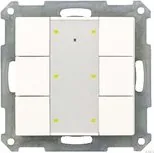
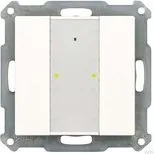
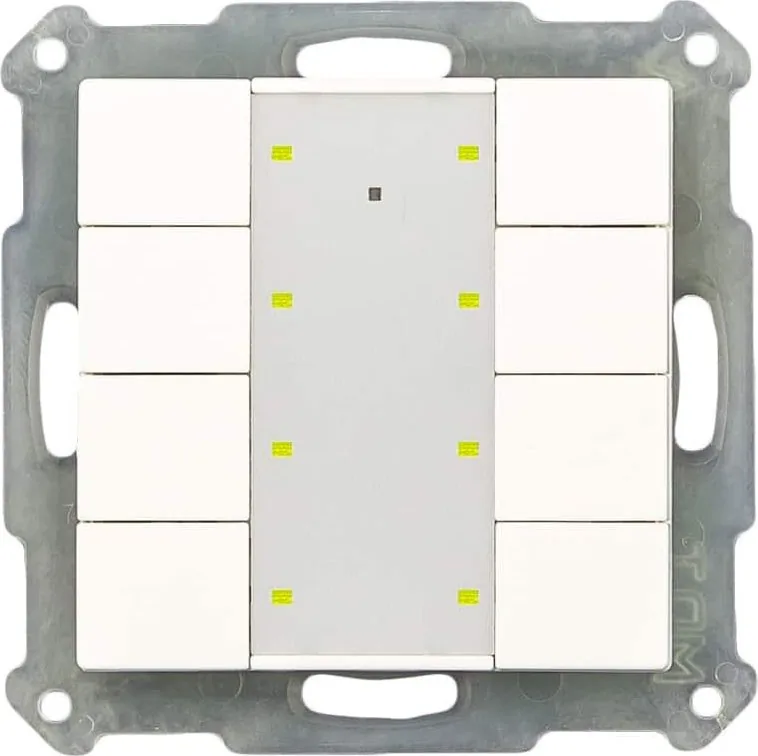
The product is available in models with 2, 4, 6, or 8 sensor areas. Each area has a dedicated bicolored LED for status indication and can be programmed independently.
Is this answer helpful?
No, the device is intended for fixed installations in dry indoor rooms only. It has an IP20 protection rating and is not weatherproof.
Is this answer helpful?
You need ETS5 software to assign physical addresses and configure parameters. The application software can be downloaded from the manufacturer's website before commissioning.
Is this answer helpful?
Yes, the centered title block allows for individual marking. You can use transparent or light gray films and print custom text using a laser printer.
Is this answer helpful?
Advantages and Disadvantages
Advantages

- Seamlessly replaces existing switches without new bus cabling
- Bidirectional communication provides real-time status updates
- Integrated logic modules allow for complex multi-object commands
- Customizable labeling film fits any decor style
- Compatible with ETS5 software for easy parameterization
Disadvantages

- Requires professional installation by authorized electricians only
- Limited to use within the EU due to regulatory restrictions
- Must be mounted in dry indoor environments only
- Delivery comes in two separate packages requiring assembly
- Limited range compared to wired solutions in large structures
Product Specification
Type
Sensor
Standard
KNX, Radio Bus (868MHz)
Function
Push button, Dimming function, Blind control
Topology
Bus
Dimensions
2.17x2.17x0.20in
Features
IP20
Product Description
Revolutionize Your Smart Home with the MDT KNX RF+ Funk Taster Plus
The MDT KNX RF+ Funk Taster Plus represents a significant leap forward in home automation, designed specifically for those seeking to upgrade existing electrical installations without the hassle of running new bus cables. This innovative device serves as a seamless bridge between traditional wall switches and modern KNX systems, allowing users to control lighting, blinds, and other connected devices wirelessly. Its bidirectional communication ensures that every action is confirmed, providing a responsive and reliable user experience.
Designed with versatility in mind, the Taster Plus supports various configurations including two-button pairs or single buttons. It features integrated logic modules that enable complex functions such as sending multiple telegrams from a single press. The unit operates on an 868.3 MHz frequency, ensuring robust performance within the EU region. Each sensor area is equipped with a bicolored LED that can display three distinct states, such as presence, absence, or alarm conditions, offering immediate visual feedback.
Installation is straightforward for authorized electricians, fitting standard switch boxes in dry indoor environments. The device separates into an upper part for the interface and a base part for wiring, simplifying the setup process. Users can customize the appearance with individual labeling films, making it blend perfectly into any interior design. With support for ETS5 software, programming is intuitive and flexible, accommodating everything from simple switching tasks to advanced shutter operations.
Key Features and Benefits
This push button is not just a switch; it is a smart hub for your local controls. The ability to replace conventional series switches makes it ideal for retrofitting older buildings. The built-in actuator can be configured as a two-way switch or a one-way shutter controller, maximizing its utility across different rooms.
Important Installation Notes
Always ensure power is disconnected before installation. The labeling film must be printed using a laser printer to prevent damage. Ensure the correct orientation marked TOP is used during mounting to guarantee proper function.
Search for 67,732 Manuals online


Type-in Brand or Model