
MDT Smart 86 Gen2 Manual
PDF manual · 2 Pages
English



Quick check
Incorrect answer, please try again.
Chat with your MDT Smart 86 Gen2 manual using AI
Get instant AI answers from your MDT Smart 86 Gen2 manual
Ask anything about the MDT Smart 86 Gen2. Answers come from this manual, with the pages they are based on.
Ask a Question
Do you recommend Smart 86 Gen2?
Yes NoFrequently Asked Questions
It uses TP-256 specification compatible with ETS 5 and 6 databases.
Is this answer helpful?
It comes with six tactile buttons that can be paired or set individually.
Is this answer helpful?
Yes, the variant ending in T includes a temperature sensor for climate control.
Is this answer helpful?
It consumes less than 0.6 Watts per KNX bus connection type.
Is this answer helpful?
Download the application software from the manufacturer website software section.
Is this answer helpful?
1.10 to 1.25 meters for push buttons or 1.60 meters for value adjustment.
Is this answer helpful?
Advantages and Disadvantages
Advantages

- Integrated active color display for visual feedback
- Supports up to 12 functions via parameterizable levels
- KNX standard compatibility with ETS 5 and 6 software
- Temperature sensor option for efficient heating control
- Built-in cleaning and slap functions for usability
Disadvantages

- Installation requires authorized electricians only
- Must be mounted in dry indoor environments
- Specific outlet socket size required for fit
- Cannot be used in USA and Canada due to regulation
Product Specification
Type
Sensor
Standard
KNX
Topology
Bus
Dimensions
3.39x3.39x1.15in
Features
IP20, Display
Product Description
Unlocking Smart Home Control with the MDT Smart 86 Gen2 Switch
Modern home automation requires intuitive interfaces that blend seamlessly into living space. The MDT Smart 86 Gen2 Switch stands out as a premier solution for KNX systems, offering sophisticated control over lighting, blinds, and heating. This device transforms standard wall plates into command centers without compromising on aesthetics. Its compact 86mm by 86mm frame fits standard European sockets perfectly while housing advanced capabilities within a sleek design. It supports various operation modes for different household needs effectively.
Advanced Features and Interactivity
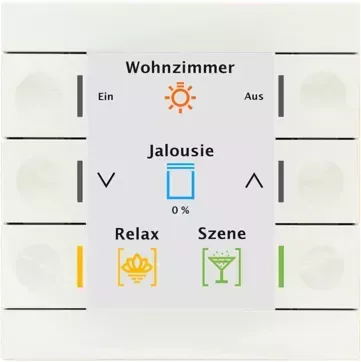
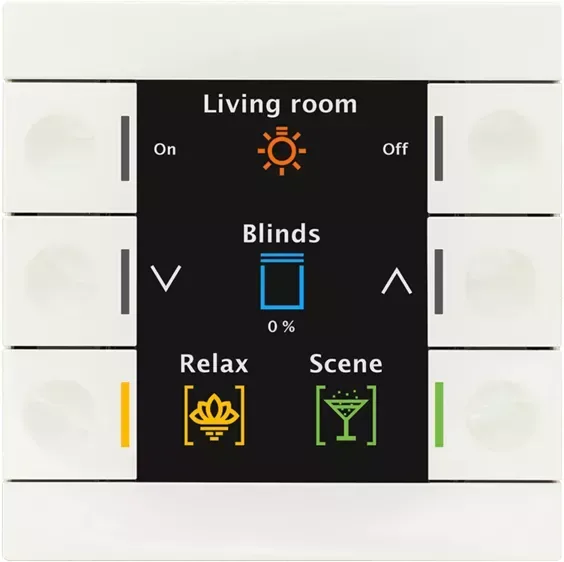
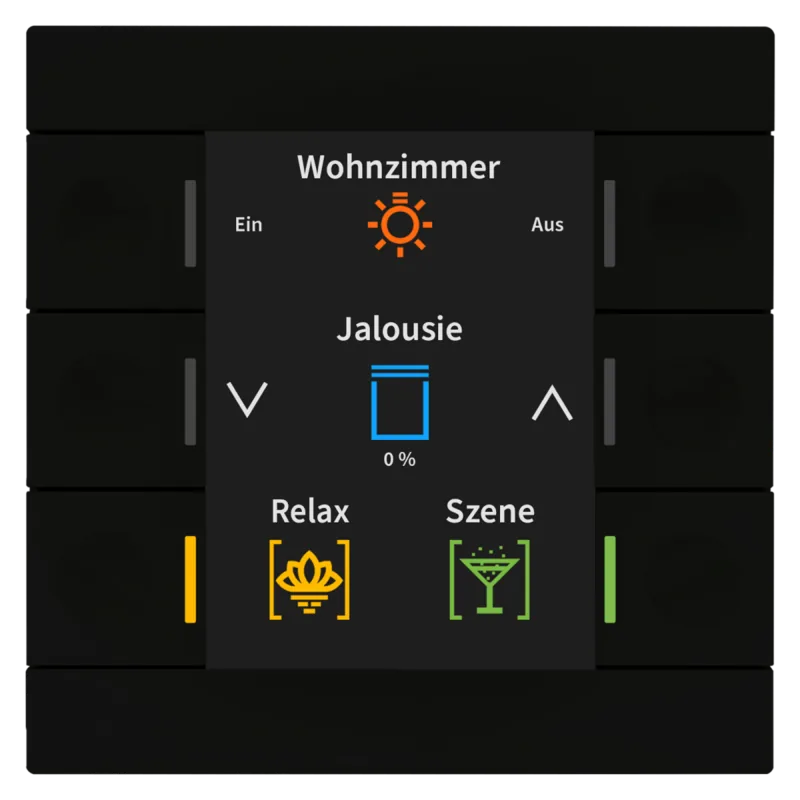
Each unit features six tactile buttons capable of multiple configurations. Users can set them as paired buttons or individual keys to handle specific functions efficiently. A standout feature is the integrated active color display. This screen provides visual feedback for each button, allowing custom symbols or plain text to be programmed. Whether adjusting brightness levels or checking room temperature, the device keeps you informed. The RGB status indicators add visual communication, signaling system states through colored lights.
Technical Integration and Power
Connectivity relies on the KNX protocol, ensuring compatibility with ETS 5 and 6 software databases. Power comes directly from the KNX bus, minimizing extra wiring needs. The unit consumes less than 0.6 Watts during operation. The system handles logic internally, sending second objects via modules without external dependencies. A temperature sensor variant exists for enhanced climate control, facilitating efficient room regulation with heating actuators. It supports cleaning and slap functions for usability.
Installation and Safety Considerations
Proper installation is critical for long-term performance and safety. Only authorized electricians should handle mounting and connection tasks. The device is designed for dry indoor environments with specific mounting height recommendations. Security is enforced through a locking mechanism in the support ring after installation. Consult the MDT Smart 86 Gen2 Switch Manual for detailed wiring diagrams. Before activation, the physical address must be uploaded via programming mode accessed through specific sensor areas.
Final Thoughts on Performance
This switch represents a significant step forward in smart home interfaces. With support for user-defined text messages and up to twelve functions across two levels, it offers flexibility unmatched by traditional switches. The cleaning function prevents dust accumulation during operation. While it requires professional setup, the result is a reliable, high-performance control hub for modern automation systems everywhere.
Important Installation Note
Note: Ensure the mounting height is adjusted based on display readability needs during commissioning to avoid issues for future users in the home.
Search for 67,732 Manuals online


Type-in Brand or Model