

Free Allied Telesis Manuals – Read, Download & Print
35 Manuals
Manuals
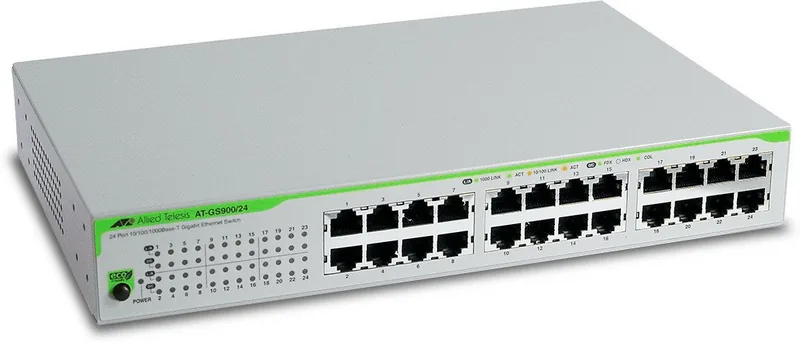
43 Pages
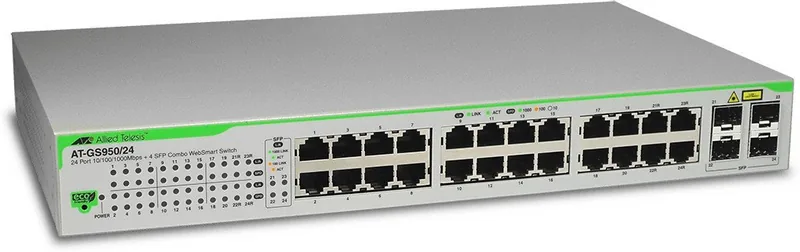
50 Pages
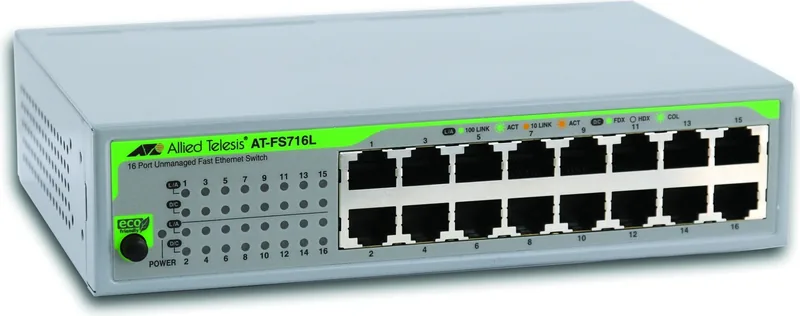
41 Pages
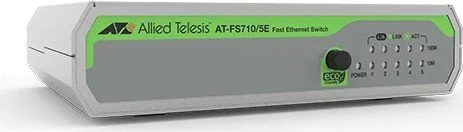
64 Pages
50 Pages

94 Pages

116 Pages

112 Pages

56 Pages

120 Pages

158 Pages
50 Pages

104 Pages

100 Pages

58 Pages
25 Pages
56 Pages
60 Pages
92 Pages
178 Pages

134 Pages
94 Pages
122 Pages
72 Pages
118 Pages

94 Pages

96 Pages
136 Pages
142 Pages
164 Pages
58 Pages
146 Pages

142 Pages
114 Pages

542 Pages
Categories

Free Allied Telesis Manuals - Read, Download & Print
Find free Allied Telesis manuals for network switches, routers, wireless access points, media converters, firewalls, transceivers, and related networking equipment. This resource helps users locate product documentation in a convenient format for online reading, downloading, and printing. Whether you are installing a device for the first time, configuring advanced network features, maintaining existing hardware, or troubleshooting a connection problem, the right manual can provide clear product-specific guidance.
Allied Telesis equipment is used across business, education, government, industrial, and service-provider environments. Because device capabilities can vary by model, hardware revision, operating system version, and installed modules, consulting the correct documentation is an important part of reliable network administration. Manuals may include installation instructions, port descriptions, safety information, command references, configuration examples, software feature details, and troubleshooting procedures.
Browse Documentation by Product Type
Allied Telesis documentation can cover a broad range of networking products. Product manuals are often organized by equipment family, model number, or software platform, making it easier to narrow down the information you need. Before opening a manual, verify the complete model name shown on the device label, packaging, management interface, or purchase record.
Common documentation categories include:
- Managed and unmanaged Ethernet switches
- Layer 2 and Layer 3 switching platforms
- Industrial Ethernet switches
- PoE and PoE+ network switches
- Wireless access points and controllers
- Routers, gateways, and security appliances
- Network interface cards and media converters
- SFP, SFP+, QSFP, and other optical connectivity products
- Rack-mount accessories, power supplies, and expansion modules
- Network operating systems, command-line interfaces, and management tools
Some manuals focus on physical installation, while others explain configuration and administration. A hardware installation guide may show how to mount a switch, attach power, connect cables, and verify indicator lights. A software manual may explain VLANs, routing, access control lists, link aggregation, spanning tree settings, multicast controls, quality of service, and network monitoring.
Read Allied Telesis Manuals Online
Reading a manual online is useful when you need a quick answer without saving files locally. Online documentation can help technicians and administrators review port layouts, default settings, compatibility notes, LED behavior, or setup steps while working near the equipment.
Use Manuals for Installation and Initial Setup
Installation documentation is especially useful before powering on new network hardware. It can help confirm environmental requirements, mounting options, airflow clearance, electrical specifications, grounding requirements, and supported cable types. For rack-mounted equipment, follow the documented instructions for secure installation and proper ventilation.
During initial setup, a manual may explain how to access the device through a console connection, web interface, or network management address. It may also list default login details, initial IP configuration methods, reset procedures, and management port behavior. Always change default credentials and apply appropriate access controls before placing equipment into production.
Find Configuration Guidance
Configuration manuals and command references are valuable for users managing advanced network functions. Depending on the product and software version, available features may include VLAN segmentation, static and dynamic routing, IPv4 and IPv6 support, port security, authentication, SNMP monitoring, remote logging, DHCP services, link aggregation, loop prevention, and traffic prioritization.
When reviewing configuration instructions, pay close attention to software release information. Commands, menu labels, and supported features can differ between firmware versions. A procedure intended for one platform may not apply directly to another. Where possible, compare the manual's version details with the version running on your device.
Download Manuals for Offline Access
Downloading an Allied Telesis manual can be helpful for field work, remote sites, maintenance windows, and locations with limited internet access. Keeping local copies of important documents allows technicians to reference installation diagrams, command syntax, and recovery steps when immediate access to online resources is unavailable.
Build a Useful Documentation Library
For a well-organized network environment, save manuals alongside records for each deployed device. Include the model number, serial number, location, firmware version, configuration backup date, and support status in your internal documentation. This approach can reduce time spent identifying equipment during upgrades, replacements, or incident response.
A practical documentation library may include:
- Hardware installation guides
- User manuals and administration guides
- CLI command references
- Software release notes
- Firmware upgrade instructions
- Data sheets and product specifications
- Regulatory and safety information
- Quick start guides
- Network topology diagrams and configuration backups
Downloaded files should be clearly named so they can be found quickly. For example, use a consistent convention containing the product family, exact model, document type, and document version. Keeping older manuals may also be useful when maintaining legacy equipment, but mark them clearly to avoid confusing them with current documentation.
Check Version Compatibility
Before following a downloaded guide, confirm that it matches your product and software release. Similar-looking models may have different ports, power options, supported modules, or feature sets. Software documentation may also be separated by operating system family or release train.
Release notes are often important when updating firmware. They may identify new capabilities, resolved issues, known limitations, upgrade paths, changed defaults, and compatibility considerations. Review these details before scheduling an update, especially on equipment supporting critical services.
Print Manuals for On-Site Work
Printed manuals remain useful in wiring closets, data centers, workshops, and installation sites. A printed copy can be easier to consult while handling cables, mounting brackets, console adapters, or replacement modules. For lengthy documents, printing only the relevant sections can save paper and make essential instructions easier to use.
Sections Worth Printing
Depending on the task, consider printing the pages that cover:
- Safety warnings and electrical requirements
- Front and rear panel diagrams
- Port and LED definitions
- Rack-mounting or wall-mounting steps
- Grounding and power connection procedures
- Default management access details
- Console cable pinout information
- Factory reset and recovery procedures
- Basic configuration examples
- Troubleshooting tables
For installation projects, keep printed documentation protected from moisture, dust, and accidental damage. After the work is complete, update site records to reflect the final device placement, uplink connections, VLAN assignments, and management settings.
Troubleshooting with Allied Telesis Documentation
A manual can be a useful starting point when equipment does not operate as expected. Troubleshooting sections often explain what LED patterns mean, how to check physical connections, how to interpret system messages, and how to restore access to a managed device.
Start with Basic Checks
When diagnosing a network issue, begin with the simplest checks. Verify that the device has power, that cables are securely connected, and that the correct port type is being used. Check link and activity indicators, inspect fiber connectors for cleanliness, and confirm that compatible transceivers and cable standards are in use.
For managed devices, review the port status and event logs through the available management interface. Confirm that the interface is enabled, configured for the expected speed and duplex settings, assigned to the correct VLAN, and not blocked by a security or loop-prevention feature. If PoE is involved, check the device's power budget and the powered device's requirements.
Use Reset Procedures Carefully
Documentation may describe reboot, reset, and factory-default procedures. These actions can interrupt network traffic or remove existing settings. Before resetting a managed device, back up its configuration if access is available and confirm the operational impact. A factory reset should generally be used only when appropriate recovery options have been considered.
Maintain Secure and Reliable Network Equipment
Manuals are not only for installation. They can support ongoing maintenance and security planning. Review product documentation regularly when performing firmware updates, changing network designs, adding modules, or enabling new management services.
Follow Good Management Practices
Use secure administrative passwords, limit management access to trusted networks, and disable services that are not needed. Use encrypted management protocols where supported, maintain configuration backups, and monitor device health through logs and network management tools. Document changes so future administrators can understand why settings were applied.
Scheduled maintenance can reduce unexpected outages. Check firmware availability, review release notes, inspect physical connections, verify redundant power or uplink paths where applicable, and confirm that backup configurations can be restored successfully. For mission-critical environments, test changes in a controlled setting whenever possible.
Locate the Right Manual Faster
To find the most relevant Allied Telesis manual, search using the exact model number and a descriptive document term such as "installation guide," "user manual," "command reference," "software reference," or "release notes." Include the operating system or firmware version when known. The more specific the search, the more likely you are to find documentation that matches your equipment.
Check the device label carefully, since suffixes can indicate important differences in port count, power capability, hardware revision, regional model, or bundled software. If you are unsure which document applies, compare the front-panel layout, product specifications, and revision information before making configuration changes.
Keep Documentation Available When It Matters
Free Allied Telesis manuals provide practical information for setup, daily administration, maintenance, and troubleshooting. Read manuals online for fast reference, download them for offline use, and print the sections needed for hands-on work. With accurate product documentation available, administrators and technicians can make better-informed decisions, reduce setup errors, and maintain network equipment with greater confidence.
Search for 67,732 Manuals online


Type-in Brand or Model