

Allied Telesis AT-GS950/24 Manual
PDF manual · 50 Pages
English



Quick check
Incorrect answer, please try again.
Chat with your Allied Telesis AT-GS950/24 manual using AI
Get instant AI answers from your Allied Telesis AT-GS950/24 manual
Ask anything about the Allied Telesis AT-GS950/24. Answers come from this manual, with the pages they are based on.
Ask a Question
Do you recommend AT-GS950/24?
Yes NoFrequently Asked Questions
The GS950 family offers 10/100/1000Base-T RJ-45 ports (auto-negotiation and Auto-MDI/MDIX) and SFP slots supporting 100Base-FX or 1000Base-SX/LX transceivers. Port speeds are 10, 100 or 1000 Mbps with up to 100 m copper reach.
Is this answer helpful?
Combo ports pair one RJ-45 port with one SFP slot; only one of the pair can be active at a time. The twisted-pair port is active if the SFP is empty or has no link; when the SFP establishes a link, it becomes redundant and takes precedence. Most settings are shared between the pair except manually forced speed may revert to auto when an SFP link forms.
Is this answer helpful?
Yes. Each GS950 model ships with model-specific web-based management software preinstalled (AT-S107, AT-S108, AT-S109, AT-S116). You can perform in-band management via a browser; software can be reinstalled or updated from the Allied Telesis support site if needed.
Is this answer helpful?
A short press (1–4s) toggles front-panel port LEDs to save power and reduce light. Pressing 5–9s reboots the switch (configuration retained). Pressing >10s reboots and resets to factory defaults (management IP reverts to 192.168.1.1). Rebooting interrupts traffic briefly.
Is this answer helpful?
Yes, SFP transceivers are hot-swappable so you don’t need to power off the switch. Observe ESD precautions when handling SFPs, remove fiber cables before removing transceivers, and keep dust plugs in place when ports are unused.
Is this answer helpful?
Operating temperature is 0°C to 40°C with 5–90% noncondensing humidity. Input voltage supports 100–240 VAC at 50–60 Hz. Typical power consumption varies by model (approximately 11 W for 8-port to 43 W for 48-port), with internal high-efficiency supplies and power-conservation features.
Is this answer helpful?
Verify the remote device is powered, cables are properly seated and appropriate category (Cat5/5e for 100/1000 Mbps) and under 100 m. Try a different cable or device to isolate the problem and confirm port enablement via management software.
Is this answer helpful?
Advantages and Disadvantages
Advantages

- Flexible combo ports: each RJ-45 port paired with an SFP slot lets you choose copper or fiber uplinks without rewiring.
- Energy features: eco-friendly button, LED toggling, power scaling and shutdown on unused ports lower operational costs.
- Preinstalled management: model-specific web-based management software simplifies VLANs, link aggregation and basic L2 tasks.
- Compact and mountable: low-profile design supports desktop, rack and wall installation with included brackets and accessories.
- Standards and safety: broad certifications (FCC, EN, UL, CE) ensure regulatory compliance for commercial deployments.
Disadvantages

- SFPs sold separately: fiber transceivers are not included and must be sourced separately, adding cost and compatibility checks.
- Combo port limitation: only one of each RJ-45/SFP pair can be active at a time, limiting simultaneous copper and fiber use per pair.
- Limited Layer 3 features: primarily a Layer 2 smart switch—advanced routing functions require other equipment.
- Default IP reset caveat: factory reset reverts to 192.168.1.1, which can impede management access if host IPs aren't adjusted.
- Class A emissions: intended for commercial environments; may cause interference in residential settings requiring corrective measures.
Product Specification
Function
Switch
Type
Standalone, Rackmount (via mounting brackets), Wall mount (via mounting brackets)
Network ports
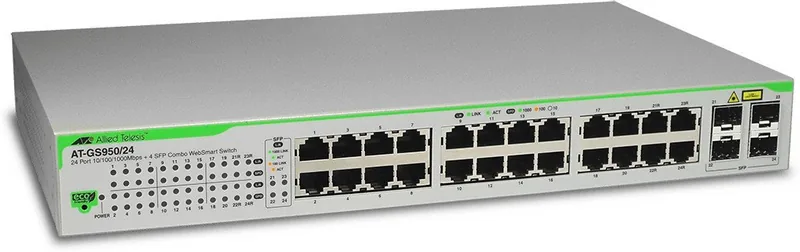
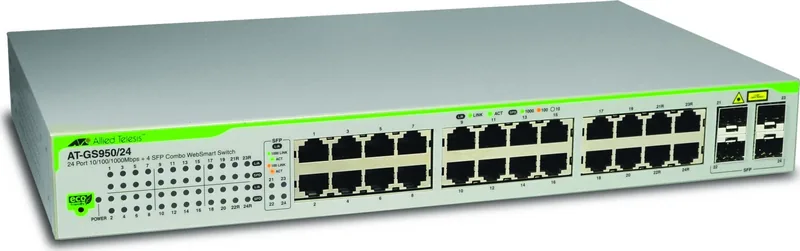
20x RJ-45, 4x RJ-45/SFP
Speeds
24x RJ-45 (10/100/1000Base-T), 4x SFP (100M/1Gb/s)
PoE
N/A
Backplane
48Gb/s, 35.7Mp/s, 10KB Jumboframes, 128KB Packet buffer, 8K Mac addresses
Officially supported standards
802.1AX, 802.1D, 802.1Q, 802.1p, 802.1s, 802.1w, 802.1X, 802.3, 802.3az, 802.3i, 802.3u, 802.3x, 802.3z, IGMPv2
Configuration
Web interface
Cooling
passive
Dimensions (WxHxD)
12.99x1.73x7.87in, 1U
Weight
5.07 lb
Color
light gray
Special features
Metal housing, removable mounting brackets, firmware updates possible
Note
Different revisions available. Revisions with 2x RJ-45/SFP available. Please ask the dealer which revision is actually for sale!
Note #2
For this device, "link aggregation" was officially specified with the obsolete standard IEEE802.3ad. Since 2008, the function is no longer managed by the IEEE "Working Group 3" (IEEE 802.3, CSMA/CD - Ethernet), but by "Working Group 1" (IEEE 802.1, High Level Interface - Internetworking) and technically defined unchanged via IEEE 802.1AX.
Product Description
Allied Telesis GS950 Desktop Gigabit Smart Switch, 20x RJ-45, 4x RJ-45/SFP Manual
The Allied Telesis GS950 Desktop Gigabit Smart Switch line delivers flexible, energy-conscious Layer 2 switching for small to medium networks. Available with 8, 16, 24 or 48 10/100/1000Base-T RJ-45 ports and paired SFP slots, these switches combine copper and fiber connectivity in compact desktop, rack or wall-mountable enclosures. Designed for reliable gigabit performance to desktops or as backbone aggregation, the GS950 series supports Auto-Negotiation, Auto-MDI/MDIX and jumbo frames for improved throughput and compatibility.
A hallmark of the GS950 family is practical management and power efficiency. Each model includes preinstalled web-based management software (model-specific packages) for VLANs, link aggregation and basic Layer 2 controls, while SFP slots accept 100Base-FX or 1000Base-SX/LX transceivers (sold separately). Combo ports pair an RJ-45 port with an SFP slot so only one of each pair is active at a time, enabling flexible migration between copper and fiber uplinks without rewiring. The eco-friendly button toggles front-panel port LEDs to conserve energy and reduce light pollution, and it can also reboot the unit or reset to factory defaults when held longer.
Safety, compliance and operational details are thorough: the switches meet global emissions and safety standards (FCC Class A, EN55022, EN60950, UL 60950, CE, C-TICK), operate in typical datacenter/office temperature and humidity ranges, and include internal high-efficiency power supplies. Physical dimensions vary by port count but remain shallow (1.7 in/44 mm height) for easy desktop placement or 19" rack mounting with included brackets. Power consumption scales with model and traffic: typical draws range from ~11 W (8-port) to ~43 W (48-port), and intelligent power scaling reduces consumption on lower-traffic ports.
Installation and maintenance are straightforward: attach rubber feet for desktop use, mount in a rack with supplied brackets, or wall-mount with included anchors and screws. SFP modules are hot-swappable (observe ESD precautions) and dust plugs should be used when ports are unused. LED indicators convey power, link/activity and port speed; LEDs are disabled in low-power mode and can be toggled with the eco-friendly button. Built-in safeguards and troubleshooting guidance cover link issues, cabling, duplex mismatches and SFP diagnostics.
Notes:
- SFP transceivers must be purchased separately; verify compatibility with Allied Telesis guidance.
- Combo ports automatically prioritize SFP links when a transceiver link is present.
- Default management IP resets to 192.168.1.1 after factory reset; ensure host IP alignment before management access.
Pros and cons are provided below to help weigh the GS950 series for deployments.
Search for 67,732 Manuals online


Type-in Brand or Model