
Allied Telesis AT-TQ5403 Manual
PDF manual · 56 Pages
English



Quick check
Incorrect answer, please try again.
Chat with your Allied Telesis AT-TQ5403 manual using AI
Get instant AI answers from your Allied Telesis AT-TQ5403 manual
Ask anything about the Allied Telesis AT-TQ5403. Answers come from this manual, with the pages they are based on.
Ask a Question
Do you recommend AT-TQ5403?
Yes NoFrequently Asked Questions
Connect the required Ethernet links first. If you choose DC power, plug the DC connector into the DC IN jack. If you plan to use DC IN, ensure you have the correct compatible AC/DC power adapter (or equivalent supply) available. Then complete mounting and proceed to the initial management session via the device IP.
Is this answer helpful?
When DHCP is enabled, the unit first queries the LAN for a DHCP server. If a DHCP server responds, it uses the assigned IP. If no DHCP server is found, it uses the default IP address 192.168.1.230 for web-based management.
Is this answer helpful?
For the initial management session, enter username "manager" and password "friend". The credentials are case-sensitive. After you log in, it is strongly recommended to review settings and change credentials to maintain security.
Is this answer helpful?
Yes. The unit includes a lock port compatible with Kensington-style anti-theft cable or locks. Installation follows the instructions from the anti-theft device vendor packaging. Note that Kensington-style devices are not included with the access point and must be sourced separately.
Is this answer helpful?
Non-US models require a country code to be set during the initial management session so the device operates within local Wi-Fi regulatory requirements. The US model has the country code preset and cannot be changed, consistent with FCC operational channel rules.
Is this answer helpful?
The Power LED shows whether the unit is running correctly or if a fault or firmware upgrade is in progress. LAN1 and LAN2 indicate valid link and data transmit or receive activity. Radio LEDs show whether 2.4 GHz, 5 GHz band 1, and 5 GHz band 2 interfaces are enabled or disabled.
Is this answer helpful?
For full installation, management, safety, and regulatory compliance details, refer to the Allied Telesis AT-TQ5403 Installation Guide and the Wireless Access Point User's Guide. Using those references helps cover advanced settings and region-specific requirements.
Is this answer helpful?
Advantages and Disadvantages
Advantages

- Supports installation on desktop, wall, or ceiling, making placement flexible for different sites.
- DHCP client enabled by default simplifies first-time IP assignment.
- Has a default management IP fallback at 192.168.1.230 when no DHCP server is present.
- Web-based initial management helps admins configure quickly using a browser.
- Includes a lock port compatible with Kensington-style anti-theft devices.
Disadvantages

- DC power requires an appropriate AC/DC adapter or equivalent power supply ordered separately.
- Anti-theft devices are not provided with the unit.
- Non-US models require a country code to be set during the initial management session.
- Default login credentials are provided for setup and should be changed promptly for security.
- If no DHCP server exists, you must use the default IP to access management.
Product Specification
LAN
2x 1000Base-T (1x PoE PD)
Wireless
WLAN 802.11a/b/g/n/ac/h (Wi-Fi 5), simultaneous
Transfer rate
400Mbps (2.4GHz), 1733Mbps (5GHz) split into 2x 867Mbps
Security
64/128bit WEP, WPA, WPA2
Antennas
internal
Ports
1x RJ-45 Management-Port
Power consumption
20W (consumption, operation), no specification (max. power supply output)
Dimensions
8.46x8.46x1.89in
Special features
IPv6, TPC/DFS, MU-MIMO, LACP, VLAN
Band capability
Tri Band (simultaneous)
Product Description
Allied Telesis AT-TQ5403 Wireless Access Point - Setup, Management, and What to Expect
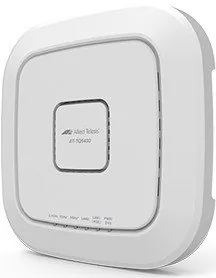
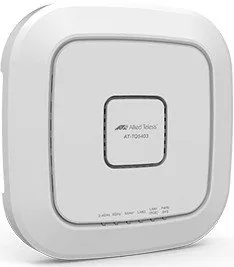
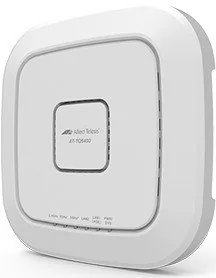
Allied Telesis AT-TQ5403 is a Wi-Fi access point designed for flexible placement in modern networks. With mounting options for desktop, wall, or ceiling installations, it fits cleanly into both small business and enterprise environments where reliable wireless coverage matters.
A key advantage is straightforward deployment. You can connect Ethernet LAN links first, then power the unit using the DC IN approach if that is your chosen design. If you want physical security, the AT-TQ5403 includes a compatible lock port for a Kensington-style anti-theft cable or lock. For end users who need quick, repeatable installs, these practical features help reduce time-to-service.
During first-time management, the AT-TQ5403 firmware includes a DHCP client, which is enabled by default. On initial power-on, it searches the LAN segment for a DHCP server and uses the IP address it receives. If no DHCP server responds, the access point falls back to a default IP of 192.168.1.230. From there, management is performed through a web browser at the assigned IP address.
Login details are provided as part of the initial management flow: username "manager" and password "friend" (case-sensitive). This makes it easy to begin configuration, but it also means secure practices should follow immediately, such as changing credentials and validating network settings.
Country configuration is another important setup consideration. Non-US models require a country code setting during the initial management session to ensure compliance with local Wi-Fi regulations. US models have the country code preset and cannot be changed, aligning with FCC operational requirements.
On the hardware side, the AT-TQ5403 status LEDs provide quick visibility into power state, LAN link activity, and which radios are enabled (2.4 GHz and 5 GHz bands). The LED behaviors also help diagnose common situations like no power, link absence, data activity, firmware upgrade status, and fault conditions.
Key results
- Desktop, wall, or ceiling installation supports common real-world mounting needs.
- DHCP-enabled first boot reduces manual IP setup, with a safe fallback to 192.168.1.230.
- Web-based initial management streamlines configuration for administrators.
- Model-specific country code handling supports regulatory compliance from day one.
- LED indicators make it faster to confirm link, radio enablement, and operational health.
Notes
- If using DC power or a Kensington-style anti-theft lock, you may need to order the compatible accessory separately.
- Retain original shipping packaging in case the unit must be returned.
- For deeper configuration and compliance guidance, consult the Allied Telesis AT-TQ5403 Manual and related installation references.
Search for 67,732 Manuals online


Type-in Brand or Model