


Allied Telesis IE200 Manual
PDF manual · 118 Pages
English



Quick check
Incorrect answer, please try again.
Chat with your Allied Telesis IE200 manual using AI
Get instant AI answers from your Allied Telesis IE200 manual
Ask anything about the Allied Telesis IE200. Answers come from this manual, with the pages they are based on.
Ask a Question
Do you recommend IE200?
Yes NoFrequently Asked Questions
It supports DC voltage between 12 and 48VDC for FT/GT models and 24 to 48VDC for FP/GP models.
Is this answer helpful?
Yes, you can install the switch on a wood wall using the included wall brackets and appropriate screws.
Is this answer helpful?
The MAC address tables have a storage capacity of 2000 MAC address entries for automatic learning.
Is this answer helpful?
Yes, the product is RoHS compliant and conforms to EU restrictions on hazardous substances in electronic equipment.
Is this answer helpful?
The switch uses port prioritization to deny power to lower priority ports when total device requirements exceed available capacity.
Is this answer helpful?
Yes, it supports dual DC power inputs allowing for redundancy if one power supply fails or loses power.
Is this answer helpful?
Yes, two SFP slots are available to accept 100Base-FX or 1000Base transceivers for fiber optic connectivity.
Is this answer helpful?
Advantages and Disadvantages
Advantages

- Dual DC power input supports redundancy for high availability operations in critical infrastructure environments.
- PoE+ support allows powering IP cameras and wireless access points directly from switch ports.
- DIN rail and wall mounting options offer flexible installation for various industrial cabinet setups.
- Industrial grade components withstand extreme temperatures ranging from -40 to 75 degrees Celsius continuously.
- Multiple management interfaces including CLI and web browser provide versatile control options.
Disadvantages

- Power supplies must be purchased separately which adds initial equipment costs for deployment.
- Maximum power budget of 120 watts limits the number of high consumption PoE devices simultaneously.
- Alarm sensors and alert devices are not supplied and must be sourced from third party vendors.
- SFP transceivers are sold separately and require specific temperature ratings for harsh site conditions.
- Configuration changes require specific knowledge of the AlliedWare Plus command line interface.
Product Specification
Function
Switch
Type
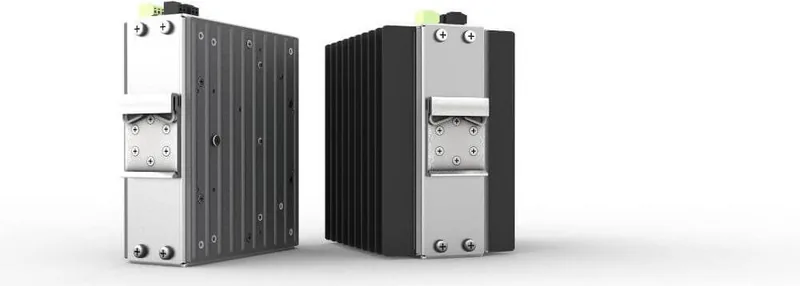
Standalone, DIN Rail (TS 35), Wall Mount (via Mounting Bracket)
Network Connections
4x RJ-45 (IP30), 2x SFP (IP30)
Speeds
4x RJ-45 (10/100/1000Base-T), 2x SFP (100M/1Gb/s)
PoE
4x RJ-45 PoE+ (4x 30W), Total: 120W
Backplane
12Gb/s, 8.93Mp/s, 9KB Jumboframes, 2M Packet Buffer, 2,000 MAC Addresses
Officially Supported Standards
802.1AB, 802.1AX, 802.1D, 802.1Q, 802.1X, 802.1ag, 802.1p, 802.1s, 802.1v, 802.1w, 802.1X, 802.2, 802.3, 802.3ac, 802.3af, 802.3at, 802.3az, 802.3u, 802.3x, 802.3z, IGMPv3
Configuration
Web Interface, Console, Serial (RJ-45, USB-A 2.0), via Controller, Alarm Port (Terminal Blocks)
Cooling
Passive
Dimensions (WxHxD)
3.74x6.26x5.28 in
Weight
3.31 lbs
Color
Gray, Black
Features
Metal Housing, Removable Mounting Brackets, Firmware Updates Supported, Redundant Power Supply, Terminal Blocks (24-48V), Power Supply via Remote Powering Only, Extended Operating Range (Temperature: -40°F to 167°F, Humidity: 5% to 95%)
Product Description
Transform Your Industrial Connectivity with the Allied Telesis IE200
Robust Performance for Harsh Environments
The Allied Telesis IE200 Industrial Railmount Gigabit Managed Switch, 4x RJ-45, 2x SFP, PoE+ Manual introduces a new standard in industrial networking reliability for critical infrastructure. Designed for demanding sectors like utilities, transportation, and manufacturing, this switch ensures continuous operations through rigorous durability and advanced management features. Its compact railmount form factor fits perfectly into industrial control cabinets while providing essential Gigabit connectivity. The hardware is built to withstand vibration and shock, ensuring stability even in the roughest settings.
Comprehensive Port Configuration
Equipped with four RJ-45 ports, models like the AT-IE200-6FP deliver Power over Ethernet Plus capabilities. This allows networked devices such as IP cameras, VoIP telephones, or wireless access points to receive power and data through a single cable. The two SFP slots offer fiber uplink options, supporting 100Base-FX or 1000Base-SX/LX transceivers. This enables long-distance connections that copper alone cannot support effectively. Whether you need 100 Mbps for legacy systems or 1000 Mbps for modern data throughput, the switch adapts automatically using standard auto-negotiation protocols. Jumbo frames up to 9KB are supported to handle large data packets without fragmentation.
Advanced Management and Security
Managing the network is straightforward through the AlliedWare Plus software suite. Users can access the Command Line Interface or a user-friendly web browser interface from anywhere on the local network. Security standards are high, supporting SNMPv1, v2c, or v3 for encrypted management traffic. The switch also includes dedicated alarm connectors for monitoring environmental conditions like temperature or humidity within the cabinet. This proactive monitoring helps prevent failures before they impact the entire system significantly. Access the system remotely using secure shell protocols for added data protection.
Installation and Durability
Installation is flexible with options for DIN rail mounting or wall mounting depending on your site requirements. The unit meets strict environmental specifications, handling temperatures from negative 40 degrees to positive 75 degrees Celsius continuously. Redundant DC power inputs ensure that a single power failure does not disconnect your operations. You can install one or two power supplies to maximize uptime and reliability in mission-critical environments requiring high availability. The device complies with safety standards including UL and IEC requirements for electrical and laser safety.
Important Notes
Always ensure proper grounding to prevent electrical hazards and equipment damage during setup. Review the power budget carefully when attaching multiple PoE devices to avoid overloading the unit during peak usage times.
Search for 67,732 Manuals online


Type-in Brand or Model