
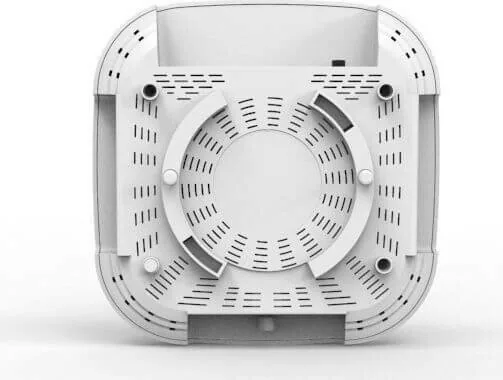
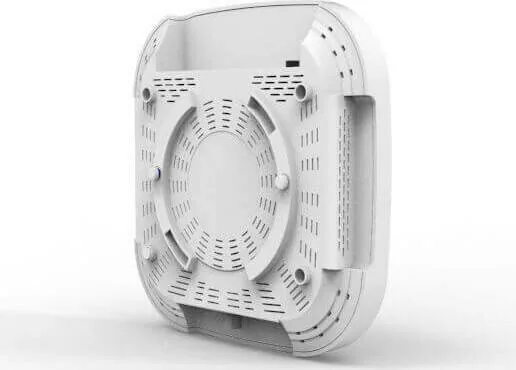
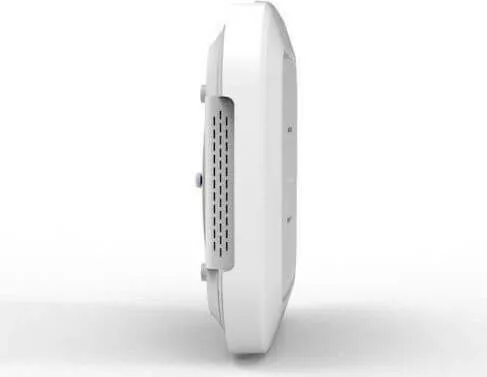
Allied Telesis AT-TQm5403 Manual
PDF manual · 164 Pages
English



Quick check
Incorrect answer, please try again.
Chat with your Allied Telesis AT-TQm5403 manual using AI
Get instant AI answers from your Allied Telesis AT-TQm5403 manual
Ask anything about the Allied Telesis AT-TQm5403. Answers come from this manual, with the pages they are based on.
Ask a Question
Do you recommend AT-TQm5403?
Yes NoFrequently Asked Questions
This model supports up to 127 wireless clients simultaneously for stable network performance under optimal conditions.
Is this answer helpful?
Yes, you can assign a static IP address or use DHCP for network connectivity configuration within the settings.
Is this answer helpful?
Support includes WPA2 Enterprise, WPA Personal, and static WEP encryption for various legacy and modern needs.
Is this answer helpful?
Specific models offer LAN1 and LAN2 Gigabit ports with PoE negotiation capabilities for flexibility in uplink connections.
Is this answer helpful?
HTTPS management is available but disabled by default requiring manual configuration for encryption on web sessions.
Is this answer helpful?
Yes, but changing the setting disables radios and requires reconfiguration of all radio settings immediately to resume.
Is this answer helpful?
Yes, virtual access points allow VLAN configuration to segment traffic logically for different user groups or departments.
Is this answer helpful?
Advantages and Disadvantages
Advantages

- Supports up to 127 wireless clients per unit for scalable enterprise networks.
- Dual-band capability across 2.4GHz and 5GHz spectrums enhances connectivity options.
- Power over Ethernet support simplifies installation and reduces cabling requirements.
- Web browser interface allows easy remote configuration and monitoring of settings.
- Eight virtual access points per radio enable effective traffic segmentation.
Disadvantages

- Does not support SNMPv3 which limits modern management protocol options.
- Changing country code disables all radios until reconfiguration is completed.
- Reset button is enabled by default on some models posing security risk.
- HTTPS management is disabled by default requiring manual activation for security.
- Maximum concurrent management sessions are limited to five without upgrades.
Product Specification
LAN
2x 1000Base-T (1x PoE PD)
Wireless
WLAN 802.11a/b/g/n/ac/h (Wi-Fi 5), simultaneous
Data Rate
400Mbps (2.4GHz), 1733Mbps (5GHz) split across 2x 867Mbps
Security
64/128bit WEP, WPA, WPA2
Antennas
Internal
Ports
1x RJ-45 Management Port
Power Consumption
20W (Consumption, Operation), none specified (max power supply rating)
Dimensions
8.46 x 8.46 x 1.89 in
Features
IPv6, TPC/DFS, MU-MIMO, LACP, VLAN
Frequency Bands
Tri Band (Simultaneous)
Product Description
Allied Telesis AT-TQm5403 Enterprise Wireless Solution
The AT-TQm5403 represents a significant step forward in enterprise wireless networking. Designed for robust performance, this access point delivers dual-band connectivity across 2.4GHz and 5GHz spectrums simultaneously. Users benefit from high throughput and reliable connections essential for modern business environments demanding constant uptime. With up to 127 maximum wireless clients per unit, scalability remains a core strength for medium-sized deployments. The device supports eight virtual access points per radio, allowing network administrators to segment traffic efficiently without additional hardware costs. Security is paramount, offering WPA Enterprise and Personal options alongside static WEP for legacy support requirements. Configuration is streamlined through a comprehensive web browser interface that works across standard platforms. Administrators can manage settings locally or remotely from a central station. Support for SNMPv1 and v2c facilitates integration with existing monitoring systems and third-party software. Advanced features like Band Steering optimize traffic flow by directing capable devices to the 5GHz band during congestion periods. Hardware connectivity is handled via Gigabit Ethernet ports ensuring fast data transfer speeds. Power over Ethernet standards simplify cabling in ceiling-mounted installations reducing clutter. The unit supports Wireless Distribution Systems for bridging connections without cabling between distant locations. Quality of Service settings ensure critical applications maintain priority during peak usage times across the network. Compliance is built-in with region-specific country code settings ensuring lawful operation while maintaining performance. Installation procedures and maintenance guides are available online to assist with deployment and ongoing care for the equipment. The system includes detailed logging capabilities for troubleshooting errors and security auditing purposes. Users seeking to optimize performance often refer to the Allied Telesis AT-TQm5403 Manual for specific setup parameters. It covers everything from IP address configuration to advanced radio tuning. Physical connectivity includes options for LAN1 and LAN2 ports on specific models providing dual uplink options. This redundancy improves availability for critical infrastructure needs. Radio channels can be automated to avoid interference or set manually for precision control. Dynamic Frequency Selection protects users from radar interference on specific 5GHz channels. Management sessions timeout automatically when idle to enhance security on shared devices. Whether for large offices or public venues, this hardware delivers stability and flexibility for growing networks requiring enterprise-class performance and ease of management. It stands out as a versatile solution for IT professionals seeking reliability. Additional security features include MAC address filtering to restrict client connections based on identity. Airtime fairness ensures all connected devices receive equal communication time regardless of speed capabilities. This prevents slow devices from hogging bandwidth unnecessarily. Network time protocol clients keep logs accurate by synchronizing with external servers. The reset button allows quick restoration to factory defaults if configuration errors occur.
Search for 67,732 Manuals online


Type-in Brand or Model