

Free Conceptronic Manuals – Read, Download & Print
20 Manuals
Manuals
9 Pages

18 Pages
10 Pages

9 Pages
31 Pages
10 Pages

3 Pages
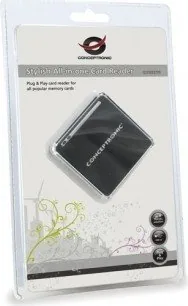
2 Pages
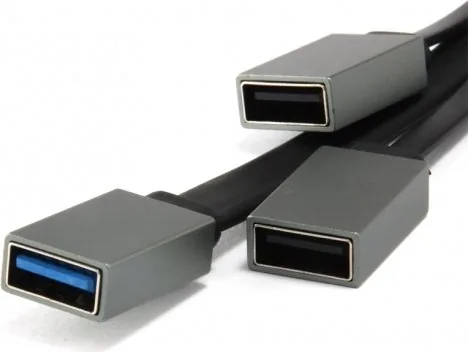
7 Pages
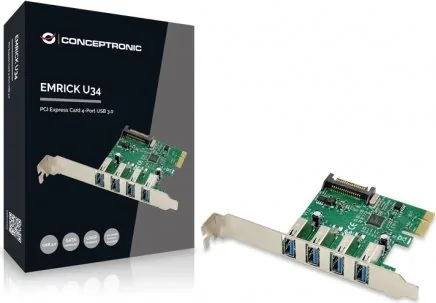
8 Pages
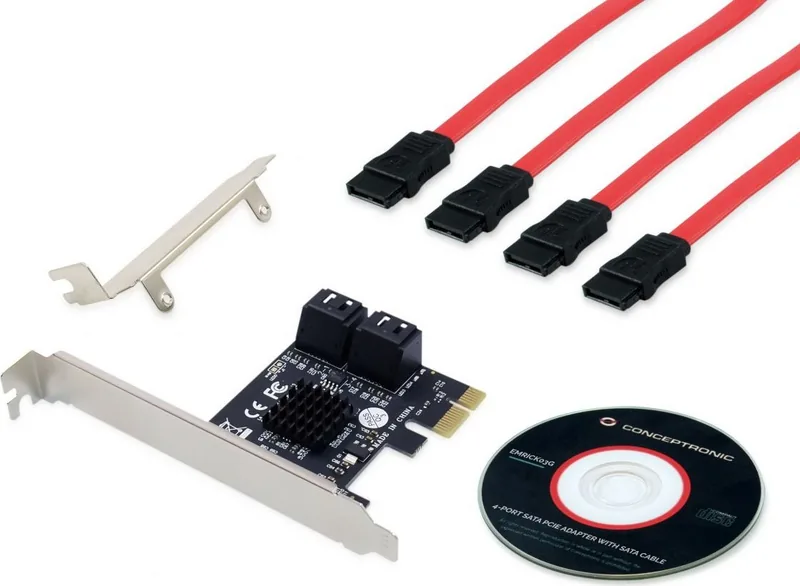
8 Pages
11 Pages
18 Pages
18 Pages
5 Pages

5 Pages

5 Pages
8 Pages
36 Pages

3 Pages
Categories


Free Conceptronic Manuals - Read, Download & Print
Introduction to Conceptronic Documentation Resources
In the rapidly evolving world of networking and telecommunications, having access to accurate and comprehensive documentation is crucial for both professionals and hobbyists. Conceptronic has long been a recognized name in the industry, providing a wide array of networking solutions including wireless routers, modems, network switches, and broadband adapters. For users who have purchased these devices or are managing existing infrastructure, finding reliable guides is often the first step toward successful setup and maintenance. This resource serves as a centralized hub dedicated to offering free Conceptronic manuals, ensuring that every user can read, download, and print the necessary information without any cost barriers.
The importance of manual documentation cannot be overstated. Whether you are configuring a new wireless router for your home office or troubleshooting a complex network switch in a corporate environment, the user guide provides the essential instructions needed to unlock the full potential of your hardware. These documents cover everything from initial unboxing and physical installation to advanced configuration settings, security protocols, and diagnostic procedures. By making these resources freely available, we aim to empower users with the knowledge they need to optimize their network performance and resolve issues efficiently.
Comprehensive Guide Categories Available
Our collection encompasses a vast library of documentation covering various product lines offered by Conceptronic. Users can easily navigate through different categories based on their specific device needs. The primary sections include Wireless Networking Equipment, Broadband Modems and Routers, Network Switches, and Industrial Networking Solutions. Each category contains detailed manuals tailored to specific models, ensuring that users find the exact document relevant to their hardware version.
For wireless enthusiasts, the wireless section offers extensive guides on setting up 802.11b/g/n/ac/ax compliant devices. These manuals explain how to configure SSIDs, manage security keys using WPA2 or WPA3 encryption, and optimize channel selection to reduce interference. Additionally, there are specialized guides for range extenders and mesh networking systems, which help users expand their coverage area seamlessly.
The broadband section focuses on DSL and cable modems combined with routing capabilities. Here, users will find step-by-step instructions for connecting the device to an internet service provider line, configuring VLAN settings, and setting up port forwarding for gaming or server hosting. Security-focused users will appreciate the detailed chapters on firewall rules, parental controls, and guest network isolation features found in many modern Conceptronic routers.
Network administrators managing larger setups will benefit from the switch documentation. These guides delve into Layer 2 and Layer 3 switching concepts, VLAN tagging, link aggregation, and Quality of Service (QoS) configurations. Understanding these technical details allows IT professionals to create robust, scalable networks that handle high traffic loads effectively.
How to Access and Utilize the Manuals
Accessing these manuals is designed to be straightforward and user-friendly. The platform utilizes a clean interface where users can search for their specific device model using keywords or browse through categorized lists. Once a document is located, it is presented in a digital format that supports multiple viewing options. Users can choose to read the content directly in their web browser, which includes zoom capabilities for better readability of diagrams and tables.
For those who prefer offline access or need to reference the manual during a power outage or in areas with limited connectivity, the download feature is highly recommended. All manuals are available in PDF format, which is universally compatible with computers, tablets, and smartphones. The PDF structure preserves the original layout, ensuring that images, schematics, and text remain aligned exactly as intended by the manufacturer. This consistency is vital when following precise wiring diagrams or navigating complex menu structures within the device firmware.
Printing is another key feature supported by this resource. Many users find it helpful to have a physical copy of the manual for quick reference while working on the hardware. The downloadable files are optimized for standard paper sizes like A4 and Letter, allowing for clear printing without excessive ink usage or formatting errors. Users can print individual pages for immediate tasks or print the entire document for creating a personal reference library.
Troubleshooting and Advanced Configuration Support
One of the most valuable aspects of these manuals is the troubleshooting section included in nearly every document. Common issues such as inability to connect to the internet, slow wireless speeds, or forgotten administrator passwords are addressed with clear, actionable steps. The guides often include flowcharts that help users diagnose problems logically, starting from checking physical connections and moving up to software configuration checks.
Advanced configuration topics are also covered in depth. Experienced users can learn how to set up static IP addresses, configure DHCP reservations, and implement custom DNS servers. There are also sections dedicated to firmware updates, explaining how to safely upgrade the device software to fix bugs or add new features. It is important to follow the instructions carefully during firmware updates to avoid bricking the device, and the manuals provide specific warnings and best practices for this process.
Security is a paramount concern in modern networking, and the manuals reflect this priority. Detailed explanations on how to disable remote management, change default login credentials, and enable MAC address filtering are provided. These measures help protect the network from unauthorized access and potential cyber threats. For businesses, there are guidelines on setting up Virtual Private Networks (VPNs) to allow secure remote access to internal resources.
Benefits of Using Official Documentation
Relying on official Conceptronic manuals ensures accuracy and reliability. Third-party sources may contain outdated or incorrect information that could lead to configuration errors or security vulnerabilities. Official documentation is regularly updated to match the latest firmware versions and product revisions, guaranteeing that the advice given is current and applicable.
Furthermore, using the correct manual saves time and reduces frustration. Instead of guessing at settings or searching through forums for vague answers, users can rely on the definitive source provided by the manufacturer. This efficiency translates to reduced downtime and improved network stability. For educational purposes, students and self-learners can use these manuals to understand the fundamentals of networking technology, gaining practical skills that are transferable across different brands and systems.
Conclusion and Future Updates
This collection of free Conceptronic manuals represents a commitment to user support and education. As technology continues to advance, new products are released, and existing ones receive firmware enhancements. We strive to keep this repository up to date by adding new manuals as soon as they become available from the manufacturer. Users are encouraged to check back regularly for the latest additions and updates.
By providing these resources for reading, downloading, and printing, we ensure that everyone has equal access to the information needed to manage their networking equipment effectively. Whether you are a casual home user looking to set up a Wi-Fi network or a professional IT specialist maintaining a large-scale infrastructure, these manuals are an indispensable tool. Embrace the power of knowledge and take control of your network today with the comprehensive guides available at your fingertips.
Search for 67,706 Manuals online


Type-in Brand or Model