
Conceptronic ABBY17B Manual
PDF manual · 18 Pages
English



Quick check
Incorrect answer, please try again.
Chat with your Conceptronic ABBY17B manual using AI
Get instant AI answers from your Conceptronic ABBY17B manual
Ask anything about the Conceptronic ABBY17B. Answers come from this manual, with the pages they are based on.
Ask a Question
Do you recommend ABBY17B?
Yes NoFrequently Asked Questions
No, the device utilizes automatic detection. Your computer will recognize and install the default Microsoft driver instantly without manual intervention.
Is this answer helpful?
The rated working distance ranges from zero to 100 meters under ideal conditions with the external antenna attached.
Is this answer helpful?
System requirements listed specifically cover Windows 8.1, 10, and 11 in 32 and 64-bit versions. Other OS support is not confirmed in this text.
Is this answer helpful?
Dispose of the product at a recycling point. Do not throw it with household waste to prevent environmental harm.
Is this answer helpful?
Operating temperature spans from minus 30°C to 45°C. Storage tolerance goes from minus 45°C to 75°C.
Is this answer helpful?
Contact [email protected] or visit www.conceptronic.net and click on Support for further assistance.
Is this answer helpful?
Advantages and Disadvantages
Advantages

- Bluetooth 5.3 ensures faster pairing and lower latency for connected peripherals
- External antenna extends effective range up to 100 meters in optimal environments
- Plug and play installation removes the need for manual driver downloads
- Compatible with Windows 8.1, 10, and 11 systems automatically
Disadvantages

- Limited to Windows 8.1 through 11 operating systems according to requirements
- Single USB port usage limits simultaneous connections to one adapter slot
- Transmission rate caps at 3.0Mbps which may lag high-bandwidth transfers
- External antenna adds protrusion length which might snag on nearby objects
Product Specification
Type
WPAN-Adapter
Form Factor
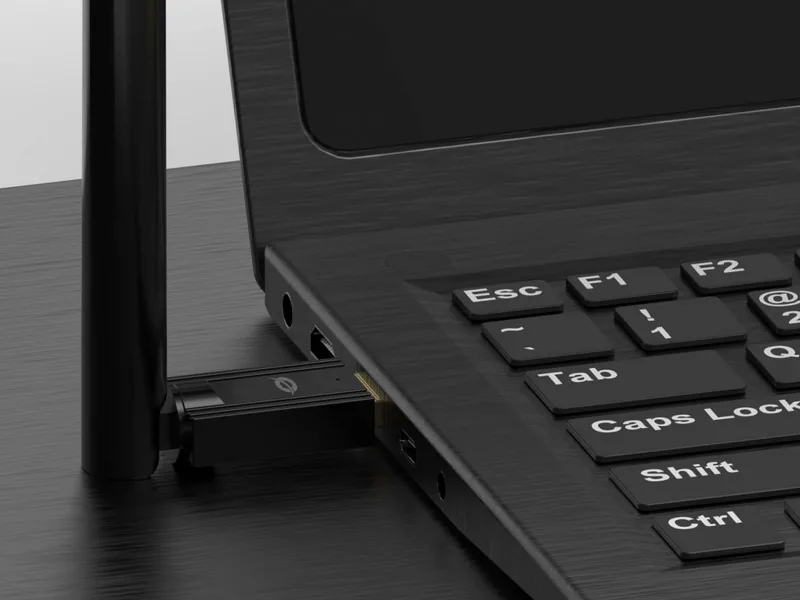
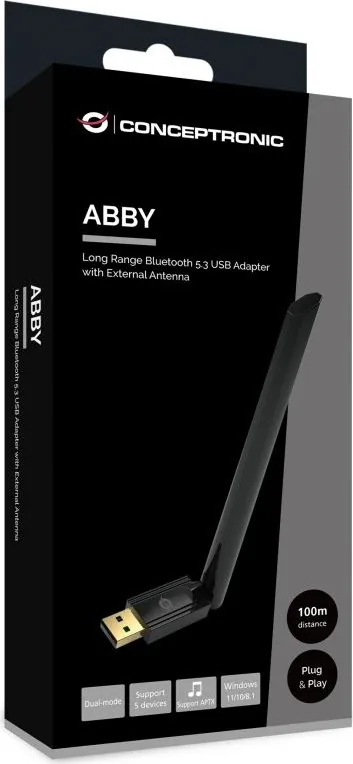
1x USB Stick
Interface
1x USB-A 2.0 (Plug)
Wireless Specs
1x Bluetooth 5.3 (LE, Class 1, EDR, DualMode), 1x Transmit Amplifier, 1x Antenna (External, 4dBi)
Transfer Speed
1x Bluetooth 5.3 (3Mb/s)
Power Source
Powered only via connection
Dimensions
0.71x0.47x7.09 in (WxHxD)
Weight
0.53 oz
Color
Black
Compatibility
Universal
USB Label
Left
Product Description
Upgrade Your Wireless Experience Today
In the modern digital landscape, reliable connectivity is essential for productivity and entertainment. Many computers lack built-in Bluetooth modules, making external adapters crucial. The solution we are highlighting here provides a bridge between legacy ports and contemporary devices. It allows users to pair mice, keyboards, headsets, and speakers effortlessly. This hardware update transforms a standard machine into a versatile hub for wireless interactions.
Technical Specifications and Performance
The core of this device lies in its advanced chipset. It supports Bluetooth 5.3 technology which enhances efficiency and reduces power consumption significantly. The frequency range operates within the standard 2.4GHz band, specifically spanning from 2402MHz to 2480MHz. This ensures compatibility with the vast majority of existing accessories on the market. The transmission rate reaches 3.0Mbps, suitable for audio streaming and general data exchange. An external antenna is integrated to boost the effective range substantially. Users can expect distances up to 100 meters in ideal line-of-sight conditions. Rated voltage is DC 5V, drawing power directly from the host system.
Installation and Configuration Process
Setting up the equipment is designed to be user-friendly for everyone regardless of technical expertise. You simply insert the unit into a free USB port on your PC or laptop. There is no need to manually download drivers or install software CD images. Your operating system will detect the presence automatically and configure itself. Supported platforms include Windows 8.1, Windows 10, and Windows 11 in both 32 and 64 bit configurations. Once recognized, a Bluetooth icon appears in the system tray for quick access to settings.
Safety Guidelines and Environmental Responsibility
Protecting the device ensures longevity and optimal function over many years. Operators should read the instructions carefully to understand limitations. Never expose the unit to water, humidity, or fire hazards. Extreme temperatures outside the specified range may cause damage. The working temperature spans from minus thirty degrees Celsius to forty-five degrees Celsius. Keep packaging materials out of reach of young children due to choking hazards. Disposal must occur at designated recycling points rather than household trash bins to protect the environment. Incorrect storage could invalidate warranty coverage claims made by the manufacturer.
Support and Warranty Information
Should technical difficulties emerge, help is readily available through official channels. Visit the support site online or send an inquiry to the dedicated email address provided in the documentation. The company values customer satisfaction and aims to resolve queries efficiently. The Conceptronic ABBY17B Bluetooth USB Adapter With External Antenna, Range Up To 100m, Bluetooth 5.3, USB-A 2.0 [Plug] Manual serves as a primary reference for maintenance. Compliance with CE directives guarantees adherence to regional safety standards. Enjoy stable connections and peace of mind with this robust peripheral solution.
Notes
Always test range in intended location before permanent placement. Signal interference affects actual distance achieved.
Search for 67,706 Manuals online


Type-in Brand or Model
jknight79
7 months ago
Will this Bluetooth adapter truly quadruple the range compared to basic models like the ASUS BT400? Does it reliably work with LDAC for high-quality audio?
Manual.ly
7 months ago
Yes, the included high-gain antenna significantly improves reception distance, often reaching over 12 meters even through multiple internal walls in standard apartments. It is compatible with the Alternative A2DP Driver and fully supports the LDAC protocol for superior audio streaming. Please be aware that the USB connector is compact and may feel loose in some ports; we recommend securing it carefully during use to prevent connection drops.