
Conceptronic ZEUS01E Manual
PDF manual · 31 Pages
English



Quick check
Incorrect answer, please try again.
Chat with your Conceptronic ZEUS01E manual using AI
Get instant AI answers from your Conceptronic ZEUS01E manual
Ask anything about the Conceptronic ZEUS01E. Answers come from this manual, with the pages they are based on.
Ask a Question
Do you recommend ZEUS01E?
Yes NoFrequently Asked Questions
It provides short-term battery backup and surge protection for computers and related devices. The goal is to keep essential equipment running long enough to save work and shut down safely during a power failure.
Is this answer helpful?
Use it with desktop PCs, monitors, routers, and other low-power computer accessories. The instructions recommend using it only for computer loads and avoiding high-demand appliances.
Is this answer helpful?
No. The guidance warns against connecting laser printers, heaters, vacuum cleaners, shredders, copiers, or similar heavy devices because they can overload the UPS and cause damage.
Is this answer helpful?
The USB port lets the UPS communicate with a computer. This supports monitoring and software-based power management, so you can track status and respond better to power events.
Is this answer helpful?
Charging for at least 8 hours is recommended before regular use. This helps the battery reach its maximum charge capacity and improves expected backup performance.
Is this answer helpful?
Turn the unit off, disconnect at least one device from the battery-backed outlets, wait about 10 seconds, and check the breaker or fuse before turning it back on.
Is this answer helpful?
Advantages and Disadvantages
Advantages

- 650VA/360W rating fits small PC setups and home office gear.
- USB connectivity supports monitoring and management software.
- LCD and LED indicators make status checks quick and easy.
- Battery backup plus surge protection helps prevent data loss and hardware stress.
Disadvantages

- Not intended for high-power devices like printers or heaters.
- Runtime is limited and depends heavily on connected load.
- Battery needs initial charging and periodic maintenance.
- Only basic backup capacity, so it is not ideal for larger systems.
Product Specification
Type
Tower
Classification
VI (Line-Interactive)
Apparent Power
650VA
Active Power
360W
Voltage
220V-240V
Input
1x C14
Outputs
3x C13
Interfaces
USB
Data Line Protection
2x RJ-45
Charging Time
8h (90%)
Weight
9.70 lb
Dimensions (WxHxD)
3.78x5.43x5.43in
Rack Units
N/A
Features
LCD
Product Description
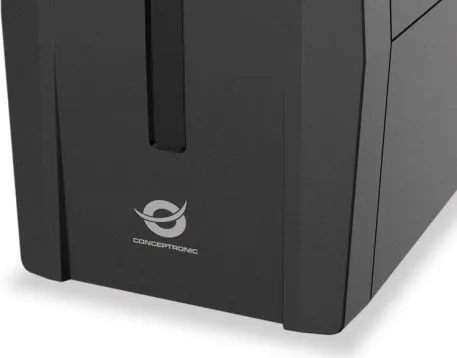
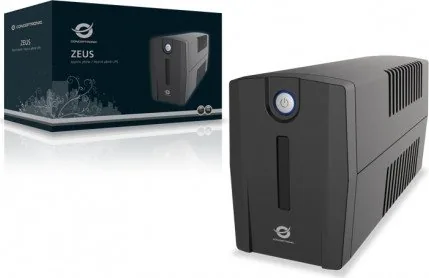
Conceptronic ZEUS01E 650VA/360W UPS IEC C13, USB
The Conceptronic ZEUS01E is a compact UPS built to keep essential computer gear running when the mains power drops. With a 650VA / 360W capacity, it is aimed at home offices, small workstations, and everyday desktop protection rather than heavy-duty equipment. It combines battery backup with surge protection, giving connected devices a safer buffer against outages, spikes, and unexpected interruptions.
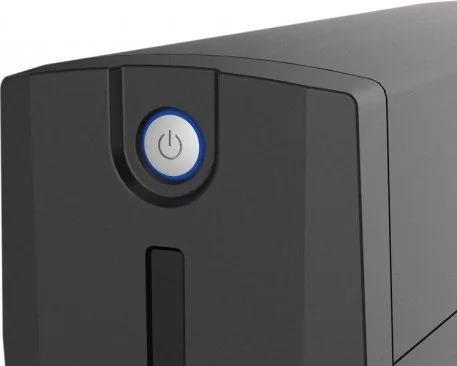
What makes this unit practical is its straightforward design. The front panel uses an LCD display and clear status indicators, so you can quickly check operating state, battery condition, and warnings at a glance. A USB port adds communication with a PC, allowing the UPS to work alongside management software for better visibility and power control. The IEC C13 output style also makes it suitable for common IT and office connections.
The ZEUS01E is especially useful for protecting devices that should not lose power suddenly, such as desktops, monitors, routers, and external storage. During a short power cut, the battery backup keeps your setup alive long enough to save files and shut down safely. It also includes overload protection through an input circuit breaker, which helps guard the unit itself when too much load is connected.
Setup is simple, but the guidance is important: charge the battery for at least 8 hours, connect only computer-related equipment to the battery-backed outlets, and avoid large appliances or high-wattage tools. The included Power Master software support adds another layer of convenience, making it easier to monitor status and understand how the UPS is performing over time.
If you are looking for a reliable entry-level UPS with USB monitoring and a sensible power rating, the Conceptronic ZEUS01E 650VA/360W UPS IEC C13, USB Manual points to a solution that focuses on essentials: protection, clarity, and dependable backup for critical everyday electronics.
Notes
- Best suited for PCs, monitors, and low-power peripherals.
- Charge fully before first use for best runtime.
- Keep it plugged in regularly to maintain battery health.
- Avoid connecting printers, heaters, or other heavy loads.
Search for 67,706 Manuals online


Type-in Brand or Model