
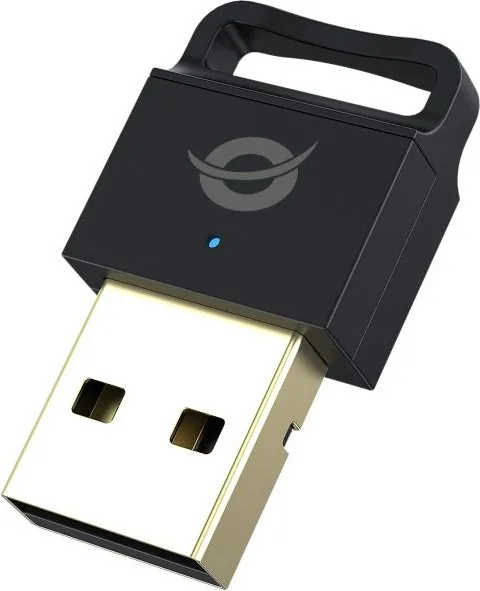
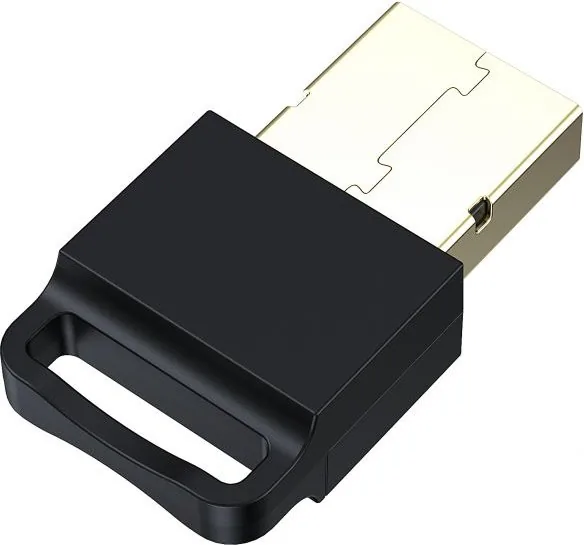
Conceptronic ABBY06B Manual
PDF manual · 11 Pages
English



Quick check
Incorrect answer, please try again.
Chat with your Conceptronic ABBY06B manual using AI
Get instant AI answers from your Conceptronic ABBY06B manual
Ask anything about the Conceptronic ABBY06B. Answers come from this manual, with the pages they are based on.
Ask a Question
Do you recommend ABBY06B?
Yes NoFrequently Asked Questions
Yes, the adapter is fully compatible with Windows operating systems ranging from version seven through eleven. It supports both thirty-two and sixty-four bit architectures for broad system integration.
Is this answer helpful?
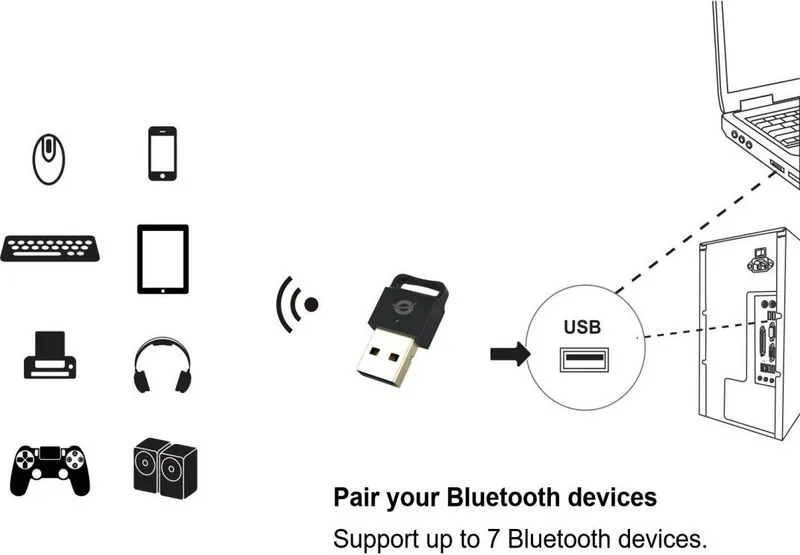
The device supports pairing up to seven Bluetooth devices simultaneously. This allows you to connect peripherals like keyboards, mice, and audio gear without switching modes.
Is this answer helpful?
The rated working distance is approximately ten to twenty meters. Actual range depends heavily on environmental factors such as walls, interference, and physical obstructions between devices.
Is this answer helpful?
Yes, you can download the necessary drivers directly from the official Conceptronic website. The manual also provides instructions for manual installation if you prefer skipping the auto run menu.
Is this answer helpful?
Yes, dropping, crushing, or throwing the device can cause internal damage. Additionally, opening or altering the unit will void the warranty guarantee entirely according to safety terms.
Is this answer helpful?
Yes, Bluetooth 5.0 is backward compatible. It can successfully connect with earlier Bluetooth versions used in older smartphones, headphones, and accessories while improving efficiency.
Is this answer helpful?
You must dispose of the product at a recycling point. Do not place it with regular household waste to avoid environmental harm and potential injury from improper handling.
Is this answer helpful?
Advantages and Disadvantages
Advantages

- Supports Bluetooth 5.0 for faster and more reliable data transfer.
- Connects up to seven Bluetooth devices simultaneously without interference.
- Compatible with Windows 7 through 11 on 32 and 64-bit systems.
- Compact USB-A 2.0 plug design for easy portability and storage.
- Installation is straightforward with Autorun support or web downloads.
Disadvantages

- Requires a CD-ROM drive or manual driver download for initial setup.
- Limited to USB 2.0 interface which caps maximum transmission speeds.
- Maximum working distance is restricted by physical obstacles and interference.
- Opening or modifying the device permanently voids the manufacturer warranty.
- Not optimized for extremely high bandwidth tasks like 4K video streaming.
Product Specification
Type
WPAN Adapter
Form Factor
1x USB Stick
Connection
1x USB-A 2.0 (Plug)
Connectivity
1x Bluetooth 5.0 (LE, Class 2, EDR, DualMode), 1x Transmitter Amplifier, 1x Antenna (internal)
Transmission
1x Bluetooth 5.0 (3Mb/s)
Power
Powered solely via connection
Dimensions
0.65 x 0.34 x 1.18 inches (WxHxD)
Weight
0.10 oz
Case Color
Black
Compatibility
Universal
USB Orientation
Left
Product Description
Elevate Your Wireless Experience with the Conceptronic ABBY06B
In today's fast-paced digital landscape, maintaining seamless connectivity is crucial for both personal enjoyment and professional efficiency. Many modern laptops and desktops have integrated Bluetooth, yet older machines still require external hardware solutions. The Conceptronic ABBY06B Bluetooth USB Adapter fills this gap effectively. By utilizing the advanced Bluetooth 5.0 technology, this small peripheral offers superior data transfer speeds and enhanced reliability. Users benefit from reduced power consumption and extended battery life for their connected mobile devices. The USB-A 2.0 [Plug] form factor ensures universal fitment across standard computer ports without requiring complex configuration hubs.
Comprehensive Connectivity Features
One of the standout advantages of this adapter is its capability to manage simultaneous connections. You can pair up to seven Bluetooth devices simultaneously without significant interference. This feature is particularly useful for offices utilizing multiple input peripherals like speakers, headphones, and presentation remotes. Supported profiles include GAP, HFP, and A2DP enabling high-quality audio streaming alongside basic data transfer. The operating frequency remains within the 2.4GHz band ranging from 2402 to 2480MHz which minimizes signal loss over moderate distances. With a rated working distance of ten to twenty meters, control room environments remain manageable.
Easy Installation and System Support
Compatibility remains a priority for consumers who do not wish to upgrade entire systems. This device supports Windows seven through eleven on both thirty-two and sixty-four bit platforms. Setup involves inserting the included CD-ROM into your optical drive where the autorun menu automatically launches. Selecting the install drivers option guides you through necessary configurations. A computer restart is advised after installation completes to finalize driver loading. Alternatively, drivers are accessible via the official Conceptronic website for those without disc drives. Simply insert the adapter into a free USB slot once setup concludes.
Responsible Usage and Compliance Standards
Adhering to safety protocols extends the lifespan of your equipment and protects yourself. The manual warns against exposure to moisture, extreme temperatures, or direct sunlight which could degrade plastic components. Small children should never play with the packaging or device due to choking hazards. Dropping or opening the unit voids the warranty guarantee. Electronic waste disposal requires taking the item to a recycling center rather than standard trash bins. This commitment to proper e-waste management reflects adherence to CE marking directives declared by Digital Data Communications GmbH. Following these guidelines ensures optimal performance and legal compliance for all users. Enjoy stable interactions.
Search for 67,706 Manuals online


Type-in Brand or Model