
Conceptronic KAYNE01ES Manual
PDF manual · 5 Pages
English



Quick check
Incorrect answer, please try again.
Chat with your Conceptronic KAYNE01ES manual using AI
Get instant AI answers from your Conceptronic KAYNE01ES manual
Ask anything about the Conceptronic KAYNE01ES. Answers come from this manual, with the pages they are based on.
Ask a Question
Do you recommend KAYNE01ES?
Yes NoFrequently Asked Questions
No driver installation is required upon plugging into USB.
Is this answer helpful?
Windows XP through 11, Mac OS, Linux, and Chrome OS.
Is this answer helpful?
Ensure the chip of the smart card faces up when inserting.
Is this answer helpful?
The included USB cable measures exactly 1.5 meters long.
Is this answer helpful?
Yes, it works on Mac OS Linux Chrome OS and various Windows versions.
Is this answer helpful?
Refer to the support site for warranty terms and conditions.
Is this answer helpful?
Dropping damages the device and may invalidate your warranty guarantee.
Is this answer helpful?
Advantages and Disadvantages
Advantages

- Plug and play installation requires no drivers
- Compatible with Windows Mac OS Linux and Chrome OS
- Compliant with FIPS 201 and PC SC 2.0 standards
- Includes 1.5 meter cable for flexible positioning
- Supports ISO7816 Class A B and C card types
Disadvantages

- External software installation required for some authorities
- Bulky dimensions take up significant desk space
- Fixed cable length cannot be extended easily
- Power supply requires consistent 5 volt source
- Warranty invalid if device is opened internally
Product Specification
Layout
Spanish
Type
Rubber Dome
Backlighting
N/A
Keycap Profile
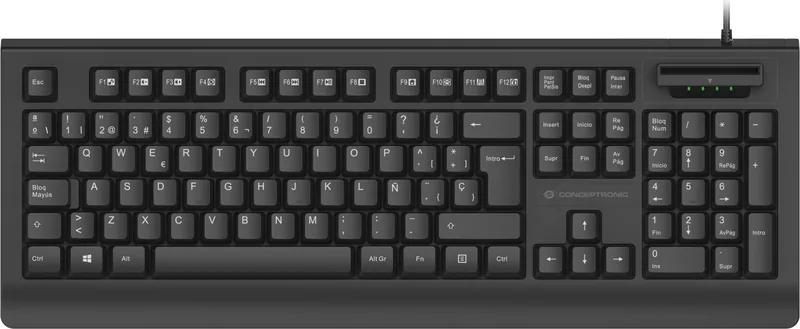
Regular, with Frame
Keycap Shape
Flat
Keycap Top
Concave
Number Pad
Standard
Navigation Block
Standard
Control Keys
Standard
Function Keys
Standard (top row, with spacing below, in groups of 4)
Enter Key
Standard
Delete Key
Standard
Status Indicators
Caps Lock, Num Lock, Scroll Lock
Palm Rest
N/A
Case
Plastic
Case Color
Solid Black
Keycap Finish
Solid Black
Key Legends
Solid White
Connection
Wired (4.92 ft), USB-A 2.0
Power Supply
USB
Dimensions (W x H x D)
17.87 x 2.20 x 6.46 in
Weight
1.41 lbs
Features
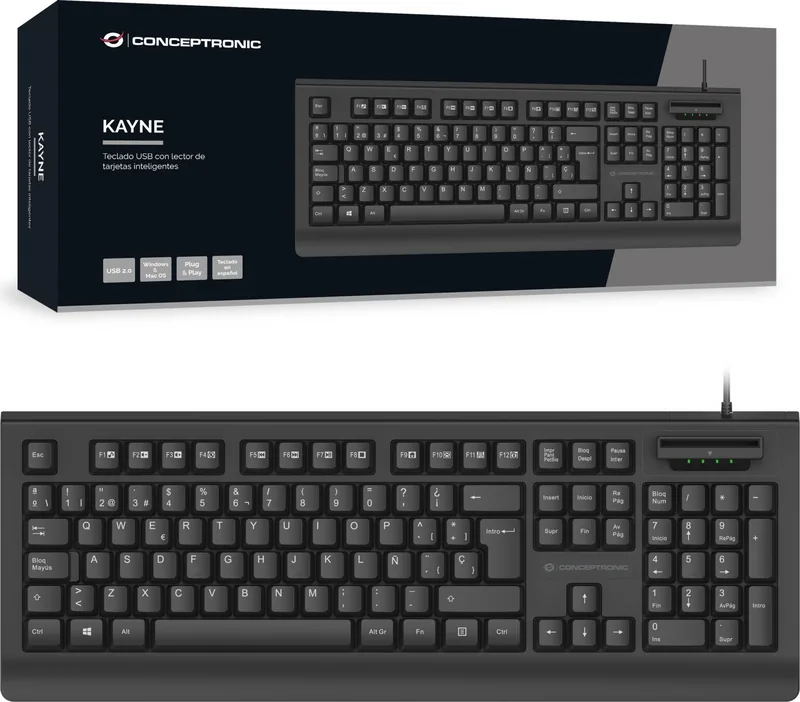
Smart Card Reader (Smartcard)
Product Description
Unlock Secure Access Solutions
In the modern workplace security is a top priority for every business leader. Finding the right hardware to protect sensitive data is essential for maintaining trust with clients and employees alike. The Conceptronic KAYNE01ES USB Keyboard with SmartID Card Reader, USB, ES Manual provides a comprehensive entry point into verified digital interactions for many professional environments. Using advanced authentication methods ensures that unauthorized personnel cannot compromise your network integrity easily.
Broad Operating System Support
One major advantage is the incredible versatility this unit brings to your workstation setup. It functions seamlessly across Windows XP Vista 7 8 10 and 11 versions without requiring complex configuration steps. Mac OS and Linux users will find equal satisfaction with cross platform capabilities designed for diverse technical departments. Chrome OS integration allows for thin client deployments to remain secure even in public facing kiosks.
Detailed Technical Specifications
Compliance is key for government sectors and financial institutions managing large amounts of data. The device adheres to EMV 4.0 Level 1 Specification and supports PBOC 2.0 standards reliably. ISO7816 Class A B and C card protocols work perfectly with 5 Volt 3 Volt or 1.8 Volt logic levels required by various smart chips. Microsoft WHQL certification confirms stability for Windows based enterprise applications running constantly.
Easy Installation Process
Setting up the hardware takes less than two minutes in almost all scenarios. Simply plug the USB connector into an available port on your computer and wait for recognition. No driver installation is required during the initial pairing process saving valuable IT administration time. Insert the smart card ensuring the gold chip faces upward inside the designated slot to establish connection quickly.
Safety Guidelines for Longevity
Protecting the physical device from environmental hazards extends its useful life significantly over time. Keep the unit away from water humidity fire or hot environments to prevent permanent damage to internal circuitry. Avoid dropping throwing or crushing the device as structural integrity matters for card reading function. Disconnect from mains before cleaning and use only a dry fiber free cloth for dust removal regularly.
Value Proposition Analysis
Ultimately investing in quality peripherals protects organizational assets against potential breaches efficiently. Third party software from your authority may still be needed depending on your specific industry sector needs. Regularly visit support websites for firmware updates or driver patches applicable to newer operating system releases. Following these steps ensures optimal performance and warranty validity throughout the ownership duration of this powerful accessory.
Responsible Disposal and Support
Electronic waste management is crucial for environmental protection when replacing old hardware. Dispose of the product at a recycling point instead of household waste bins according to local regulations. Incorrect storage or disposal can harm the environment or cause injury during processing phases. Contact the manufacturer website for detailed support if troubleshooting persists after basic checks are exhausted.
Always verify compatibility with existing infrastructure before deployment in production networks.
Search for 67,706 Manuals online


Type-in Brand or Model