
Conceptronic DDE01B Manual
PDF manual · 10 Pages
English



Quick check
Incorrect answer, please try again.
Chat with your Conceptronic DDE01B manual using AI
Get instant AI answers from your Conceptronic DDE01B manual
Ask anything about the Conceptronic DDE01B. Answers come from this manual, with the pages they are based on.
Ask a Question
Do you recommend DDE01B?
Yes NoFrequently Asked Questions
The unit supports transfer speeds up to 10Gbps when connected to a USB 3.1 port or compatible host card. Connections to older USB 2.0 ports will operate at standard 480Mbps rates.
Is this answer helpful?
No, the device is plug-and-play. Modern operating systems will automatically recognize and install necessary hardware support upon connection.
Is this answer helpful?
Remove two screws to access the PCB. Place the drive in position and secure it. Then reassemble the front plate and screws.
Is this answer helpful?
No. You must use the secure removal option in your system tray to stop the connection before unplugging. This prevents data corruption.
Is this answer helpful?
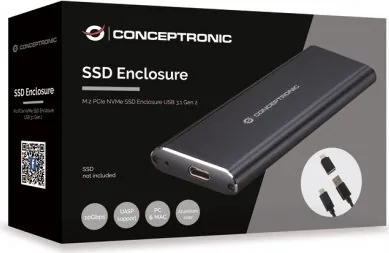
This enclosure is designed specifically for M.2 PCIe NVMe type solid state drives.
Is this answer helpful?
Power consumption is optimized to prevent overheating. Noise levels remain low compared to traditional mechanical hard drives.
Is this answer helpful?
Advantages and Disadvantages
Advantages

- Supports data transfer speeds up to 10Gbps with proper hardware.
- Plug-and-play functionality requires no manual driver installation.
- Simple assembly process allows for quick SSD installation.
- Provides safe removal features to prevent data loss corruption.
- Compact design offers portable storage on the go.
Disadvantages

- Maximum speed requires USB 3.1 ports or host card support.
- Transfer rates drop significantly to 480Mbps on USB 2.0 ports.
- Physical installation requires careful handling of internal components.
- Users must follow specific removal steps to ensure safety.
- Compatible only with M.2 PCIe NVMe SSD drive types.
Product Specification
Form Factor
M.2 2280, M.2 2260, M.2 2242, M.2 2230
Internal Interface
1x M.2 (PCIe 3.0 x2, NVMe)
External Interface
1x USB-C 3.1 (10Gb/s)
RAID Level
N/A
Fan
N/A
Chipset
JMicron JMS583
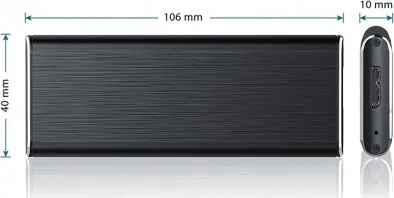
Dimensions
4.17x1.57x0.43"
Weight
3.00 oz
Color
Black
Features
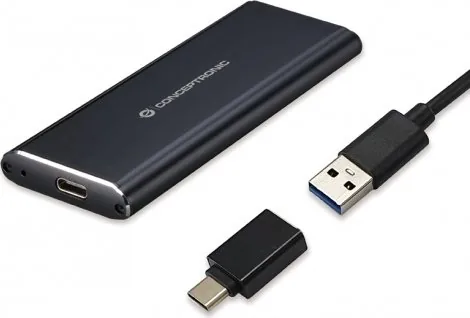
Aluminum housing, incl. USB cable (USB-A)
USB Label
Link
Product Description
Finding ways to expand storage capacity quickly is essential for modern computing needs across various industries. The Conceptronic M.2 PCIe NVMe SSD Case, USB-C 3.1 Manual represents a significant upgrade for users seeking enhanced performance and reliability in their daily workflows. This enclosure transforms standard M.2 drives into versatile external storage solutions capable of blazing fast speeds for large file transfers. Installation is straightforward and designed for efficiency regardless of technical expertise. Users simply remove two screws to access the internal PCB area safely. Placing the high-speed SSD into position and securing it ensures a stable connection within the metal shell. Reassembling the case with the front plate protects the sensitive hardware effectively from dust and minor impacts. Connectivity plays a major role in this product line success. Using a USB Type-C cable allows users to connect to a computer instantly with minimal delay. Most modern operating systems detect the device automatically without requiring manual driver installation steps or complex configurations. This plug-and-play experience saves valuable time during setup and deployment. However, achieving the advertised super speed of up to 10Gbps requires specific hardware conditions to function correctly. The computer must have built-in USB 3.1 support or a compatible host card installed to handle the bandwidth. Connecting to an older USB 2.0 port will reduce transfer speeds to 480Mbps significantly. Data safety remains a priority for this external drive enclosure design. Disconnection procedures must always follow the correct sequence to avoid corruption or loss of valuable information. Users should navigate to the system tray and select the secure removal option for hardware devices. Confirming the stop action ensures the connection terminates properly before physical unplugging occurs. This practice prevents potential data loss during the removal process and ensures file integrity. The design supports multiple languages for assembly instructions, making it accessible globally to diverse audiences. Whether for gaming, video editing, or general storage expansion, this device offers reliable performance for demanding tasks. It bridges the gap between internal NVMe technology and external portability seamlessly. Refer to the Conceptronic M.2 PCIe NVMe SSD Case, USB-C 3.1 Manual for specifications. This ensures you utilize the device correctly for maximum benefit and longevity. For those who value organization and efficiency, the visual instructions provide clear guidance. Following steps like removing screws and reinstalling the front plate ensures longevity. The product supports the latest storage standards ensuring future-proofing for your system upgrades. Many users benefit from the ability to move large datasets quickly between machines. The compact form factor makes it easy to carry in a laptop bag or backpack. Power consumption is optimized to prevent overheating during extended usage sessions. The USB connection provides power alongside data, eliminating the need for separate adapters. Noise levels remain low compared to traditional hard drives, ensuring a quiet workspace environment. The robust build quality inspires confidence in its long-term reliability.
Search for 67,706 Manuals online


Type-in Brand or Model
consequatur78
7 months ago
Can you confirm if the NVMe drive stays secure in this case? Users report loose connections and missing drivers affecting performance.
Manual.ly
7 months ago
Our case design includes reinforced mounting points for NVMe drives to prevent loosening. If performance issues arise, they typically relate to motherboard drivers rather than the chassis. Please ensure your chipset drivers are updated from the manufacturer's website to resolve compatibility issues.