
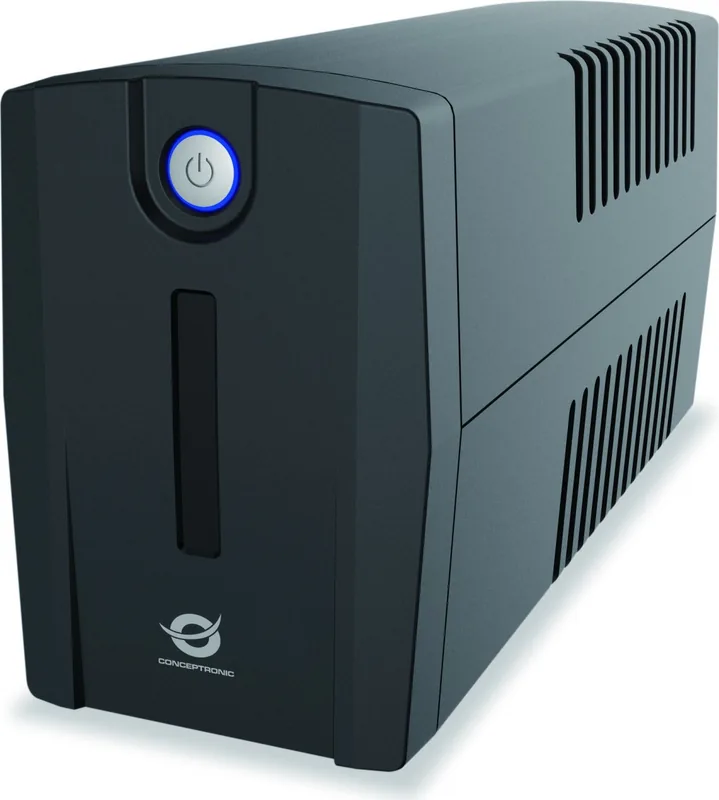
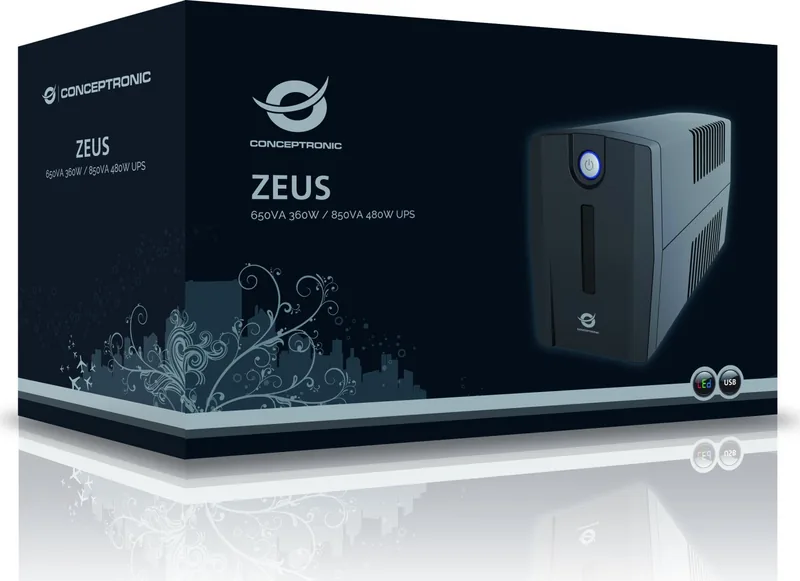
Conceptronic ZEUS01ESP Manual
PDF manual · 36 Pages
English



Quick check
Incorrect answer, please try again.
Chat with your Conceptronic ZEUS01ESP manual using AI
Get instant AI answers from your Conceptronic ZEUS01ESP manual
Ask anything about the Conceptronic ZEUS01ESP. Answers come from this manual, with the pages they are based on.
Ask a Question
Do you recommend ZEUS01ESP?
Yes NoFrequently Asked Questions
It is recommended to leave the UPS plugged in and charging for at least 8 hours before using it to ensure the battery reaches its maximum charge capacity.
Is this answer helpful?
No, you should not connect laser printers, copiers, or space heaters to the battery-powered outlets as their high power demand can overload and damage the UPS.
Is this answer helpful?
A flashing LED indicates different states: once every 30 seconds means the battery is discharging, once every 2 seconds means low battery, and once every 0.5 seconds indicates an overload condition.
Is this answer helpful?
You can mute the alarm by quickly pressing the power button twice. The default setting has the alarm turned on, and you will hear two short beeps when it is successfully muted.
Is this answer helpful?
If the breaker trips due to overload, turn off the UPS, unplug at least one device, wait 10 seconds, reset the breaker knob, and then turn the unit back on.
Is this answer helpful?
Yes, the ZEUS01ESP includes Modem/LAN protection ports that shield connected modems, fax machines, and network cables from voltage spikes and surges.
Is this answer helpful?
Advantages and Disadvantages
Advantages

- Provides reliable battery backup during power outages
- Includes USB connectivity for PC monitoring via Power Master software
- Features Modem/LAN ports to protect internet connections from surges
- Circuit breaker offers effective overload protection
- Schuko plug ensures compatibility with standard European outlets
Disadvantages

- Not suitable for high-power devices like laser printers or space heaters
- Battery requires an initial 8-hour charge for maximum capacity
- No LCD display on this specific model, relying only on LEDs
- Battery must be recharged every three months during storage
- Cannot be serviced by users due to safety risks inside the unit
Product Specification
Type
Tower
Classification
VI (Line-Interactive)
Apparent Power
650VA
Real Power
360W
Voltage
220V-240V
Outlets
2x NEMA 5-15R
Interfaces
USB
Data Line Protection
2x RJ-45
Charging Time
8h (90%)
Weight
9.70 lbs
Dimensions (WxDxH)
3.78x5.43x11.26 in
Height Units
N/A
Product Description
Protect Your Digital Assets with the Conceptronic ZEUS01ESP
The Conceptronic ZEUS01ESP 650VA/360W UPS is a robust solution designed to safeguard your computer equipment against unpredictable power failures. This Uninterruptible Power Supply ensures that your critical data remains safe by providing immediate backup power during outages. The unit features a Schuko plug, making it ideal for European electrical standards, and includes a USB port for seamless communication with your PC.
When power is lost, the internal battery kicks in instantly, giving you enough time to save your work and shut down systems gracefully. The device is equipped with an LCD display on higher models and LED indicators on this unit to show real-time status, such as battery level and overload conditions. A dedicated circuit breaker provides optimal protection against surges, while the Modem/LAN ports protect your internet connection from voltage spikes.
Installation is straightforward. Simply connect your computer, monitor, and external storage devices to the battery-backed outlets. Avoid plugging high-power appliances like laser printers or heaters into these specific sockets, as they may overload the system. For best performance, allow the battery to charge fully for at least eight hours before regular use. The included Power Master software offers an intuitive interface to monitor power statistics directly from your desktop.
With its compact design and reliable performance, the ZEUS01ESP stands as a essential component for any home office or small business setup where data integrity is paramount. It combines surge protection with battery backup to ensure continuous operation when it matters most.
Important Notes
- Always recharge the battery every three months if stored for long periods.
- Do not remove the cover; there are no user-serviceable parts inside.
- Ensure the wall outlet is properly grounded to prevent electric shock.
Search for 67,706 Manuals online


Type-in Brand or Model