
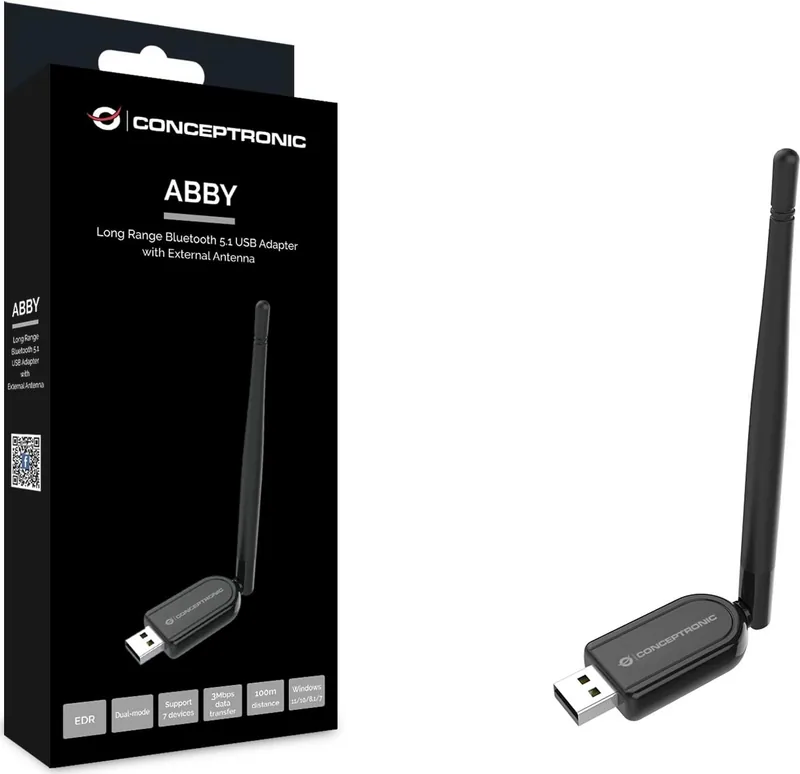
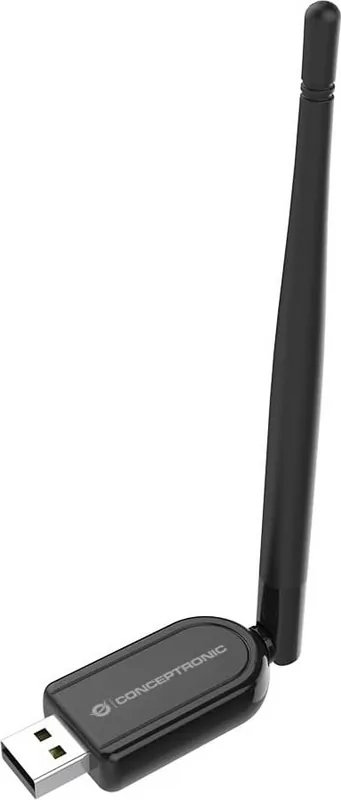
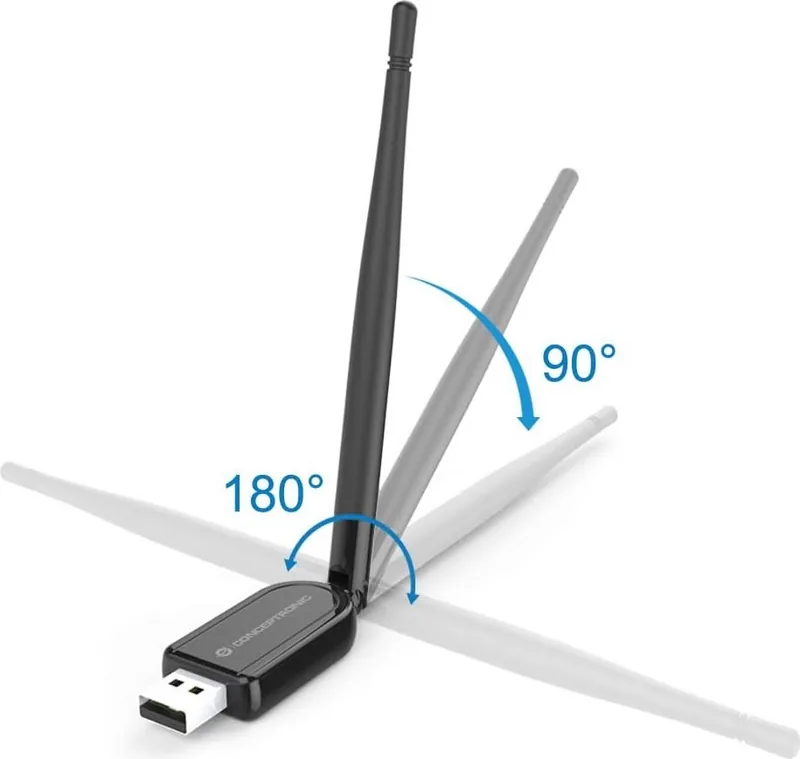
Conceptronic ABBY07B Manual
PDF manual · 18 Pages
English



Quick check
Incorrect answer, please try again.
Chat with your Conceptronic ABBY07B manual using AI
Get instant AI answers from your Conceptronic ABBY07B manual
Ask anything about the Conceptronic ABBY07B. Answers come from this manual, with the pages they are based on.
Ask a Question
Do you recommend ABBY07B?
Yes NoFrequently Asked Questions
You can connect up to seven Bluetooth devices simultaneously. This capacity supports a diverse range of peripherals including headsets, keyboards, mice, and speakers without overwhelming the connection stability.
Is this answer helpful?
Yes, the adapter is fully compatible with Windows 10 32-bit and 64-bit versions. The system will recognize the device automatically, and no manual driver installation is required for immediate use.
Is this answer helpful?
The rated working distance is between zero and 100 meters under optimal conditions. The included external antenna helps maintain signal strength over longer ranges compared to standard internal chipsets.
Is this answer helpful?
Yes, it works with Linux systems. However, you must download and install the specific ABBY07B driver from the official support website before connecting the hardware to your computer successfully.
Is this answer helpful?
Yes, there is a warranty associated with the purchase. However, ignoring safety instructions or proper handling procedures can invalidate the guarantee and result in liability claims being rejected.
Is this answer helpful?
Always disconnect the device and turn off the computer before cleaning. Unplug all cables and ensure the unit is dry. Avoid liquids and do not open or tamper with the internal components.
Is this answer helpful?
Advantages and Disadvantages
Advantages

- Bluetooth 5.1 provides faster data transfer and better stability
- External antenna enables range up to 100 meters
- Plug and play support for Windows 8.1 and newer versions
- Allows connection of up to seven devices simultaneously
- Compatible with both Windows 7 and Linux operating systems
Disadvantages

- Requires manual driver installation on Windows 7
- No support for newer USB-C interfaces requiring adapters
- Single antenna may limit peak signal in very congested areas
- Not waterproof or resistant to moisture exposure
- USB-A 2.0 ports may have lower bandwidth compared to 3.0
Product Specification
Type
WPAN Adapter
Form Factor
1x USB Stick
Connection
1x USB-A 2.0 (Plug)
Connectivity
1x Bluetooth 5.1 (LE, Class 1, EDR, DualMode), 1x Signal Amplifier, 1x Antenna (external, 2dBi)
Transfer Rate
1x Bluetooth 5.1 (3Mb/s)
Power Supply
Power supply only via connection
Dimensions
0.71 x 0.47 x 7.09 in (WxHxD)
Weight
0.53 oz
Color
Black
Compatibility
Universal
USB Designation
Left
Product Description
Experience Seamless Wireless Connectivity
The Conceptronic ABBY07B Bluetooth USB Adapter revolutionizes how you connect your devices securely. This sleek plug-in solution offers robust performance with advanced Bluetooth 5.1 technology. Users enjoy faster transmission rates and enhanced stability compared to older generations found in many legacy adapters. The external antenna significantly boosts signal strength, allowing for a working distance of up to 100 meters under optimal conditions. This makes it ideal for larger homes or corporate offices where device separation is critical for interference reduction and sustained data integrity.
Installation Ease
Setting up the hardware is incredibly straightforward for modern operating systems across various supported platforms. On Windows 8.1, 10, and 11, the system recognizes the device automatically upon insertion into a free USB port on your PC or laptop. Drivers install without significant user intervention, providing immediate functionality via the standard Microsoft Bluetooth Stack utilities available onscreen. Users accessing control panels can easily manage paired devices through the visible system tray icon representing active connections. For legacy systems running Windows 7 or Linux users managing their own kernels, a specific driver download is required from the official support portal before physical connection yields full functional results and stable wireless network links.
Performance Specifications
Power consumption remains highly efficient with a rated voltage of DC 5V supplied directly through the USB interface without external power bricks. The frequency range operates within standard 2.4GHz bands, ensuring broad compatibility with vast amounts of consumer peripherals currently on the market. You can connect up to seven Bluetooth devices simultaneously, facilitating a truly versatile digital workspace without signal bottlenecks or connection drops. Data transmission reaches speeds of 3.0Mbps, suitable for high-quality audio streaming and rapid file transfers between compatible hardware units. Temperature tolerance allows safe operation between -30 C and 45 C, accommodating varied indoor environments when handled correctly according to manufacturer guidelines.
Important Usage Notes
Always prioritize safety during routine maintenance and daily operation procedures to ensure longevity. Disconnect all cables before cleaning to prevent potential electrical hazards or component damage to sensitive electronics. Keep units completely away from water and extreme heat sources to preserve internal electronic components effectively over time. Children should remain away from packaging materials to avoid accidental choking risks or minor injuries from small parts. Proper disposal ensures environmental protection by using authorized recycling points rather than general household trash bins which harm ecosystems. Following these simple guidelines maintains warranty validity and prevents unnecessary property damage costs. Enjoy reliable wireless freedom with this efficient adapter today for seamless integration into your existing tech ecosystem. Support is available via website email contact for persistent issues.
Search for 67,706 Manuals online


Type-in Brand or Model