
Conceptronic DJEBBEL 8 Manual
PDF manual · 5 Pages
English



Quick check
Incorrect answer, please try again.
Chat with your Conceptronic DJEBBEL 8 manual using AI
Get instant AI answers from your Conceptronic DJEBBEL 8 manual
Ask anything about the Conceptronic DJEBBEL 8. Answers come from this manual, with the pages they are based on.
Ask a Question
Do you recommend DJEBBEL 8?
Yes NoFrequently Asked Questions
No, the DJEBBEL 8 customization software is compatible with Windows operating systems only. Mac users cannot use the software features.
Is this answer helpful?
The mouse features a simple Plug and Play installation. Simply connect the USB cable to your computer, and it will be ready to use immediately.
Is this answer helpful?
Check your USB connection first. Try a different port or test the mouse on another computer. Finally, restart your computer to reset the system drivers.
Is this answer helpful?
You can download and install the Gaming Mouse Software from the official website at www.conceptronic.net.
Is this answer helpful?
The provided text does not mention batteries or charging. It implies a wired USB connection which powers the device directly from the port.
Is this answer helpful?
Advantages and Disadvantages
Advantages

- Simple Plug and Play installation requires no complex setup
- Customizable via dedicated DJEBBEL 8 software for personalized settings
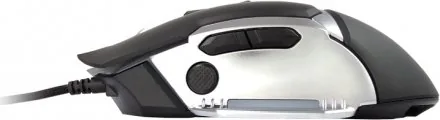
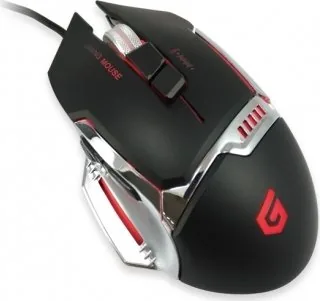
- Durable black and silver design suitable for long gaming sessions
- Universal troubleshooting steps including USB port swapping and restarts
Disadvantages

- Software customization is restricted to Windows operating systems only
- No wireless connectivity options mentioned in the manual
- Limited language support documentation may exclude some regions
- Requires downloading external software for full feature access
Product Specification
Suitability
right hand
Keys
8 (total), 2 (main), 2 (top), 3 (left), 1 (scroll wheel click)
Scroll Wheel
1x 2-way
Scanning
LED-red/IR
Resolution
4000dpi, adjustable
Polling Rate
500Hz (wired USB)
Lighting
RGB
Connection
wired (6.3ft), USB
Power Supply
USB
Dimensions (WxHxD)
3.03x1.89x5.12in
Approximate Volume
7.69cu in (approximated shape)
Weight
4.94oz
Color
multi-color, black/silver/orange, logo
Features
thumb rest, fabric cable
Product Description
Elevate Your Gaming with the Conceptronic DJEBBEL 8
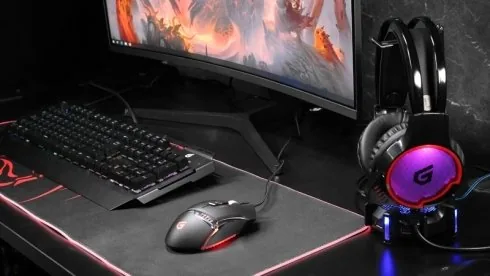
The gaming landscape demands precision, speed, and reliability. The Conceptronic DJEBBEL 8 Gaming Mouse in a striking black and silver finish is designed to meet these exacting standards. This peripheral offers a seamless blend of style and functionality, ensuring that gamers can maintain focus during intense matches without distraction.
Customization at Your Fingertips
One of the standout features of this mouse is its compatibility with the dedicated DJEBBEL 8 Software. This utility allows users to deeply customize their experience, adjusting settings to match personal playstyles. Whether you need specific DPI configurations or macro assignments, the software provides the tools necessary for optimization. Please note that this customization software is exclusively compatible with Windows operating systems.
Effortless Connectivity
Conceptronic has prioritized user convenience with a simple Plug and Play installation process. Upon connecting the USB cable, the device is ready for immediate use without the need for complex driver setups. This plug-and-play capability ensures that you can jump into your favorite games instantly, minimizing setup time and maximizing playtime.
Troubleshooting and Support
While the device is designed for reliability, connectivity issues can occasionally arise. If the mouse does not function as expected, start by verifying the physical USB connection. If the issue persists, try switching to a different USB port or testing the device on another computer. In some cases, a simple system restart can resolve temporary conflicts. These steps are universal across all supported languages and ensure a quick resolution to common technical hiccups.
Search for 67,706 Manuals online


Type-in Brand or Model