
Conceptronic EMRICK04B Manual
PDF manual · 8 Pages
English



Quick check
Incorrect answer, please try again.
Chat with your Conceptronic EMRICK04B manual using AI
Get instant AI answers from your Conceptronic EMRICK04B manual
Ask anything about the Conceptronic EMRICK04B. Answers come from this manual, with the pages they are based on.
Ask a Question
Do you recommend EMRICK04B?
Yes No
kankunding57
7 months ago
Can I use this card to clone a dying M.2 SSD and then add two 4TB drives?
Frequently Asked Questions
It supports NVMe SSDs using the PCIe protocol and SATA SSDs using the SATA protocol. It also handles M.2 Key M and Key B-M-Key modules.
Is this answer helpful?
Yes, you must connect the adapter to the motherboard's SATA port using a standard SATA cable to utilize the SATA SSD functionality.
Is this answer helpful?
No, the process involves turning off the PC, removing a slot bracket, inserting the card, and securing it with a screw. Detailed guides are available in multiple languages.
Is this answer helpful?
No, this specific model typically supports one M.2 Key M NVMe drive and one M.2 Key B-M-Key module simultaneously, but not two full-size NVMe drives.
Is this answer helpful?
No, the adapter draws all necessary power from the PCIe slot on the motherboard; no additional power cables are needed.
Is this answer helpful?
Advantages and Disadvantages
Advantages

- Supports both NVMe PCIe and SATA protocols for maximum flexibility
- Utilizes high-speed PCIe 3.0 x4 bandwidth for fast data transfer
- Easy installation process requiring only basic tools
- Compatible with M.2 Key M and Key B-M-Key form factors
- Cost-effective way to add storage to systems lacking M.2 slots
Disadvantages

- Requires an available PCIe slot for installation
- Does not include mounting screws for the M.2 drives themselves
- Limited to one NVMe drive per slot due to physical constraints
- SATA functionality requires an additional SATA cable
- May generate heat if used with high-performance drives without airflow
Product Specification
Conversion
PCIe to M.2 PCIe, PCIe to M.2 SATA, PCIe to SATA
Host
1x PCIe 3.0 x4 (male)
Target
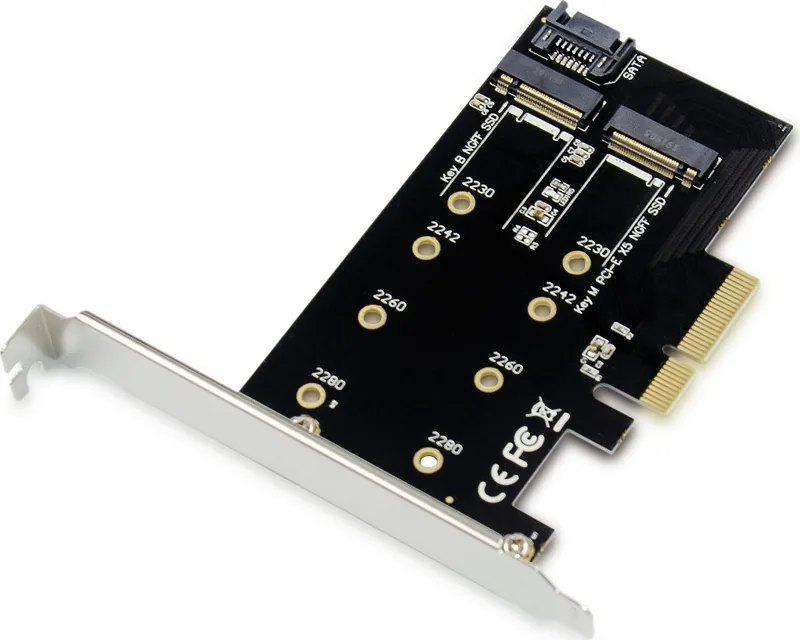
1x M.2/M-Key (PCIe 3.0 x4, 2280/2260/2242/2230, female), 1x M.2/B-M-Key (SATA, 2280/2260/2242/2230, female)
Additional Power Supply
N/A
Form Factor
Add-In Card (full size + low profile)
Dimensions
4.5x2.8x0.7in
Product Description
Upgrade Your Storage with the Conceptronic PCIe Adapter
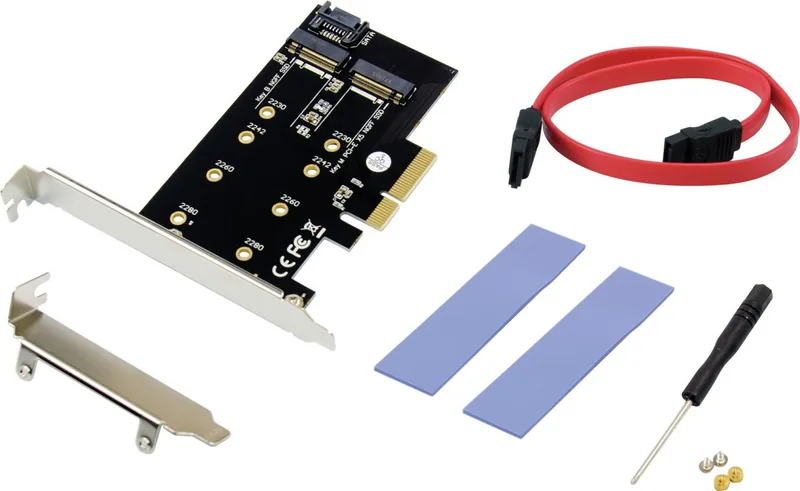
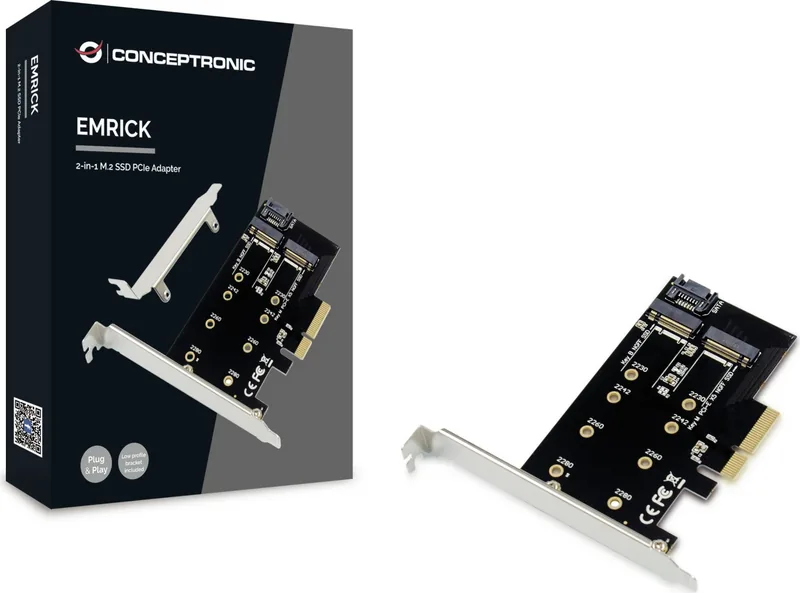
The Conceptronic PCIe 3.0 x4 to M.2 adapter is a versatile solution designed to expand your computer's storage capabilities without requiring a new motherboard. This multifunctional card allows users to install both NVMe drives using the PCIe protocol and SATA-based SSDs, providing flexibility for various hardware configurations. Whether you are building a high-performance gaming rig or need extra space for data archives, this adapter simplifies the process of integrating modern M.2 drives into older systems.
Versatile Connectivity Options
This device features a unique dual-interface design. It supports an M.2 Key M slot for standard NVMe SSDs that connect directly via the PCIe bus for maximum speed. Additionally, it includes an M.2 Key B-M-Key slot which can accommodate specific modules like Wi-Fi cards or cellular modems, though in this context, it often aids in broader compatibility. The inclusion of a SATA interface allows for connecting traditional SATA SSDs through a dedicated cable, bridging the gap between legacy ports and modern storage needs. Installation is straightforward: simply power down your system, remove a PCIe slot bracket, insert the card, and secure it with a screw. For SATA operations, a cable connects the adapter to the motherboard's SATA port.
Performance and Reliability
By leveraging the PCIe 3.0 x4 bandwidth, the adapter ensures that connected NVMe drives operate at near-native speeds. This makes it an ideal choice for upgrading entry-level machines or adding secondary storage to workstations. The build quality focuses on stability, ensuring that the connection remains solid even under heavy read and write loads. Users appreciate the ability to mix and match different drive types within a single expansion slot, maximizing the utility of available motherboard resources.
Final Thoughts
If you are looking to extend the life of your current PC or enhance its performance without a full overhaul, the Conceptronic PCIe 3.0 x4 adapter offers a practical and cost-effective path forward. Its multi-language support in documentation reflects its global availability and ease of use across different regions.
Note: Always ensure your computer is powered off before installing any internal components to prevent electrical damage.
Pros and Cons
Pros
- Supports both NVMe PCIe and SATA protocols for maximum flexibility.
- Utilizes high-speed PCIe 3.0 x4 bandwidth for fast data transfer.
- Easy installation process requiring only basic tools.
- Compatible with M.2 Key M and Key B-M-Key form factors.
- Cost-effective way to add storage to systems lacking M.2 slots.
Cons
- Requires an available PCIe slot for installation.
- Does not include mounting screws for the M.2 drives themselves.
- Limited to one NVMe drive per slot due to physical constraints.
- SATA functionality requires an additional SATA cable (not always included).
- May generate heat if used with high-performance drives without airflow.
Search for 67,706 Manuals online


Type-in Brand or Model
Adelle Rice
5 months ago
Is this M.2 expansion card compatible with older motherboards like the ASUS Rampage IV Extreme?
Manual.ly
5 months ago
Yes, this adapter works well on older systems including the ASUS Rampage IV Extreme. Users have reported that it functions without issues for cloning drives and adding additional SSDs. The installation is straightforward, simple, and self-explanatory.