

Free OWC Manuals – Read, Download & Print
17 Manuals
Manuals

10 Pages
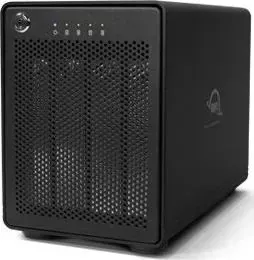
8 Pages
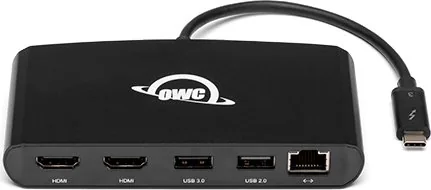
7 Pages

12 Pages
10 Pages

8 Pages
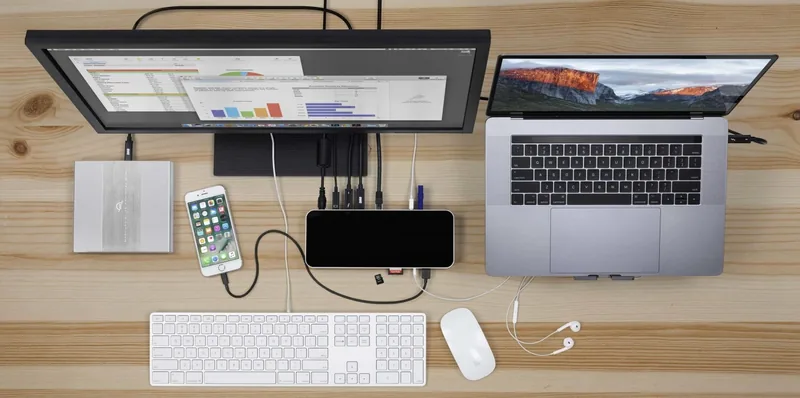
8 Pages

7 Pages
12 Pages
8 Pages

14 Pages
6 Pages
6 Pages
10 Pages
7 Pages
8 Pages
9 Pages
Categories

Free OWC Manuals - Read, Download & Print
Find OWC Product Manuals in One Place
Looking for free OWC manuals? Accessing the right documentation can make setup, installation, maintenance, and troubleshooting much easier. OWC, also known as Other World Computing, produces storage solutions, docks, adapters, memory upgrades, external drives, enclosures, and accessories designed for Mac, PC, and professional workflows. Whether you need instructions for a new Thunderbolt dock, an external SSD, a drive enclosure, or a legacy upgrade product, a clear manual helps you use the equipment safely and effectively.
This page is designed for users who want to read OWC manuals online, download copies for offline reference, or print selected pages for use at a workstation. Manuals commonly include product specifications, package contents, port descriptions, compatibility information, installation steps, operating guidance, safety notices, warranty details, and troubleshooting recommendations. Having these details available in an organized format can save time when configuring hardware or resolving a connection issue.
Read OWC Manuals Online
Reading an OWC manual online is a convenient way to quickly find product information without saving files to your device. Online manuals are useful when you need to confirm a cable type, check the function of a port, identify LED behavior, or review the recommended setup sequence. Most product guides are arranged by section, making it easier to locate the information you need before connecting equipment.
Before beginning installation, review the manual for your exact model. Products with similar names may have different port layouts, power requirements, supported interfaces, or firmware procedures. Check the model number on the product label, packaging, invoice, or device documentation. This helps ensure that you are using instructions that match the hardware in front of you.
Online documentation can be especially useful for the following tasks:
- Reviewing system and operating system compatibility.
- Identifying Thunderbolt, USB, eSATA, Ethernet, display, and audio ports.
- Understanding power supply requirements and cable connections.
- Locating supported drive types and installation instructions.
- Checking RAID, backup, and storage configuration guidance.
- Finding LED indicator meanings and troubleshooting steps.
- Reviewing safety, handling, and ventilation recommendations.
Download OWC Manuals for Offline Access
Downloading a free OWC manual gives you access to product instructions even when an internet connection is unavailable. A downloaded PDF can be stored on a computer, tablet, phone, or local support drive for quick reference. This is practical for technicians, editors, photographers, IT teams, and other users who work in studios, offices, data rooms, or remote locations.
Offline copies are also helpful when setting up several devices at once. You can keep manuals open in separate windows, search within documents for key terms, and compare specifications between models. Many PDF readers allow users to bookmark pages, add notes, highlight important instructions, and search for words such as "power," "firmware," "format," "drive," or "troubleshooting."
When downloading manuals, save files with a clear naming convention. Include the product name, model number, and document version if available. For example, a file name such as "OWC_Dock_Model_Manual.pdf" is easier to identify later than a generic download name. Keeping documentation organized is particularly useful for businesses and users with multiple storage devices, docks, hubs, or enclosures.
Print Manuals and Important Setup Pages
Printing an OWC manual can be useful when working away from a screen or installing hardware in a location where a laptop is inconvenient. You may not need to print the entire document. Instead, print the pages that cover the setup diagram, port overview, drive installation process, troubleshooting table, or safety instructions.
For best results, use the print preview feature before printing. This lets you select the relevant page range, choose portrait or landscape orientation, and adjust scaling so diagrams remain readable. If a manual contains color-coded illustrations, color printing may make cable routing and port identification easier. However, most text-based instructions can be printed clearly in black and white.
A printed quick-reference packet can be helpful for shared workspaces. Consider including the connection diagram, technical specifications, LED status chart, support contact information, and shutdown procedure. Store the pages near the device or with other equipment records so they are available when needed.
Common OWC Manual Categories
OWC documentation can cover a wide range of hardware categories. Each category has its own installation requirements and best practices. Reading the appropriate guide before use helps prevent accidental damage, data loss, or compatibility problems.
Docks and Hubs
OWC docks and hubs expand connectivity by providing additional USB ports, display outputs, Ethernet, audio connections, card readers, and other interfaces. Manuals for these products often explain host connection requirements, power delivery capabilities, monitor support, display resolution limits, and port bandwidth considerations.
When using a dock, confirm that the host computer supports the required connection standard. A compatible connector shape does not always guarantee full feature support. The manual may explain how display functions, charging, networking, and high-speed storage performance depend on the computer model, operating system, cable, and connected peripherals.
External Drives and Storage Solutions
External storage manuals typically include instructions for connecting, formatting, partitioning, and safely ejecting drives. They may also provide information about supported file systems, transfer rates, backup recommendations, and use with macOS or Windows. For multi-drive devices, documentation may describe RAID modes, drive replacement procedures, and data recovery considerations.
Always follow the recommended shutdown and eject procedure before disconnecting a storage device. Removing a drive while data is being written can lead to file corruption or volume damage. The manual can help identify status lights and warning conditions that indicate when it is safe to disconnect hardware.
Drive Enclosures and Upgrade Kits
OWC enclosures and upgrade kits may require users to install an internal SSD, hard drive, or memory module. Manuals for these products can include step-by-step assembly instructions, compatible component information, tool requirements, and handling precautions. Carefully review any notes about screw placement, thermal pads, cable orientation, or static electricity before opening an enclosure or computer.
For storage upgrades, back up important files before making hardware changes. After installation, confirm that the drive is recognized by the operating system and formatted appropriately for its intended use. The documentation may provide guidance for initializing a new disk and verifying that the enclosure is operating at the expected interface speed.
Memory and Computer Upgrade Products
Memory upgrade documentation can help users identify supported RAM configurations and installation procedures. It may describe memory slot locations, module orientation, capacity limits, and post-installation testing. Use only compatible memory for the target computer and avoid touching electrical contacts during installation.
After a memory upgrade, verify the installed capacity in the operating system. If the system does not recognize all memory, power down the computer and check that each module is seated correctly. Consult the product manual and computer documentation for supported configurations.
Troubleshooting With an OWC Manual
A product manual is often the first place to look when a device does not work as expected. Many common issues result from a loose cable, unsupported port, insufficient power, incorrect display setting, outdated operating system, or improper drive formatting. Troubleshooting sections usually provide a logical sequence of checks that can narrow down the cause.
Start with the basics. Confirm that the device has power, the correct cable is connected to the correct port, and the host computer recognizes the hardware. If a dock or drive is not detected, test a different compatible cable or computer port when possible. For storage devices, check the system's disk management utility to see whether the drive appears but needs initialization, formatting, or mounting.
If a problem continues, record the product model, serial number, computer model, operating system version, cable type, and exact symptoms. This information is useful when reviewing support resources or contacting technical support. The manual may also include firmware update instructions, but updates should be performed only when they apply to the specific product and situation.
Use Documentation Safely and Effectively
OWC manuals are valuable references, but they should be used alongside sensible hardware practices. Keep devices on stable, well-ventilated surfaces, use the supplied or approved power adapter, avoid exposing equipment to moisture, and protect connectors from unnecessary strain. Do not force cables into ports, and do not open devices unless the documentation specifically indicates that user installation or service is supported.
For storage products, maintain regular backups of important data. No drive, enclosure, or RAID configuration replaces a complete backup strategy. Keep at least one separate copy of essential files, preferably stored independently from the primary working device.
Get the Most From Your OWC Hardware
Free OWC manuals provide the information needed to install products correctly, understand their capabilities, and address common operational questions. Reading online is ideal for fast answers, downloading is useful for offline access, and printing selected pages creates a practical setup reference. By using the correct manual for your exact OWC model, following connection and safety guidance, and keeping documentation available for future reference, you can make the most of your storage, connectivity, and upgrade hardware.
Search for 67,706 Manuals online


Type-in Brand or Model