
OWC Mercury Helios 3S Manual
PDF manual · 10 Pages
English



Quick check
Incorrect answer, please try again.
Chat with your OWC Mercury Helios 3S manual using AI
Get instant AI answers from your OWC Mercury Helios 3S manual
Ask anything about the OWC Mercury Helios 3S. Answers come from this manual, with the pages they are based on.
Ask a Question
Do you recommend Mercury Helios 3S?
Yes NoFrequently Asked Questions
The device requires macOS 10.13 or later or Windows 10 or later. It works with any computer equipped with a Thunderbolt 3 port running these supported operating systems.
Is this answer helpful?
No, the Mercury Helios 3S does not support GPUs. It is designed for other PCIe cards like capture cards or network adapters that require a minimum of 4 PCIe lanes.
Is this answer helpful?
When connected to the designated 85W port, the enclosure can deliver up to 85 watts of power to charge a compatible host laptop effectively.
Is this answer helpful?
It supports cards up to half-length, full-height, and double-width dimensions. The card must fit into a standard x16 mechanical slot but uses only x4 electrical lanes.
Is this answer helpful?
Yes, the rear panel includes a DisplayPort connector that supports DisplayPort 1.4, allowing you to connect a monitor directly to the expansion enclosure.
Is this answer helpful?
First, check if the PCIe card is seated correctly and try a different Thunderbolt cable. If issues persist, contact OWC technical support for further assistance.
Is this answer helpful?
Advantages and Disadvantages
Advantages

- Supports double-width, half-length, full-height PCIe cards up to x4 lanes
- Delivers up to 85W power delivery for charging host laptops
- Includes built-in DisplayPort 1.4 output for direct monitor connection
- Comes with a 3-year limited warranty for peace of mind
- Features a secure security slot tether point for physical protection
Disadvantages

- Does not support GPUs or cards requiring more than 4 PCIe lanes
- Requires strict anti-static handling during card installation
- Must use external power adapter for cards drawing over 25W plus PD
- Thunderbolt drivers must be explicitly aware for compatibility
- Ventilation openings cannot be blocked to prevent overheating risks
Product Specification
Form factor
PCIe
Internal connector
1x PCIe 3.0 x16 (x4)
External connector
2x Thunderbolt 3 (40Gb/s), 1x DisplayPort 1.4
RAID level
N/A
Fan
1x
Chipset
Intel JHL7540 (Titan Ridge)
Dimensions
9.17x5.63x3.23 in
Weight
3.53 lbs
Color
black
Features
external power supply, 150W power adapter, supports 1x PCIe card (1x half-length up to max. 7.72 in, double-width, full-height), USB-C Power Delivery (85W)
Manufacturer warranty
three years
Note
Does not support graphics cards!
Product Description
OWC Mercury Helios 3S Expansion Enclosure for PCIe Thunderbolt 3 - Read, Download & Print Free
The OWC Mercury Helios 3S stands as a robust solution for professionals seeking to expand the capabilities of their Thunderbolt 3 equipped Mac or Windows PC. This enclosure is designed specifically for PCIe cards, offering a seamless bridge between your computer and high-performance peripherals. Whether you need specialized capture cards, RAID controllers, or network adapters, this device provides the necessary interface to integrate them into your workflow without internal installation hassles.
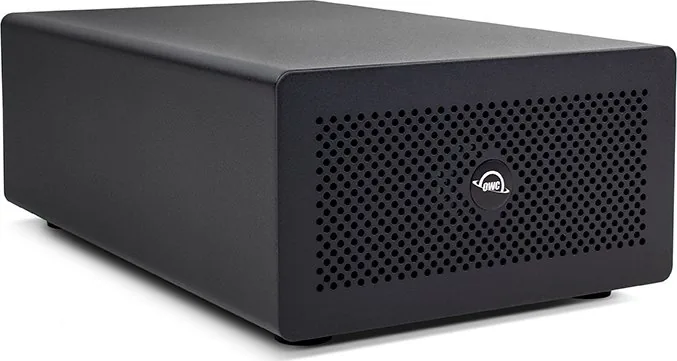
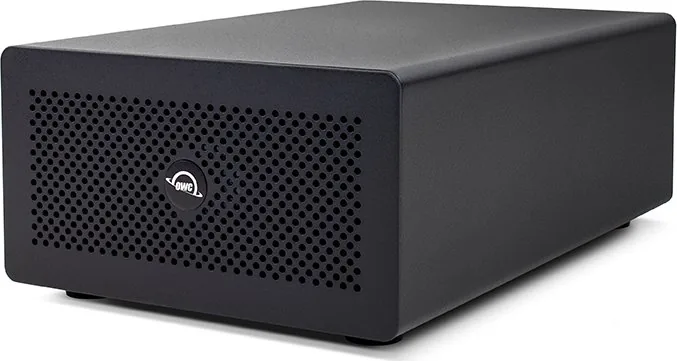
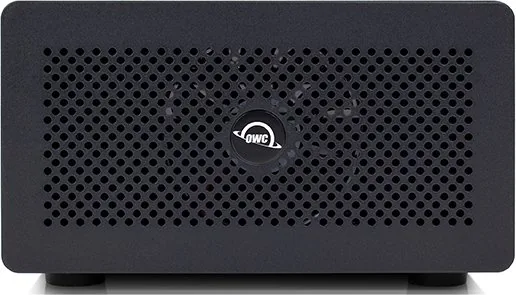
Operating on a PCIe 3.0 x4 electrical interface, the Mercury Helios 3S supports mechanical and electrical dimensions up to half-length, full-height, and double-width cards. It is crucial to note that while it handles various data cards efficiently, it does not support graphics processing units (GPUs) due to lane requirements. The unit features a sleek design with a front power LED indicating operational status and a rear panel housing two Thunderbolt 3 ports, a DisplayPort output supporting up to 1.4, and a dedicated 12V DC power input.
One of the standout features of this enclosure is its ability to charge host laptops. When connected via the recommended 85W port, the device can deliver significant power to your notebook, ensuring productivity remains uninterrupted during intensive tasks. Assembly is straightforward, requiring users to slide out an inner chassis to install the card securely before reassembling the unit. Proper anti-static precautions are essential during this process to prevent damage to sensitive components.
For users concerned about longevity, the Mercury Helios 3S comes with a three-year limited warranty from OWC. The device operates within specific environmental temperature ranges and includes safety warnings regarding ventilation and moisture. By adhering to the assembly instructions and usage notes found in the comprehensive manual, owners can ensure optimal performance and safety for years to come.
Search for 67,706 Manuals online


Type-in Brand or Model