
OWC Envoy Pro EX Manual
PDF manual · 7 Pages
English



Quick check
Incorrect answer, please try again.
Chat with your OWC Envoy Pro EX manual using AI
Get instant AI answers from your OWC Envoy Pro EX manual
Ask anything about the OWC Envoy Pro EX. Answers come from this manual, with the pages they are based on.
Ask a Question
Do you recommend Envoy Pro EX?
Yes NoFrequently Asked Questions
It is designed for NVMe M.2 SSDs in the 2280 form factor with an M-key connector. It does not support SATA M.2 drives or AHCI PCIe M.2 drives, so compatibility should be checked before installation.
Is this answer helpful?
No driver is required on supported systems. It works with macOS 10.12 or later and Windows 10 or later, making it easy to use for most modern Mac and PC setups.
Is this answer helpful?
The enclosure supports speeds up to 980MB/s, depending on the host port, cable, and installed SSD. For the best performance, USB 3.1 Gen 2 or Thunderbolt 3 connections are recommended.
Is this answer helpful?
No. The enclosure is intended for native USB-C connections and does not function with USB Type-A to Type-C cables or adapters. A proper USB-C port and cable should be used.
Is this answer helpful?
Yes. It may become warm during prolonged use, especially when transferring large files. This is normal behavior for a fast external SSD enclosure and usually not a cause for concern.
Is this answer helpful?
First check that the USB-C cable is firmly connected at both ends. If needed, try a different USB-C port or a different cable. If the issue continues, reseat the SSD inside the enclosure and test again.
Is this answer helpful?
Advantages and Disadvantages
Advantages

- Up to 980MB/s speeds help move large files quickly.
- Bus-powered USB-C design keeps the setup simple and portable.
- Supports Mac and PC with no driver installation on supported systems.
- Dust and water resistance add extra confidence for travel use.
Disadvantages

- Only works with NVMe M.2 2280 drives, not SATA M.2 SSDs.
- USB Type-A to Type-C adapters and cables are not supported.
- The enclosure can feel warm during long transfers.
- Best performance depends on using a fast USB-C or Thunderbolt 3 port.
Product Specification
Form factor
M.2 2280
Internal connector
1x M.2 (PCIe 3.0 x2, NVMe)
External connector
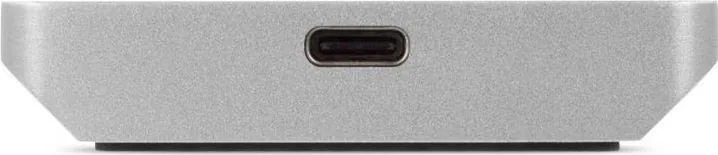
1x USB-C 3.1
RAID level
N/A
Fan
N/A
Chipset
ASMedia ASM2362
Dimensions
4.53x2.56x0.35in
Weight
0.22 lb
Color
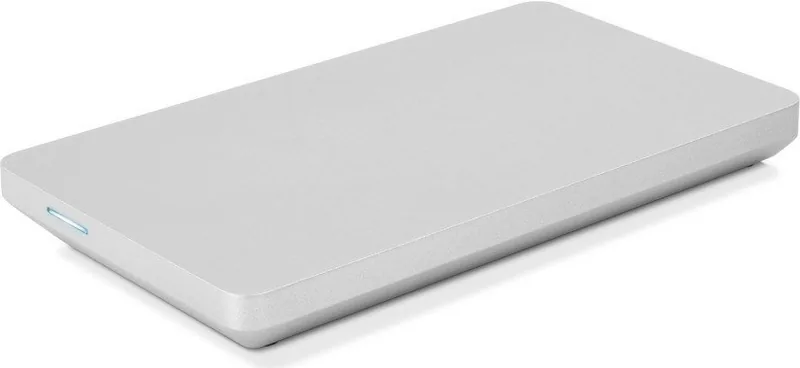
silver
Special features
Aluminum housing, formatted for Mac, IP67 certified
Manufacturer warranty
three years
USB notation
Link
Product Description
OWC Envoy Pro EX C2N External SSD: Fast, Flexible Storage for Mobile Workflows
The OWC Envoy Pro EX C2N external SSD is built for users who want serious speed in a compact, bus-powered enclosure. Designed around an NVMe M.2 2280 drive, it turns a compatible SSD into a portable storage solution that can keep up with creative projects, backups, and everyday file transfers. If you have been looking for the OWC Envoy Pro EX C2N external SSD Manual, the setup process is straightforward: install the drive, secure the enclosure, and connect it through USB-C for instant use.
Performance and Compatibility
One of the most appealing parts of this drive is its high-performance design. With support for USB 3.1 Gen 2 and up to 980MB/s transfer speeds, it is well suited for moving large photo libraries, video files, or project folders without the wait that slower drives often bring. It works with both Mac and PC systems, and no driver is required on supported operating systems, making it especially convenient for mixed-device workflows.
The enclosure is intended for NVMe M.2 SSDs in the 2280 form factor with an M-key connector. That means it is focused on speed and modern storage standards rather than older SATA-based drives. For best results, Thunderbolt 3 or USB 3.1 Gen 2 hosts are recommended, though USB-C systems with USB 3.1 Gen 1 can still function normally.
Design and Everyday Use
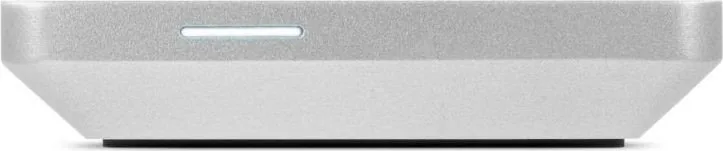
OWC also gives this enclosure practical durability features. The body is dust resistant and water resistant, adding confidence for travel, office use, or field work. A front LED indicator shows power and activity at a glance, while the included USB-C cable keeps the kit ready for immediate installation. Since the unit is bus powered, there is no need to carry an extra power adapter, which helps keep a desk or backpack setup clean and simple.
Installation is centered on a thermal pad and internal mounting system that help the enclosure stay secure during use. The product may become warm during extended operation, but that is normal for a high-speed SSD enclosure. It is also worth noting that USB Type-A to Type-C cables or adapters are not supported, so native USB-C connections are the best choice.
Notes
- Best for users who already own an NVMe M.2 2280 SSD
- Not compatible with SATA M.2 or AHCI PCIe drives
- Regular backup habits are strongly recommended for any important data
- Ideal for fast external storage, bootable workflows, and portable project files
Search for 67,706 Manuals online


Type-in Brand or Model