
OWC Mercury Elite Pro Manual
PDF manual · 12 Pages
English



Quick check
Incorrect answer, please try again.
Chat with your OWC Mercury Elite Pro manual using AI
Get instant AI answers from your OWC Mercury Elite Pro manual
Ask anything about the OWC Mercury Elite Pro. Answers come from this manual, with the pages they are based on.
Ask a Question
Do you recommend Mercury Elite Pro?
Yes NoFrequently Asked Questions
It supports USB 3.1 Gen 1, FireWire 800, and eSATA connections for versatile system integration.
Is this answer helpful?
Yes, it accepts any 3.5 inch SATA hard drive if purchased as an empty enclosure.
Is this answer helpful?
Opening the drive before the warranty period expires will void the warranty coverage completely.
Is this answer helpful?
Unmount the disk from the operating system before powering off the device to avoid errors.
Is this answer helpful?
The LED flashes during hard drive activity and stays solid when powered on.
Is this answer helpful?
Operate within 5 degrees C to 40 degrees C to avoid damage or malfunction.
Is this answer helpful?
Contact OWC technical support via phone or email during scheduled business hours.
Is this answer helpful?
Advantages and Disadvantages
Advantages

- Supports multiple interfaces including USB 3.0 FireWire and eSATA for flexible connectivity options.
- Easy assembly allows users to install their own 3.5 inch SATA hard drives securely.
- Blue LED indicator provides clear status updates for power and drive activity monitoring.
- Compatible with Mac OS X and Windows XP or later for broad operating system support.
- Robust design includes ventilation and safety warnings to ensure long term reliability.
Disadvantages

- Requires external power supply connection which adds extra cable management to the setup.
- Opening the enclosure voids warranty if performed before the original warranty period expires.
- Only one interface can be used at a time limiting simultaneous connection capabilities.
- Large 3.5 inch drive size may take up significant desk space compared to smaller drives.
- System must support large volumes larger than 2TB for full capacity usage effectively.
Product Specification
Form Factor
3.5"
Internal Interface
1x SATA 6Gb/s
External Interface
1x USB-B 3.0 (5Gb/s), 1x eSATA 6Gb/s, 2x FireWire 800
RAID Level
N/A
Fan
N/A
Dimensions
8.98x4.61x1.50 in
Color
Silver
USB Port Side
Left
Product Description
Enhance Your Workflow with OWC Mercury Elite Pro
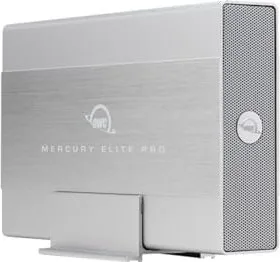
Unlocking high performance storage begins with reading the OWC Mercury Elite Pro, USB-B 3.0/eSATA/FireWire 800 Manual carefully. Users seeking reliable external drive solutions for photo libraries and video editing projects find significant benefits here. This enclosure supports any standard 3.5 inch SATA hard drive configuration seamlessly. Connecting via USB 3.1 Gen 1 ensures exceptionally fast data transfer rates for modern systems. Backwards compatibility with legacy USB 2.0 allows flexibility when connecting to older computer systems. FireWire 800 offers professional grade throughput specifically targeted for Mac users in creative fields. eSATA provides an additional high speed option for desktop setups requiring stable connections.
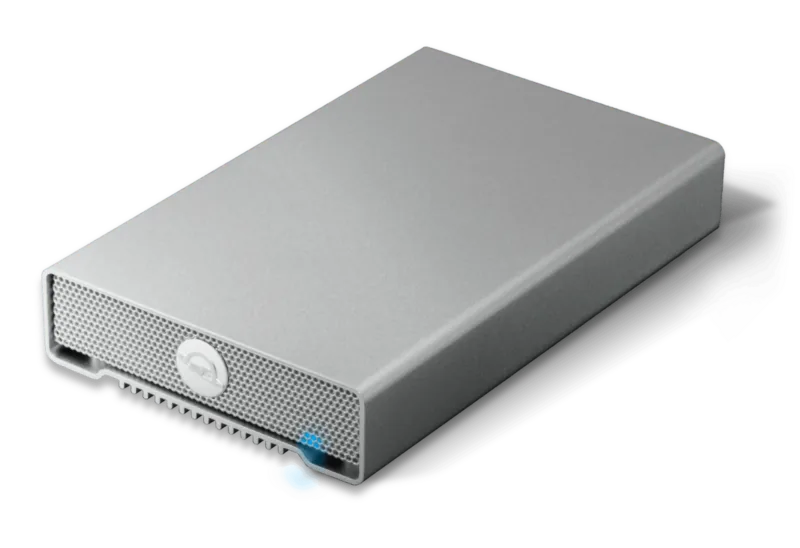
Design focuses heavily on versatility and ease of use for technicians and enthusiasts. A prominent blue LED indicator signals power status and active disk activity instantly. Assembly involves sliding the inner chassis into the outer case securely without tools. Screw removal allows access to the drive bay for installation tasks. Once installed, users must properly format the drive for compatibility with their operating system. Mac OS X requires version 10.4 or later to support large volumes effectively. Windows XP or later supports the necessary file systems required for full functionality. Unmounting is critical before disconnecting to prevent data corruption or system errors.
Safety notes emphasize avoiding liquid exposure and dust ingress within the device housing. Ventilation openings must remain clear during operation to prevent overheating. Operating temperatures between 5 C and 40 C ensure longevity and stable performance over time. Data backup strategies are recommended heavily to protect valuable information loss. Keeping two copies of files on separate media prevents total loss scenarios completely. Support resources include online forums and dedicated technical assistance contacts for complex issues. Contact information is available via phone or email during standard business hours. Live chat helps resolve immediate troubleshooting issues quickly without long wait times.
Notes highlight that physical modifications may void warranty coverage immediately. FCC compliance ensures safe operation in residential and commercial areas worldwide. Static precautions protect internal components from damage during installation processes. Overall the device integrates well into both home and professional workflows efficiently. Reliable connectivity options make it a standout choice for serious data management needs. Users should refer to official specifications when purchasing compatible drives for best results. Regular maintenance checks ensure consistent performance during heavy usage periods.
Storage solutions are vital for modern workflows. This enclosure handles large files with ease. Connectivity variety reduces upgrade costs. It fits standard 3.5 inch drives well.
Note: Protect device from dust and keep vents clear for optimal cooling efficiency.
Search for 67,706 Manuals online


Type-in Brand or Model