
OWC Envoy Pro FX Manual
PDF manual · 6 Pages
English



Quick check
Incorrect answer, please try again.
Chat with your OWC Envoy Pro FX manual using AI
Get instant AI answers from your OWC Envoy Pro FX manual
Ask anything about the OWC Envoy Pro FX. Answers come from this manual, with the pages they are based on.
Ask a Question
Do you recommend Envoy Pro FX?
Yes NoFrequently Asked Questions
The drive delivers extreme performance with speeds up to 2800MB/s when connected via Thunderbolt or high-speed USB interfaces.
Is this answer helpful?
Yes, the enclosure is certified to be waterproof, dustproof, and drop-resistant, making it suitable for rugged conditions.
Is this answer helpful?
It is compatible with iPad Pro running iPadOS 13 or later. Android support is available but limited depending on the bus power provided by the device.
Is this answer helpful?
With prolonged use, the drive case may become warm to the touch. This is a normal occurrence due to high-speed data processing and internal heat generation.
Is this answer helpful?
Try connecting to a different Thunderbolt 3 or USB-C port, verify the cable is secure, or test with another host device to rule out insufficient bus power.
Is this answer helpful?
The OWC Envoy Pro FX comes with a 3-year Limited Warranty from OWC, which is subject to specific terms and is non-transferable.
Is this answer helpful?
Advantages and Disadvantages
Advantages

- Achieves blistering read/write speeds up to 2800MB/s via Thunderbolt and USB.
- Rugged design certified to be dust, drop, and water resistant for harsh environments.
- Universally compatible with Mac, Windows, Linux, iPad, Chromebook, and Surface devices.
- Includes necessary adapters for versatile connectivity options.
- Clear LED indicators provide immediate visual feedback on power and data activity.
Disadvantages

- May require up to 30 seconds to mount on certain mobile operating systems like iPadOS.
- Case can become warm to the touch during extended periods of heavy data transfer.
- Dependent on host bus power which may limit functionality on some older or weak ports.
- Warranty is strictly non-transferable between owners.
- Android support is limited compared to full desktop operating system integration.
Product Specification
Form Factor
M.2 2260, M.2 2280
Internal Connection
1x M.2 (PCIe 3.0 x4, NVMe)
External Connection
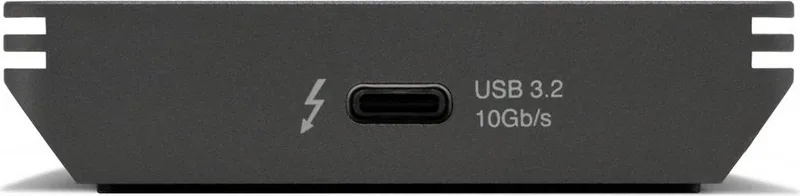
1x Thunderbolt 3
RAID Level
N/A
Fan
N/A
Chipset
Realtek RTL9210
Dimensions
4.33x2.56x0.79 in
Weight
10.58 oz
Color
Black
Features
Aluminum case, formatted for Mac, MIL-STD-810G certified, integrated Thunderbolt cable, includes USB adapter (USB-A)
Manufacturer Warranty
three years
Product Description
OWC Envoy Pro FX SSD: The Ultimate Portable Storage Solution
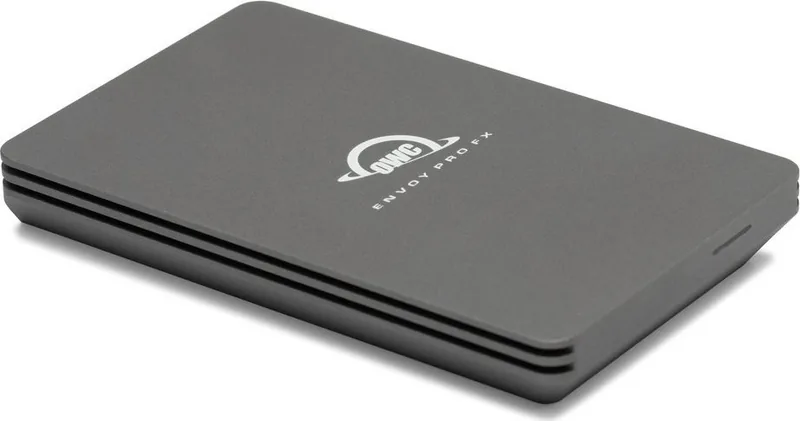
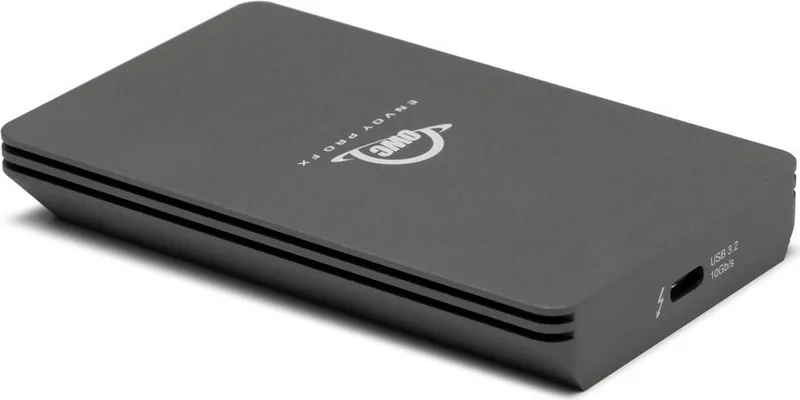
The OWC Envoy Pro FX represents a pinnacle in portable solid-state drive technology, designed for professionals who demand speed, durability, and universal compatibility. Built like a tank, this external SSD is certified to withstand dust, drops, and water, making it an ideal companion for field work, travel, or any environment where standard drives might fail. With transfer speeds reaching up to 2800MB/s, it delivers extreme performance over both Thunderbolt and USB interfaces, ensuring that large files are moved in the blink of an eye.
Universal Connectivity and Performance
One of the standout features of the OWC Envoy Pro FX is its flexible compatibility. It functions seamlessly as a plug-and-play device across a vast array of systems. Whether you are using modern Macs running macOS, Windows PCs with Thunderbolt 3 support, Linux machines, or even mobile devices like the iPad Pro, Chromebook, and Surface tablets, this drive connects instantly. The included Thunderbolt 3 cable and tethered USB Type-A adapter ensure you have the right connection for virtually any host port.
Durability Meets Design
The enclosure is not just about looks; it is engineered for resilience. The LED indicator provides clear status updates, glowing solid blue or green when powered on and flashing during data access. Users should note that prolonged use may cause the case to feel warm, which is a normal characteristic of high-performance storage. For those working with iPadOS or Android, mounting times may take slightly longer, but the reliability remains unmatched.
Essential Usage Tips
To get the most out of your drive, ensure your host system meets the specific requirements, such as OS X 10.7.5 or later for USB connections. Always maintain two copies of your critical data, as recommended by OWC, to prevent loss. If the drive fails to mount or the LED blinks rapidly, check if your host device provides sufficient bus power. Switching ports or using a different cable can often resolve connectivity issues. For further assistance, OWC offers robust technical support channels including phone, chat, and email.
Notes
- The drive requires bus power, so some low-power ports may not detect it immediately.
- Firmware updates may alter specific functions or features.
- Warranty coverage is limited to three years and is non-transferable.
Search for 67,706 Manuals online


Type-in Brand or Model