
OWC Mercury Elite Pro Quad Manual
PDF manual · 8 Pages
English



Quick check
Incorrect answer, please try again.
Chat with your OWC Mercury Elite Pro Quad manual using AI
Get instant AI answers from your OWC Mercury Elite Pro Quad manual
Ask anything about the OWC Mercury Elite Pro Quad. Answers come from this manual, with the pages they are based on.
Ask a Question
Do you recommend Mercury Elite Pro Quad?
Yes NoFrequently Asked Questions
The enclosure can support up to four hard drives simultaneously. It accommodates both 3.5-inch and 2.5-inch SATA drives, allowing users to mix drive types as needed for their specific storage requirements.
Is this answer helpful?
No, the OWC Mercury Elite Pro Quad does not have built-in RAID capabilities. Each drive can operate independently of the others, including unmounting a drive without impacting the operation of the other attached drives.
Is this answer helpful?
Mac users require OS X 10.6.8 through 10.11.6 or macOS 10.12 or later. Ensure the system supports USB 3.1 for the best performance with the included Type-C to Type-A or Type-C cables.
Is this answer helpful?
Yes, a locking faceplate is included with keys to secure the drive bays against unauthorized access. Additionally, a Kensington Security Slot is provided on the rear for tethering the enclosure to furniture.
Is this answer helpful?
Keep ventilation openings clear to prevent dust buildup. Do not block any openings. The internal fan will continue operating until drives cool down if the enclosure enters sleep mode. Ensure operation is in suitable temperature ranges.
Is this answer helpful?
No, data loss or corruption is the user's sole responsibility. It is strongly suggested to keep two copies of your data, meaning one copy on the external unit and a second on an internal drive or other storage medium.
Is this answer helpful?
The rear USB 3.1 Gen 2 port facilitates data transfer rates up to 10Gbps. For best performance, using 6.0Gb/s SAS drives or SATA drives is recommended over lower speed options.
Is this answer helpful?
Advantages and Disadvantages
Advantages

- Supports up to four 3.5-inch or 2.5-inch SATA drives for maximum capacity flexibility
- USB 3.1 Gen 2 port provides high-speed data transfer rates up to 10Gbps
- Includes a locking faceplate with keys for enhanced physical security against tampering
- Compatible with both macOS 10.12+ and Windows 7+ operating systems
- Internal fan operates independently to cool drives if the system enters sleep mode
Disadvantages

- Does not feature built-in RAID capabilities as drives operate completely independently
- Requires an external power cable and source to function properly
- May cause delays in boot drive listing on Mac systems when multiple volumes are present
- Requires specific 2.5-inch screws which must be sourced from the included packet
- Device requires a data signal to remain powered on even if switch is in ON position
Product Specification
Form Factor
3.5 in
Internal Connection
4x SATA 6Gb/s
External Connection
1x USB-C 3.1 (10Gb/s)
RAID Level
0/1/4/5/10/JBOD
Fan
1
Chipset
VIA/VLI VL820
Dimensions
9.45 x 7.28 x 5.31 in
Weight
7.94 lbs
Color
silver
Features
Aluminum housing, incl. USB cable (USB-A), incl. USB cable (USB-C), security lock (Kensington), On/Off switch
Manufacturer Warranty
1 year
USB Port Side
Left
Product Description
Exploring the OWC Mercury Elite Pro Quad RAID
Advanced Storage Capabilities for Modern Workflows
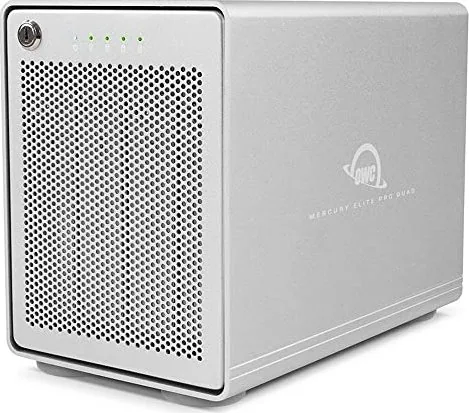
In the rapidly evolving landscape of digital storage, professionals require hardware that balances capacity with transfer speeds. The OWC Mercury Elite Pro Quad RAID, USB-C 3.1 delivers exactly this by offering a versatile four-bay enclosure capable of supporting a wide range of SATA drives. This device is engineered for users who manage terabytes of data daily. With support for both 3.5-inch and 2.5-inch hard drives, flexibility is inherent in the design. You can customize the internal configuration to suit specific performance or capacity needs without being locked into a single form factor. High performance drives are recommended for optimal operation.
Connectivity and System Requirements
Connection versatility is a key feature of this product. The rear panel hosts a USB 3.1 Gen 2 port, which facilitates high-speed data transfer rates up to 10Gbps. The enclosure is compatible with major operating systems, including macOS 10.12 or later and Windows 7 or newer. A dedicated ON/OFF switch allows for easy power management, although the unit requires valid data input signals to stay fully powered while the switch remains on. If the system enters sleep mode, the internal fan may continue running to protect the drives from overheating until they cool down. 6.0Gb/s is recommended for best performance.
Security and Design Features
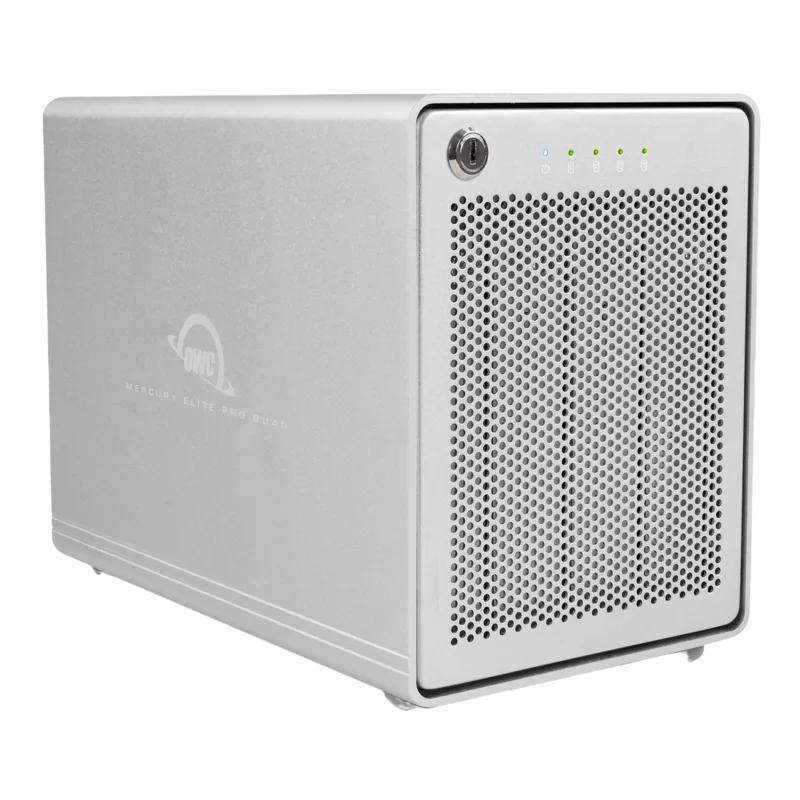
Physical security is often overlooked but crucial for portable data centers. A locking faceplate is included with keys, allowing you to secure the drive bays against unauthorized access. The front panel also includes LED indicators that provide visual status updates on power and drive activity for each individual bay. A Kensington Security Slot is present on the rear for tethering the device securely to furniture. Please note that built-in RAID capabilities are not present in this model, meaning drives operate independently. It is recommended that you maintain separate backups for your data to ensure maximum protection against loss or corruption. This unit allows for unmounting a drive without impacting the others.
Installation and Maintenance Notes
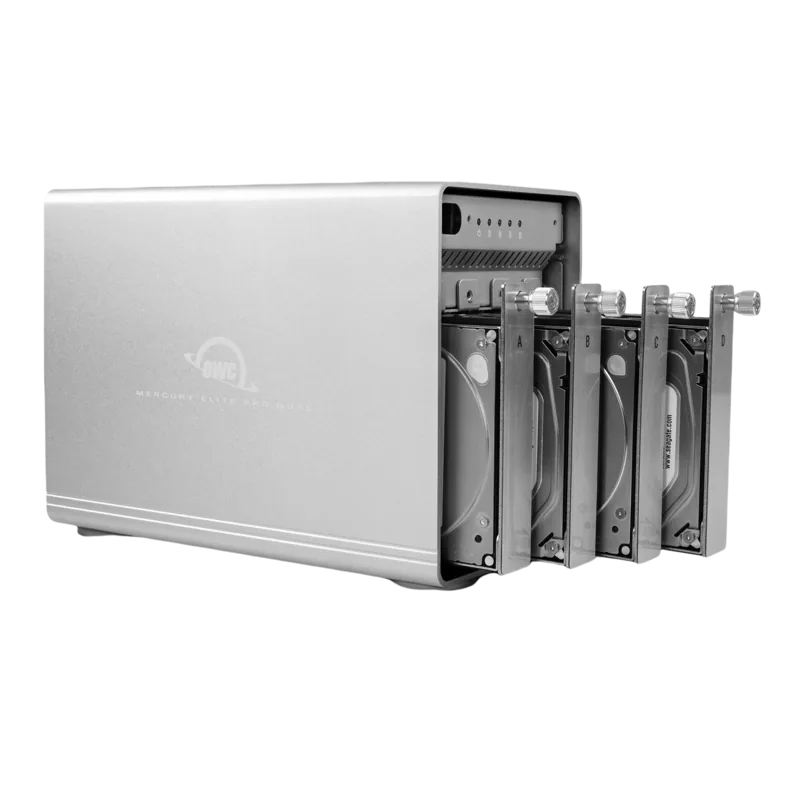
Hard drive installation is designed for user convenience. The faceplate swings open to reveal the drive trays, which can be removed with a thumbscrew. Once detached, the drive is mounted securely onto the tray using included screws. There are specific holes for 2.5-inch drives using fine-threaded screws, while 3.5-inch installations utilize the standard holes. Before powering off the enclosure, always ensure you unmount the volume to prevent data corruption. For detailed configuration advice regarding formatting, visit the product specifications website. Maintenance involves keeping ventilation openings clear to prevent dust buildup. Troubleshooting involves verifying cables and checking power sources. The warranty information can be found on the official product website structure.
Search for 67,706 Manuals online


Type-in Brand or Model
Stefan Mueller
8 months ago
Is this device compatible with SoftRAID on macOS Sonoma without risking data loss from kernel panics?
Manual.ly
8 months ago
We acknowledge reports of kernel panics between this device and SoftRAID on macOS Sonoma, which have resulted in data loss. We recommend avoiding this combination until patches are available. Please ensure all system software is up to date and maintain separate backups. Our team is working with the manufacturer to resolve these compatibility issues.