
OWC SuperSlim Manual
PDF manual · 6 Pages
English



Quick check
Incorrect answer, please try again.
Chat with your OWC SuperSlim manual using AI
Get instant AI answers from your OWC SuperSlim manual
Ask anything about the OWC SuperSlim. Answers come from this manual, with the pages they are based on.
Ask a Question
Do you recommend SuperSlim?
Yes NoFrequently Asked Questions
On macOS 10.4 or later, built-in apps like iTunes and Disk Utility work. Older versions require third-party tools like PatchBurn. Windows and Linux users can utilize Nero or other popular utilities.
Is this answer helpful?
Use the included Y-cable and plug both standard-A connectors into separate USB ports on your computer. Alternatively, you can purchase a separate power supply adapter from the manufacturer.
Is this answer helpful?
Yes, as long as the drive uses a SATA connector and fits within the 5.25-inch dimensions. You must install the drive yourself using the provided screws and instructions.
Is this answer helpful?
Compatibility depends on the specific optical drive installed. If your drive supports DVD+R but you try to burn DVD-R, it will fail. Always match the media type to your drive's supported formats.
Is this answer helpful?
Plug the mini-B end into the OWC SuperSlim. Connect the two standard-A ends to your computer. One carries data, while the second provides extra power if needed.
Is this answer helpful?
Advantages and Disadvantages
Advantages

- Compact and portable design fits easily in any workspace
- Supports multiple operating systems including macOS and Windows
- Includes Y-cable for reliable dual-port power delivery
- Simple assembly process with clear instructions
- Compatible with major third-party burning software
Disadvantages

- USB 2.0 interface may limit transfer speeds compared to newer standards
- Requires separate purchase of an optical drive not included in box
- Y-cable requires two available USB ports on some computers
- No built-in power supply adapter included for single port use
- Limited to 5.25-inch drive form factor constraints
Product Specification
Form factor
5.25"
Internal
SATA
External
USB 2.0 Mini-B
Dimensions
5.87x5.71x0.59in
Weight
4.20oz
Fan
N/A
Features
Slimline
Product Description
Unlock the Power of Optical Drives with OWC SuperSlim
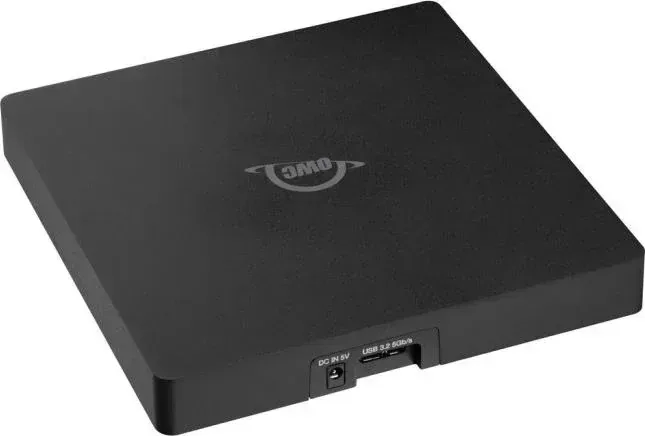
The digital age has largely moved on from physical media, yet many users still rely on optical drives for specific tasks like installing legacy software, burning archival discs, or accessing old data. The OWC SuperSlim for Apple SuperDrive offers a sleek solution to keep these essential functions alive without cluttering your workspace. This external 5.25-inch enclosure transforms standard SATA optical drives into portable USB 2.0 devices, making it an ideal companion for Mac and PC users alike.
Designed with precision, the OWC SuperSlim features a compact chassis that accommodates standard internal optical drives. The assembly process is straightforward, requiring only a Phillips screwdriver and the included hardware. Once assembled, the unit connects via a robust USB cable. A unique Y-cable design ensures stable power delivery, which is crucial for driving high-performance optical mechanisms. Whether you are using macOS or Windows, this device integrates seamlessly with popular burning software like iTunes, iDVD, Roxio Toast, and Nero.
Beyond its functionality, the build quality emphasizes safety and durability. The enclosure includes rubber feet to prevent slipping and absorb vibration during operation. Users are advised to handle the drive with anti-static precautions to protect sensitive components. With support for various disc formats and compatibility across operating systems, the OWC SuperSlim remains a reliable tool for enthusiasts who refuse to let go of optical media capabilities.
Important Notes
- Ensure the USB Y-cable is fully connected to both ports if experiencing power issues.
- Use compatible media types matching your drive specifications to avoid burn failures.
- Keep the device away from magnetic sources and extreme temperatures for optimal performance.
Search for 67,706 Manuals online


Type-in Brand or Model