

Free Zalman Manuals – Read, Download & Print
28 Manuals
Manuals
8 Pages
20 Pages

2 Pages
20 Pages
2 Pages

1 Pages
16 Pages
20 Pages
20 Pages
12 Pages
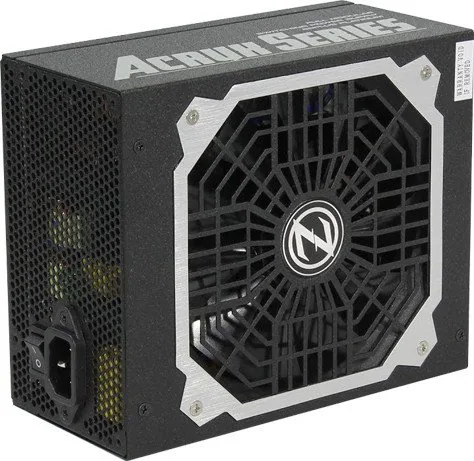
24 Pages
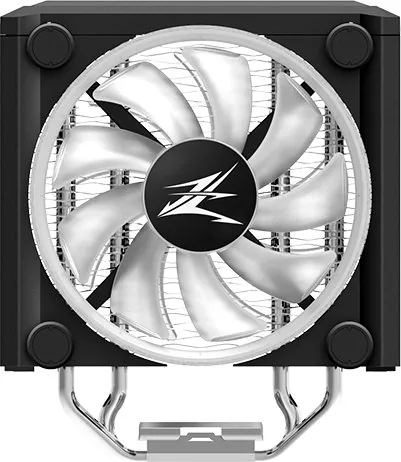
20 Pages
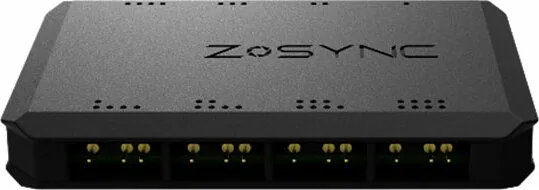
2 Pages
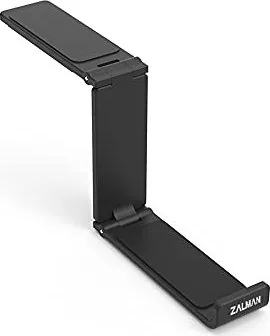
2 Pages

9 Pages
20 Pages
18 Pages

2 Pages

2 Pages

2 Pages

20 Pages
9 Pages

16 Pages

2 Pages

20 Pages
2 Pages
20 Pages

16 Pages
Categories


Free Zalman Manuals - Read, Download & Print
Find the Right Zalman Manual for Your Product
Looking for a Zalman manual? This page helps you locate clear product documentation for Zalman computer hardware, cooling equipment, cases, power supplies, accessories, and related devices. Whether you are setting up a new component, replacing an older part, troubleshooting an issue, or checking technical specifications, a manual is an essential reference. It provides the information needed to install, operate, maintain, and use your Zalman product correctly.
Zalman is widely known for PC cooling solutions and computer components designed for builders, gamers, professionals, and technology enthusiasts. Product manuals can include installation diagrams, connector descriptions, compatibility notes, safety instructions, operating guidance, and warranty details. Reading the correct manual before installation can save time and help prevent damage caused by incorrect assembly or configuration.
Read Zalman Manuals Online
Online manuals offer a convenient way to review product information without needing a printed booklet. You can read instructions directly from your computer, tablet, or phone while working on your system. This is especially useful when you need to check a mounting step, identify a cable, compare dimensions, or confirm which socket type is supported.
Many Zalman guides are organized into sections that make it easier to find the details you need. Typical sections may include product features, package contents, installation steps, technical specifications, safety notices, and troubleshooting information. If your manual includes a table of contents, use it to move quickly to the relevant section. Searching within a digital document can also help you locate specific terms such as "fan connector," "CPU socket," "power cable," or "front panel."
Reading a manual online is useful for quick reference during assembly. Keep the guide open while installing a CPU cooler, connecting case fans, positioning a power supply, or adjusting an RGB controller. Following the original product instructions can help ensure that components are installed in the intended order and that all included hardware is used properly.
Download Zalman Manuals for Offline Access
Downloading a Zalman manual gives you access to important instructions even when an internet connection is unavailable. A saved copy can be useful in a workshop, office, gaming room, repair area, or other location where you build and maintain computer systems. It also lets you store documentation for multiple components in one organized folder.
When downloading a manual, choose the document that matches your exact model number whenever possible. Zalman products can have similar names, while different revisions may use different brackets, cables, dimensions, or control features. Check the label on the product, retail packaging, invoice, or original documentation to confirm the model. Selecting the right guide is important because installation methods can vary between product generations.
A downloadable manual can be stored with receipts, warranty information, driver files, and photos of your system configuration. This makes it easier to find product details later if you upgrade your PC, move components to another case, sell hardware, or need to diagnose a problem. For convenience, rename the file with the full model number and product type before saving it.
Print Instructions When You Need a Paper Copy
Printing a Zalman manual can be helpful for hands-on installations. A paper copy is easy to place beside your work area, mark with notes, or refer to without switching between screens. This can be particularly useful when working inside a computer case, where you may need both hands free for mounting screws, brackets, clips, and cables.
Before printing, review the document and select only the pages you need. For example, you may only need the installation diagram, socket compatibility chart, cable layout, or troubleshooting section. Printing selected pages can reduce paper use while still giving you the information needed for the task. If your printer supports it, use double-sided printing for longer documents.
Keep printed manuals in a labeled folder with other PC build documents. A physical archive is useful for older Zalman products that remain in service for years. It can also help when working on systems for family members, clients, or coworkers, since the instructions remain available even if files are moved or a device is unavailable.
Common Information Found in Zalman Product Manuals
Zalman manuals are designed to explain how a product should be used and installed. The exact contents depend on the type of product, but several categories of information are commonly included.
Installation Instructions
Installation guidance is often the most important part of a hardware manual. For CPU coolers, this may include preparation steps, backplate placement, mounting bracket selection, thermal paste application, heatsink orientation, and fan connection instructions. For cases, the guide may cover motherboard standoffs, drive mounting, airflow layout, radiator support, front-panel connections, and cable routing.
Follow installation steps carefully and avoid forcing parts into place. If a component does not align with the instructions, stop and verify the model, hardware selection, and mounting orientation. Using the wrong screw, bracket, or connector can result in poor fitment or hardware damage.
Compatibility Details
Compatibility information helps you determine whether a Zalman product works with your existing hardware. A CPU cooler manual may list supported processor sockets, maximum cooler height, required clearance, or RAM compatibility considerations. A case manual may list supported motherboard formats, graphics card length, power supply size, fan positions, and radiator dimensions.
Always compare manual specifications with your PC components before purchasing or installing hardware. Measurements such as millimeters can make a significant difference in compact builds. Check clearance around tall memory modules, large graphics cards, storage cages, side panels, and top-mounted radiators.
Connection and Control Information
Many PC components require cable connections for power, fan speed control, lighting, or front-panel functions. Manuals can identify connector types and explain where each cable should be connected. This may include PWM fan headers, SATA power plugs, USB headers, audio connectors, reset switches, LED leads, and RGB or ARGB connections.
Pay close attention to connector labels and polarity markings. Do not connect lighting cables to incompatible headers. If you are uncertain about a connection, consult both the Zalman manual and your motherboard manual. The motherboard documentation can identify the location and supported voltage of each header.
Safety and Maintenance Guidance
Product documentation may include safety instructions for handling electronic components and maintaining cooling equipment. Turn off the computer and disconnect power before opening the case or changing internal hardware. Avoid working on carpeted surfaces when possible, and take precautions against static electricity. Handle circuit boards by their edges and keep screws away from exposed electronics.
For cooling products, regular maintenance can support stable performance. Dust buildup can reduce airflow and increase fan noise. Clean fans, heatsinks, filters, and vents carefully using appropriate tools. Do not allow fan blades to spin freely at high speed when using compressed air, and avoid applying liquids directly to electronic parts.
Troubleshooting with a Zalman Manual
A manual can be a useful first step when a product does not appear to work as expected. Check the troubleshooting section for common symptoms, setup reminders, and connection diagrams. For example, if a fan is not spinning, verify that it is connected to the correct header, that the system is powered on, and that the fan control settings allow it to operate.
If cooling performance seems lower than expected, check that protective film has been removed from the cooler contact surface, thermal paste has been applied correctly, mounting pressure is even, and case airflow is not blocked. If LED lighting does not work, confirm that the lighting cable is connected to a compatible controller or motherboard header.
The manual can also help identify normal behavior. Some fans may operate at low speed or stop temporarily under certain motherboard fan profiles. Some lighting functions may require software or a dedicated controller. Reviewing the documented features helps distinguish a configuration issue from a hardware problem.
Choose the Correct Manual by Model Number
The best way to find an accurate Zalman manual is to search using the complete model number. Look for the number on a product label, box, receipt, or previous support document. Include the product category in your search if needed, such as CPU cooler, PC case, power supply, fan controller, or headset.
Do not rely only on product appearance. Two models may look similar but use different mounting kits, connector layouts, or specifications. If you have an older product, check for revision numbers or suffixes in the model name. These details can help ensure that the instructions match your exact hardware.
Keep Your Zalman Documentation Ready
A reliable manual is an important tool for installation, maintenance, upgrades, and troubleshooting. Reading it online provides quick access, downloading it keeps it available offline, and printing key pages gives you a practical reference at your workbench. Keep the correct Zalman manual with your system records so that product information is easy to find whenever you need it.
With the right documentation, you can approach your Zalman hardware setup with greater confidence. Review the specifications, follow the installation sequence, confirm compatibility, and use the troubleshooting guidance when needed. Proper use of the manual helps you get the most from your computer components while supporting a cleaner, safer, and more organized build process.
Search for 67,706 Manuals online


Type-in Brand or Model