
Zalman CNPS10X OPTIMA II Manual
PDF manual · 20 Pages
English



Quick check
Incorrect answer, please try again.
Chat with your Zalman CNPS10X OPTIMA II manual using AI
Get instant AI answers from your Zalman CNPS10X OPTIMA II manual
Ask anything about the Zalman CNPS10X OPTIMA II. Answers come from this manual, with the pages they are based on.
Ask a Question
Do you recommend CNPS10X OPTIMA II?
Yes NoFrequently Asked Questions
It supports Intel sockets LGA2066, LGA2011-V3, LGA2011, LGA115X, and LGA1366, and AMD sockets AM4, AM3+, AM3, FM2+, and FM2. Mounting components differ by socket, so use the correct Intel or AMD installation route.
Is this answer helpful?
Yes. The fan uses a PWM control method and connects with a 4-pin connector. The recommended operating range listed is 800 to 1500 RPM, allowing motherboard-based control for steadier cooling behavior.
Is this answer helpful?
The maximum noise level is specified at 27 dBA (plus or minus 10%). Actual noise can vary with fan speed, system airflow, case design, and motherboard fan curve settings.
Is this answer helpful?
Yes. The cooler includes RGB LEDs and uses the specified lighting and control connections described with the included wiring and components. Use motherboard lighting headers or your controller setup as supported by your system.
Is this answer helpful?
Follow the safety notes: do not ingest the thermal grease and avoid contact with skin and eyes. If it contacts skin, wash with water. If irritation persists, seek medical attention. Wear gloves during installation.
Is this answer helpful?
Yes. The precautions state that during transportation the cooler must be removed, and the manufacturer is not responsible for damage that occurs during system transport. Removing the cooler helps prevent shock-related damage.
Is this answer helpful?
Advantages and Disadvantages
Advantages

- PWM-controlled 4-pin fan (800-1500 RPM) for responsive thermal control
- Hydraulic bearing design aimed at smooth, consistent operation
- Low maximum noise rating of 27 dBA (plus or minus 10%)
- Supports multiple Intel and AMD sockets for broad compatibility
- RGB lighting and white styling to match clean, modern builds
Disadvantages

- Mounting and parts usage vary by socket, including backplate notes for some Intel platforms
- Care and safety precautions are emphasized, including glove use and careful thermal grease handling
- Excessive assembly force can damage the fan or system
- Transport guidance requires removing the cooler, adding an extra step for moving PCs
- Warranty/coverage excludes issues from non-design use and CPU overclocking
Product Specification
Design
Tower Cooler
Dimensions with Fan
5.20x6.30x3.35in (WxHxD)
Fan
1x 4.72x4.72x0.98in, 600-1500rpm, 103m3/h, 60.62 CFM, 26dB(A), 0.06inH2O
Weight with Fan
1.63 lb
Connection
4-Pin PWM
AMD Socket
AM4, AM2/AM2+/AM3/AM3+, FM1/FM2/FM2+
Intel Socket
2011-0/2011-1/2011-3/2066, 1700 (See note), 1356/1366, 1150/1151/1155/1156/1200
Intel Socket Note
Socket 1700 mounting kit may not yet be included in delivery
TDP Classification
200W
Lighting
RGB
Special Features
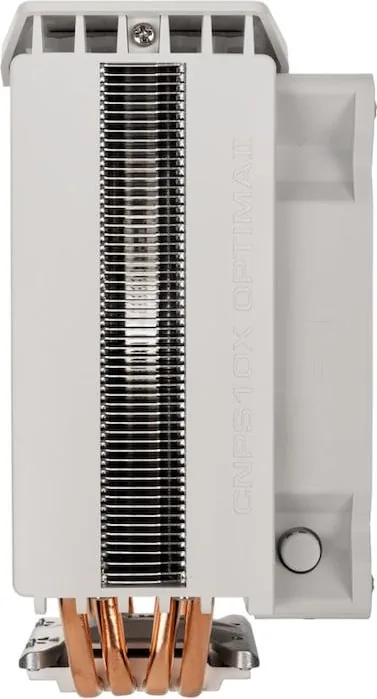
4 Heatpipes, Heatpipe Direct Touch
Manufacturer Warranty
1 Year
Product Description
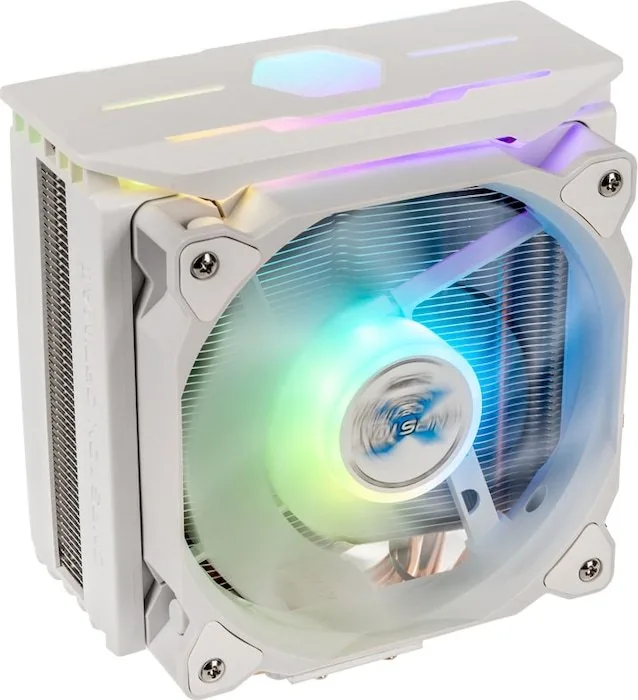
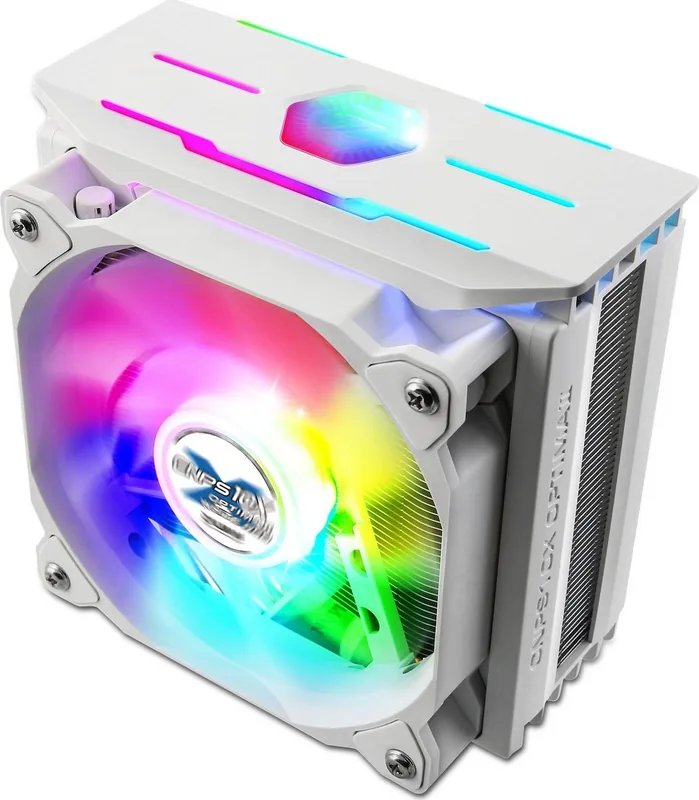
Zalman CNPS10X OPTIMA II WHITE RGB: Clean Cooling with Vibrant Spectrum Lighting
If you want a cooler that looks great in a white-themed build and performs reliably across a wide range of CPUs, the Zalman CNPS10X OPTIMA II WHITE RGB is designed to deliver both. Backed by the Zalman CNPS10X OPTIMA II WHITE RGB Manual, this model focuses on a tidy installation experience, consistent airflow, and customizable RGB lighting effects.
At the core is a 120 x 120 x 25 mm PWM-controlled fan that runs from 800 to 1500 RPM, using a hydraulic bearing for smooth operation. The fan is rated for a maximum noise level of 27 dBA (plus or minus 10 percent), helping keep day-to-day system sounds under control. With up to 61.52 CFM (plus or minus 10 percent) of airflow, it is well suited for maintaining stable temperatures during typical gaming, productivity, and everyday workloads.
What makes the OPTIMA II stand out visually is the RGB lighting under the Zalman CNPS10X OPTIMA II WHITE RGB branding. The cooler uses RGB LEDs and a PWM approach through the included 4-pin connector, making it a natural fit for systems where you already manage lighting through compatible motherboard headers. The white aesthetic complements modern cases, and the lighting effect adds an eye-catching accent without dominating the build.
Compatibility is broad. The cooler supports Intel sockets including LGA2066, LGA2011-V3, LGA2011, LGA115X, and LGA1366. It also supports AMD sockets such as AM4, AM3+, AM3, FM2+, and FM2. Included mounting materials cover Intel and AMD installation routes, including the right clips, side caps, thermal grease, bolts, fan screws, and backplate-related components depending on the socket type.
Installation is straightforward, but it is important to follow safe handling guidance. Wear gloves during mounting, avoid applying excessive force to the fan, and remember that the cooler should be removed for system transportation.
Notes
- Dimensions: 132 (L) x 85 (W) x 160 (H) mm; weight: 740 g.
- Cooler mount orientation may vary by motherboard, so confirm clearance before final positioning.
- Avoid mishandling thermal grease: do not ingest, and seek medical attention if irritation persists.
Key results (best reasons)
- PWM fan control (4-pin) with 800-1500 RPM tuning for steadier thermal management.
- Hydraulic bearing helps deliver smoother, more stable long-term operation.
- Up to 61.52 CFM airflow with low-rated noise for a balanced daily experience.
- Wide Intel and AMD socket support for flexible upgrades.
- White RGB styling designed to enhance modern cases and builds.
Key results (trade-offs)
- Socket-specific mounting details matter, including when a backplate is not needed for certain Intel setups.
- Thermal grease handling requires care, including avoiding skin and eye contact.
- Excessive force during assembly can damage the fan and/or system components.
- Responsibility coverage excludes damage from misuse, non-design purposes, or CPU overclocking.
- Transport guidance requires removing the cooler to reduce shipping damage risk.
Search for 67,706 Manuals online


Type-in Brand or Model