Get instant AI answers from your Zalman Z1 Plus manual
Ask anything about the Zalman Z1 Plus. Answers come from this manual, with the pages they are based on.
Ask a Question
0/1000
Do you recommend Z1 Plus?
YesNo
0
ishaw90
5 months ago
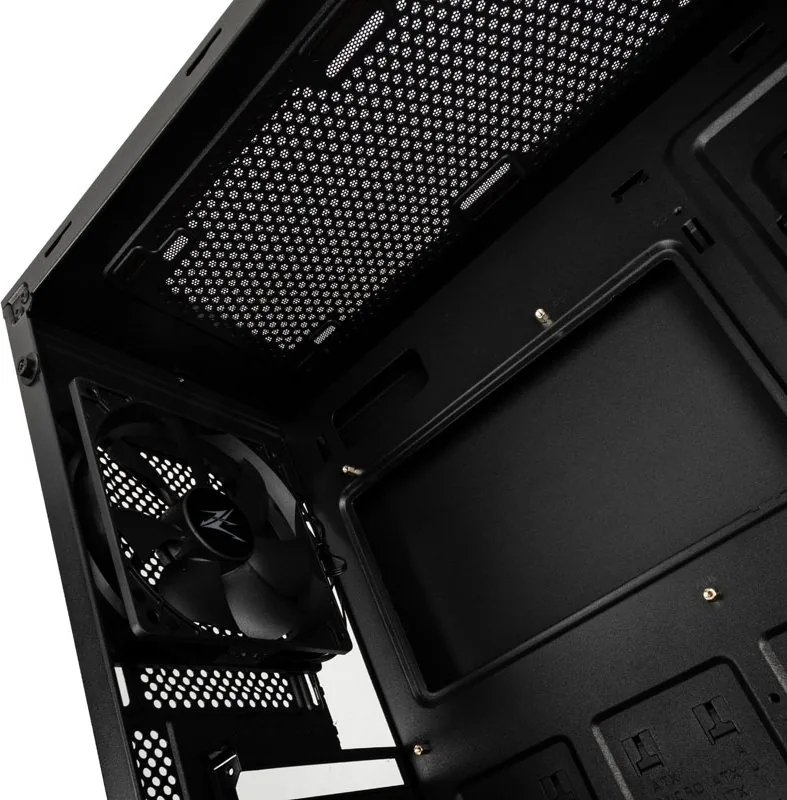
I bought this case and the included 120mm fans are bending when installed at the top due to a slot cover collision. Is there a known design flaw?
0
Manual.ly
5 months ago
Thank you for your feedback. We acknowledge that some users have reported interference between top-mounted 120mm fans and the 5.25-inch drive bay cover, which can damage the fan blades. To resolve this, please remove the plastic slot cover or carefully file the edges of the mounting area as suggested in our troubleshooting guide. If the fan is already damaged, we recommend contacting our support team for replacement options.
M: QW-35-FL
M: QW-35-FL
0
in16
5 months ago
Are the screw threads on this case prone to stripping during assembly?
M: QW-35-FL
Frequently Asked
Questions
A
The case supports ATX, Micro-ATX (mATX), and Mini-ITX motherboard form factors, providing flexibility for various build sizes.
Is this answer helpful?
A
Yes, it supports radiators up to 280mm on the top panel and up to 240mm on the front panel for effective liquid cooling.
Is this answer helpful?
A
The package includes three fans: two 120mm fans for the front and one 120mm fan for the rear exhaust position.
Is this answer helpful?
A
You can install graphics cards up to 385mm in length without obstruction from the drive cage or PSU shroud.
Is this answer helpful?
A
Yes, the Z1 Plus features a tempered glass side window that allows you to view your internal components clearly.
Is this answer helpful?
M: QW-35-FL
Advantagesand
Disadvantages
Advantages
Tempered glass side window provides a premium look
Supports large GPUs up to 385mm length
Includes three fans for immediate cooling
Versatile radiator support up to 280mm
Easy access I/O panel with USB 3.0
VS
Disadvantages
No dust filters included in the package
Plastic construction may feel less rigid than all-metal cases
Limited top fan mounting options compared to competitors
Glass requires careful handling to avoid scratches
ODD cover must be mounted horizontally
M: QW-35-FL
Product
Specification
Extern
1x 5.25"
Intern
2x 2.5"/3.5" (horizontal, drive rails), 3x 2.5"
Ports
2x USB-A 3.0 (5Gb/s), 1x USB-A 2.0 (480Mb/s), 1x 3.5mm jack (Line-Out), 1x 3.5mm jack (Line-In)
PCI Slots
7
Fan (front)
2x 120mm, 1200rpm, 35.33 CFM, 23.2dB(A) or 3x 120mm (optional, no 5.25")
partially closed, mostly fan grille, dust filter outside
Bottom
partially closed, fan grille rear, dust filter
Left
closed, glass
Right
closed
Rear
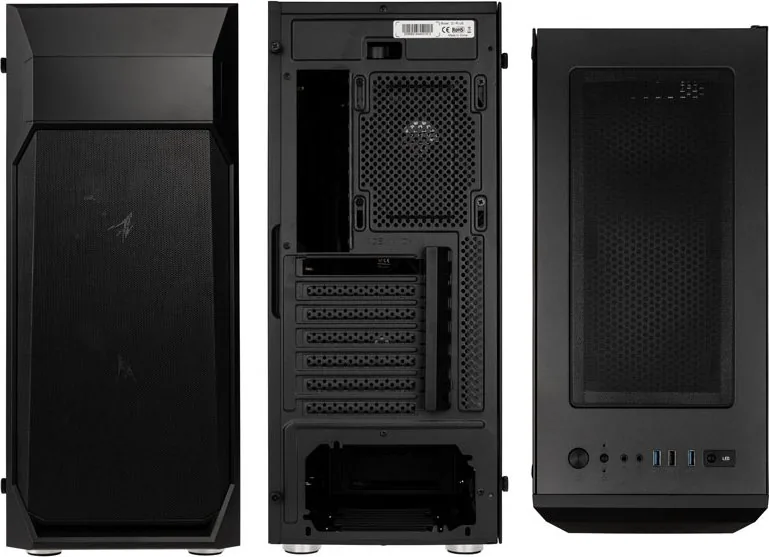
partially closed, fan grille right top, PCI slots (7x horizontal)
Front I/O Position
Case side: top, Height: Front, Position: center
Features
Cable management, dust filter, glass window
USB spelling
Link
M: QW-35-FL
Product
Description
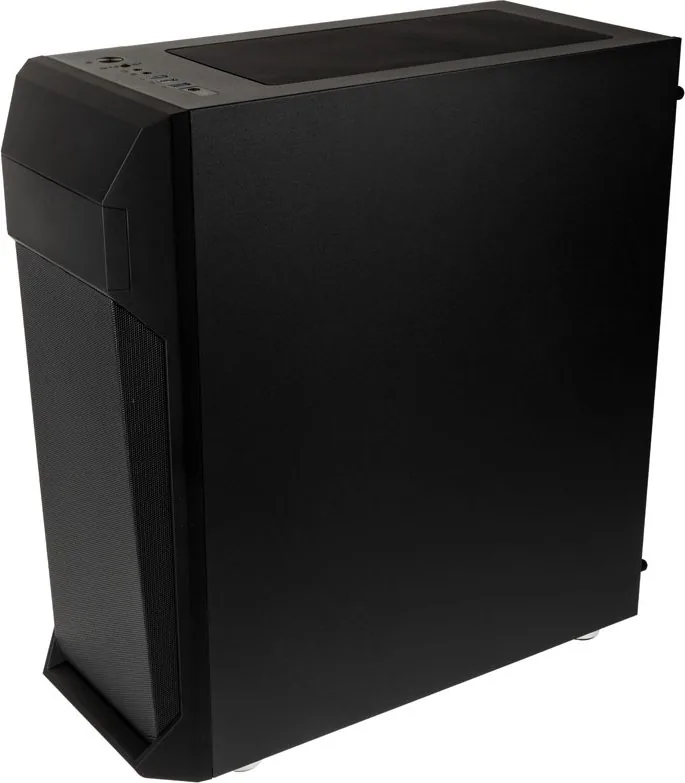
Zalman Z1 Plus Schwarz Glasfenster: A Stylish and Functional PC Case
The Zalman Z1 Plus schwarz Glasfenster represents a perfect blend of modern aesthetics and robust functionality for PC enthusiasts. Designed as an ATX mid-tower case, this chassis features a striking black finish complemented by a tempered glass side window that showcases your internal hardware with clarity. The sleek design ensures that your computer becomes not just a tool, but a centerpiece in any room.
Built with durability in mind, the case utilizes high-quality plastic, steel, and tempered glass materials to protect your components while maintaining a lightweight profile at only 5kg. It offers impressive expansion capabilities, supporting ATX, mATX, and Mini-ITX motherboards. With space for up to seven PCI expansion slots, users have ample room for graphics cards, sound cards, and other peripherals. The internal layout is optimized for airflow and cable management, ensuring your system runs cool and quiet.
Cooling efficiency is a priority for the Z1 Plus. The front panel accommodates three 120mm fans or two 140mm units, while the top supports dual 120mm or 140mm fans. The rear exhaust slot takes a standard 120mm fan. For liquid cooling enthusiasts, the case supports radiators up to 280mm on the top and 240mm on the front. Included fans provide immediate performance out of the box, reducing the need for immediate additional purchases.
Connectivity is streamlined via the top I/O panel, which includes two USB 3.0 ports, one USB 2.0 port, audio jacks, and dedicated buttons for power, reset, and LED control. Storage options are plentiful with drive bays for optical drives, 3.5-inch HDDs, and multiple 2.5-inch SSDs. Installation is user-friendly, with clear instructions provided for mounting panels, the motherboard, and storage devices. Always remember to wear gloves during installation to prevent accidents and avoid applying excessive force to prevent damage.




ishaw90
5 months ago
I bought this case and the included 120mm fans are bending when installed at the top due to a slot cover collision. Is there a known design flaw?
Manual.ly
5 months ago
Thank you for your feedback. We acknowledge that some users have reported interference between top-mounted 120mm fans and the 5.25-inch drive bay cover, which can damage the fan blades. To resolve this, please remove the plastic slot cover or carefully file the edges of the mounting area as suggested in our troubleshooting guide. If the fan is already damaged, we recommend contacting our support team for replacement options.