
Zalman Z7 NEO Manual
PDF manual · 18 Pages
English



Quick check
Incorrect answer, please try again.
Chat with your Zalman Z7 NEO manual using AI
Get instant AI answers from your Zalman Z7 NEO manual
Ask anything about the Zalman Z7 NEO. Answers come from this manual, with the pages they are based on.
Ask a Question
Do you recommend Z7 NEO?
Yes No
Nicole Robertson
4 months ago
Does the installation process require special tools or take a long time to set up?
Frequently Asked Questions
The Zalman Z7 NEO can accommodate graphics cards up to 355mm in length, making it suitable for most high-end gaming GPUs.
Is this answer helpful?
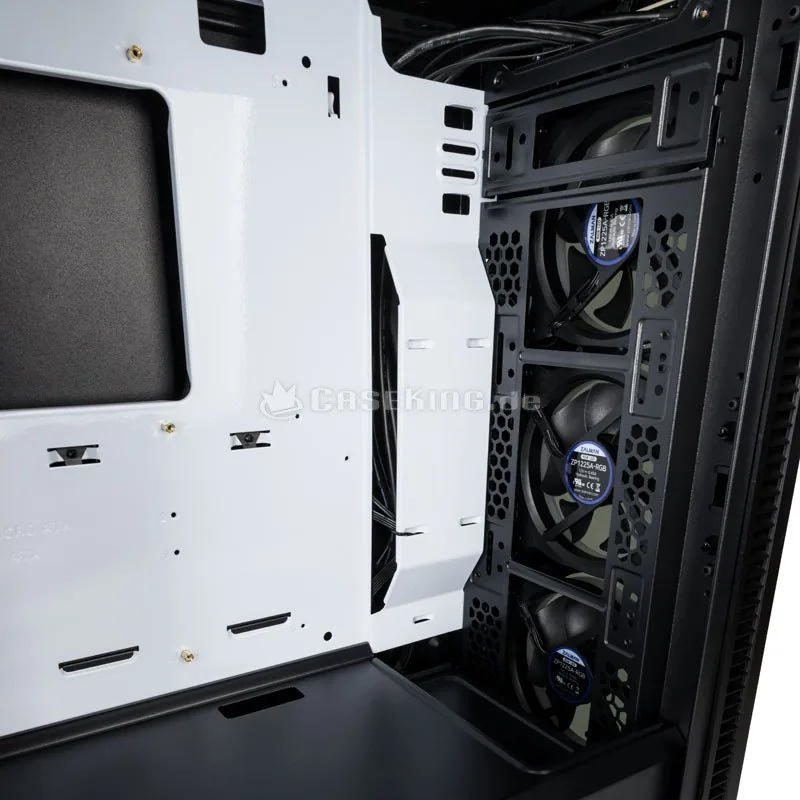
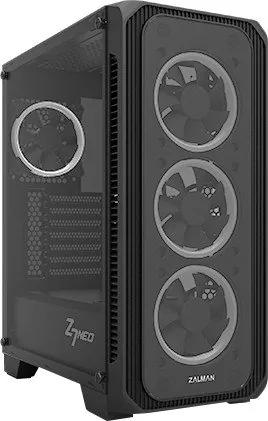
Yes, the Z7 NEO comes with four pre-installed 120mm RGB fans: three at the front and one at the rear, all featuring LED effects.
Is this answer helpful?
Absolutely. You can install a 360mm radiator either at the front or the top of the case for optimal liquid cooling performance.
Is this answer helpful?
You can control the RGB lighting using the physical button on the I/O panel to cycle through modes or connect via the included controller to your motherboard for synchronization.
Is this answer helpful?
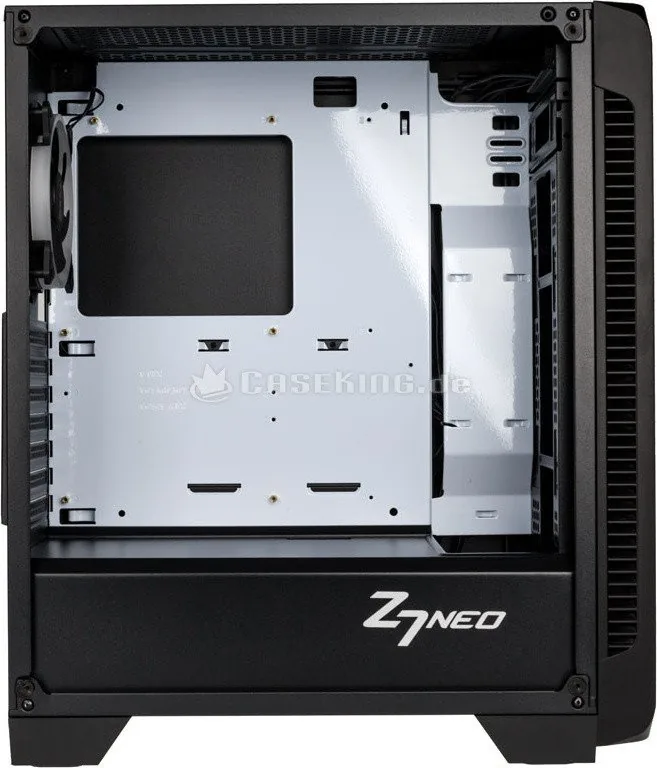
Yes, the side panel is constructed from durable tempered glass, providing a clear view of your hardware while offering safety against shattering.
Is this answer helpful?
The product comes with a one-year warranty from the date of purchase, covering manufacturing defects but excluding damage from misuse.
Is this answer helpful?
Advantages and Disadvantages
Advantages

- Large tempered glass window for showcasing custom builds
- Supports massive GPU lengths up to 355mm
- Includes four pre-installed RGB fans with controller
- Extensive radiator support up to 360mm for advanced cooling
Disadvantages

- Tempered glass requires careful handling to avoid breakage
- No dust filters included on intake vents
- RGB sync requires compatible motherboard
- Heavy weight may make moving difficult without assistance
Product Specification
Extern
N/A
Intern
2x 2.5"/3.5" (horizontal, drive rails), 2x 2.5"
Connections
1x USB-A 3.0 (5Gb/s), 2x USB-A 2.0 (480Mb/s), 1x 3.5mm jack (Line-Out), 1x 3.5mm jack (Line-In)
PCI Slots
7
Fan (front)
3x 120mm (RGB illuminated)
Fan (rear)
1x 120mm (RGB illuminated)
Fan (left)
N/A
Fan (right)
N/A
Fan (top)
2x 140mm (optional)
Fan (bottom)
N/A
Fan (other)
N/A
Radiator Sizes
120/240/280/360mm front, 120/240mm top
Motherboard
up to ATX
Supported Motherboards
Mini-ITX (6.7"x6.7")/µATX (9.6"x9.6")/ATX (12"x9.6")
Power Supply
ATX (max. 7.09" deep)
Power Supply Position
bottom
CPU Cooler
max. 6.50" height
Graphics Cards
max. 14.0"
Color
black, black interior
Lighting
RGB Header 4-Pin RGB (+12V/G/R/B), integrated LED controller, illuminated fans
Dimensions (WxDxH)
8.39x18.11x16.54in
Volume
2.51 cu ft
Weight
15.87 lbs
Chassis Type
Midi Tower
Front
closed, glass, side ventilation slots
Top
partially closed, mostly fan grille, dust filter outside
Bottom
partially closed, rear fan grille, dust filter
Left
closed, glass, front ventilation slots
Right
closed, front ventilation slots
Rear
partially closed, right top fan grille, PCI slots (7x horizontal)
Front I/O Position
Chassis side: top, Height: Front, Position: center
Features
cable management, dust filters, glass window
USB Spelling
Link
Product Description
Experience the Zalman Z7 NEO Glass Window
The Zalman Z7 NEO is a striking ATX mid-tower case designed for enthusiasts who demand both aesthetic appeal and functional performance. Its standout feature is the large tempered glass side panel that showcases your internal components in all their glory, perfectly complemented by synchronized RGB LED lighting. This case supports up to 355mm graphics cards and offers extensive cooling options with mounts for radiators up to 360mm at the front and top.
Installation is straightforward thanks to the tool-free design for side panels and clear instructions included in the package. The interior layout is optimized for airflow, ensuring that your system remains cool even under heavy loads. With pre-installed RGB fans and a dedicated controller, you can easily customize your lighting effects to match your personal style or sync them with your motherboard. The case also includes ample drive bays, supporting multiple HDDs and SSDs for vast storage needs.
Safety is a priority with this build. Users are advised to wear gloves during installation to prevent scratches and avoid applying excessive force when mounting components. Proper cable management is crucial to prevent short circuits, which could lead to fire hazards. Always ensure ventilation holes remain unblocked and keep the unit away from direct sunlight or moisture. Cleaning should be done with care, avoiding harsh chemicals like alcohol or acetone on the surfaces.
Important Notes
- Do not insert hands into the case while powered on to avoid injury.
- Keep the product out of reach of children.
- Warranty covers manufacturing defects but excludes damage from misuse or unauthorized modifications.
Search for 67,706 Manuals online


Type-in Brand or Model
Kylie Wiza
7 months ago
Is the airflow in this case sufficient, and are the pre-installed fans loud?
Manual.ly
7 months ago
Thank you for your interest. While the case features four pre-installed RGB fans and excellent aesthetics, some users have noted that the airflow is limited and the fans can be quite loud under certain conditions. We recommend checking our detailed specifications or contacting us directly for fan speed adjustment options.