
Zalman i3 Neo Manual
PDF manual · 16 Pages
English



Quick check
Incorrect answer, please try again.
Chat with your Zalman i3 Neo manual using AI
Get instant AI answers from your Zalman i3 Neo manual
Ask anything about the Zalman i3 Neo. Answers come from this manual, with the pages they are based on.
Ask a Question
Do you recommend i3 Neo?
Yes NoFrequently Asked Questions
The Zalman i3 Neo supports ATX, Micro-ATX, and Mini-ITX motherboards. This makes it suitable for standard gaming PCs, compact systems, and general-purpose desktop builds.
Is this answer helpful?
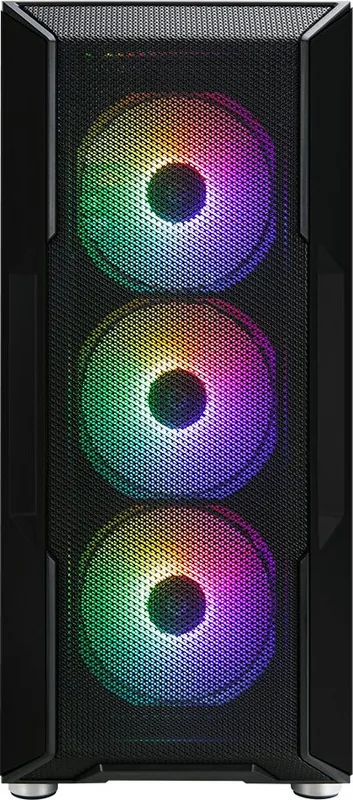
Four 120 mm RGB LED fans are included. Three are installed at the front and one is positioned at the rear, providing an airflow-focused starting point for a new system.
Is this answer helpful?
Yes. It supports front radiators up to 360 mm, top radiators up to 240 mm, and a 120 mm rear radiator. Compatibility should still be checked against the dimensions of other installed components.
Is this answer helpful?
The case supports graphics cards up to 355 mm long. Measure the card and account for front-mounted radiator or fan hardware when planning a high-performance build.
Is this answer helpful?
The case has two combo bays that accept either 3.5-inch or 2.5-inch drives, plus three dedicated 2.5-inch SSD bays. One combo bay is designed for tool-free installation.
Is this answer helpful?
The front I/O includes two USB 3.0 ports, one USB 2.0 port, separate microphone and headphone jacks, power and reset buttons, and HDD and power status LEDs.
Is this answer helpful?
Advantages and Disadvantages
Advantages

- Supports ATX, Micro-ATX, and Mini-ITX motherboards for flexible build compatibility.
- Includes four 120 mm RGB LED fans, with three front-mounted and one rear-mounted.
- Supports up to a 360 mm front radiator and up to a 240 mm top radiator.
- Offers room for GPUs up to 355 mm, CPU coolers up to 160 mm, and PSUs up to 210 mm.
- Provides three SSD bays, two combo drive bays, USB 3.0 ports, and tempered-glass styling.
Disadvantages

- The included fan configuration uses fixed RGB effects rather than stated advanced lighting control.
- Maximum CPU cooler clearance of 160 mm may exclude some large dual-tower air coolers.
- Only one of the two combo drive bays is specified as tool-free.
- Front I/O includes one USB 2.0 port, which may be less useful for users wanting all high-speed ports.
- Specifications may change without prior notice as the product is revised.
Product Specification
External
N/A
Internal
2 x 2.5"/3.5" (horizontal, drive rails), 3 x 2.5"
Ports
2 x USB-A 3.0 (5 Gb/s), 1 x USB-A 2.0 (480 Mb/s), 1 x 0.14 in jack (line-out), 1 x 0.14 in jack (line-in)
PCI Slots
7
Fans (front)
3 x 4.72 in, 1,100 rpm, 41.52 CFM, 22.4 dB(A) (RGB illuminated) or 3 x 5.51 in (optional)
Fans (rear)
1 x 4.72 in, 1,100 rpm, 41.52 CFM, 22.4 dB(A) (RGB illuminated)
Fans (left)
N/A
Fans (right)
N/A
Fans (top)
2 x 5.51 in (optional)
Fans (bottom)
N/A
Fans (other)
2 x 4.72 in (optional)
Radiator Sizes
4.72/9.45/11.02/14.17 in front, 4.72/9.45 in top, 4.72 in rear
Motherboard
Up to ATX
Supported Motherboards
Mini-ITX (6.7" x 6.7")/microATX (9.6" x 9.6")/ATX (12" x 9.6")
Power Supply
ATX (max. 8.27 in deep, 13.78 in without HDD cage)
Power Supply Position
Bottom
CPU Cooler
Max. 6.38 in height
Graphics Cards
Max. 13.98 in
Lighting
Illuminated fans
Dimensions (W x H x D)
8.62 x 19.06 x 16.61 in
Volume
11.82 gal
Weight
12.35 lb
Case Type
Mid Tower
Front
Mesh
Top
Partially closed, mostly fan grille, external dust filter
Bottom
Partially closed, rear fan grille, external dust filter
Left
Closed, glass
Right
Closed
Rear
Partially closed, upper-right fan grille, PCI slots (7 x horizontal)
Front I/O Position
Case side: top, height: front, position: center
Special Features
Cable management, dust filter, glass window
USB Notation
Link
Product Description
Zalman i3 Neo - Read, Download & Print Free
A Versatile ATX Mid-Tower for Modern PC Builds
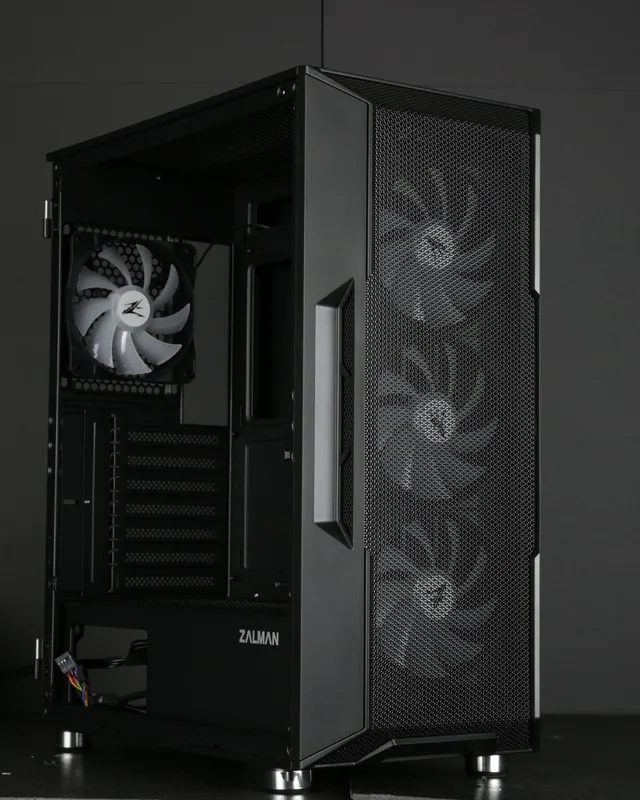
The Zalman i3 Neo is an ATX mid-tower computer case designed for builders who want a practical foundation for gaming, work, or everyday desktop systems. Its steel, plastic, and tempered-glass construction balances durability with a clean presentation of internal hardware. Measuring 422 x 219 x 484 mm and weighing 5.6 kg, it provides substantial component space without moving into oversized full-tower territory.
The chassis supports ATX, Micro-ATX, and Mini-ITX motherboards, making it suitable for a wide range of build plans. There is clearance for graphics cards up to 355 mm long, CPU coolers up to 160 mm high, and power supplies up to 210 mm long. Seven PCI expansion slots give users room for a dedicated graphics card and other expansion hardware.
Cooling Capacity and RGB Presentation
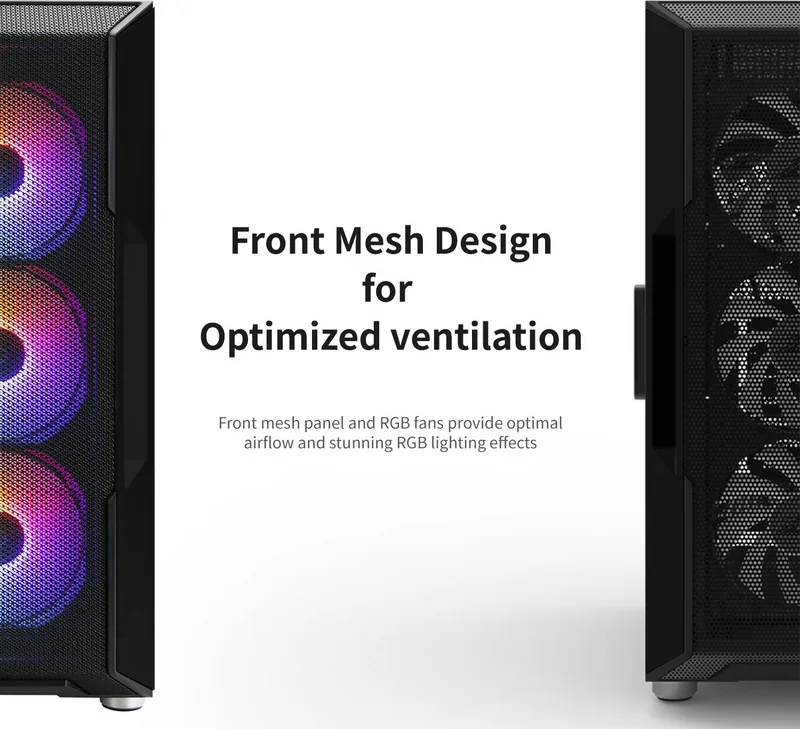
Airflow flexibility is a major highlight of the Zalman i3 Neo. The case includes four 120 mm RGB LED fans: three at the front and one at the rear. These fans use hydro bearings and are rated for up to 41.5 CFM airflow with a maximum noise level of 22.4 dB. Additional fan locations support up to three 120 mm or three 140 mm front fans, two 120 mm or 140 mm top fans, one 120 mm rear fan, and two 120 mm bottom fans.
For liquid-cooled systems, the front supports 120 mm, 240 mm, 280 mm, and 360 mm radiators. The top supports 120 mm and 240 mm radiators, while the rear supports a 120 mm radiator. This range gives builders the freedom to choose a straightforward air-cooled setup or a more ambitious water-cooling configuration.
Storage, Connectivity, and Installation
Storage support includes two combo bays for either 3.5-inch or 2.5-inch drives, with one tool-free position, plus three dedicated 2.5-inch SSD bays. The included accessory set contains screws, motherboard standoffs, cable ties, rubber covers, PCI slot covers, a buzzer, thumb screws, and a glass cleaner to assist with assembly and presentation.
Front I/O provides a power button, reset button, HDD and power LEDs, microphone and headphone jacks, one USB 2.0 port, and two USB 3.0 ports. The case also includes removable side and front panels for access during installation. Careful cable routing and proper connection of the HD audio, USB, power, reset, and LED headers help ensure a tidy and dependable build.
Notes
Keep ventilation openings clear, avoid excessive force during installation, and use the case in a clean, dry, well-ventilated location. Product design and specifications may change as part of ongoing quality improvements.
Search for 67,706 Manuals online


Type-in Brand or Model