
Zalman Z9 Iceberg Manual
PDF manual · 9 Pages
English



Quick check
Incorrect answer, please try again.
Chat with your Zalman Z9 Iceberg manual using AI
Get instant AI answers from your Zalman Z9 Iceberg manual
Ask anything about the Zalman Z9 Iceberg. Answers come from this manual, with the pages they are based on.
Ask a Question
Do you recommend Z9 Iceberg?
Yes NoFrequently Asked Questions
The case supports E-ATX, ATX, mATX, and Mini-ITX motherboards, providing flexibility for various build configurations.
Is this answer helpful?
Yes, the Z9 Iceberg supports radiators up to 360mm on both the front and top panels for effective liquid cooling solutions.
Is this answer helpful?
You can install up to two 3.5-inch HDDs and three 2.5-inch SSDs, or mix them in various configurations depending on your needs.
Is this answer helpful?
Yes, a dedicated graphics card holder is included to support heavy GPUs and prevent sagging over time.
Is this answer helpful?
The maximum CPU cooler height allowed is 185mm, so ensure your cooler fits within this dimension before purchasing.
Is this answer helpful?
Yes, it includes one 140mm fan at the front and one at the rear to provide immediate airflow upon assembly.
Is this answer helpful?
Advantages and Disadvantages
Advantages

- Supports large radiators up to 360mm for advanced liquid cooling
- Accommodates up to three 200mm front fans for maximum air intake
- Includes a dedicated graphics card holder to prevent GPU sag
- Offers versatile storage options for both 3.5-inch and 2.5-inch drives
- Features a modern design with tempered glass and steel construction
Disadvantages

- Maximum PSU length is limited to 200mm which may restrict some units
- CPU cooler height limit of 185mm may not fit very tall air coolers
- Requires careful cable management due to tight interior space
- Pre-installed fans use older connector types (IDE/Fan 3-pin)
- Front panel design may attract fingerprints and dust easily
Product Specification
Extern
N/A
Intern
2x 2.5"/3.5" (transverse, drive rails), 2x 2.5"/3.5" or Variant 2: 2x 2.5"/3.5" (transverse, drive rails), 3x 2.5"
Connections
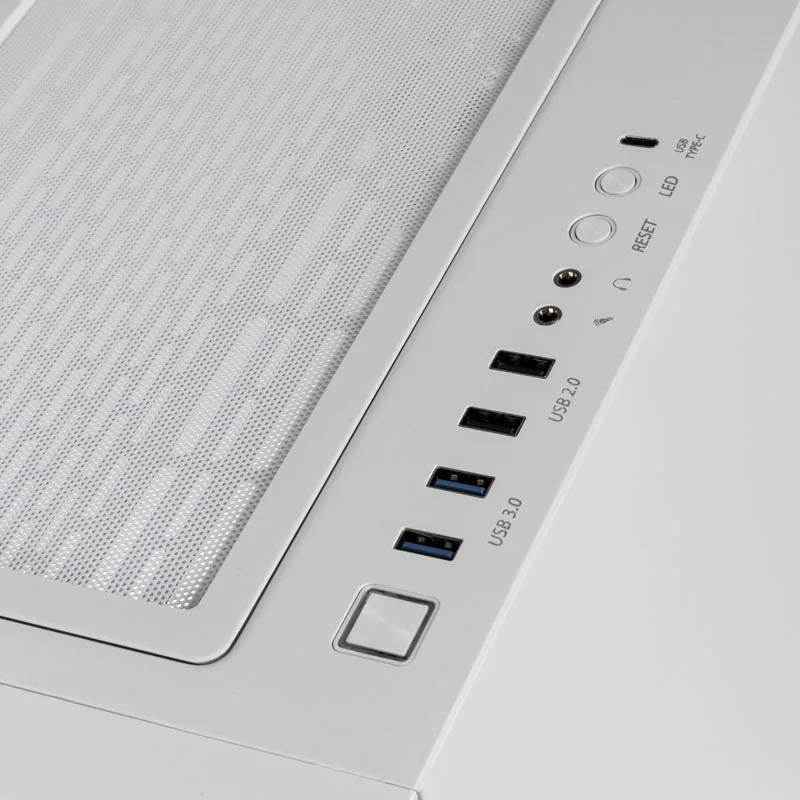
1x USB-C 3.1 (10Gb/s, 20-Pin Key-A Header), 2x USB-A 3.0 (5Gb/s), 2x USB-A 2.0 (480Mb/s), 1x 3.5mm jack (Line-Out), 1x 3.5mm jack (Line-In)
PCI Slots
10 (3x Riser Card)
Fan (front)
1x 140mm, 800rpm, 0.7mmH₂O, 45 CFM, 20dB(A) or 3x 140mm (optional) or 2x 200mm (optional)
Fan (rear)
1x 140mm, 800rpm, 0.7mmH₂O, 45 CFM, 20dB(A)
Fan (left)
N/A
Fan (right)
N/A
Fan (top)
3x 120mm (optional) or 2x 140mm (optional)
Fan (bottom)
N/A
Fan (other)
N/A
Radiator sizes
120/140/240/280/360mm front, 120/140/240/280/360mm top, 120/140mm rear
Motherboard
up to ATX (E-ATX with unknown dimensions possible)
Supported Motherboards
Mini-ITX (6.7"x6.7")/µATX (9.6"x9.6")/ATX (12"x9.6")/E-ATX (unknown dimensions)
Power Supply
ATX (max. 10.6" deep with HDD cage, 15.4" without HDD cage)
Power Supply Position
bottom
CPU Cooler
max. 7.3" height
Graphics Cards
max. 15.4"
Lighting
no lighting
Dimensions (WxDxH)
9.65x19.53x18.62 in
Volume
3.51 cu ft
Weight
21.16 lbs
Chassis Type
Midi-Tower
Front
closed, ventilation slots on sides
Top
partially closed, mostly fan grille, dust filter outside
Bottom
partially closed, fan grille at rear, dust filter outside
Left
closed, glass, ventilation slots front
Right
closed, ventilation slots front
Rear
partially closed, fan grille right top, PCI slots (7x horizontal, 3x vertical)
Front I/O Position
Chassis side: top, Height: Front, Position: right
Features
Cable management, dust filter, graphics card mountable vertically, graphics card holder, glass window
Note on E-ATX
Motherboard and chassis manufacturers designate different dimensions as E-ATX. This manufacturer provides no information on supported E-ATX dimensions. Motherboards with E-ATX/SSI EEB dimensions of 305x330mm or 12"x13" may not be supported.
USB Spelling
Link
Product Description
The Zalman Z9 Iceberg: A Robust ATX Mid-Tower for Custom Builds
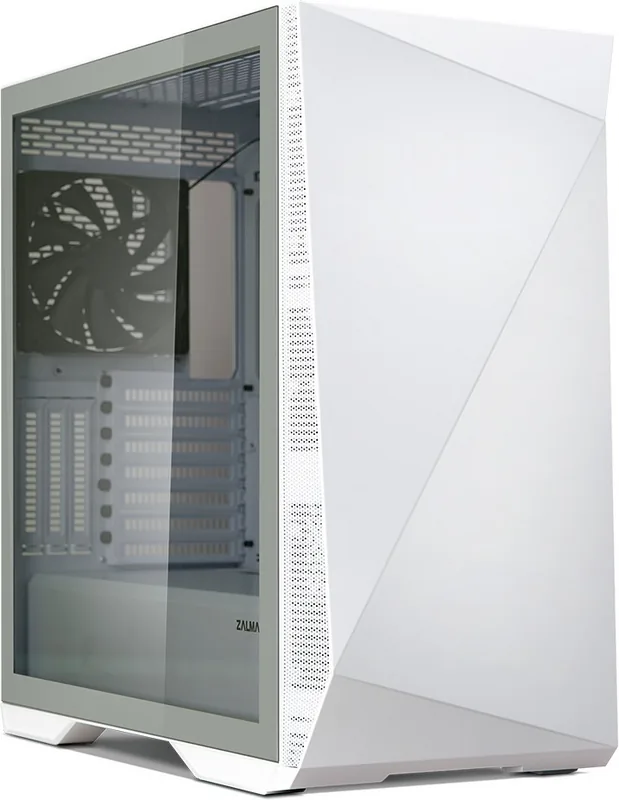
The Zalman Z9 Iceberg stands out as a premium ATX mid-tower computer case designed for enthusiasts who demand both aesthetic appeal and functional versatility. With its sleek exterior combining steel, tempered glass, and durable plastic, this chassis offers a modern look that fits seamlessly into any gaming or workstation setup. The case supports a wide range of motherboard sizes, including E-ATX, ATX, mATX, and Mini-ITX, making it an ideal choice for builders ranging from casual users to high-performance system architects.
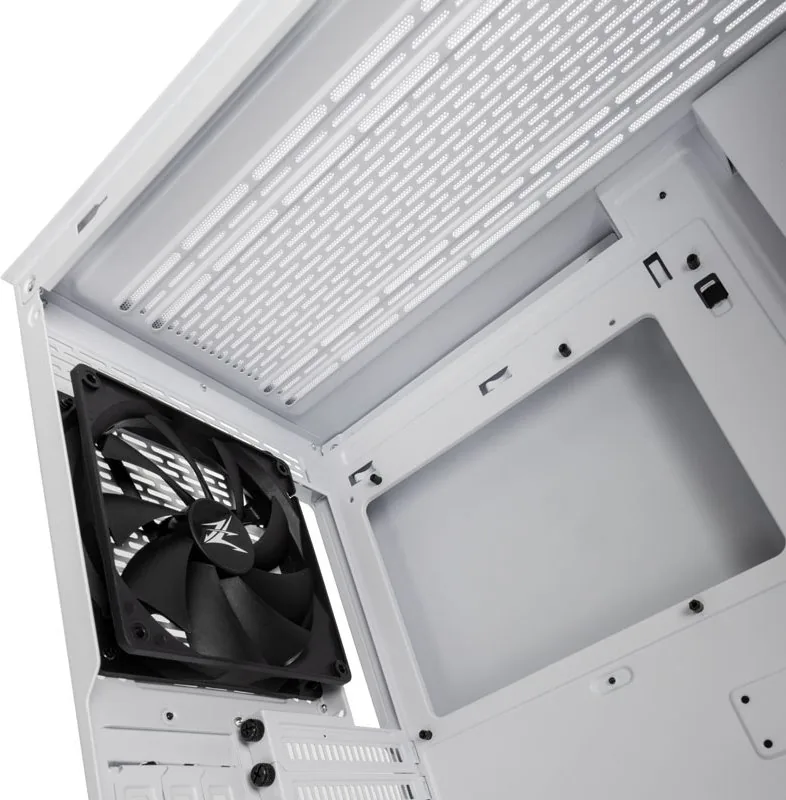
One of the defining features of the Z9 Iceberg is its exceptional cooling capabilities. The front panel accommodates up to three 120mm fans, three 140mm fans, or even two massive 200mm units with a slim profile of 25mm. The top and rear panels also offer flexible fan mounting options, while the front and top support radiators up to 360mm in length. This extensive liquid cooling support ensures that high-end CPUs and GPUs can be kept at optimal temperatures during intense workloads. Additionally, the case includes pre-installed 140mm fans at the front and rear, providing immediate airflow right out of the box.
Storage flexibility is another strong point of this design. Users can configure multiple drive bays to suit their needs, supporting two 3.5-inch HDDs alongside three 2.5-inch SSDs, or alternative combinations like two 3.5-inch drives with additional SSD space. The included accessories, such as cable ties, rubber covers, and various screws, streamline the installation process. The I/O panel on the top provides convenient access to USB 3.0 ports, USB 2.0 ports, a USB 3.1 Gen2 Type-C port, and audio jacks, along with control buttons for power, reset, and LED lighting.
Safety and ease of assembly are prioritized throughout the design. The case comes with detailed instructions covering everything from removing side panels to mounting the power supply unit and graphics cards. A dedicated graphics card holder prevents sagging, ensuring long-term stability for heavy GPU setups. While the Z9 Iceberg is built to last, users should avoid exposing it to direct sunlight, moisture, or excessive dust to maintain its longevity. Cleaning should always be done with a dry cloth, avoiding harsh chemicals that could damage the finish.
Key Notes for Builders
- Ensure ventilation holes remain unblocked for proper airflow.
- Always wear gloves during installation to prevent scratches and accidents.
- Check all components before mounting to avoid compatibility issues.
- Do not insert hands or objects into the case while the system is powered on.
Search for 67,706 Manuals online


Type-in Brand or Model