
Zalman T6 Manual
PDF manual · 16 Pages
English



Quick check
Incorrect answer, please try again.
Chat with your Zalman T6 manual using AI
Get instant AI answers from your Zalman T6 manual
Ask anything about the Zalman T6. Answers come from this manual, with the pages they are based on.
Ask a Question
Do you recommend T6?
Yes NoFrequently Asked Questions
The Zalman T6 supports ATX, mATX, and Mini-ITX motherboards. This makes it suitable for many common upgrade paths, from compact builds to standard ATX configurations.
Is this answer helpful?
The case lists support for up to 280 mm GPU length. It also notes that the available length can drop to 260 mm or less when a front HDD is installed, so drive placement matters.
Is this answer helpful?
The maximum CPU cooler height is 165 mm. If the side fan is installed, the supported clearance can reduce to 140 mm or less, so check your cooling and fan plan together.
Is this answer helpful?
The Zalman T6 supports 120 mm fans. It supports 2x120 mm at the front, 1x120 mm at the rear, and 1x120 mm at the side, giving you options to shape airflow.
Is this answer helpful?
It provides 2x 3.5-inch bays and 2x 2.5-inch bays, plus 1x 5.25-inch bay. This allows mixed HDD and SSD storage layouts depending on your needs.
Is this answer helpful?
Yes. The I/O panel includes USB 3.0 along with USB 2.0 ports. It also includes headphone and microphone jacks, plus power and reset buttons.
Is this answer helpful?
Wear gloves while installing. Check the product and components before starting. Connect cables correctly to avoid short circuits, and do not block ventilation openings during operation. Avoid cleaning with chemicals like alcohol or acetone.
Is this answer helpful?
Advantages and Disadvantages
Advantages

- Supports ATX, mATX, and Mini-ITX motherboard formats for broad compatibility.
- Flexible cooling layout with multiple 120 mm fan mounting locations (front, rear, side).
- Good expansion capacity with 7 PCI expansion slots for typical GPU and add-in cards.
- Mixed storage support: 2x 3.5-inch, 2x 2.5-inch, and 1x 5.25-inch bay.
- Reasonable component clearances: up to 280 mm VGA and up to 165 mm CPU cooler height.
Disadvantages

- Clearances vary: GPU length and cooler height can reduce when certain drives/fans are installed.
- Requires careful cable connection to prevent short circuits and fire risk.
- Ventilation openings must not be blocked, especially when configuring airflow.
Product Specification
External
1x 5.25"
Internal
2x 3.5", 2x 2.5"
Ports
1x USB-A 3.0 (5Gb/s), 2x USB-A 2.0 (480Mb/s), 1x 3.5mm jack (Line-Out), 1x 3.5mm jack (Line-In)
PCI slots
7
Fan (front)
2x 4.72in (optional)
Fan (rear)
1x 4.72in
Fan (left)
1x 4.72in (optional)
Fan (right)
N/A
Fan (top)
N/A
Fan (bottom)
N/A
Fan (other)
N/A
Radiator sizes
N/A
Motherboard
up to ATX
Supported motherboards
Mini-ITX (6.7"x6.7")/\u00b5ATX (9.6"x9.6")/ATX (12"x9.6")
Power supply
ATX (max. 6.30in deep)
Power supply position
top
CPU cooler
max. 6.50in height (5.51in with side fan)
Graphics cards
max. 11.02in (10.24in with front HDD)
Color
black, interior black
Lighting
no lighting
Dimensions (WxHxD)
7.87x16.93x14.84in
Volume
8.56 gal
Weight
6.22 lb
Case type
Midi-Tower
Front
partially closed, mostly Mesh
Top
closed
Bottom
closed
Left
partially closed, fan grille centered
Right
closed
Rear
partially closed, fan grille centered right, PCI slots bottom (7x horizontal)
Front I/O Position
Case side: top, Height: Front, Position: centered
Features
Cable management
USB notation
Link
Product Description
Zalman T6 Review and Build Guide (Zalman T6 Manual)
Built for flexible ATX-style upgrades
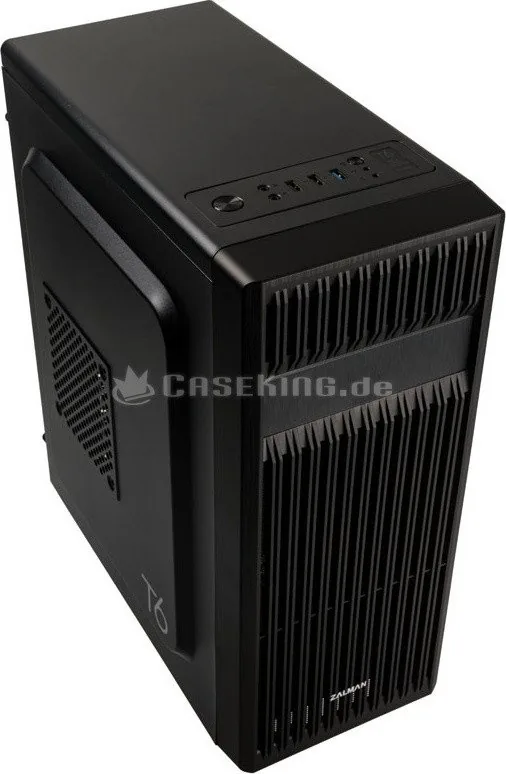
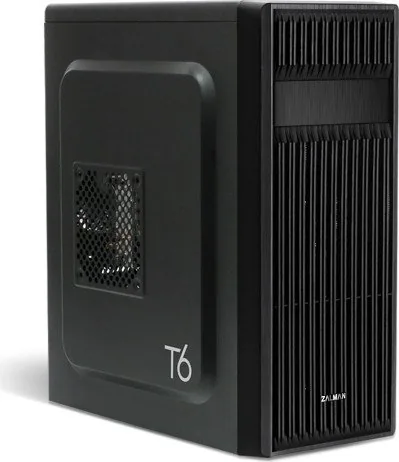
The Zalman T6 is a mid-tower PC case designed to support a wide range of motherboards, including ATX, mATX, and Mini-ITX. With a steel and plastic build, it targets everyday builders who want a straightforward platform for core components and dependable airflow.
Space for modern hardware
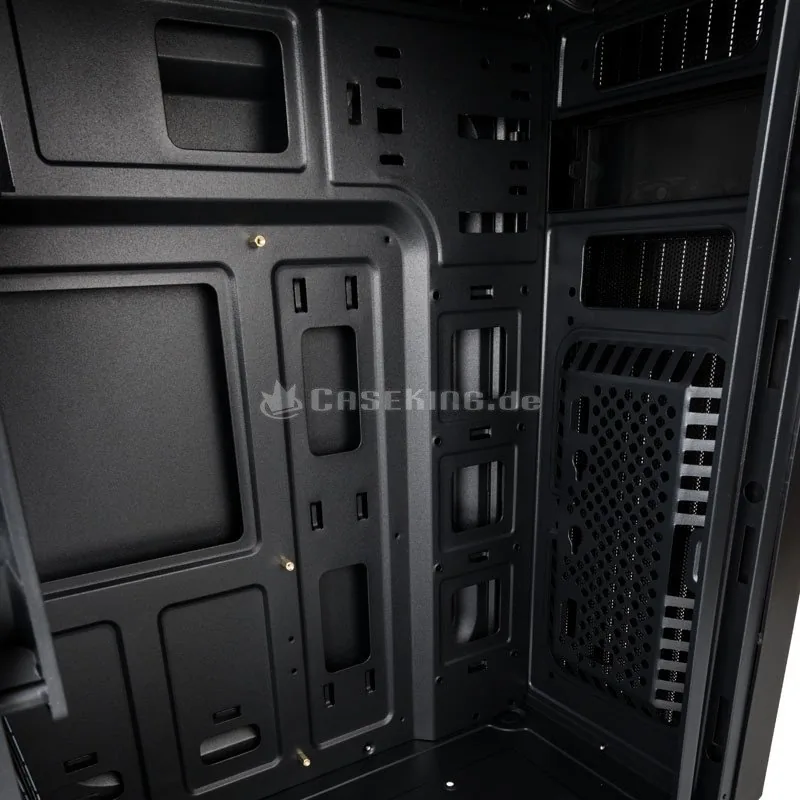
Inside, the Zalman T6 accommodates up to 280 mm of VGA length (noting that the limit can drop when a front HDD is installed). It also supports a maximum CPU cooler height of 165 mm, with reduced clearance to 140 mm when a side fan is installed. For power supply support, the case is rated for up to 160 mm PSU length.
Cooling and storage options
The case is designed around practical cooling layout: front supports 2x120 mm fans, while rear supports 1x120 mm and side supports 1x120 mm. On the storage front, it provides 2x 3.5-inch drive bays, 2x 2.5-inch bays, and 1x 5.25-inch bay, making it suitable for mixed HDD and SSD builds.
Front-panel connectivity
For everyday access, the I/O panel includes a power button, reset button, headphone jack, microphone jack, and USB connectivity with both USB 2.0 and USB 3.0 ports.
Key results
- ATX, mATX, and Mini-ITX support in a compact mid-tower footprint (377D x 200W x 430H mm).
- Supports up to 280 mm GPUs and 165 mm CPU coolers (depending on side fan and drive placement).
- Cooling support for 120 mm fans across front, rear, and side mounts.
- Versatile drive bays for 3.5-inch HDDs, 2.5-inch SSDs, and a 5.25-inch bay.
- Practical front and rear I/O options for daily use.
Notes for safer installation
- Wear gloves during installation.
- Confirm cable connections carefully to avoid short circuits.
- Do not block the ventilation openings during use.
- Keep the case away from direct sunlight, water, moisture, oil, and excessive dust.
- Avoid wiping the surface with chemicals like alcohol or acetone.
Search for 67,706 Manuals online


Type-in Brand or Model
Jarvis Hickle
7 months ago
Does this PC case have enough clearance for a large CPU cooler and the PSU fan, especially with smaller motherboards (micro-ATX or mini-ITX)? I read some builds have blocked components.
Manual.ly
7 months ago
Clearance depends on the case internal dimensions. Before buying, check these specs: compatible motherboard form factor, maximum CPU cooler height, maximum GPU length, maximum PSU length, and whether it supports front/top radiators. Also verify the clearance around the PSU area and the distance between the case intake fan and the motherboard. If a large CPU cooler can block the PSU fan or reduce airflow, the case may not be suitable for your parts. If you find components cannot be mounted without obstruction during the first install steps, stop and request an exchange/return. For sizing help, share your motherboard model and CPU cooler (height) and PSU length.