
Zalman ZM-GM5 Manual
PDF manual · 1 Pages
English


Quick check
Incorrect answer, please try again.
Chat with your Zalman ZM-GM5 manual using AI
Get instant AI answers from your Zalman ZM-GM5 manual
Ask anything about the Zalman ZM-GM5. Answers come from this manual, with the pages they are based on.
Ask a Question
Do you recommend ZM-GM5?
Yes NoFrequently Asked Questions
It uses an optical Pixart A3050 sensor. This sensor is designed for accurate tracking and reliable response in both gaming and everyday tasks.
Is this answer helpful?
Yes. The software includes left mode and right mode, so the mouse can be adapted for either hand depending on the user's preference.
Is this answer helpful?
The mouse supports up to 4,000 DPI. That gives users a useful range for changing cursor speed and matching different play styles or work needs.
Is this answer helpful?
Yes. The dedicated software allows button assignment, macro creation, shortcut commands, multimedia controls, and other custom actions for faster use.
Is this answer helpful?
The mouse offers three LED modes: Steady, Breathe, and Neon. The lighting can also be adjusted across 16 million colors through the software.
Is this answer helpful?
No. The mouse connects through USB and is automatically recognized by the system. For advanced features like macros and lighting control, install the Zalman software.
Is this answer helpful?
The listed compatibility includes Windows XP, 7, 8, 8.1, and 10. It is intended for PCs with a USB port.
Is this answer helpful?
Advantages and Disadvantages
Advantages

- Optical Pixart A3050 sensor delivers responsive tracking for gaming and daily use.
- Up to 4,000 DPI and 1,000Hz polling rate support fast, precise cursor control.
- Programmable buttons and macro support improve productivity and in-game speed.
- Ambidextrous software modes make it usable for both left-handed and right-handed users.
- Custom LED lighting offers three modes and 16 million color options.
Disadvantages

- Wired USB design limits movement compared with wireless mice.
- Advanced customization depends on Zalman software installation.
- 156g weight may feel heavy for users who prefer ultra-light mice.
- Compatibility is focused on Windows systems rather than broader platform support.
Product Specification
Ergonomics
ambidextrous (left hand, right hand)
Buttons
9 (total), 2 (main), 2 (top), 2 (left), 2 (right), 1 (scroll wheel click)
Scroll wheel
1x 2-way
Tracking
red LED/IR
Resolution
4000dpi, adjustable
Sensor
PixArt ADNS-3050
Switches
mechanical switches, Huano
Polling Rate
1000Hz, adjustable to 500/250/125Hz (wired USB)
Lighting
RGB
Connection
wired (70.87 in), USB
Power supply
USB
Dimensions (WxHxD)
2.64x1.54x4.96 in
Approximate Volume
5.25 in^3 (approximate shape)
Weight
0.34 lb
Color
black
Special features
Braided cable
Product Description
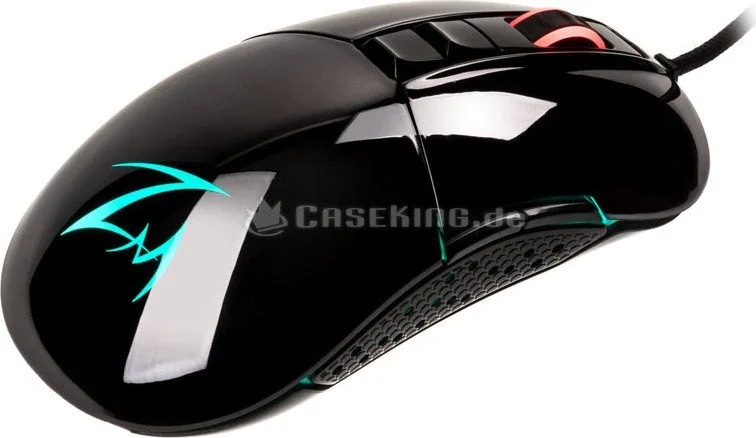
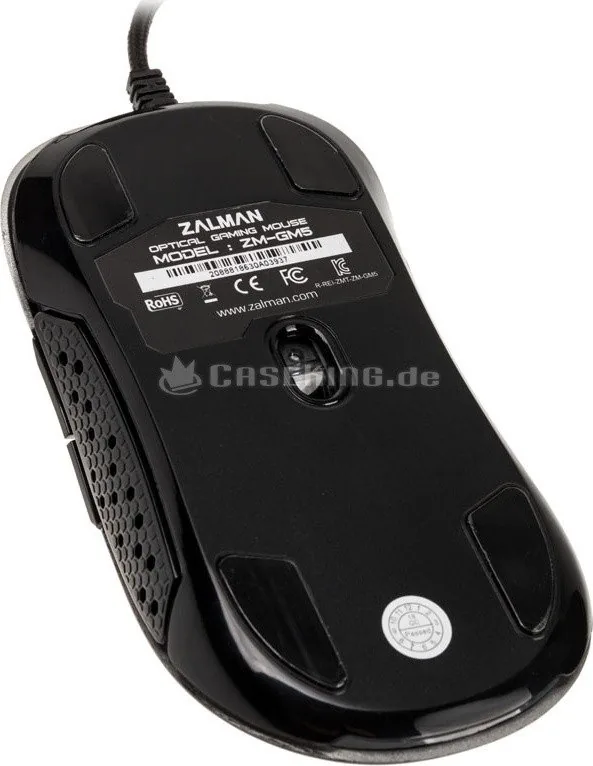
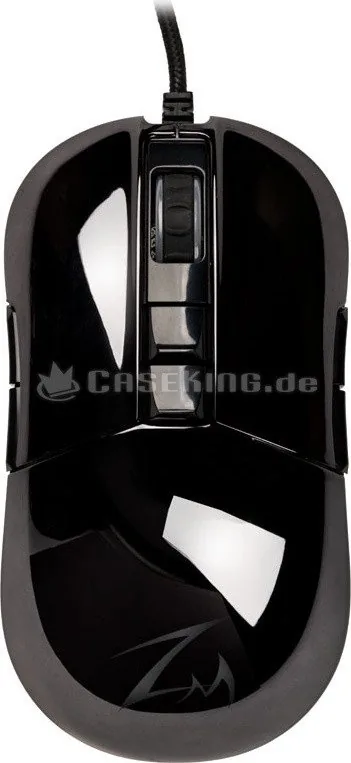
Zalman ZM-GM5 Black USB Gaming Mouse
The Zalman ZM-GM5 black, USB is a wired mouse built for users who want dependable control, flexible setup options, and a clean black design. It blends gaming-oriented features with everyday practicality, making it a good fit for both competitive play and regular computer use. The shape is compact, the connection is simple, and the overall approach is focused on speed, comfort, and customization.
A mouse designed for control
At the heart of the ZM-GM5 is an optical Pixart A3050 sensor with up to 4,000 DPI, a 1,000Hz polling rate, and 20G acceleration. These specifications point to responsive tracking and quick cursor movement, which are especially useful in action-heavy games and fast desktop tasks. The mouse also includes programmable buttons, giving users the freedom to assign shortcuts, media controls, screen capture commands, or layered macro actions.
Customization through software
One of the strongest parts of this model is its dedicated software. With it, users can remap buttons, create macros, and tune the mouse for specific games or workflows. The software also offers three LED lighting modes: Steady, Breathe, and Neon, with support for 16 million colors. This allows the mouse to match the rest of a setup without feeling overly flashy. It is the kind of detail that gives the ZM-GM5 a more personal and refined feel.
Comfortable for different users
The ZM-GM5 is designed to work for both left-handed and right-handed users, which is a useful advantage in a world where many mice still favor one hand. Mode selection in the software helps tailor the layout to the user's preference. Its USB connection keeps setup easy: plug it in, and it is ready for use. Compatibility also extends across multiple Windows versions, from older systems to Windows 10, which adds convenience for users with different PCs.
Everyday value with gaming features
With a weight of 156g including the cable, the mouse has a stable, substantial feel. It is not built to be ultra-light, but that can be a plus for users who prefer a more anchored sensation during movement. The ZM-GM5 feels like a straightforward, usable mouse with enough gaming features to matter, while still staying accessible for general browsing, work, and casual play.
Notes
- Best suited for users who want wired reliability and button customization.
- Software unlocks the full range of macros, lighting, and mode settings.
- Check the USB connection first if the mouse does not respond.
- Avoid modifying the device to preserve warranty coverage.
Search for 67,706 Manuals online


Type-in Brand or Model