
Zalman Z10 Manual
PDF manual · 9 Pages
English



Quick check
Incorrect answer, please try again.
Chat with your Zalman Z10 manual using AI
Get instant AI answers from your Zalman Z10 manual
Ask anything about the Zalman Z10. Answers come from this manual, with the pages they are based on.
Ask a Question
Do you recommend Z10?
Yes NoFrequently Asked Questions
The case supports ATX, mATX, and Mini-ITX motherboard sizes. This allows users to build everything from small office PCs to full gaming rigs without compatibility issues.
Is this answer helpful?
You can mount radiators up to 360mm on the top and front, and 120mm on the rear. It supports up to five 120mm fans on the side alone.
Is this answer helpful?
Yes, there are magnetic PVC filters at the top and slide PVC filters with a frame at the bottom to prevent dust intake.
Is this answer helpful?
The internal layout supports graphics cards up to 395mm in length, accommodating most high-end consumer GPUs.
Is this answer helpful?
Yes, the case supports radiator sizes up to 360mm on the top and front mounts for AIO or custom loops.
Is this answer helpful?
The front panel includes two USB 3.0 ports, one USB Type-C, HD Audio, a microphone jack, power, reset, and an LED button.
Is this answer helpful?
The exterior design and specifications are subject to change without prior notice for quality improvement purposes.
Is this answer helpful?
Advantages and Disadvantages
Advantages

- Supports ATX, mATX, and Mini-ITX motherboards for versatile system builds.
- Includes pre-installed fans for immediate cooling setup right out of the box.
- Features USB Type-C for fast data transfer on the modern I/O panel.
- Tempered glass side panel provides excellent visibility for custom builds.
- Magnetic and PVC dust filters help keep internal components clean.
Disadvantages

- Weight is relatively heavy at 8kg to 9kg depending on the model.
- Specifications may change without prior notice to consumers during production.
- Chemicals should not be used to clean the surface to avoid damage.
- No additional USB ports available beyond the two USB 3.0 and one Type-C.
- Excessive force during mounting may cause serious damage to the system.
Product Specification
External
N/A
Internal
2x 2.5"/3.5" (Horizontal, Drive Bays), 2x 2.5"
Connectors
1x USB-C 3.1 (10Gb/s, 20-Pin Key-A Header), 2x USB-A 3.0 (5Gb/s), 1x USB-A 2.0 (480Mb/s), 1x 3.5mm Jack (Line-Out), 1x 3.5mm Jack (Line-In)
Fan (Left)
N/A
Fan (Right)
2x 4.72" (optional)
Fan (Top)
3x 4.72" (optional) or 2x 5.51" (optional)
Fan (Bottom)
N/A
Fan (Other)
2x 4.72" (optional)
Motherboard
Up to ATX (E-ATX with unknown dimensions possible)
Supported Motherboards
Mini-ITX (6.7"x6.7")/mATX (9.6"x9.6")/ATX (12"x9.6")/E-ATX (unknown dimensions)
Power Supply
ATX (max. 7.87" depth)
Power Supply Position
Bottom
CPU Cooler
Max. 6.81" height
Graphics Cards
Max. 15.55"
Color
Black, Interior Black
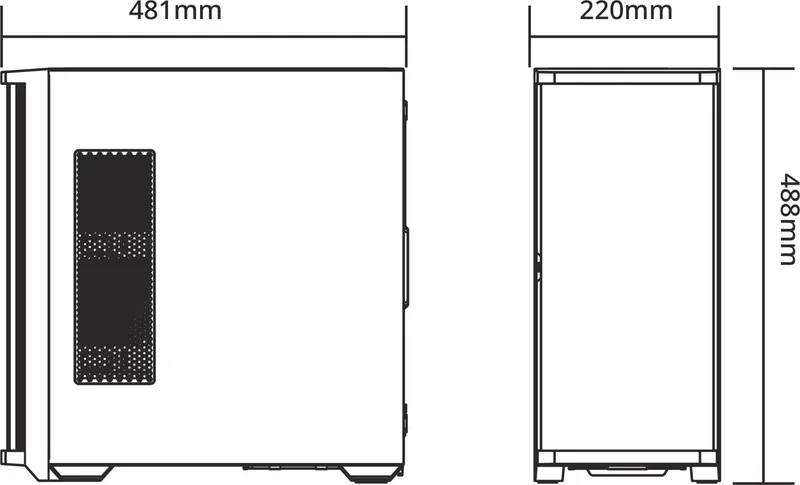
Dimensions (W x H x D)
8.66"x19.21"x18.94"
Volume
1.82 cu ft
Chassis Type
Mid-Tower
Top
Partially Closed, Mostly Fan Grille, Dust Filter External
Bottom
Partially Closed, Rear Fan Grille, Dust Filter External
Left
Closed, Glass
Right
Partially Closed, Front Fan Grille, Dust Filter Internal
Front I/O Position
Chassis Side: Top, Height: Front, Position: Centered
Note on E-ATX
Motherboard and case manufacturers designate different dimensions as E-ATX. This manufacturer makes no specifications on supported E-ATX dimensions. Motherboards with E-ATX/SSI EEB dimensions of 12.01x13.00" may not be supported.
USB Labeling
Left
Product Description
Welcome to the Zalman Z10 Experience
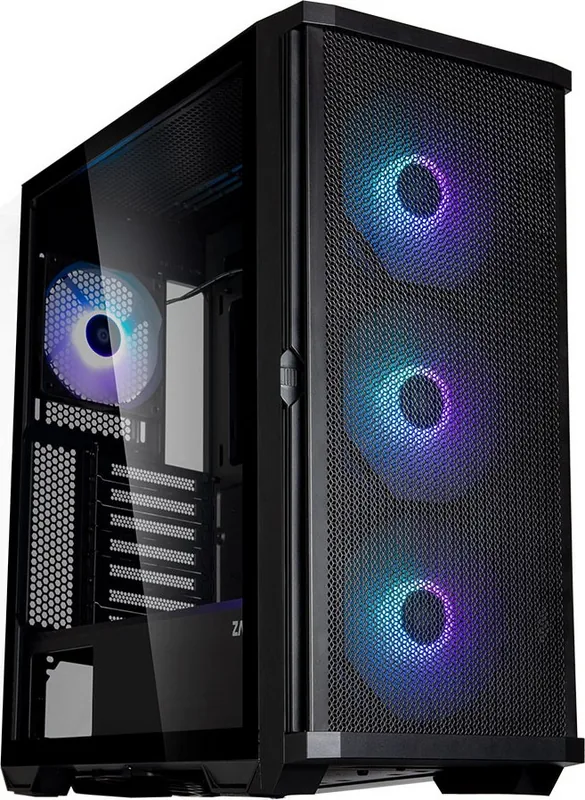
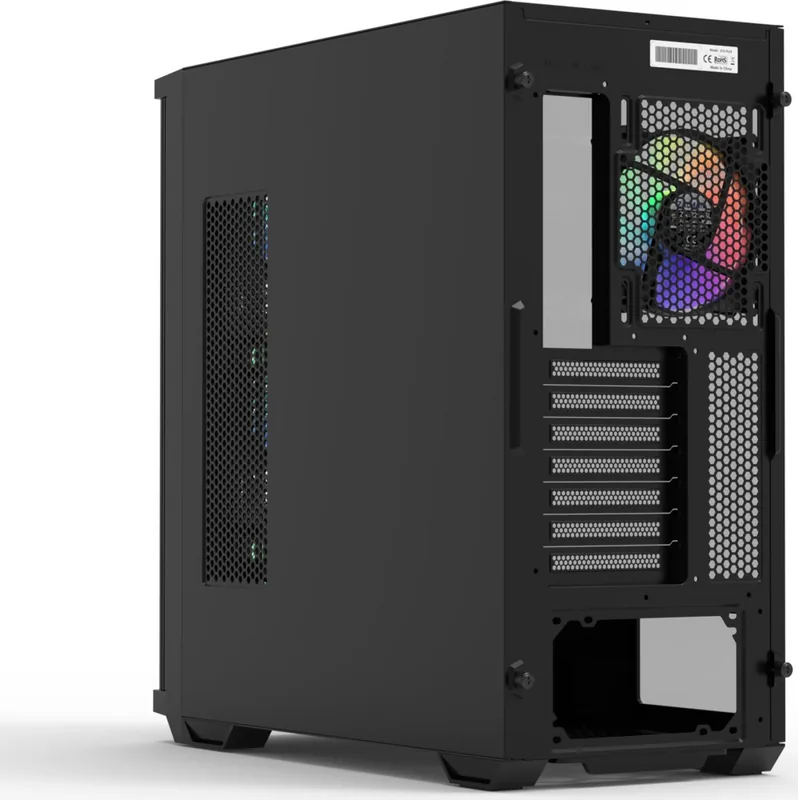
The Zalman Z10 series represents a significant step forward in budget-friendly mid-tower cases designed for the modern gaming enthusiast and content creator alike. Constructed with durable plastic and reinforced steel components, this chassis offers a robust build quality that accommodates ATX motherboards alongside smaller form factors like mATX and Mini-ITX. Users seeking a powerful system will appreciate the spacious interior, which allows for up to a 395mm graphics card installation and accommodates massive CPU coolers up to 173mm in height. The design prioritizes airflow to maintain optimal operating temperatures during intense workloads, featuring extensive fan support across the top, front, bottom, and side mounts.
One of the standout features is the inclusion of pre-installed fans depending on the specific model variant chosen from the detailed Zalman Z10 Manual specifications online. The standard Z10 includes three 140mm black fans, while other versions offered in the Z10 Plus feature vibrant ARGB lighting options for those who want visual flair alongside cooling performance. Ventilation is key, with magnetic dust filters placed at the top and slide PVC filters with a frame at the bottom, ensuring cleanliness inside the case without requiring frequent deep cleaning sessions or worrying about internal dust accumulation over time.
Connectivity is streamlined with a modern I/O panel containing two USB 3.0 ports and one USB Type-C connection for fast data transfer speeds. The front panel also houses HD audio and microphone jacks alongside essential power and reset buttons. Safety warnings indicate that proper installation procedures should follow strict guidelines, such as avoiding the obstruction of ventilation holes and keeping children away during setup to prevent accidents. The tempered glass side panel provides a clear view of the internal components, adding a sleek aesthetic touch to the black steel and plastic exterior shell.
Weight varies slightly between the Z10, Z10 Plus, and Z10 Duo, ranging from 8kg to 9kg depending on the configuration. This portability is useful for moving the system between locations, though the sturdy construction suggests it is built to last for years of service. Whether handling a large 360mm radiator loop or ensuring the PSU stays cool, the internal layout accommodates various configurations with ease. Installation procedures ensure components like the radiator, fans, and storage devices are mounted securely.
Potential buyers should note that the exterior design and technical specifications are subject to change without prior notice for quality improvement purposes. Storing the product in a well-ventilated area away from direct sunlight is recommended to prevent material degradation. The case materials allow for easy cleaning, but harsh chemicals should be avoided to prevent surface damage over time. This case fits seamlessly into a dedicated gaming room or home office setup, providing a reliable foundation for a high-performance PC build right out of the box. Care must be taken to ensure the system is not subjected to excessive force during mounting to avoid structural damage. Always verify the product and components before starting the build process to ensure nothing is abnormal. In case of any issues, contacting the purchaser location is advised for replacement or refund. This ensures a smooth experience when integrating the case into your computer workspace.
Search for 67,706 Manuals online


Type-in Brand or Model