
Zalman X3 Manual
PDF manual · 20 Pages
English



Quick check
Incorrect answer, please try again.
Chat with your Zalman X3 manual using AI
Get instant AI answers from your Zalman X3 manual
Ask anything about the Zalman X3. Answers come from this manual, with the pages they are based on.
Ask a Question
Do you recommend X3?
Yes NoFrequently Asked Questions
The Zalman X3 supports graphics cards up to 350mm in length, accommodating most high-performance models available on the market today.
Is this answer helpful?
Yes, the front of the case supports radiators up to 360mm. However, please note that installing a 280mm radiator may require checking screw hole distances to ensure proper fitment.
Is this answer helpful?
Yes, the Zalman X3 comes with four pre-installed 120mm fans featuring addressable RGB LED synchronization for immediate use upon assembly.
Is this answer helpful?
This mid-tower case supports ATX, Micro-ATX (mATX), and Mini-ITX form factor motherboards, providing flexibility for various system builds.
Is this answer helpful?
You can control the lighting using the dedicated button on the top I/O panel. A short press cycles through 50+ modes, while a long press changes between manual control and motherboard sync modes.
Is this answer helpful?
Absolutely. With support for front-mounted radiators up to 360mm and rear options, it is well-suited for custom water cooling loops or AIO coolers.
Is this answer helpful?
Advantages and Disadvantages
Advantages

- Supports massive 360mm radiators for advanced liquid cooling setups
- Pre-installed addressable RGB fans simplify initial lighting configuration
- Generous internal clearance fits long GPUs and tall CPU coolers easily
- Durable tempered glass side panel enhances visual appeal of components
- Flexible storage options with multiple combo bays for HDDs and SSDs
Disadvantages

- 280mm radiator installation may require careful measurement of screw holes
- Plastic materials used in some sections may feel less premium than all-metal cases
- No included dust filters mentioned in the basic specifications list
- Cable management could be improved given the tight space behind the tray
- RGB controller wiring requires specific motherboard compatibility for full sync
Product Specification
Extern
N/A
Intern
1x 2.5"/3.5", 1x 3.5", 2x 2.5"
Connections
1x USB-A 3.0 (5Gb/s), 2x USB-A 2.0 (480Mb/s), 1x 3.5mm Jack (Line-Out), 1x 3.5mm Jack (Line-In)
PCI Slots
7
Fan (front)
3x 120mm, 800-1500rpm, 34.33 CFM, 25.6dB(A) (RGB illuminated) or 2x 140mm (optional)
Fan (rear)
1x 120mm, 800-1500rpm, 34.33 CFM, 25.6dB(A) (RGB illuminated) or 1x 140mm (optional)
Fan (left)
N/A
Fan (right)
N/A
Fan (top)
2x 140mm (optional)
Fan (bottom)
N/A
Fan (other)
2x 120mm (optional)
Radiator sizes
120/240/280/360mm front, N/A top, 120mm rear
Motherboard
up to ATX
Supported Motherboards
Mini-ITX (6.7"x6.7")/µATX (9.6"x9.6")/ATX (12"x9.6")
Power Supply
ATX (max. 7.09" deep)
Power Supply Position
bottom
CPU Cooler
max. 6.89" height
Graphics Cards
max. 13.78"
Lighting
integrated LED control, integrated RGB lighting, illuminated fans
Dimensions (WxDxH)
8.27x18.07x16.93in
Volume
2.53cu ft
Weight
20.06lbs
Case Type
Mid-Tower
Front
partially closed, partially mesh
Top
partially closed, mostly fan grille
Bottom
partially closed, fan grille, dust filter
Left
closed, glass
Right
closed
Back
partially closed, fan grille top right, PCI slots (7x horizontal)
Front I/O Position
Case side: top, Height: Front, Position: center
Features
cable management, dust filter, glass window
USB Spelling
Link
Product Description
Elevate Your Build with the Zalman X3 Mid-Tower Case
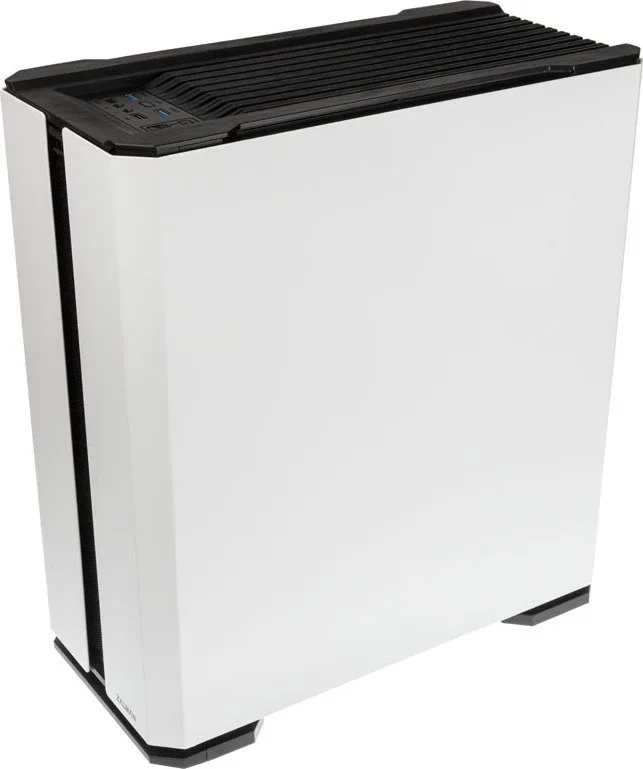
The Zalman X3 stands as a robust ATX mid-tower computer case designed for enthusiasts who demand both performance and aesthetic flexibility. This chassis combines durable steel and plastic construction with a tempered glass side panel, offering a modern look that showcases your internal components while ensuring structural integrity. Weighing in at 9.1kg, the X3 provides a solid foundation for high-end hardware without compromising on stability.
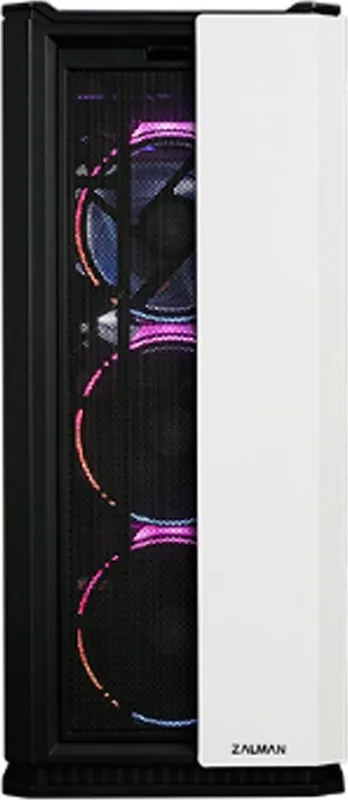
One of the standout features of the Zalman X3 is its exceptional cooling capabilities. The front of the case accommodates up to three 120mm fans or two 140mm units, while the top supports dual 120mm or 140mm fans. It also offers extensive radiator support for liquid cooling solutions, fitting 120mm, 240mm, 280mm, and even 360mm radiators at the front. The rear exhaust includes space for a 120mm or 140mm fan, ensuring optimal airflow management. Pre-installed are four addressable RGB LED synchronized fans, allowing you to start with a vibrant lighting setup right out of the box.
Inside, the X3 offers generous clearance for large components. It supports motherboards ranging from Mini-ITX to full-size ATX, with a maximum graphics card length of 350mm and a CPU cooler height of 175mm. Power supply units up to 180mm in length fit comfortably within the dedicated compartment. Storage options are plentiful, including combo drive bays that can hold 3.5-inch hard drives or 2.5-inch SSDs, along with additional mounting points for extra storage devices.
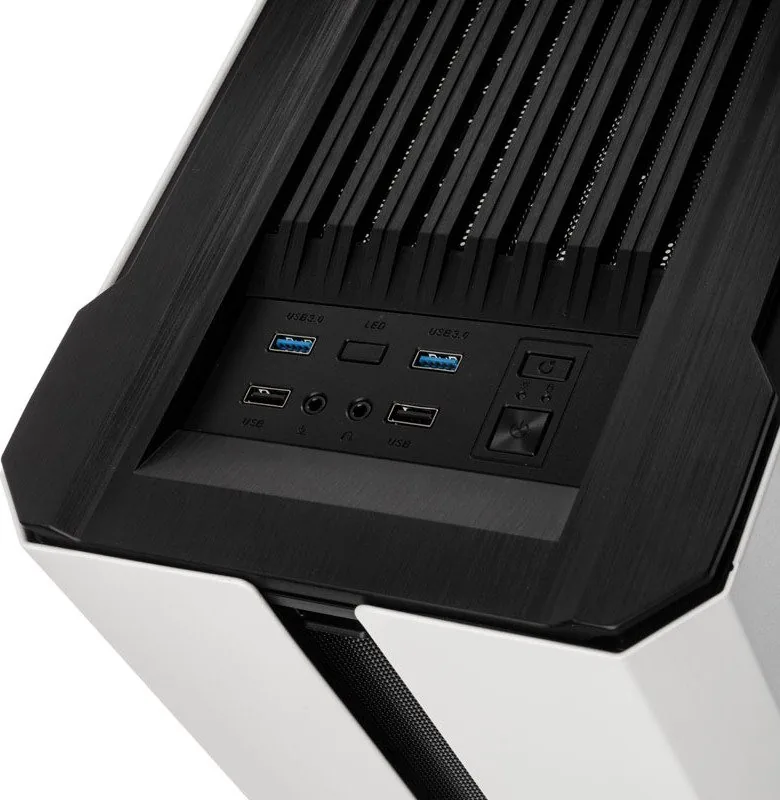
The I/O panel on the top front edge features two USB 3.0 ports, two USB 2.0 ports, and standard audio jacks for headphones and microphones. A dedicated LED control button allows users to cycle through over 50 different RGB lighting modes or sync the lights with compatible Gigabyte motherboards via an addressable connector. Safety precautions emphasize reading installation guides carefully, wearing gloves during assembly, and avoiding chemical cleaners to maintain the product's finish.
Whether you are building a gaming rig or a powerful workstation, the Zalman X3 delivers the necessary space, ventilation, and style to make your build stand out.
Search for 67,706 Manuals online


Type-in Brand or Model