

Free Intel Manuals – Read, Download & Print
14 Manuals
Manuals
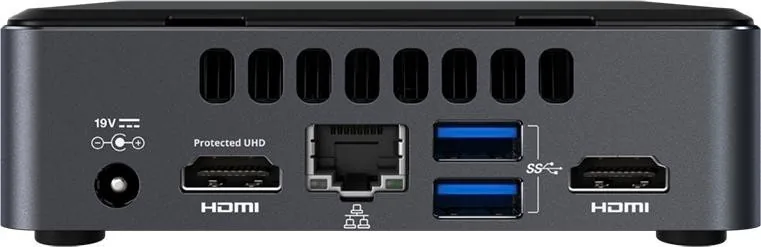
10 Pages
220 Pages
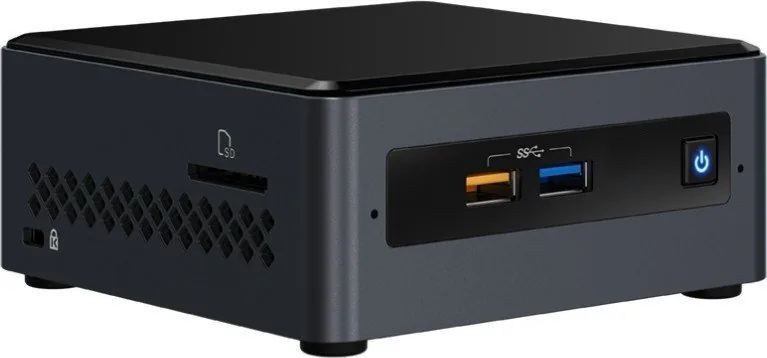
65 Pages
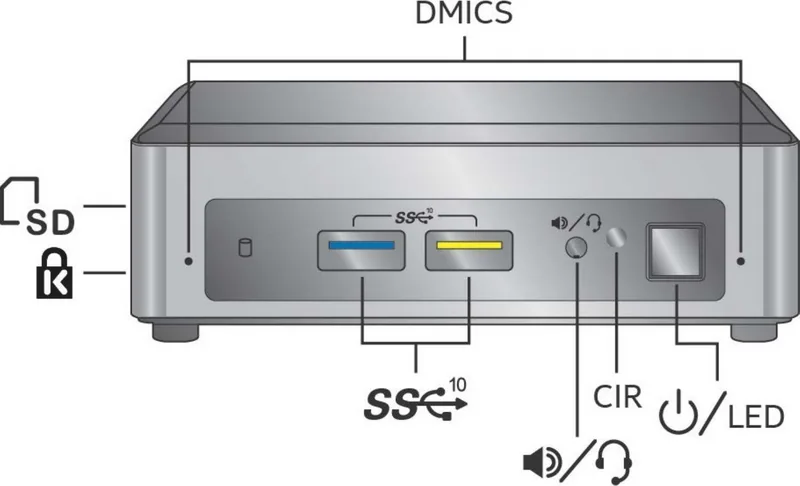
74 Pages
63 Pages
84 Pages
167 Pages
103 Pages
67 Pages

23 Pages

21 Pages
112 Pages
161 Pages
158 Pages
Categories

Free Intel Manuals - Read, Download & Print
Access Intel Documentation for Hardware, Software, and Development
Free Intel manuals provide essential technical information for users, IT professionals, system builders, developers, students, and businesses working with Intel-based products. From processor specifications and motherboard support details to software documentation and architecture references, Intel publishes a broad collection of resources designed to help people understand, configure, maintain, and optimize compatible technology.
Whether you need to identify processor features, install drivers, troubleshoot a platform issue, review BIOS guidance, or study low-level programming concepts, official Intel documentation can be a valuable starting point. Many manuals are available online as web pages or PDF documents, making them convenient to read in a browser, download for offline access, or print for use in a workshop, lab, classroom, or office.
Find Manuals by Intel Product Category
Intel documentation covers a wide range of product families and technical subjects. Searching by the exact product name, model number, processor generation, board designation, or software title helps narrow results quickly. Common categories include:
Processors and CPUs
Processor documentation may include product specifications, datasheets, thermal information, compatibility notes, installation guidance, and feature references. These resources can help users compare cores, threads, cache sizes, integrated graphics capabilities, supported memory types, power ratings, virtualization support, and instruction set extensions.
Technical readers may also look for architecture manuals that explain how Intel processors operate at a deeper level. These publications can cover system programming, memory management, protected mode, virtualization technologies, debugging, performance monitoring, and instruction behavior.
Motherboards and Desktop Platforms
Intel desktop board manuals often contain diagrams, connector layouts, front-panel header pinouts, memory installation instructions, BIOS configuration notes, storage setup guidance, and troubleshooting information. A board manual is especially useful when building a PC, replacing components, connecting case cables, or diagnosing a system that does not boot.
Older Intel board manuals can also help preserve legacy systems. They may document jumper locations, IDE or SATA connections, expansion slots, supported processors, onboard audio headers, and other details that are difficult to determine by visual inspection alone.
Intel NUC and Mini PCs
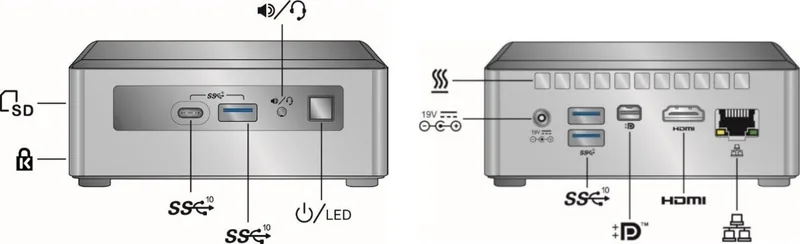
Intel NUC documentation can include user guides, technical product specifications, chassis diagrams, compatibility lists, driver resources, and setup instructions. These manuals are helpful for installing memory and storage, opening the chassis safely, configuring boot options, connecting displays, and resolving common startup or connectivity issues.
Because NUC systems have many generations and variations, confirm the exact model before downloading a manual. Similar-looking units may use different storage interfaces, memory formats, port layouts, or supported processor platforms.
Server Products and Data Center Hardware
Intel server manuals may provide installation steps, rack-mount details, storage backplane information, remote management references, airflow requirements, power specifications, firmware procedures, and diagnostic information. Administrators can use these documents when deploying or servicing enterprise systems.
Data center resources may also cover Ethernet adapters, network controllers, accelerator products, storage technologies, and server management tools. Review compatibility guidance and release notes before applying firmware or making configuration changes in a production environment.
Graphics, Networking, and Storage
Documentation for Intel graphics, wireless adapters, Ethernet products, and storage solutions can explain setup requirements, supported operating systems, driver installation procedures, configuration options, and known limitations. Product manuals are useful for resolving display issues, network connection problems, Bluetooth pairing concerns, or storage detection errors.
For driver-related questions, check the operating system version and hardware model carefully. Installing software intended for a different adapter, platform, or operating system can cause instability or leave important features unavailable.
Read Intel Manuals Online
Reading manuals online is often the fastest way to locate answers. Searchable web documentation makes it easier to find terms such as "memory support," "BIOS update," "boot order," "pinout," "thermal," or "driver installation." Online documents may also contain links to related specifications, downloads, advisories, and support tools.
When reading a technical guide, begin with the overview and safety sections. Then move to the installation, configuration, or troubleshooting chapter that matches your task. Tables, diagrams, and revision notes are particularly important because product details can change between releases.
For programming manuals, use the table of contents and search function to locate the relevant topic. Intel architecture references can be extensive, so reading only the applicable sections saves time while still providing authoritative information.
Download Manuals for Offline Use
Downloading Intel manuals can be useful when internet access is limited or when documentation is needed during field service, hardware installation, travel, or classroom work. PDF files are commonly preferred because they preserve diagrams, page numbering, tables, and formatting.
Before saving a document, verify that it applies to your exact product. Check the model number, document title, publication date, revision number, and supported hardware list. For example, a manual for one processor generation or board revision may not apply to another, even if the products have similar names.
Organize downloaded manuals in clearly named folders, such as Processors, NUC, Desktop Boards, Servers, Networking, or Software Development. Adding the model number and publication revision to the filename can make future reference easier.
Print Manuals for Setup and Repair
Printed Intel manuals are practical when working inside a computer case, server rack, electronics lab, or repair area where switching between screens is inconvenient. A printed connector diagram or installation checklist can reduce mistakes during assembly and maintenance.
For large manuals, print only the chapters you need. Useful sections to print may include:
- Safety and handling instructions
- Component layout diagrams
- Memory and storage installation steps
- Front-panel and internal header pinouts
- BIOS recovery procedures
- Error code and diagnostic tables
- Firmware update instructions
- Troubleshooting checklists
Use print preview to ensure diagrams and tables fit correctly on the page. Landscape orientation may work better for wide specifications and detailed board layouts. If the document includes color-coded wiring or ports, color printing can improve readability, although black-and-white copies are often sufficient for text-heavy sections.
Use Official and Reliable Documentation Sources
The best source for Intel manuals is the official Intel support and documentation website. Official resources are more likely to include accurate revisions, current notices, security guidance, and compatible downloads. They also reduce the risk of obtaining altered, incomplete, or outdated files from unknown sites.
Third-party archives can sometimes be useful for discontinued products, but use care. Confirm that the document matches the original title, part number, and revision. Avoid downloading executable files or unrelated installers from sites that claim to provide manuals. A legitimate manual is usually a PDF, HTML page, or other readable document, not a program that must be installed.
If a specific manual is no longer visible on a current support page, search using the exact product code plus terms such as "technical product specification," "user guide," "product guide," "datasheet," or "PDF." Older documentation may be listed in archived product pages or support communities.
Troubleshooting with Intel Manuals
Manuals are most effective when used alongside a methodical troubleshooting process. First, identify the exact hardware or software version. Next, describe the issue clearly, such as no power, no display, missing storage device, unstable network connection, failed driver installation, or unexpected BIOS behavior.
Then consult the relevant manual section for supported configurations, indicator meanings, cable requirements, component placement, and recovery steps. Record any error messages, LED patterns, beep codes, or diagnostic logs before making changes. This information can help distinguish between configuration problems, compatibility issues, firmware concerns, and potential hardware faults.
Avoid changing multiple settings at once. Make one documented change, test the system, and then proceed if needed. For BIOS, firmware, and driver updates, follow the published instructions exactly and use files intended for the correct model.
A Useful Resource for Learning and Maintenance
Free Intel manuals support both everyday tasks and advanced technical study. Home users can use them to upgrade memory, install storage, connect peripherals, and solve common setup problems. Technicians can rely on diagrams and specifications during repair work. Developers and students can explore processor architecture, optimization guidance, and software development resources.
By reading, downloading, and printing the right Intel documentation, you can work with more confidence and accuracy. Always match the manual to the exact product, consult official sources whenever possible, and keep important guides available for future upgrades, maintenance, and troubleshooting.
Search for 67,732 Manuals online


Type-in Brand or Model