
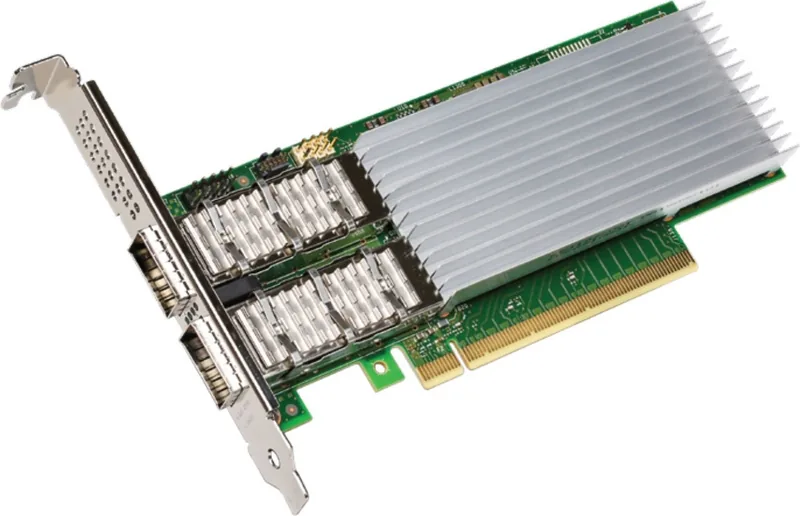
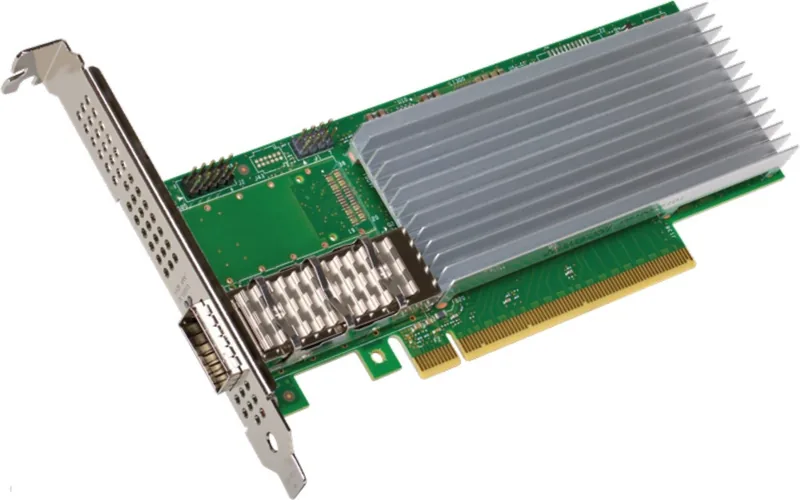
Intel E810 Manual
PDF manual · 158 Pages
English



Quick check
Incorrect answer, please try again.
Chat with your Intel E810 manual using AI
Get instant AI answers from your Intel E810 manual
Ask anything about the Intel E810. Answers come from this manual, with the pages they are based on.
Ask a Question
Do you recommend E810?
Yes NoFrequently Asked Questions
Intel E810 adapters are designed for high-performance server, cloud, storage, and virtualized networking. They provide flexible high-speed Ethernet connectivity and support features for traffic control, low-latency operation, efficient CPU use, and scalable infrastructure.
Is this answer helpful?
Devices based on the Intel Ethernet Controller 800 Series support iWARP and RoCEv2. iWARP uses TCP, while RoCEv2 uses UDP. To avoid performance issues caused by packet loss, configure suitable flow control or priority flow control across adapters and switches.
Is this answer helpful?
The PCIe connection can limit adapter throughput. Install the adapter in a slot with adequate lane width and generation support for the intended speed. A shorter or older-generation slot may prevent the adapter from reaching expected line-rate performance.
Is this answer helpful?
Dynamic Device Personalization, or DDP, changes the adapter packet-processing pipeline through a compatible profile. It can enable advanced features such as dynamic tunneling, Flow Director, RSS, and ADQ. Without a compatible package, the adapter may operate with basic functionality only.
Is this answer helpful?
Yes. E810 devices offer Auto FEC, RS-FEC, BASE-R FEC, and No FEC options where supported. FEC can improve link stability, especially above 10GbE, but may add latency. The selected mode must be compatible with the cable, optics, and switch.
Is this answer helpful?
Yes. Low-latency tuning may include minimizing interrupt moderation, disabling jumbo packets and TCP segmentation offload where appropriate, increasing descriptor resources, and adjusting RSS queues. Settings should be tested against the specific application and server architecture.
Is this answer helpful?
Advantages and Disadvantages
Advantages

- Supports advanced 800 Series capabilities such as RDMA, hardware timestamping, RSS, traffic offloads, and Dynamic Device Personalization.
- Flexible tuning options help optimize systems for low latency, high throughput, virtualization, storage, or reduced CPU usage.
- Supports modern data center features including DCB, VLAN priority tagging, flow control, FEC, and virtualization controls.
- Compatible with multiple operating systems and supported media types, including optics and direct attach cabling.
Disadvantages

- Full performance depends on an appropriately sized PCIe slot, compatible cabling, current drivers, firmware, and switch configuration.
- FEC can improve high-speed link stability but may increase latency, and connected equipment must support compatible settings.
- Advanced features may be unavailable in Safe Mode if the required Dynamic Device Personalization package is missing or incompatible.
- Some E810 models do not support Wake on LAN, which may limit remote power management options.
Product Specification
Power supply
Power supply via connection only
Product Description
Intel E810 - Read, Download & Print Free
The Intel E810 Ethernet family is built for demanding server, cloud, storage, and high-performance networking environments. Powered by Intel Ethernet Controller 800 Series technology, these adapters provide flexible high-speed connectivity while supporting modern features that help administrators balance throughput, latency, efficiency, and reliability. Available configurations include 25GbE and higher-speed options, making the platform suitable for data centers that need scalable network capacity.
Designed for Advanced Network Workloads
Intel E810 adapters support technologies that are important in virtualized infrastructure and performance-sensitive services. Remote Direct Memory Access support, including iWARP and RoCEv2 on 800 Series devices, can reduce CPU overhead and improve data-transfer responsiveness when the surrounding network is configured correctly. Hardware capabilities such as receive-side scaling, traffic offloads, hardware timestamping, and configurable interrupt moderation give administrators useful controls for tuning systems around application needs.
Dynamic Device Personalization adds another layer of flexibility. It enables compatible E810 hardware to apply packet-processing profiles at runtime, supporting advanced capabilities such as tunneling, Flow Director, RSS, and Application Device Queues. This approach helps organizations adapt network behavior as workloads and protocols evolve. Proper driver and package compatibility remains essential to access these enhanced functions.
Connectivity, Media, and Configuration
The E810 platform is designed for use with supported optical modules, direct attach cables, and suitable switch infrastructure. Forward Error Correction settings can improve link stability at speeds above 10GbE, although FEC may add latency. Auto FEC is useful for selecting a compatible mode based on connected media, while manual options give experienced administrators more direct control.
For reliable installation, the adapter should be placed in an appropriately sized PCIe slot with sufficient bandwidth. High-speed adapters can be limited by older PCIe generations or undersized slots, so platform validation is a key part of deployment. Cable selection also matters: copper, fiber, and direct attach connections each have distinct distance, speed, and compatibility requirements.
Operational Features for Modern Servers
Intel E810 offers tools for traffic prioritization, VLAN tagging, Data Center Bridging, flow control, and power management. Data Center Bridging can support converged network and storage scenarios, while priority flow control and enhanced transmission selection help manage traffic classes. For virtualized systems, features such as SR-IOV-related controls and RSS queue settings can help distribute workloads efficiently.
Administrators can also tune performance profiles for general server, web, virtualization, storage, or low-latency use cases. The best configuration depends on the operating system, switch capabilities, installed drivers, NUMA layout, and application behavior.
Note: Intel E810 Network Adapters E810-C-Q2, E810-XXV-4, and E810-XXV-2 do not support Wake on LAN. Verify adapter model, media support, firmware, drivers, and switch settings before production deployment.
Search for 67,732 Manuals online


Type-in Brand or Model