

Free Honeywell Manuals – Read, Download & Print
21 Manuals
Manuals

5 Pages
1 Pages
16 Pages

376 Pages

249 Pages
29 Pages
9 Pages
10 Pages
114 Pages
14 Pages

82 Pages

1 Pages
62 Pages

122 Pages

164 Pages
202 Pages

202 Pages
19 Pages
2 Pages
110 Pages
28 Pages
Categories


Free Honeywell Manuals - Read, Download & Print
Find Honeywell Manuals for Your Product
Accessing the right Honeywell manual makes installation, setup, operation, maintenance, and troubleshooting easier. Whether you need instructions for a thermostat, home security device, air purifier, scanner, industrial controller, fire alarm panel, or another Honeywell product, a complete manual can provide the information needed to use the equipment safely and correctly.
Honeywell manuals often include model-specific specifications, wiring diagrams, feature explanations, maintenance schedules, safety notices, troubleshooting tables, and replacement part details. Reading the correct documentation before changing settings or servicing a device can help prevent damage, reduce downtime, and support reliable performance.
Read Manuals Online
Reading a Honeywell manual online is a convenient way to quickly find product information without storing files on your device. Digital manuals are useful when you need to confirm a setting, check an error code, review installation requirements, or locate a particular control function.
Most manuals are organized into clear sections that may include:
- Product overview and identification
- Safety warnings and operating precautions
- Installation and mounting instructions
- Electrical connections and wiring guidance
- Initial setup and configuration steps
- Daily operation and programming details
- Cleaning and maintenance recommendations
- Diagnostic codes and troubleshooting procedures
- Technical specifications and warranty information
Use the search function in your browser or PDF reader to locate terms such as "reset," "battery," "wiring," "schedule," "calibration," "error," or "maintenance." This can save time when working with lengthy technical documents.
Download Honeywell Manuals for Offline Access
Downloading a manual allows you to keep important documentation available when internet access is limited. This can be especially helpful for technicians, installers, facility managers, homeowners, and maintenance teams who need instructions at a job site or in an equipment room.
Before downloading, verify that the document matches the full model number printed on the product label. Similar-looking Honeywell products may use different wiring terminals, software menus, accessories, or operating procedures. A manual for a related model should not be treated as a replacement for the exact product documentation.
When saving files, consider using descriptive names that include the model number and document type. For example, a file name such as "Honeywell-Model-Number-Installation-Guide.pdf" can make it easier to find later. Keeping manuals in a dedicated folder also helps organize records for multiple devices or locations.
Print Manuals When You Need a Paper Copy
Printed manuals remain useful for installation work, field service, emergency reference, and situations where electronic devices are impractical. A paper copy can be marked with notes, wiring details, service dates, and site-specific settings.
For large documents, print only the sections required for the task. Installation pages, wiring diagrams, error-code tables, and maintenance instructions are often the most useful sections to have on hand. Printing selected pages can reduce paper use while ensuring critical information is available when needed.
If printing wiring diagrams, use high-quality settings so terminal labels, symbols, and notes remain readable. Always compare the printed diagram with the actual product label and applicable local electrical codes before making any connection.
Popular Honeywell Manual Categories
Thermostats and HVAC Controls
Honeywell thermostat manuals commonly cover temperature programming, Wi-Fi setup, app connectivity, battery replacement, system mode selection, fan controls, and installer settings. HVAC control documentation may also include compatibility information for heating, cooling, heat pump, humidification, ventilation, and multi-stage systems.
Before replacing or rewiring a thermostat, turn off power to the heating and cooling system. Photograph existing wiring, label wires carefully, and follow the instructions for the specific control model. Wire colors are not always standardized, so terminal labels are more important than color alone.
Home Security and Alarm Systems
Security system manuals may explain keypad commands, user codes, arming modes, zone descriptions, alarm history, chime settings, communication options, and test procedures. Some documents also provide guidance for changing batteries in sensors, keypads, and backup power units.
Security equipment may be connected to monitoring services, fire protection systems, or emergency communications. Avoid disabling protective functions unless authorized and qualified to do so. For monitored systems, contact the provider before testing alarms or changing major settings.
Air Purifiers, Fans, and Indoor Air Products
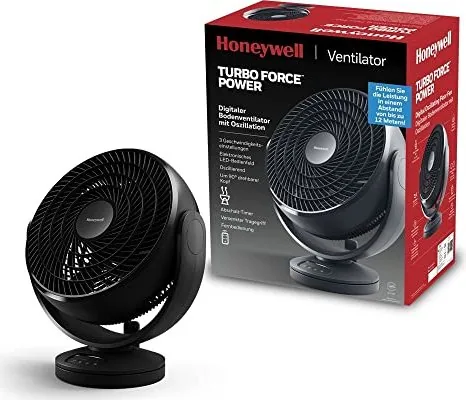
Manuals for air quality products often describe filter installation, cleaning intervals, control panel indicators, timer settings, fan speeds, and replacement filter part numbers. Following filter maintenance instructions can help preserve airflow and support effective operation.
Do not operate units with damaged cords, blocked air intakes, or improperly installed filters. Use only compatible replacement parts and follow the recommended cleaning method. Many devices should be unplugged before cleaning or servicing.
Fire, Building, and Industrial Controls
Honeywell documentation for commercial, industrial, fire, and building automation products can be highly technical. These manuals may include network configuration, panel programming, control sequences, sensor calibration, relay logic, compliance requirements, and detailed diagnostics.
Work on life-safety, high-voltage, gas, combustion, or industrial control equipment should be performed by trained personnel. Follow all safety instructions, lockout procedures, local codes, and manufacturer requirements. Never rely on a generic guide when official, model-specific documentation is available.
Scanners, Printers, and Mobile Devices
Honeywell also provides manuals for barcode scanners, mobile computers, label printers, charging docks, and related business equipment. These guides may cover device setup, wireless connectivity, barcode configuration, software installation, battery handling, cleaning, and data capture settings.
For business devices, check whether a configuration guide, quick-start guide, user guide, and service manual are available. Each document may serve a different purpose, from basic daily operation to advanced deployment settings.
How to Identify the Correct Manual
The most important step is locating the exact model number. Look for a label, sticker, engraving, or information plate on the back, underside, interior panel, mounting base, battery compartment, or packaging. The model number may contain letters, numbers, dashes, and revision details.
Check for the following information before selecting a manual:
- Full model number
- Product series or family
- Revision or version number
- Manufacturing date, if shown
- Voltage or power requirements
- Firmware or software version
- Regional product designation
A product name alone may not be enough. For example, a thermostat family can include multiple versions with different display types, power requirements, wireless features, and HVAC compatibility. Matching the exact number improves the chance of finding accurate instructions.
Use Manuals Safely and Effectively
Manuals are valuable references, but they should be used with appropriate care. Read safety warnings before installing, opening, cleaning, or repairing equipment. Disconnect power where instructed, use proper tools, and avoid bypassing protective components.
If a manual refers to qualified installation or service personnel, that recommendation should be taken seriously. Electrical equipment, security systems, fire controls, gas-related devices, and industrial systems can present significant hazards if handled incorrectly.
For troubleshooting, begin with simple checks described in the manual. Confirm power supply, batteries, settings, wiring, filter condition, communication status, and error indicators. Record any displayed codes and follow the recommended sequence of checks. Avoid repeated resets or configuration changes without understanding their effect, especially on connected or monitored systems.
Keep Documentation Current
Manufacturers may update manuals to correct information, add new features, revise safety guidance, or support later hardware and software versions. When possible, compare the publication date and revision number of a manual with the product and its installed firmware.
Keep a copy of important documents with maintenance records, purchase details, warranty information, and service contacts. For commercial sites, organized documentation can support training, inspections, scheduled maintenance, and faster response when a problem occurs.
Get More Value From Your Honeywell Manual
A Honeywell manual is more than a basic instruction sheet. It can help you understand equipment capabilities, configure features correctly, maintain the product, identify replacement parts, and resolve common issues. Reading the right guide before starting work can reduce guesswork and help protect both the equipment and the people using it.
Use official, model-specific documentation whenever possible. Read online for quick answers, download manuals for offline reference, and print essential pages for installation or service tasks. With accurate instructions available, Honeywell products can be set up and maintained with greater confidence and clarity.
Search for 67,706 Manuals online


Type-in Brand or Model