

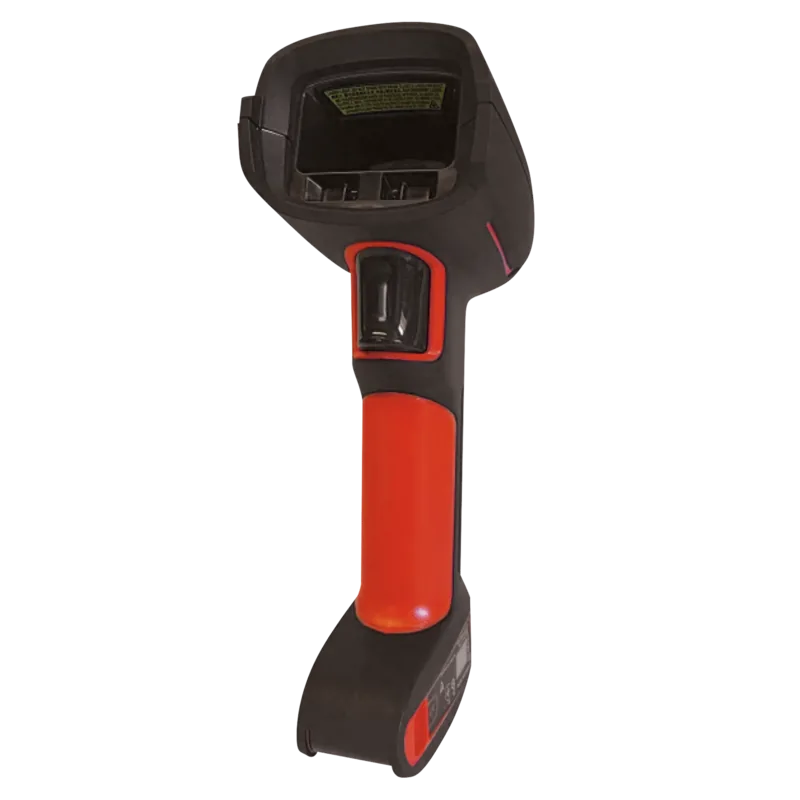
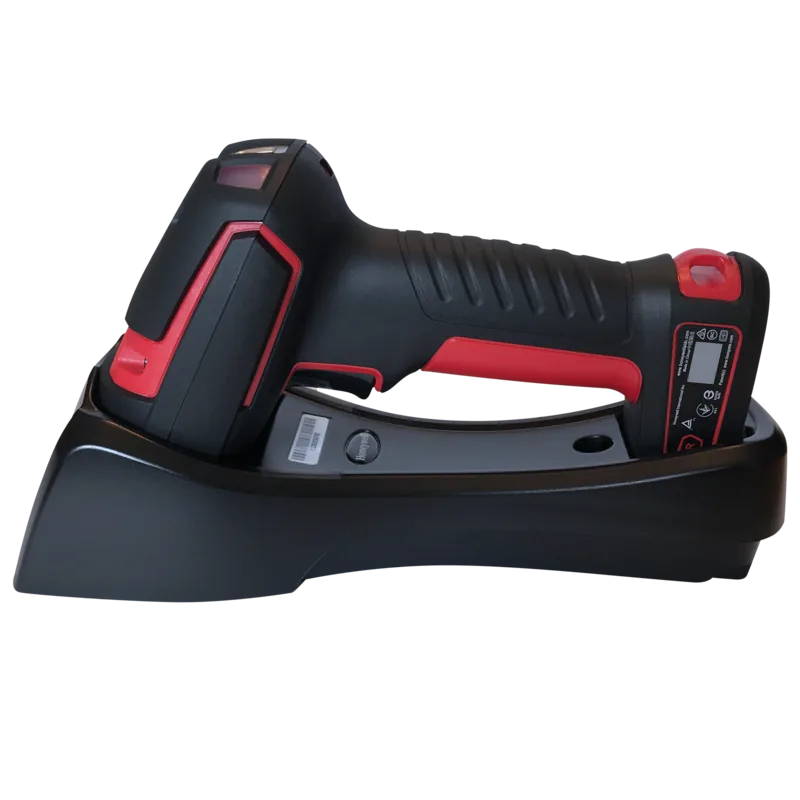
Honeywell Granit 1280i Manual
PDF manual · 164 Pages
English



Quick check
Incorrect answer, please try again.
Chat with your Honeywell Granit 1280i manual using AI
Get instant AI answers from your Honeywell Granit 1280i manual
Ask anything about the Honeywell Granit 1280i. Answers come from this manual, with the pages they are based on.
Granit 1280i Maintenance Schedule
Wipe with a soft cloth or tissue dampened with water or mild detergent. Rinse with water if detergent is used. Do not submerge.
If visibly dirty or performance degrades, clean with gentle dish soap and water. Do not use abrasive wipes or solvents like acetone.
Check interface cable and connector for wear or damage that may interfere with operation. Replace if badly worn.
Ask a Question
Do you recommend Granit 1280i?
Yes NoFrequently Asked Questions
The Granit 1280i has an IP65 rating, meaning it is completely protected against dust ingress and can withstand low-pressure water jets from any direction.
Is this answer helpful?
Settings are programmed by scanning specific barcodes found in the user guide. You can configure interfaces, data formats, and output sequences using these printable codes.
Is this answer helpful?
Yes, the Granit 1280i supports a comprehensive list of symbologies including Code 128, Code 39, UPC-A, EAN-13, and various 2D formats like PDF417 and Data Matrix depending on the specific model variant.
Is this answer helpful?
Yes, the scanner includes Plug-and-Play barcodes specifically designed to configure the unit for Verifone Ruby terminals, setting appropriate baud rates and data formats automatically.
Is this answer helpful?
If No Read is enabled, the scanner will emit an error beep and flash the LED. If configured with EZConfig-Scanning, an NR message may appear on the host screen.
Is this answer helpful?
Yes, the device is a Class 2 laser product with a maximum output of 1.0mW. It complies with IEC 60825-1 standards, but users should never stare directly into the beam.
Is this answer helpful?
You can restore factory defaults by scanning the RS232 Defaults bar code or the Out-of-Stand Defaults bar code, depending on which settings you wish to reset.
Is this answer helpful?
Advantages and Disadvantages
Advantages

- IP65 rated for total dust protection and resistance to water jets
- Supports a wide variety of linear and 2D symbologies
- Extensive customization options for interfaces and data formatting
- Plug-and-play compatibility with major terminal brands
- Cyber security features to prevent unauthorized access
Disadvantages

- Requires manual programming via barcodes which may be time-consuming
- Complex feature set might overwhelm new users initially
- No built-in wireless capability in standard corded models
- Laser beam width adjustments may reduce depth of field
- Limited to specific power supply requirements for CE compliance
Product Specification
Type
Hand scanner
Decoding capabilities
1D
Reading distance
3.5-65 in
Connections
serial
Wireless
N/A
Protection rating
IP65 certified
Package contents
Barcode scanner
Dimensions
5.24x7.68x2.95 in
Weight
11.81 oz
Manufacturer warranty
3 years
Product Description
The Honeywell Granit 1280i: A Robust Industrial Scanning Solution
The Honeywell Granit 1280i stands as a premier choice for industrial barcode scanning, designed to withstand the rigors of demanding environments while delivering exceptional performance. This full-range laser scanner is engineered for versatility, supporting a vast array of symbologies from linear codes to complex 2D matrices. Its rugged construction features an IP65 rating, ensuring it is totally protected against dust and resistant to low-pressure water jets, making it ideal for manufacturing floors, warehouses, and logistics centers.
One of the standout features of the Granit 1280i is its advanced programming capabilities. Users can easily customize settings through a comprehensive manual that guides them through interface configurations, data editing, and output formatting. Whether you need to adjust baud rates, set specific prefixes and suffixes, or configure complex output sequences, the scanner offers granular control. The device supports Plug-and-Play interfaces for popular terminals like Verifone, Gilbarco, and NCR, simplifying deployment across diverse systems.
Operational flexibility is further enhanced by customizable input and output settings. Operators can tailor beeper volumes, LED indicators, and vibration patterns to suit their workflow preferences. Features like CodeGate allow data transmission only upon trigger activation, preventing accidental reads in busy environments. Additionally, the scanner includes cyber security settings to protect against unauthorized programming or firmware changes, ensuring data integrity and system safety.
With a depth of field that accommodates both small and large barcodes, the Granit 1280i adapts to various scanning distances. The bright red scanning line provides clear visual feedback, while the laser aimer assists in precise targeting. Maintenance is straightforward, with simple instructions for cleaning the window and inspecting cables. For users requiring specialized configurations, the extensive library of programming barcodes allows for rapid setup without the need for external software tools.
Search for 67,706 Manuals online


Type-in Brand or Model