

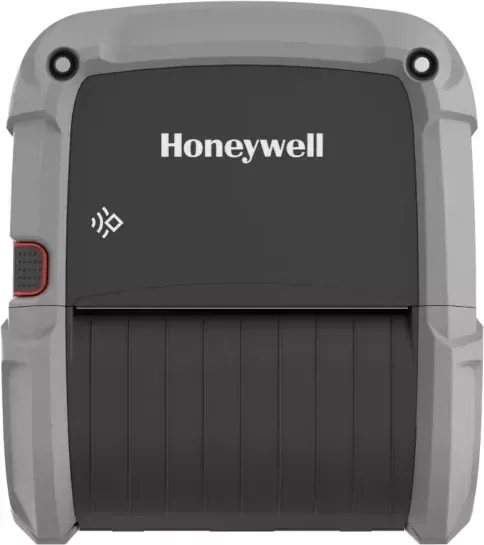
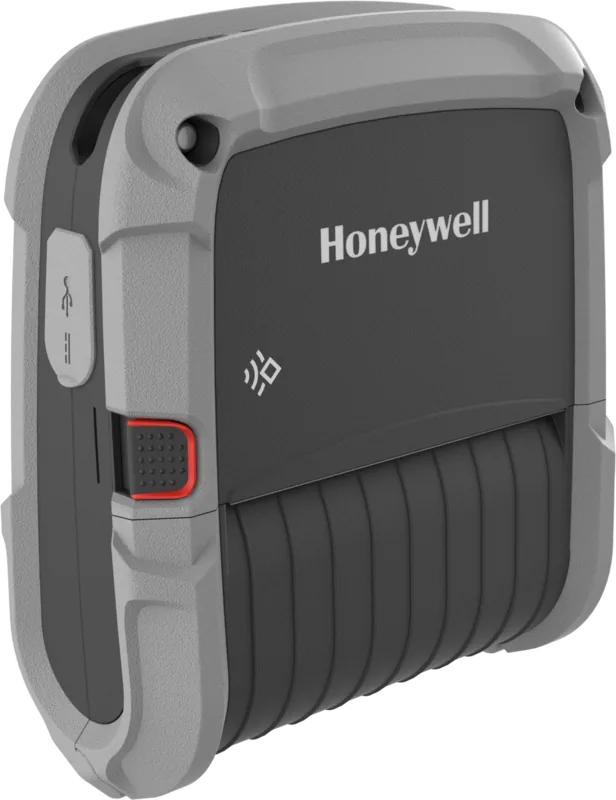
Honeywell RP4f Manual
PDF manual · 82 Pages
English



Quick check
Incorrect answer, please try again.
Chat with your Honeywell RP4f manual using AI
Get instant AI answers from your Honeywell RP4f manual
Ask anything about the Honeywell RP4f. Answers come from this manual, with the pages they are based on.
RP4f Maintenance Schedule
Use compressed air to remove dust and debris from the media sensor. Prevents out-of-media errors and skipping labels.
Use a cleaning card or cotton swab with isopropyl alcohol (standard models) or cleaning pens (linerless/adhesive). Prevents print quality decline.
Use a cotton swab with isopropyl alcohol (standard models) or cleaning pens (linerless/adhesive). Maintains proper media feed and print quality.
Use cleaning pens. This applies to linerless models or printers with adhesive buildup to remove sticky residue.
Use a cotton swab with isopropyl alcohol (standard models) or cleaning pens (linerless/adhesive). Ensures smooth operation of the printer cover mechanism.
Free maintenance reminders
Timed to your purchase date. Always free, unsubscribe anytime.
Ask a Question
Do you recommend RP4f?
Yes NoFrequently Asked Questions
Enable Bluetooth on your device and search for the thermostat. You can also pair directly by touching the devices together if supported by the OS. Follow the prompts on your screen to confirm the connection.
Is this answer helpful?
Yes, the device supports wireless connectivity which allows you to manage settings from anywhere using the web page or mobile applications installed on your authorized devices.
Is this answer helpful?
Connect to the device web page using a browser, log in as administrator, and navigate to the firmware upgrade section. You can also place files on a USB storage device to update locally.
Is this answer helpful?
Honeywell Li-ion battery packs are recommended for optimal performance and warranty coverage. Ensure the battery is fully charged for at least four hours before initial use.
Is this answer helpful?
You can visit the Honeywell Technical Support Portal online or check the user manual for specific regional service center locations. Contact information is listed in the support section.
Is this answer helpful?
Advantages and Disadvantages
Advantages

- Seamless Bluetooth Pairing with Mobile Devices
- Comprehensive Web Configuration Interface
- Long-Lasting Rechargeable Battery System
- Dual Wireless Network Support (WiFi and Bluetooth)
Disadvantages

- Initial Setup Requires Reading the Manual
- Dependent on Stable Network Connection
- Advanced Settings Require Admin Access
Product Specification
Type
mobile label printer
Technology
Thermal Direct
Print Resolution
203dpi
Roll Diameter
1 inch
Paper Thickness
0.002-0.005 inches
Print Width
4.09 inches
Print Speed
5 inches/s
Memory
256MB (RAM), 2GB (Flash)
Connections
USB 2.0
Network
Wi-Fi 5 (802.11a/b/g/n/ac), Bluetooth 5.0 LE, NFC, Wi-Fi Direct, AirPrint
Display
N/A
Emulation
ZPL II, DPL, XML, IPL
Dimensions
7.36 x 6.46 x 3.03 inches
Weight
2.25 lbs
Features
Black Mark-Sensor, Gap Sensor, IP54 certified, Battery (Li-Ion, 4900mAh)
Manufacturer Warranty
1 Year
Product Description
Introduction to the Honeywell RP4F Wireless Bluetooth Thermostat Manual
The Honeywell RP4F Wireless Bluetooth Thermostat Manual provides comprehensive guidance for users seeking modern climate control solutions. This device redefines how homeowners manage their indoor environment through cutting-edge wireless technology. By combining Bluetooth connectivity with robust network capabilities, the thermostat ensures reliable communication between your controller and mobile devices. It is an essential tool for anyone looking to optimize energy efficiency while maintaining comfort.
Key Features and Connectivity
Users appreciate the dual connectivity options available with this model. Bluetooth pairing allows instant connection to smartphones and tablets without complex setup procedures. Additionally, wireless LAN support enables integration into broader smart home networks for remote access across the entire home. The device manages power efficiently using rechargeable batteries, offering detailed indicators for charge status to prevent unexpected downtime during heating or cooling cycles. The manual details how to monitor battery health via the dedicated web interface, ensuring you receive alerts before the power source depletes. Calibration of the internal sensors is also outlined to ensure accurate temperature readings.
Installation and Configuration
Setting up the unit is designed for ease of use. The provided user guide walks you through unpacking and initial configuration steps. You can configure the unit using programming commands or a web page, and similarly, this model allows web-based configuration for network settings. Security is paramount, and the device supports security certificates for secure connections to the web server. Users can access the web page by entering the IP address and following the login prompts to adjust preferences like temperature limits, scheduling, and fan speed. Network parameters such as IP addresses and DNS settings can be customized easily.
Maintenance and Troubleshooting
Regular maintenance keeps the device functioning optimally. The manual outlines cleaning intervals and software update procedures to maintain security and performance levels. Firmware upgrades can be performed via the web page or through a USB storage device, ensuring the latest features and patches are always available. Troubleshooting guides help resolve common issues like connectivity drops or display errors quickly. The system includes runtime tracking to monitor component usage over time, aiding in preventative maintenance. Printing configuration labels or status reports is also possible to aid diagnostics if required.
User Experience and Support
This product includes a front panel with buttons for direct control. LED indicators provide real-time status updates including connection strength and battery levels. Audible feedback confirms actions are completed successfully. Honeywell supports this product with extensive documentation and customer service teams. Whether you need help with technical assistance or warranty claims, the resources are accessible online through their dedicated support portal. You can also find service centers and repair options if needed. This reliability makes it a top choice for smart home environments requiring consistent performance and easy management.
Search for 67,706 Manuals online


Type-in Brand or Model