

Free Hager Manuals – Read, Download & Print
16 Manuals
Manuals
2 Pages
2 Pages

4 Pages
2 Pages
2 Pages
6 Pages
116 Pages
68 Pages
2 Pages
1 Pages

2 Pages
2 Pages
4 Pages
4 Pages
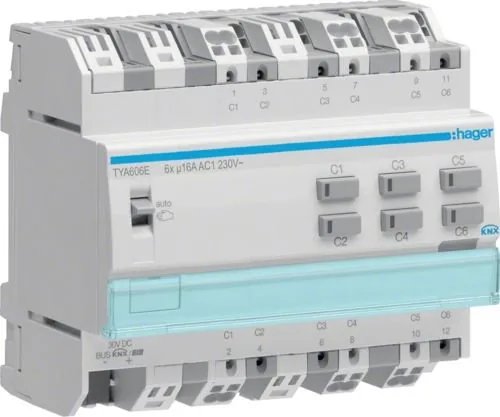
4 Pages
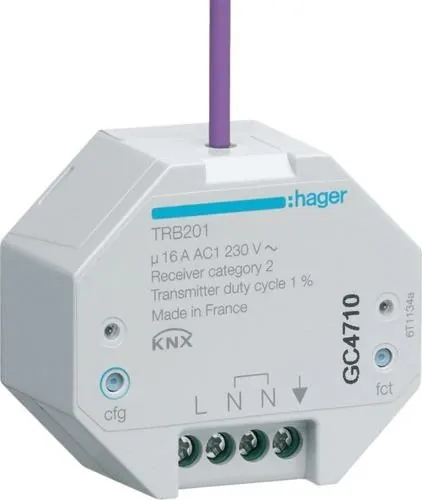
4 Pages
Categories


Free Hager Manuals - Read, Download & Print
Find Helpful Hager Product Documentation
Looking for free Hager manuals? Product manuals, installation guides, wiring information, technical sheets, and user instructions can help electricians, installers, facility managers, homeowners, and maintenance teams understand Hager electrical equipment correctly. Whether you need guidance for a consumer unit, circuit protection device, switch, timer, relay, door entry component, energy management product, or another electrical accessory, clear documentation is an important part of safe and effective use.
Hager manuals typically explain product features, technical ratings, installation requirements, operating steps, maintenance recommendations, and relevant safety information. Reading the correct document before starting work can reduce uncertainty, support accurate planning, and help users identify the right accessories or compatible components for a particular installation.
Read Hager Manuals Online
Reading a manual online is a convenient way to quickly check a specification, review a connection diagram, or confirm the purpose of a control or indicator. Digital documentation can be especially useful when a printed guide has been misplaced or when a technician needs information while working on site.
Before relying on any document, confirm that it matches the exact product reference, model number, revision, and regional version of the equipment. Electrical products may look similar while having different ratings, terminals, software settings, protective characteristics, or installation rules. A manual for a related product is not necessarily suitable for the item in front of you.
Online manuals may include sections such as:
- Product overview and intended use
- Electrical ratings and technical data
- Dimensions and mounting details
- Wiring diagrams and terminal information
- Configuration and programming instructions
- Safety warnings and installation conditions
- Troubleshooting guidance
- Cleaning, inspection, and maintenance details
- Declarations, standards, and compliance information
For the most accurate and current information, look for official Hager documentation, authorized distributor resources, or product pages that identify the document version and publication date. Manufacturers may update manuals to reflect revised products, changed regulations, or improved installation instructions.
Download Manuals for Offline Access
Downloading a Hager manual can make it easier to keep important product information available without an internet connection. A saved PDF can be stored on a computer, tablet, phone, or project folder for quick reference during installation, commissioning, service work, or future maintenance.
When saving manuals, use meaningful file names that include the product reference and document date where possible. This helps prevent confusion if multiple versions are available. For example, separate files for a distribution board, an RCBO, a timer, and a connected energy device can be clearly organized by product category and model number.
It is good practice to check the following before downloading or using a document:
- Match the model number exactly.
- Confirm the manual applies to your country or electrical system.
- Review the document revision or issue date.
- Check whether additional instructions are required for accessories.
- Verify that local electrical codes and regulations are followed.
- Keep a copy of the latest official instructions with project records.
A downloaded manual is useful for reference, but it should not replace professional judgment or applicable legal requirements. Electrical installation and repair work can involve significant hazards. If you are unsure about wiring, protection selection, isolation procedures, testing, or compliance, contact a qualified electrical professional.
Print Manuals for Jobs, Projects, and Records
Printing a manual can be helpful when working in locations where screens are inconvenient, when marking up installation notes, or when assembling a project handover file. A printed copy may also be useful for maintenance rooms, plant areas, site folders, and training materials.
For practical printing, consider printing only the pages you need. Technical documentation can be lengthy, and a focused printout of wiring diagrams, mounting instructions, parameter tables, and safety pages may be more useful than a full document. Print in color when diagrams use colored markings or when color improves readability. For basic text and dimensional drawings, black and white printing may be sufficient.
If you print product documentation for a job, label the copy with the product reference, project location, and print date. This creates a clearer record and helps future users identify whether they are consulting a current document. Keep the original digital source available so updated documentation can be checked later.
Common Types of Hager Documentation
Hager equipment is used across residential, commercial, and industrial electrical environments. The exact manuals available depend on the product range and market, but common document types include installation instructions, technical data sheets, user guides, catalog pages, connection diagrams, and declarations of conformity.
Installation Instructions
Installation instructions are designed for trained installers and may include mounting requirements, conductor sizes, torque values, terminal layouts, protection requirements, and commissioning steps. These documents should be reviewed before installation begins, not only after a problem appears.
User Guides
User guides often explain everyday operation. They may cover settings, display icons, schedules, reset procedures, controls, notifications, and basic troubleshooting. These guides can be particularly useful for timers, smart home components, charging equipment, energy monitoring systems, and door communication products.
Technical Data Sheets
Data sheets provide concise engineering information, such as voltage, current, frequency, breaking capacity, degree of protection, operating temperature range, dimensions, standards, and product compatibility. They are useful during product selection and specification work.
Wiring and Connection Diagrams
Connection diagrams show terminals, circuit paths, control wiring, and other electrical relationships. Always verify diagrams against the exact product label and the latest instructions. Never assume terminal markings or wiring arrangements are identical between models.
Maintenance and Troubleshooting Information
Maintenance documents may outline inspection intervals, cleaning limits, fault indications, replacement procedures, and conditions that require service by qualified personnel. Troubleshooting sections can help identify common issues, but safety isolation procedures must always be followed before inspecting electrical equipment.
Use Manuals Safely and Responsibly
Electrical manuals contain important technical guidance, but safe application depends on the specific site, system design, local regulations, and competence of the person carrying out the work. Always isolate electrical supplies before opening enclosures or touching conductors. Use appropriate test equipment and follow approved lockout, verification, and protective procedures.
Do not use a manual as a reason to bypass safety devices, alter protective settings without proper assessment, or modify equipment beyond the manufacturer's instructions. If a product appears damaged, overheated, incorrectly installed, or incompatible with the existing system, stop and seek professional advice.
Particular care is needed when working with distribution boards, breakers, residual current devices, surge protection, metering equipment, and connected control systems. Incorrect installation can cause electric shock, fire risk, equipment damage, unreliable operation, or loss of regulatory compliance.
How to Locate the Right Manual
The easiest way to find the right Hager manual is usually to start with the product reference shown on the device label, packaging, invoice, or installation schedule. Search using the complete reference rather than a general product name. Include relevant terms such as "installation instructions," "user guide," "technical data," or "wiring diagram" to narrow the results.
If the product number is unclear, inspect the front label, side label, enclosure door, or related circuit documentation. Take note of all visible codes, electrical ratings, and version markings. For older equipment, an authorized distributor or Hager support channel may be able to help identify the product family.
When comparing documents, look for matching details including:
- Product reference and suffixes
- Number of poles or modules
- Current and voltage ratings
- Product series or range name
- Region and language edition
- Firmware or software version, where applicable
- Publication date and revision number
Using the exact documentation saves time and helps prevent mistakes caused by applying instructions from a similar but different device.
Keep Documentation Current
Electrical systems can remain in service for many years, so documentation should be reviewed whenever equipment is expanded, repaired, replaced, or reconfigured. Keep manuals together with circuit schedules, test results, commissioning records, warranty documents, and maintenance notes. A well-organized record makes future inspections and service tasks easier.
For current manuals, product updates, and official support material, consult Hager's official website or an authorized local source. Respect copyright and usage terms when reading, downloading, sharing, or printing documentation. Official manuals are the best starting point for reliable product-specific information, while qualified electricians can provide support for installation, testing, fault finding, and compliance requirements.
Get More Value From Every Manual
Free Hager manuals can provide a practical reference for product operation, installation planning, and ongoing maintenance. Read the relevant sections carefully, download official copies for offline use, and print essential pages when a physical reference is useful. Most importantly, use the correct document for the exact product and follow all safety instructions, local codes, and professional installation practices.
Search for 67,706 Manuals online


Type-in Brand or Model