

Free Xilence Manuals – Read, Download & Print
10 Manuals
Manuals
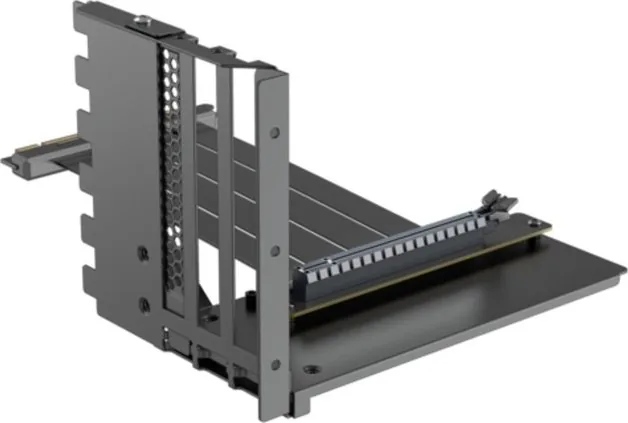
2 Pages
9 Pages
1 Pages
1 Pages
1 Pages
11 Pages
1 Pages
1 Pages
13 Pages
9 Pages
Categories

Xilence Manuals: The Comprehensive Guide to Your Power Supply
Introduction to Xilence and Its Documentation
Xilence has established itself as a prominent manufacturer in the realm of computer hardware, specifically renowned for its high-quality power supply units (PSUs). As technology advances and the demands on personal computing systems grow more rigorous, the reliability of the power component becomes paramount. A power supply unit is often referred to as the heart of a computer, responsible for converting alternating current from the wall outlet into direct current that sensitive electronic components can utilize safely. Without a stable and efficient power source, even the most powerful processors and graphics cards cannot function correctly. This is where the importance of comprehensive documentation comes into play. Xilence manuals serve as the essential bridge between the hardware and the user, providing critical information necessary for installation, configuration, troubleshooting, and maintenance.
The availability of detailed manuals ensures that users, whether they are casual enthusiasts or professional system builders, can maximize the performance and longevity of their equipment. These documents are not merely instruction booklets; they are technical resources that outline safety protocols, electrical specifications, and warranty terms. For Xilence products, which often feature advanced technologies like 80 Plus certification for energy efficiency and fully modular cabling for cleaner builds, the manual provides the context needed to understand how these features operate within your specific system. By adhering to the guidelines found in these manuals, users can prevent potential damage to their hardware and ensure optimal system stability under load.
Understanding the Structure of Xilence Documentation
A typical Xilence manual is structured to guide the user through every stage of the product lifecycle, starting from unboxing to long-term usage. The document usually begins with a clear introduction to the specific model series, such as the Silver, Gold, Platinum, or Titanium lines, each denoting different levels of efficiency and build quality. Following this introduction, there is a section dedicated to safety warnings and regulatory compliance. These sections are crucial because they highlight the electrical hazards associated with opening the unit or improper handling. Users are advised never to attempt to repair the internal components themselves due to the risk of electric shock and voiding the warranty.
After the safety precautions, the manual transitions into the physical description of the unit. This part details the dimensions, weight, connector types, and cable management features. For modern PC cases, space optimization is key, and Xilice manuals often include diagrams showing the layout of the connectors on the back of the unit. They explain the difference between standard SATA power connectors, PCIe power connectors for graphics cards, and the main 24-pin motherboard connector. Understanding these layouts is vital for anyone building a custom rig, as incorrect connections can lead to system failure or hardware damage. The manual also describes the cooling fan system, explaining how the fan speed is controlled based on temperature thresholds and load conditions.
Installation Procedures and Best Practices
One of the most valuable sections of any Xilence manual is the step-by-step installation guide. Building a computer requires precision, and the power supply is often one of the first components to be installed or one of the last, depending on the case design. The manual provides specific instructions on mounting the PSU into the chassis, ensuring proper ventilation airflow, and securing it tightly to prevent vibration noise. It emphasizes the importance of connecting the cables in the correct order, particularly when dealing with fully modular units where only the necessary cables are used.
For users utilizing multiple graphics cards or high-end storage arrays, the manual offers guidance on distributing the load across different rails. Modern power supplies use active PFC (Power Factor Correction) and multi-rail designs to manage current distribution efficiently. The documentation explains how to balance the load to avoid tripping overcurrent protection mechanisms. It also advises on cable routing, suggesting ways to keep the interior of the case tidy to improve airflow. A cluttered case can restrict air movement, causing the power supply fan to work harder and potentially reducing its lifespan. The manual may include illustrations demonstrating the ideal cable management techniques specific to the Xilence models.
Troubleshooting Common Issues
Even with the best planning, issues can arise during the operation of a computer. The troubleshooting section of the Xilence manual is designed to help users diagnose common problems without needing immediate technical support. Typical issues addressed include the system failing to power on, random shutdowns under heavy load, or unusual noises coming from the unit. The manual guides the user through a logical diagnostic process, starting with checking the power cable connection at the wall outlet and moving to inspecting the connections inside the computer case.
If the system does not turn on, the manual suggests testing the power supply with a paperclip test or using a multimeter to verify voltage outputs, provided the user feels comfortable doing so. However, it strongly recommends contacting authorized service centers if the unit is still under warranty. For random shutdowns, the manual discusses potential causes such as insufficient wattage for the configured hardware, overheating due to poor ventilation, or a faulty component. It also covers the behavior of the protective circuits, explaining that a sudden shutdown might indicate an overload or short circuit, which is a safety feature working as intended. By understanding these scenarios, users can make informed decisions about whether to upgrade their power supply or adjust their system configuration.
Warranty Information and Support Resources
The final but equally important part of the Xilence manual is the warranty and support information. Xilence typically offers extended warranties ranging from five to ten years, depending on the model and efficiency rating. The manual clearly outlines the terms of coverage, what constitutes a valid claim, and the process for registering the product online. Registering the product immediately after purchase is often required to activate the full warranty period. The document lists the contact details for customer support, including email addresses, phone numbers, and links to the official website where users can download firmware updates or additional drivers if applicable.
It is also worth noting that the manual serves as a legal document defining the scope of the warranty. Any modifications made to the power supply unit, such as altering the casing or attempting DIY repairs, will void the warranty. Therefore, keeping the manual safe and accessible is essential for future reference. In the event of a defect, having the original purchase receipt and the serial number recorded from the manual will expedite the replacement process. The support section may also provide links to community forums or knowledge bases where other users share tips and experiences with Xilence products, fostering a collaborative environment for troubleshooting and optimization.
Conclusion: Maximizing Performance Through Knowledge
In conclusion, Xilence manuals are indispensable tools for anyone investing in high-performance power supply units. They transform a complex piece of hardware into a manageable and reliable component of a computer system. By carefully reading and following the instructions provided in these documents, users can ensure the safety of their data and hardware while achieving peak efficiency. Whether you are assembling your first gaming PC or upgrading a workstation for professional tasks, the knowledge contained within the Xilence manual empowers you to make the right choices. Ignoring these guidelines can lead to suboptimal performance or catastrophic failure, whereas embracing them leads to a stable, quiet, and efficient computing experience. Always refer to the specific manual for your model to get the most accurate and up-to-date information tailored to your specific power supply unit.
Search for 67,706 Manuals online


Type-in Brand or Model