
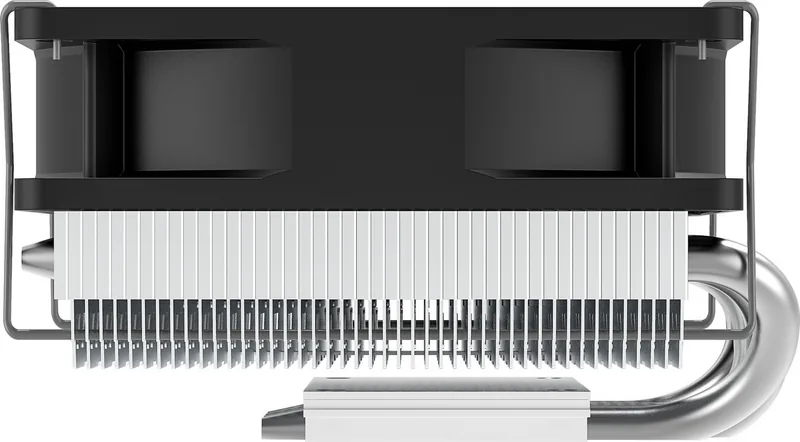
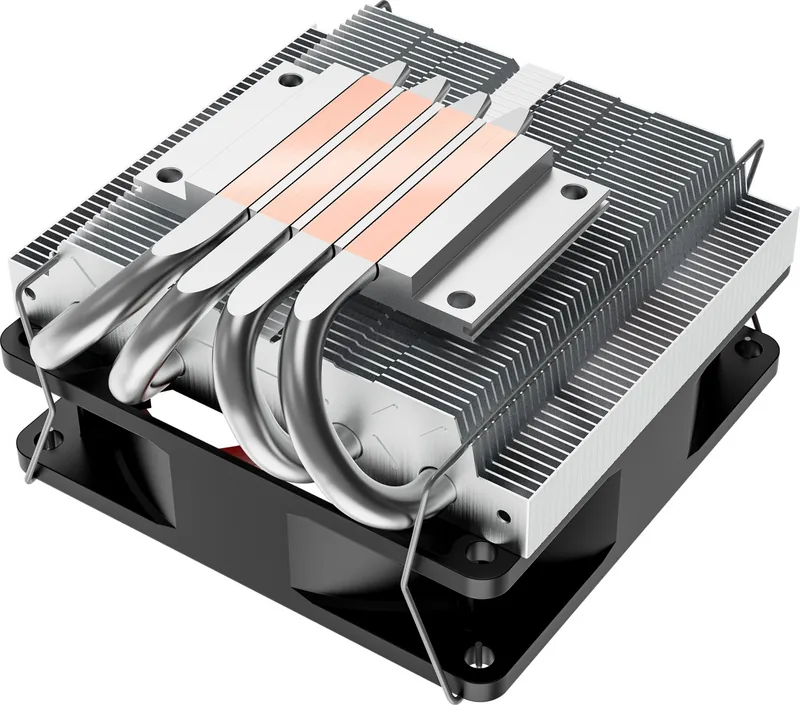
Xilence I404T Manual
PDF manual · 1 Pages
English


Quick check
Incorrect answer, please try again.
Chat with your Xilence I404T manual using AI
Get instant AI answers from your Xilence I404T manual
Ask anything about the Xilence I404T. Answers come from this manual, with the pages they are based on.
Ask a Question
Do you recommend I404T?
Yes No
Gordon Holmes
5 months ago
Does the package include thermal paste and is this model suitable for cooling a 65 watt processor quietly in a mini itx case?

Manual.ly
4 months ago
Thanks for contacting support. While the manual states thermal paste is included, user reviews suggest checking the box contents as some units ship without it. We advise having spare paste available. regarding performance, this cooler handles 65 watt TDP CPUs well. Reviews indicate temperatures around 70 degrees under load with minimal fan noise below 1100 rpm. The compact size also helps cool nearby components. Ensure screws are tightened properly to avoid washing issues. It is a reliable choice for small form factor builds.
Frequently Asked Questions
No, this cooler is designed specifically for Intel LGA sockets including 1156 1155 1151 and 1150. It does not support AMD motherboard platforms.
Is this answer helpful?
Apply a thin layer evenly across the CPU heat spreader before mounting the cooler for optimal heat transfer efficiency during system operation.
Is this answer helpful?
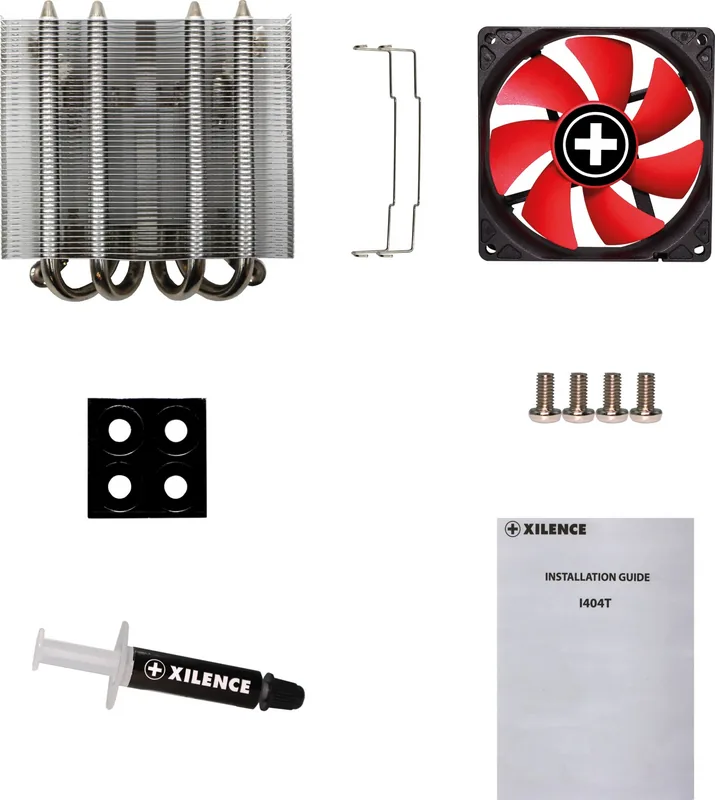
The box contains the cooler unit, thermal paste, four screws, and four washers to ensure a complete mounting solution without missing any essential parts.
Is this answer helpful?
Yes, the compact design fits within Mid-Tower and Micro-Tower configurations without obstructing nearby hardware components inside the chassis.
Is this answer helpful?
No, tighten them gradually to ensure even pressure on the motherboard and prevent potential damage to the traces or threads during the installation process.
Is this answer helpful?
Check periodically and clean if dust accumulation is visible to maintain airflow and ensure efficient cooling performance levels remain consistent over time.
Is this answer helpful?
No, the process uses standard screws included in the package and requires only basic manual effort to secure the unit properly without special equipment.
Is this answer helpful?
Advantages and Disadvantages
Advantages

- Supports multiple Intel LGA socket types including 1156 1155 1151 and 1150 for broad compatibility across platforms.
- Includes thermal paste and all necessary mounting screws and washers for a complete installation kit without extras.
- Designed for compact cases ensuring the fan does not obstruct nearby components effectively in tight spaces.
- Simple installation process requiring basic tools to secure the unit onto the motherboard safely without complexity.
- Maintains stable temperatures without liquid cooling complexity suitable for enthusiasts and beginners alike.
Disadvantages

- Limited compatibility restricted to specific Intel socket types excluding AMD platforms entirely from support list.
- Basic plastic fans may generate noticeable noise under heavy load compared to advanced liquid cooling solutions.
- Compact heatsink size might struggle with high wattage processors sustained over long periods during heavy tasks.
- Thermal paste tube included may be small requiring re-application during maintenance cycles often for peak efficiency.
- Does not include RGB lighting or aesthetic enhancements for users prioritizing visual customization features inside their build.
Product Specification
Type
Top-Blow-Cooler
Dimensions with Fan
3.70 x 2.17 x 3.98in (WxHxD)
Fan
1x 3.62 x 3.62 x 0.98in, 600-2200 RPM, 65.38 CFM, 14-21.8 dB(A)
Weight with Fan
0.62 lbs
Connector
4-Pin PWM
CPU Socket
1700, 1150/1151/1155/1156/1200
TDP Rating
125W
Features
4 Heatpipes (0.24in), Heatpipe-Direct-Touch
Product Description
Enhancing CPU Performance with the Xilence I404T
The Xilence I404T represents a reliable solution for cooling high-performance processors in desktop computers. This compact cooler is designed to maintain optimal operating temperatures while ensuring quiet operation during daily tasks. Many users seek guidance when upgrading their systems, and resources associated with the Xilence I404T Manual provide essential insight into proper setup and maintenance procedures. Understanding the installation process is crucial for maximizing thermal efficiency and system longevity. A stable cooling solution prevents overheating issues that can lead to hardware failure over time. This ensures that your computer remains quiet while working on demanding applications.
Comprehensive Compatibility
One of the standout features of this cooler is its adapter support for various Intel processor sockets. It accommodates the LGA 1156, 1155, 1151, and 1150 standards directly. This flexibility makes it an excellent choice for upgrading older systems or building cost-effective machines without unnecessary expenses. Users planning a build will appreciate the clear mounting guidelines provided during the assembly phase. Securing the unit properly ensures that heat dissipation remains consistent during intensive workloads like gaming or video editing.
Installation Requirements
Preparation is key when mounting this heat sink correctly. The package includes everything needed for a standard setup without needing to purchase extra parts separately. Inside the box, you will find the cooler unit, a small tube of thermal paste, four washers, and four screws. These components simplify the process significantly compared to other brands that might require special tools. Before starting, ensure the CPU surface is clean and free of old residue to avoid any hot spots developing after installation. Furthermore, verify the compatibility chart to confirm your socket type is supported before beginning the physical assembly work.
Applying the thermal compound correctly is the first critical step. A thin, even layer over the heat spreader ensures efficient transfer of heat from the processor. Next, align the mounting bracket with the motherboard holes and insert the screws through the back of the board with the washers. Tighten them securely to achieve a firm connection. This mechanical stability is vital for preventing thermal throttling under load when the system is stressed. Check the fan connector before closing the case to ensure power is supplied correctly to the device.
Maintenance and Notes
Regular maintenance keeps the system running smoothly over the long term. Check the fan operation periodically to ensure dust does not obstruct airflow into the heatsink. The compact design fits well inside most Mid-Tower and Micro-Tower cases available today. It does not require complex liquid cooling loops, making it accessible for beginners new to PC building. Proper orientation of the fan airflow is necessary to exhaust heat from the chassis effectively. Remember that while setup is straightforward, patience yields better results in the end. Rushing the screw tightening process can damage the motherboard traces or strip the threads. Follow general safety precautions when handling electronic components to avoid static discharge issues. With proper care, this cooler will serve your computer well for years without degradation in performance standards.
Search for 67,706 Manuals online


Type-in Brand or Model
zach27
7 months ago
Does this CPU cooler effectively handle temperature for a 65W processor in a compact Mini-ITX build?
Manual.ly
7 months ago
User feedback indicates that for 65W CPUs, this cooler maintains temperatures between 50 degrees and 70 degrees under stress. Idle temps often range from 30 to 50 degrees. Some users report the fans are very quiet at low speeds but become audible at 100% power. For Mini-ITX builds, it is considered a solid budget choice with good thermal transfer.