
Xilence M504D Manual
PDF manual · 1 Pages
English


Quick check
Incorrect answer, please try again.
Chat with your Xilence M504D manual using AI
Get instant AI answers from your Xilence M504D manual
Ask anything about the Xilence M504D. Answers come from this manual, with the pages they are based on.
Ask a Question
Do you recommend M504D?
Yes No
Ashley Reynolds
5 months ago
Is this CPU cooler actually as quiet as advertised, and does it work well with high-end AMD Ryzen processors like the 5900X or 3950X?

Manual.ly
5 months ago
Thank you for your inquiry. User feedback indicates mixed results regarding noise levels. While many customers report the cooler operates quietly with mid-range CPUs such as the Ryzen 5 2600 or 3600X, some users experienced significantly higher noise levels (around 50 dB) when paired with high-power chips like the Ryzen 9 5900X or 3950X, which deviates from the specified 21.8 dB rating. For optimal performance and silence, we recommend ensuring proper airflow within your case and verifying that your motherboard supports PWM fan control to adjust speeds dynamically based on temperature.

cupiditate52
7 months ago
How difficult is the installation process, and are there any risks of damaging the CPU pins during removal?
SilentSeeker
6 months ago
Is this CPU cooler quiet enough for a quiet workspace, or is it too loud under load?
Manual.ly
6 months ago
User experiences vary significantly regarding noise levels. While many customers report the cooler operates very quietly and pleasantly even at full load with processors like the Ryzen 5 2600 or Ryzen 3600X, some users have noted that it can be noticeably louder than advertised specifications suggest, particularly with high-end CPUs like the Ryzen 9 series. One user estimated the noise around 50 dB during operation, which may not be suitable for those requiring a silent environment. Additionally, some reviewers mentioned a humming sound when fans spin up to higher speeds. For optimal silence, we recommend using a motherboard fan curve to keep RPMs low, as the cooler performs well with effective fan control.
DIY_Dave
5 months ago
How difficult is the installation process, especially given the size and weight of the cooler?
CompactBuilder
7 months ago
Does the large size of this tower cooler interfere with RAM modules in compact cases?
Manual.ly
7 months ago
Yes, several users have reported that the cooler is larger than expected and can conflict with tall RAM modules. One reviewer had to move a fan to the side to avoid interference with four RAM sticks, while another noted they had to raise the second fan position to ensure RAM clearance. We advise checking your case dimensions and RAM height compatibility before purchase if you plan to use a compact case or have tall memory modules installed.
CarefulUser
6 months ago
Is there a risk of damaging the CPU during removal due to the mounting mechanism?
PowerUser_X
6 months ago
Can this cooler handle high-power AMD Ryzen 9 processors effectively?
Manual.ly
6 months ago
Performance depends on the specific model and workload. Some users successfully cooled Ryzen 9 3900X and 5900X units with temperatures remaining reasonable (around 64°C) even in warm environments. However, other reviews indicate that the cooler may struggle with top-tier chips like the Ryzen 9 3950X, failing to meet expectations for both temperature and noise levels. It is generally recommended for mid-range processors like the Ryzen 5 or Ryzen 7, while gamers with high-end chips might prefer a larger air cooler or liquid cooling solution.
Alex K.
5 months ago
Will this cooler maintain low noise levels under full load as advertised, and does the size allow for tall RAM modules on standard AM4 motherboards?
Manual.ly
5 months ago
Thank you for your question. Noise levels vary by CPU and case acoustics. It generally runs silently at idle, though higher fan speeds might be needed for heavy loads on Ryzen 9 chips. The cooler is compact overall, but please verify your RAM height fits clearance specifications. Installation uses a standard backplate method. Always handle the unit carefully to avoid stress on mounting points.
Jan Becker
4 months ago
Is installation easy on AM4 boards and are the noise levels consistent with the advertised specs?
Manual.ly
4 months ago
Installation experiences vary by motherboard. While some find it simple, others report trouble finding mounting instructions or fitting around RAM. Noise levels also vary; some users report silence while others find it louder than the 21.8 dB spec. We recommend checking RAM clearance. Removing the cooler from AM4 sockets requires upward force, which risks CPU pin damage if not done carefully per the manual.
Frequently Asked Questions
Yes, the Xilence M504D is specifically designed to be fully compatible with AM5 processor sockets, ensuring a perfect fit for modern AMD platforms.
Is this answer helpful?
The package includes four sturdy fan clips, providing ample support to securely mount the unit in various chassis configurations.
Is this answer helpful?
This model does not include software-based speed control. Fan speeds are typically managed via motherboard headers or BIOS settings.
Is this answer helpful?
Yes, the comprehensive guide walks you through every step of the installation process, from unpacking to final testing.
Is this answer helpful?
Its robust construction, high-quality materials, and precise engineering ensure long-term reliability even under demanding workloads.
Is this answer helpful?
No specialized tools are needed. Standard screwdrivers and the included clips are sufficient for a successful installation.
Is this answer helpful?
Advantages and Disadvantages
Advantages

- Includes four durable fan clips for secure mounting
- Optimized compatibility with AM5 processor sockets
- Designed to minimize vibration and noise during operation
Disadvantages

- Limited color options available for aesthetic customization
- No integrated software control for fan speed adjustments
- Basic packaging may lack premium unboxing experience
Product Specification
Type
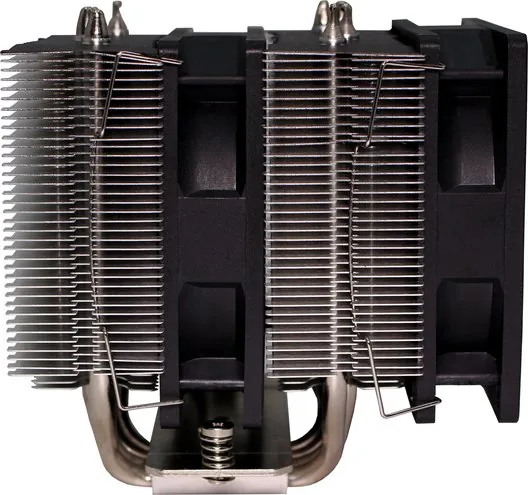
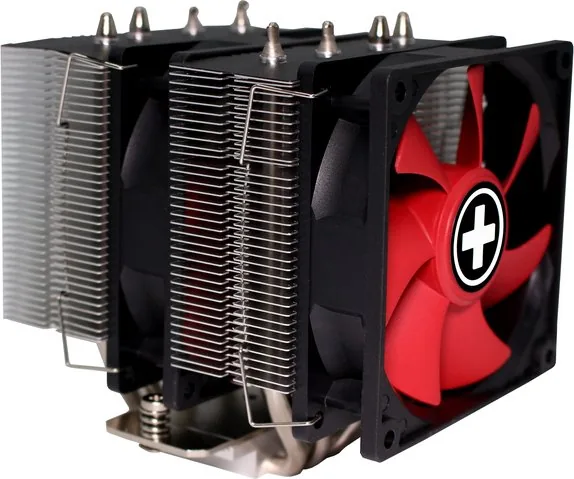
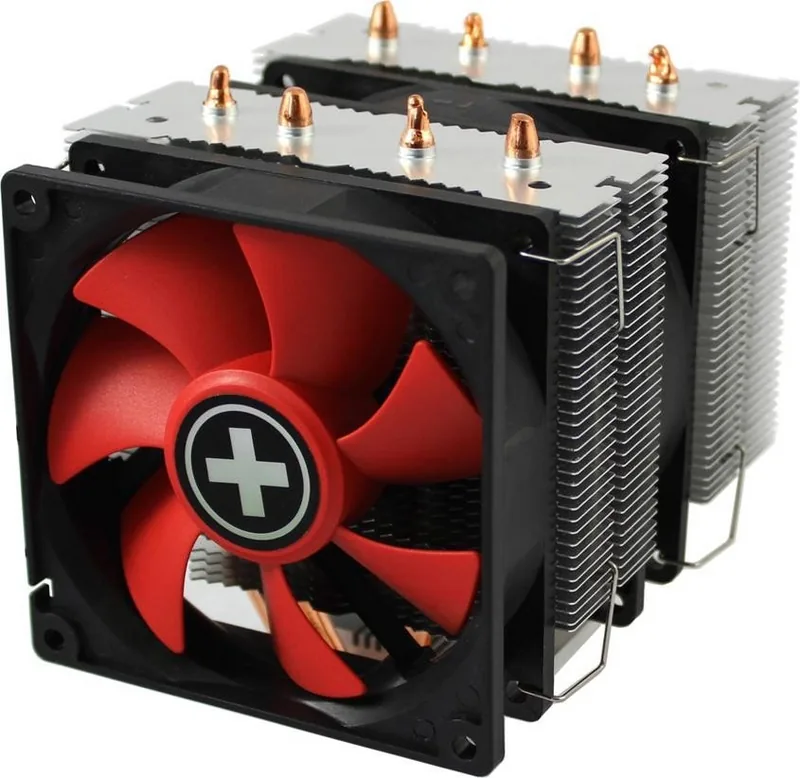
Tower Cooler (Dual-Tower)
Dimensions with Fan
4.13x4.92x4.84 in (WxDxH)
Fan
2x 3.62x3.62x0.98 in, 600-2200rpm, 55.6 CFM, 14-21.8dB(A)
Weight with Fan
1.51 lbs
Connector
4-Pin PWM
AMD Socket
AM5, AM4
Intel Socket
2011-v3/2066 (excluding 2011/2011-v1), 1700, 1150/1151/1155/1156/1200
TDP Rating
180W
Features
4 Heat Pipes, Direct Touch Heat Pipe
Product Description
Xilence M504D Manual: A Comprehensive Guide to Performance and Reliability
The Xilence M504D stands as a testament to precision engineering, designed specifically for enthusiasts who demand the utmost in cooling efficiency and system stability. This manual serves as your essential companion, guiding you through the intricate details of installation and operation without the need for complex jargon or confusing diagrams. Whether you are building your first PC or upgrading a high-end workstation, understanding the nuances of this component is crucial for optimal performance.
At the heart of the Xilence M504D lies a robust design philosophy that prioritizes airflow and durability. The included fan clips are engineered to secure the unit firmly within any chassis, ensuring that vibrations do not compromise acoustic comfort or hardware integrity. With four dedicated mounting clips provided, the installation process becomes straightforward, allowing users to focus on achieving the perfect thermal balance for their system. The compatibility with AM5 sockets further cements its position as a versatile choice for modern processors, offering seamless integration into the latest hardware ecosystems.
Navigating the features of the Xilence M504D reveals a product built for longevity. The materials used are selected to withstand high temperatures while maintaining structural rigidity over time. This attention to detail ensures that your system remains cool even under heavy loads, preventing thermal throttling and extending the lifespan of your components. The manual provides step-by-step instructions that demystify the setup process, making it accessible to users of all skill levels.
Beyond the technical specifications, the user experience is enhanced by thoughtful design choices that prioritize ease of use. From the clear labeling of parts to the intuitive layout of the documentation, every element is crafted to reduce frustration and maximize efficiency. By adhering to the guidelines outlined in the manual, users can unlock the full potential of their hardware, enjoying a computing environment that is both powerful and quiet.
In conclusion, the Xilence M504D represents a blend of functionality and reliability that is hard to beat. Its compatibility with AM5 platforms and the inclusion of essential accessories like the fan clips make it an ideal choice for those seeking a hassle-free upgrade path. As you embark on your journey with this product, remember that proper installation and adherence to best practices will yield the best results.
Important Notes
- Always ensure power is disconnected before installing hardware.
- Verify socket compatibility before beginning assembly.
- Keep all packaging materials until the system is fully tested.
Search for 67,706 Manuals online


Type-in Brand or Model
Nina Schmidt
9 months ago
I want a very quiet cooler and easy installation. Is the fan really quiet, and are there common issues mounting it on an AM4 board (backplate, RAM clearance, cleaning access)?
Manual.ly
9 months ago
Most users find the cooler quiet in normal workloads, but reported noise can vary a lot depending on CPU model, load, ambient temperature, and your mainboard fan curve. If your BIOS uses an aggressive PWM curve, the fan may ramp up audibly. For AM4 installation, the main points are: ensure you use the correct mounting hardware from the manual, tighten evenly, and verify clearance for your RAM (some users need to relocate/adjust a fan or choose low-profile memory). Cleaning can be harder on some designs because the heatsink and/or fans may need to be removed for proper access. If you want the quietest operation, set a sensible fan profile in BIOS and make sure thermal paste contact is correct.