
Free Streacom Manuals – Read, Download & Print
13 Manuals
Manuals
2 Pages
16 Pages
16 Pages
16 Pages
16 Pages
8 Pages
7 Pages
16 Pages
4 Pages
16 Pages
16 Pages
16 Pages
10 Pages
Categories

Introduction to Streacom Cases
Streacom is a renowned manufacturer of premium computer chassis designed for small form factors and minimalist aesthetics. Their products often feature high-grade aluminum construction and unique mechanical designs that require specific attention during installation. The Streacom Manuals are essential documentation provided with these products to guide users through setup, maintenance, and troubleshooting. Without these guides, users might struggle with the complex mounting mechanisms and thermal requirements inherent to these compact enclosures. This document explores the significance of these manuals, their contents, and how to utilize them effectively for building a reliable system.
Why Manuals Matter
Reading a detailed technical guide is crucial when working with high-end hardware. Streacom cases often utilize proprietary standoffs, screw locations, and latch systems that differ from standard PC cases. Following the manual ensures proper fitment of components and prevents damage to the motherboard or chassis. Ignoring instructions can void warranties or lead to stability issues. Furthermore, these manuals provide diagrams that clarify wire routing, which is critical for airflow and thermal performance in compact builds. Safety is also a primary concern, especially when handling heavy materials or tempered glass components found in many modern Streacom models.
Product Specific Guides
Each Streacom line of cases has its own dedicated manual. The documentation varies based on the physical dimensions and internal architecture. Understanding the specific series is the first step in any build process.
FC Series Manuals
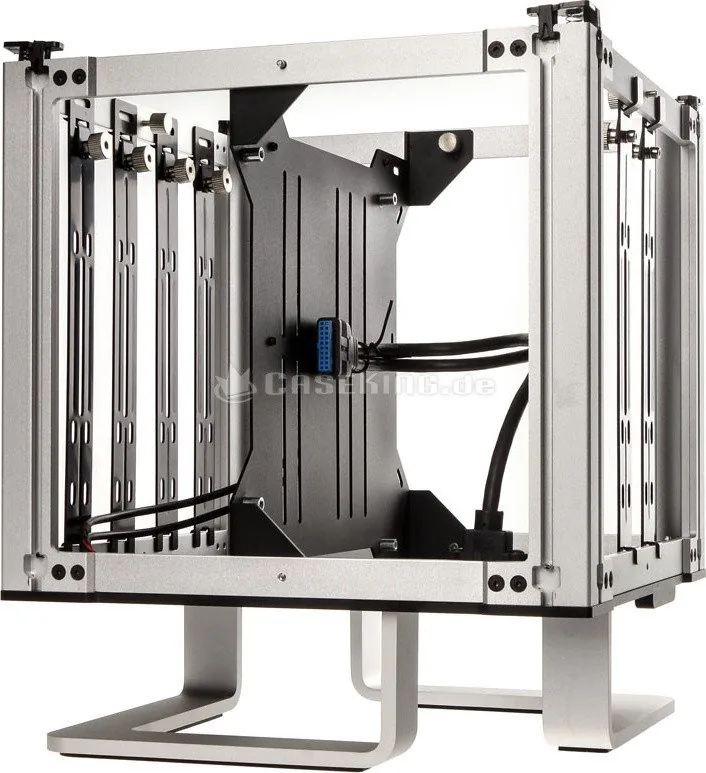
The FC series represents the flagship line of Streacom, featuring models like the FC11 and FC10. These manuals are thick due to the complexity of the open-architecture frames. They explain how to detach the back panel, manage the VESA mount for graphics cards, and secure power supplies in tight spaces. The FC10 manual, for instance, details specific clearance requirements for high-profile air coolers and liquid cooling radiators. Users often refer to these pages when designing a custom water cooling loop.
CG Series and Others
The CG series often includes integrated cases that look like standalone consoles. These manuals provide instructions on hiding cables within the chassis walls. They also cover the assembly of the aluminum outer shell and the internal mounting plate. Accessory specific guides are available for brackets that allow users to mount the case horizontally or vertically, though this is less common in standard documentation. Proper alignment is key to ensuring the case remains stable after assembly.
Installation Procedures
Building a PC in a Streacom chassis requires patience. The manuals outline a step by step process that prioritizes safety and structural integrity. Skipping steps can lead to poor cable management or structural weakness.
Disassembly and Assembly
Many Streacom cases rely on magnetic latches or specific screw tightness. The manual explicitly warns against over-tightening screws on aluminum components, which can strip thread holes. Conversely, loose screws can cause vibration noise due to the metal construction. Users are instructed to follow a specific torque sequence when assembling the main frame. This ensures even pressure distribution across the chassis.
Cable Management
Airflow is a constraint in small cases. The manuals describe internal channels and Velcro strap points that are not visible at first glance. Proper cable routing ensures that intake and exhaust paths remain unobstructed. Users are advised to remove dust covers from power supplies before routing cables, as per the specific layout diagrams found in the guide. Tidying up cables early prevents issues later during closure.
Compatibility Details
Understanding the physical limits of the case is vital before purchasing parts. This section of the manual is often the most consulted for final component selection.
Motherboard Support
Most Streacom manuals list supported motherboard form factors. While many support Mini ITX, some larger models accept Micro ATX. The documentation highlights socket types and standoff hole patterns specific to the aluminum plate provided. Using mismatched standoffs can short circuit the board. It is recommended to match the motherboard to the plate before installing it.
PSU and GPU Clearances
The manuals include detailed measurements for power supply units and graphics cards. For SFX power supply variants, specific rails are mentioned for securing the unit. GPU length limits are critical, as some models do not accommodate fully sized cards without removing specific internal mounts. Detailed charts show exact millimeter clearances. Always verify dimensions against your selected components.
Troubleshooting and Maintenance
Over time, dust accumulation and mechanical stress may require intervention. Proper maintenance ensures longevity and performance.
Fan Integration
Managing fans in a compact chassis is difficult. The manuals show mounting locations for intake and exhaust. Users are warned to keep fans clean to prevent thermal throttling. Some models come with custom shrouds that must be aligned perfectly according to the guide. Proper airflow direction is essential for cooling efficiency.
Dust Filter Cleaning
Cleaning dust filters is recommended every few months. The manuals explain how to remove the filter panels without bending the frame. Using compressed air is often suggested rather than liquids to avoid damaging the electronics nearby. Regular cleaning maintains optimal cooling performance.
Safety and Warnings
Safety instructions are prominent throughout the documentation. These warnings exist to prevent injury or hardware damage.
Handling Aluminum and Glass
Many models incorporate tempered glass panels. The manuals specify where to grip the glass safely to avoid stress fractures. Aluminum edges can be sharp after manufacturing, so protective gloves are recommended during the initial build process. Always handle the chassis by the robust edges.
Electrical Safety
Users must ensure the power supply is unplugged before any internal work. Short circuiting risks exist when inserting or removing components near the motherboard. The manual advises on grounding oneself to prevent static discharge damage to sensitive chips. Electrical safety should always be the priority.
Getting Help and Updates
Support resources are available online for those who need assistance beyond the printed guide.
Official Website
The Streacom website hosts all current PDF manuals for download. Users can navigate to specific product pages to find the exact version number for their hardware batch. Firmware updates for digital panels or lighting controls are also found here if applicable. Keep your documentation version current.
Firmware and Drivers
Some advanced cases feature OLED displays or control systems. The manuals guide users on installing the necessary software drivers. These tools allow for system monitoring and fan curve adjustments. Accessing these tools enhances the functionality of the case significantly.
Conclusion
In summary, Streacom Manuals are indispensable tools for PC builders using these premium chassis. They ensure that the complex mechanical designs function correctly and safely. By following the provided instructions, users can maximize performance and longevity of their investment. Whether assembling a silent office machine or a high-power workstation, the manual remains the primary reference source. Proper adherence to the guidelines prevents costly errors and ensures an optimal computing environment.
Search for 67,706 Manuals online


Type-in Brand or Model