
Streacom FC5 Alpha Manual
PDF manual · 16 Pages
English


Quick check
Incorrect answer, please try again.
Chat with your Streacom FC5 Alpha manual using AI
Get instant AI answers from your Streacom FC5 Alpha manual
Ask anything about the Streacom FC5 Alpha. Answers come from this manual, with the pages they are based on.
Ask a Question
Do you recommend FC5 Alpha?
Yes NoFrequently Asked Questions
Its passive cooling design is the main difference. Instead of using fans, it uses heatpipes and side heatsinks to move CPU heat away from the system, helping keep noise extremely low.
Is this answer helpful?
The case supports ATX, Micro-ATX, and Mini-ITX boards, but the final cooling setup and internal layout depend on the motherboard size and the passive heatpipe assembly used.
Is this answer helpful?
Yes. Thermal paste is essential for proper heat transfer between the CPU, heatpipes, and heatsink surfaces. Skipping it can reduce cooling performance and may risk overheating.
Is this answer helpful?
Yes. It supports a mix of 3.5-inch and 2.5-inch drives, though the exact number depends on motherboard size and how the available mounting positions are shared.
Is this answer helpful?
Yes, the optical version includes mounting hardware for a slim slot-loading optical drive. It needs careful alignment so the eject button and front panel position work correctly.
Is this answer helpful?
The FC5 Alpha supports compact fanless PSU solutions such as NanoPSU or ZeroFlex, depending on the build configuration and accessory choice.
Is this answer helpful?
Advantages and Disadvantages
Advantages

- Silent passive cooling design removes the need for case fans.
- Premium aluminum construction gives the case a refined, durable feel.
- Supports several motherboard sizes and flexible storage layouts.
- Compatible with optional optical drive, IR, and expansion card setups.
Disadvantages

- Assembly is more complex than with a standard PC case.
- Thermal management depends heavily on correct installation.
- Some drive and expansion options are limited by motherboard size.
- Passive cooling can make the exterior warm during heavy workloads.
Product Specification
Internal
3x 3.5", 6x 2.5"
Ports
2x USB-A 3.0 (5Gb/s)
PCI Slots
1 (1x Riser Card)
Fan (front)
N/A
Fan (rear)
N/A
Fan (left)
N/A
Fan (right)
N/A
Fan (top)
N/A
Fan (bottom)
N/A
Fan (other)
N/A
Radiator sizes
N/A
Motherboard
up to ATX
Supported Motherboards
Mini-ITX (6.7"x6.7")/mATX (9.6"x9.6")/ATX (12"x9.6")
Power supply
external
Power supply position
external
CPU cooler
passive
Lighting
no lighting
Dimensions (WxHxD)
17.13x2.36x12.80in (horizontal)
Volume
8.96 qt
Weight
9.26 lb
Case type
Desktop
Front
closed
Top
closed, ventilation slots left, ventilation slots right
Bottom
closed, partially ventilation slots
Left
closed
Right
closed
Rear
partially closed, ventilation slots centered, PCI slots (1x horizontal)
Front I/O Position
Case side: left (additional right), Height: centered, Position: Front
Motherboard orientation
Motherboard orientation: upwards
Special features
Aluminum case, passive (fanless), graphics card vertically mountable
USB notation
Link
Product Description
Streacom FC5 Alpha: A Premium Passive Case Built for Quiet Performance
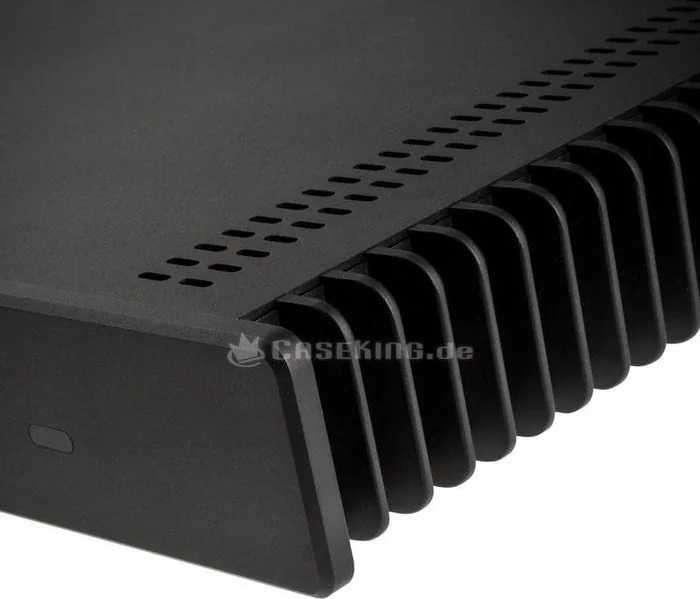
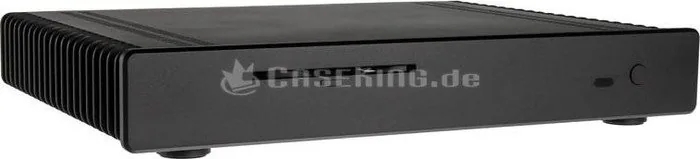
The Streacom FC5 Alpha Manual reveals a case designed for users who value silence, clean engineering, and a distinctive aluminum build. The FC5 Alpha is not a typical PC enclosure; it is a carefully planned passive cooling chassis that turns the entire body into part of the thermal system. With its sandblasted anodized finish, solid aluminum construction, and minimalist European design, it stands out as both a functional component and a statement piece.
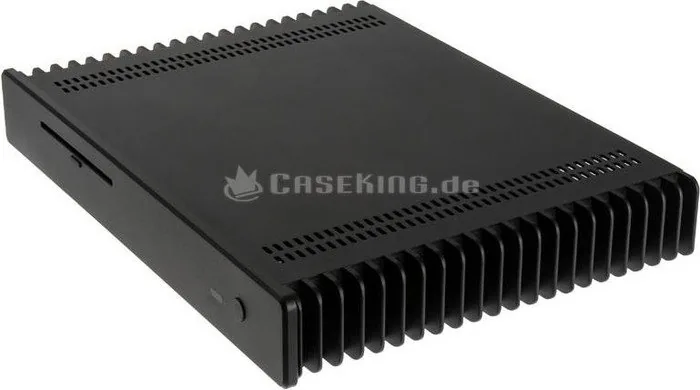
At its core, the FC5 Alpha is built around heatpipe-based passive cooling. Instead of relying on fans, it transfers heat from the CPU to the side heatsinks through a set of connectors and heatpipes. This approach keeps noise to an absolute minimum while still supporting capable systems, including ATX, Micro-ATX, and Mini-ITX configurations depending on the cooling hardware and layout. It is a smart choice for people building a living-room PC, media center, or compact workstation where quiet operation matters.
Assembly is more involved than with a standard tower case, but that is part of the appeal. The layout requires careful preparation of the motherboard, CPU mounting hardware, PSU connections, drive placement, and optional accessories such as optical drives or IR solutions. The instructions emphasize precision, thermal paste application, and correct alignment of the heatpipes, which shows how much attention Streacom puts into thermal efficiency. The result is a case that rewards patience with a polished, near-silent system.
Another highlight is flexibility. The FC5 Alpha supports multiple storage combinations, a full-height expansion card, side USB 3.0 ports, and PSU options such as NanoPSU or ZeroFlex. That makes it suitable for builds that need more than just silent operation. It can handle practical everyday use while maintaining a premium aesthetic that blends into modern environments.
Notes
- Best suited for builders who are comfortable with detailed assembly
- Thermal paste and correct mounting are essential for safe operation
- Position the case in a well-ventilated area and avoid direct sunlight
- Heat is normal in passive systems, especially under sustained load
Search for 67,706 Manuals online


Type-in Brand or Model