
Streacom HT4 Manual
PDF manual · 4 Pages
English


Quick check
Incorrect answer, please try again.
Chat with your Streacom HT4 manual using AI
Get instant AI answers from your Streacom HT4 manual
Ask anything about the Streacom HT4. Answers come from this manual, with the pages they are based on.
Ask a Question
Do you recommend HT4?
Yes NoFrequently Asked Questions
It raises heat pipes by 32mm to clear tall motherboard components and prevent interference.
Is this answer helpful?
Yes, aluminium Intel or AMD mounts can still be used with the HT4 adapter unit.
Is this answer helpful?
Use the existing CPU mounting brackets supplied with the case for proper installation.
Is this answer helpful?
Yes, apply paste to the CPU IHS and the HT4 surface interfacing with pipes.
Is this answer helpful?
It uses brackets from the existing CPU mount or you can buy the UM2 upgrade.
Is this answer helpful?
The protective label prevents heat transfer, so performance will be poor and thermal efficiency drops.
Is this answer helpful?
Yes, unless it is proving difficult to remove the existing front I/O assembly unit.
Is this answer helpful?
Advantages and Disadvantages
Advantages

- Elevates heat pipes 32mm for better clearance on motherboards with tall components
- Uses existing mounting hardware reducing the need for additional parts
- Direct touch heat pipe interface ensures efficient thermal transfer
- Compatible with older aluminium Intel and AMD mounts
- Designed in Europe with precision engineering for stability and performance
Disadvantages

- May require specific case compatibility like FC9 or FC10 models
- Front I/O replacement adds steps to the installation process
- Thermal paste must be applied carefully to multiple surfaces
- Protective label removal is critical and often missed by beginners
- Older cases might require UM2 upgrade for optimal universal fit
Product Description
Advanced Thermal Solutions
Streacom HT4 Integration
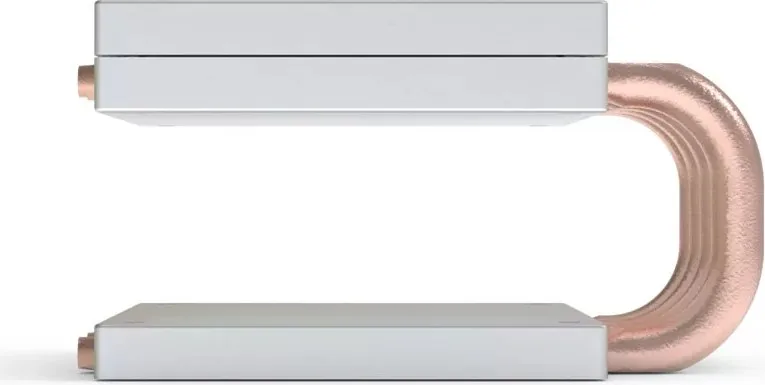
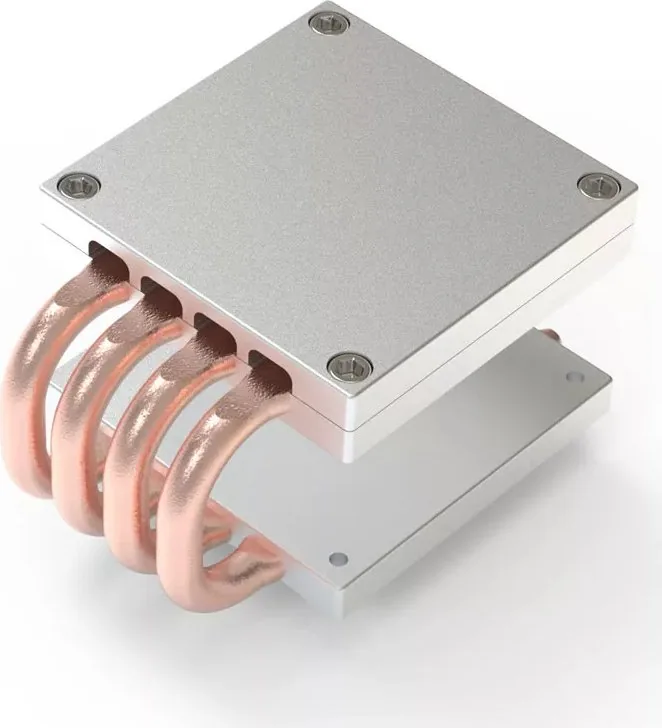
The Streacom HT4 CPU Cooler Riser for FC9/10 Manual serves as a crucial guide for enthusiasts upgrading their thermal setups within specific chassis architectures. This component is designed to enhance cooling efficiency by modifying the physical relationship between the CPU and the cooling solution. The primary function of the HT4 module is to elevate the heat pipes by exactly 32 millimeters. This adjustment provides essential clearance when tall components on the motherboard obstruct the standard path of the heat pipes. By connecting to the upper mounting holes on the heat sink side panel of the case, the system ensures airflow is not compromised by internal interference.
Assembly Guidelines
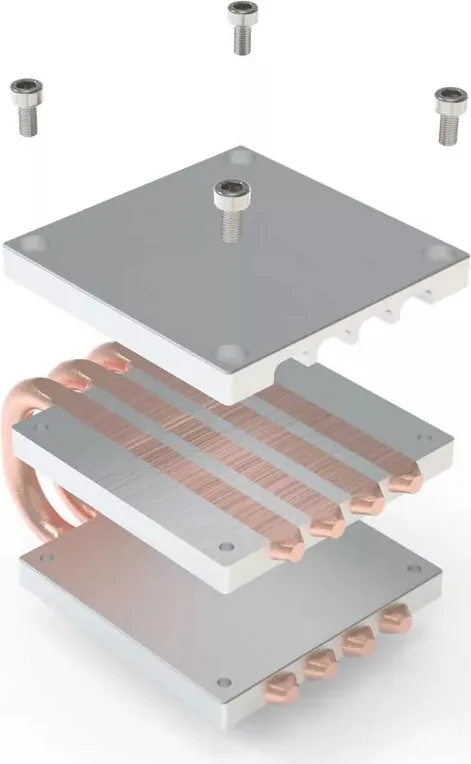
Installation relies heavily on the existing mounting hardware supplied with the case. The unit attaches directly to the CPU Integrated Heat Spreader using standard brackets found in modern universal CPU mounts. If you have an older case utilizing aluminium mounts from Intel or AMD, those are also compatible. Alternatively, users might purchase the UM2 upgrade option for further customization. Direct touch surfaces facilitate an efficient thermal path to the heat sink. Users must apply thermal paste to the Integrated Heat Spreader before securing the HT4. Additional paste application is required where the HT4 interfaces with the heat pipes.
Compatibility Details
The front I/O assembly requires careful handling during the process. It is secured by four HEX screws distinct from general case assembly screws. Professionals recommend removing components obstructing these screws before attempting replacement. The power switch cable must be disconnected first. Maintaining the case in a stationary position prevents frame alignment issues. The kit works with SH2 or LH4 heat pipes which attach to the HT4 and heat sink once secured. Following the specific case user guide is vital for alignment. This solution is designed in Europe and represents a thoughtful engineering approach to solving thermal clearance problems in compact builds.
Final Thoughts
Many users appreciate the modular design which allows for flexibility in build configurations. The thermal paste application is a critical step often overlooked. Ensuring the protective label is removed from the copper base before installation is non-negotiable for optimal performance. The system supports various CPU mounting techniques ensuring broad compatibility across different generations of processors. This adapter bridges the gap between standard cooling towers and high clearance requirements. When assembling the unit, attention must be paid to the USB Type-C cable routing if present near the front I/O module. Sometimes unscrewing the cable is necessary unless it is proving difficult during the swap. The brackets used are from the current universal CPU mount, but older brackets can remain in place. Proper torque on the HEX screws ensures stability without damaging the motherboard surface. This product stands out for its precision engineering aimed at solving clearance issues without sacrificing thermal performance.
Search for 67,706 Manuals online


Type-in Brand or Model